
1. Giriş
Thank you for choosing the SOVMIKU Vicohome 2K Indoor Camera CA43. This camera is designed to provide reliable indoor security monitoring with advanced features such as 2K resolution, dual-band Wi-Fi connectivity (2.4GHz and 5GHz), AI tracking, two-way audio, and night vision. This manual will guide you through the setup, operation, and maintenance of your device to ensure optimal performance.

Image: The SOVMIKU Vicohome 2K Indoor Camera CA43, a compact white security camera with a black lens, designed for indoor use.
2. Paket İçeriği
Lütfen paketi aşağıdaki öğeler açısından kontrol edin:
- Vicohome 2K Indoor Camera CA43
- Güç Adaptörü
- USB-C Güç Kablosu
- Montaj Kiti (vidalar ve dübeller)
- Çalıştırma Talimatı Kılavuzu

Image: A close-up of the SOVMIKU Vicohome 2K Indoor Camera CA43, its power adapter, and mounting accessories, laid out on a white surface.
3. Ürün Bittiview
The Vicohome CA43 camera features a compact design with a pan/tilt head for wide coverage. Key components include:
- Mercek: 2K (3MP) resolution for clear video.
- Kızılötesi Işıklar: Gece görüş özelliği için.
- Mikrofon ve Hoparlör: Çift yönlü ses iletişimi için.
- Sıfırlama Düğmesi: Used for device reset during setup or troubleshooting.
- Mikro SD Kart Yuvası: Yerel depolama için 128 GB'a kadar destek sağlar.
- USB-C Bağlantı Noktası: Güç bağlantısı için.
- Durum Gösterge Işığı: Provides device status feedback.

Image: A diagram highlighting the microphone, infrared light, lens, speaker, and charge port on the Vicohome CA43 camera.
4. Kurulum Kılavuzu
Follow these steps to set up your SOVMIKU Vicohome 2K Indoor Camera CA43:
- Güç Açık: Connect the camera to a power source using the provided USB-C cable and power adapter. The camera will power on automatically.
- Kamerayı Sıfırla: Locate the reset button (usually near the Micro SD card slot). Press and hold the reset button for approximately 6 seconds until you hear an audible prompt indicating the camera is resetting.
- Download the Vicohome App:
- Android cihazlar için Google Play Store'da "Vicohome" araması yapın.
- iOS cihazlar için Apple App Store'da "Vicohome" uygulamasını arayın.
- Uygulamayı indirin ve yükleyin.
- Create/Sign In to Account: Open the Vicohome app. If you are a new user, sign up for a new account. If you already have an account, sign in using your credentials.
- Cihaz Ekle:
- Uygulamada, yeni bir cihaz eklemek için sağ üst köşedeki "+" simgesine dokunun.
- Select "Add a new device" and choose the "Plug-in device" option.
- Confirm that you hear a sound from the camera and proceed to the next step.
- Wi-Fi'ye bağlanın:
- The app will prompt you to select your home Wi-Fi network (supports 2.4GHz and 5GHz).
- Wi-Fi şifrenizi girin ve onaylayın.
- The camera will attempt to connect to the network. Once connected, you will hear a confirmation sound and the app will indicate "Connection succeeded".
- Cihazınıza bir isim verin: Assign a name to your camera (e.g., "Living Room Camera", "Baby Monitor").
- Set Home & Location: Choose or add a home location for your camera within the app.
- İzlemeye Başlayın: Once the device is successfully added, you can start viewing the live feed and access all camera features.
Video: Official installation guide for the CA43 camera, demonstrating power-on, reset, app download, Wi-Fi connection, and device naming steps.
5. Kullanım Talimatları
5.1 Canlı View ve Oynatma
- Open the Vicohome app and select your camera to view canlı yayın.
- Use the on-screen controls to pan (horizontal) and tilt (vertical) the camera for a 360° view.
- Kayıtlı foo'ya erişintage from the "Library" or "Playback" section in the app.

Image: A smartphone screen displaying the Vicohome app with live feeds from multiple cameras, illustrating multi-device monitoring.
5.2 İki Yönlü Ses
- canlı yayından view, kameranın hoparlöründen konuşmak için mikrofon simgesine dokunun.
- Tap the speaker icon to hear audio from the camera's environment.

Image: A split image showing two children playing in a kitchen on one side, and a person interacting with the camera via the Vicohome app's two-way audio feature on a smartphone on the other side.
5.3 Motion Detection & AI Tracking
- Enable motion detection in the app settings to receive alerts when movement is detected.
- The AI tracking feature allows the camera to automatically follow detected motion within its field of view.
- Customize detection sensitivity and activity zones for precise monitoring.

Image: A white cat walking on a piano, with red tracking boxes overlaid, demonstrating the camera's motion tracking capabilities.
5.4 Acil SOS
- The camera features a one-touch SOS call button. Pressing this button will immediately contact pre-set emergency contacts through the app.
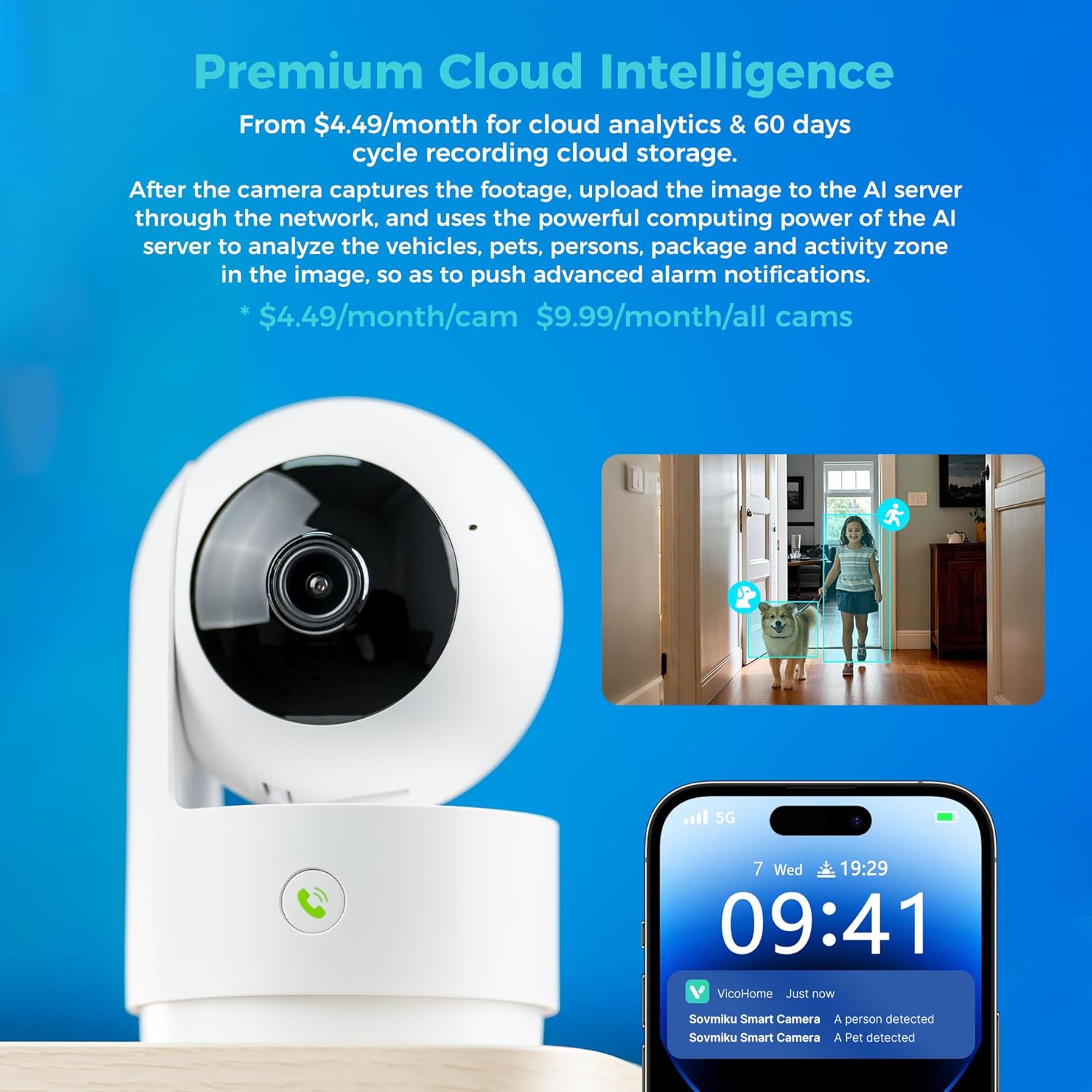
Image: A hand pressing the emergency SOS button on the camera, with a smartwatch showing an incoming call from the Vicohome app, indicating the emergency alert feature.
5.5 Gizlilik Modu
- Activate Privacy Mode in the app to physically hide the camera lens, ensuring privacy when monitoring is not desired.

Image: Two Vicohome cameras side-by-side, one in normal operating mode and the other in privacy mode with its lens retracted, demonstrating the privacy feature.
6. Özellikler
- 2K Çözünürlük: Net ve ayrıntılı video çekertage (3MP effective still resolution).
- Çift Bant Wi-Fi: Supports both 2.4GHz and 5GHz Wi-Fi networks for flexible connectivity.
- 360° Döndürme/Eğme: Geniş bir yelpazede sunar viewing angle with horizontal (83.5°), vertical (44°), and diagonal (59.2°) movement.
- AI İzleme: Automatically detects and follows human or pet movement.
- İki Yönlü Ses: Dahili mikrofon ve hoparlörü kullanarak kameranın yakınındaki kişilerle iletişim kurun.
- Gece Görüşü: Equipped with infrared LEDs for clear black and white video in low-light conditions.
- Yerel ve Bulut Depolama: Supports Micro SD card up to 128GB for local storage and offers optional cloud storage services.
- Acil SOS: One-touch call feature for immediate contact in emergencies.
- Gizlilik Modu: Physically hides the camera lens for enhanced privacy.
- Seamless Vicohome App Compatibility: Integrates with existing Vicohome devices for unified management.

Image: The Vicohome camera with example images demonstrating its 3MP resolution, showing clear details of a dog and a child in a home setting.

Image: A graphic illustrating the Vicohome camera's compatibility with both 2.4GHz and 5GHz dual-band Wi-Fi networks.

Image: A hand inserting a Micro SD card into the camera, with icons for 128GB storage and cloud storage, indicating local and cloud storage options.
7. Bakım
- Temizlik: Fotoğraf makinesinin objektifini ve gövdesini temizlemek için yumuşak, kuru bir bez kullanın. Aşındırıcı temizleyicilerden veya çözücülerden kaçının.
- Donanım Yazılımı Güncellemeleri: Regularly check the Vicohome app for available firmware updates to ensure your camera has the latest features and security enhancements.
- Güç Kaynağı: Ensure the camera is connected to a stable power source. Use only the provided power adapter or a compatible replacement.
- Atama: Place the camera in a location where it has a clear view and is protected from extreme temperatures or direct moisture.
8. Sorun Giderme
- Kamera Wi-Fi'ye Bağlanmıyor:
- Ensure your Wi-Fi password is correct and the camera is within range of your router.
- Kamerayı sıfırlamayı ve kurulum işlemini tekrarlamayı deneyin.
- Verify your router supports 2.4GHz or 5GHz Wi-Fi and is not using a hidden SSID.
- Yaşam yok View:
- Check your internet connection and ensure the camera is powered on.
- Restart the Vicohome app.
- Hareket Algılama Bildirimleri Alınmadı:
- Uygulama ayarlarında hareket algılamanın etkinleştirildiğini doğrulayın.
- Akıllı telefonunuzdaki uygulama bildirim ayarlarını kontrol edin.
- İki Yönlü Ses Sorunları:
- Ensure microphone and speaker permissions are granted to the Vicohome app on your phone.
- Check the volume settings on both the app and your phone.
9. Özellikler
| Özellik | Detay |
|---|---|
| Önerilen Kullanımlar | Kapalı Alan Güvenliği |
| Marka | SOVMIKU |
| Model Adı | CA43 |
| Bağlantı Teknolojisi | Wi-Fi (2.4 GHz ve 5 GHz) |
| Özel Özellik | Adjustable, AI Tracking, Two-Way Audio, Night Vision, SOS Call, Privacy Mode |
| İç/Dış Mekan Kullanımı | Kapalı |
| Uyumlu Cihazlar | iOS, Android, iPad OS |
| Kontrol Yöntemi | Uygulama |
| Güç Kaynağı | Kablolu Elektrik |
| Etkili Hareketsiz Çözünürlük | 3 MP (2K) |
| Video Kodlama | H.265 |
| Flash Bellek Türü | Mikro SD |
| Desteklenen Maksimum Flash Bellek | 128 GB |
| Ürün Ağırlığı | 1.5 Pound |
| Malzeme | PVC |
10. Garanti ve Destek
- Garanti: The product comes with a 1-Year Manufacturer Warranty.
- Değişim Politikası: Enjoy a 180-Day No-Risk Guarantee, backed by a 6-month replacement promise for defects.
- Müşteri Desteği: Free expert support is available 24/7 to assist with any questions or issues.
For further assistance, please refer to the contact information provided in your product packaging or through the Vicohome app.