
Ürün Bittiview
The Blaupunkt Bremen SQR 46 DAB Retro Car Stereo is a modern reinterpretation of the classic 1-DIN car radio from the 1980s. It combines vintage aesthetics with contemporary technology, offering a comprehensive in-car entertainment experience. This unit features Bluetooth connectivity, dual USB ports, SD card slot, AUX input, and AM/FM radio, along with DAB+ digital tuner capabilities. The package includes the receiver, a fully enclosed under-dash/overhead installation mounting kit, and a 22-inch radio antenna, providing a complete solution for various vehicle installations.
Kutuda Neler Var?
- Blaupunkt Bremen SQR 46 DAB Retro Car Stereo Receiver: The main head unit for audio playback and control.
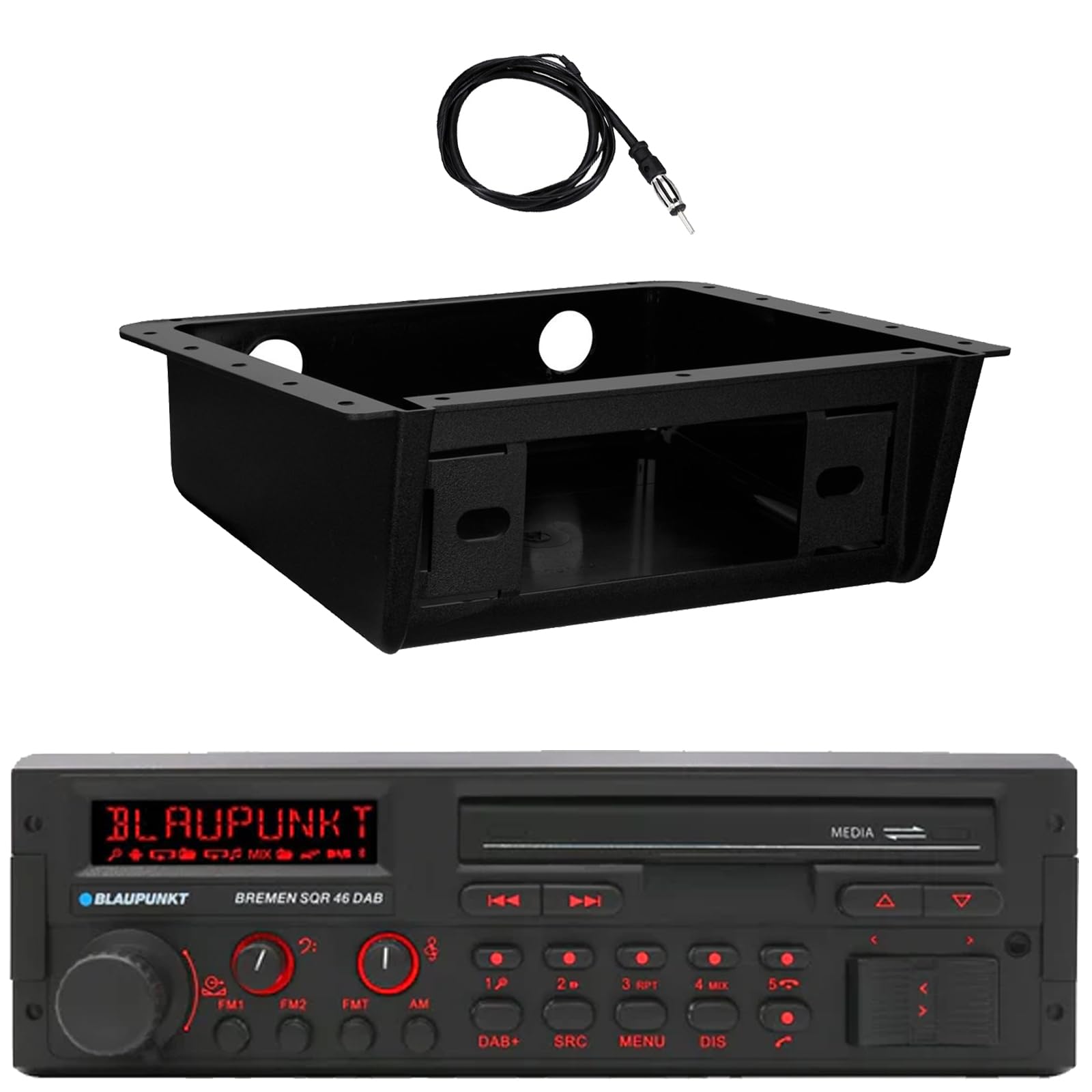
Resim: Ön view of the Blaupunkt Bremen SQR 46 DAB car stereo receiver, showing the display, control knobs, and buttons.
- Fully Enclosed Under Dash/Overhead Installation Mounting Kit: A premium housing designed for secure installation of the receiver under the dashboard or overhead.

Image: Black, rectangular under-dash/overhead mounting kit, designed to house a single DIN car stereo.
- 22" Radio Antenna: A flexible marine-grade antenna for improved AM/FM radio reception.

Image: Coiled black wire antenna with a silver connector at one end.
Kurulum ve Yükleme
Proper installation is crucial for optimal performance. It is recommended that installation be performed by a qualified professional. This section provides general guidelines.
1. Alıcının Montajı
- Under Dash/Overhead Installation: The included mounting kit is designed to fully enclose the single DIN receiver. Secure the kit to a suitable flat surface under the dashboard or overhead using appropriate fasteners (not included).
- Insert the Blaupunkt Bremen SQR 46 receiver into the mounting kit. Ensure it is securely seated and locked into place.
- Alternatively, the unit can be installed in a standard single DIN opening in your vehicle's dashboard.
2. Kablo Bağlantıları
- Güç Bağlantısı: Connect the yellow wire to a constant 12V power source, the red wire to a switched 12V accessory power source, and the black wire to a chassis ground.
- Hoparlör Bağlantıları: Connect the speaker wires to your vehicle's speakers, ensuring correct polarity for each speaker.
- Anten Bağlantısı: Connect the 22" radio antenna to the antenna input on the rear of the receiver. Route the antenna cable away from other wiring to minimize interference.
- Yardımcı Girişler: If using external devices, connect them to the AUX-in port.
- RCA Çıkışları: Harici bağlantı için amplifiers, use the RCA pre-outs.
3. İlk Güç Açma
- After all connections are made, turn on your vehicle's ignition.
- Alıcıyı açmak için üzerindeki güç düğmesine basın.
- Dil seçimi veya saat ayarı gibi ilk kurulum için ekranda beliren yönergeleri izleyin.
Kullanım Talimatları
Temel Kontroller
- Güç Düğmesi: Üniteyi açmak veya kapatmak için basın.
- Ses Düğmesi: Rotate to adjust the volume level. Press to mute/unmute.
- Kaynak (SRC) Düğmesi: Press to cycle through available audio sources: AM, FM, DAB+, Bluetooth, USB, SD, AUX.
- MENÜ Düğmesi: Sistem ayarlarına ve ses ayarlamalarına erişin.
- DIS (Display) Button: Change display information or dim the display.
- Track/Tune Buttons (<< / >>): Use to skip tracks in media modes or tune radio frequencies.
Radio Operation (AM/FM/DAB+)
- Basın Kaynak düğmeye kadar AM, FM, veya DAB+ seçildi.
- Kullanın Track/Tune buttons to manually tune frequencies or seek for the next strong station.
- Önceden Ayarlanmış İstasyonlar: Press and hold numbered buttons (1-6) to save the current station as a preset. Press briefly to recall a saved station.
Bluetooth İşlemi
- Eşleştirme:
- Mobil cihazınızda Bluetooth'un etkinleştirildiğinden emin olun.
- Seçme Bluetooth as the source on the receiver using the Kaynak düğme.
- On your mobile device, search for available Bluetooth devices and select "Blaupunkt Bremen SQR 46".
- İstendiğinde eşleştirmeyi onaylayın.
- Ses akışı: Eşleştirme tamamlandıktan sonra, cihazınızdan ses akışı yapabilirsiniz. Bunun için şunu kullanın: Track/Tune Alıcı üzerindeki düğmeler parçaları atlamak için kullanılır.
- Eller Serbest Arama: When a call comes in, the unit will display caller information. Press the green call button to answer, or the red call button to reject/end.
USB/SD Kart Oynatma
- Insert a USB drive into one of the USB ports or an SD card into the SD card slot.
- The unit will automatically switch to the USB or SD source and begin playback. If not, press the Kaynak Doğru kaynağı seçmek için düğme.
- Kullanın Track/Tune Parçalar arasında gezinmek için kullanılan düğmeler.
AUX Girişi
- Connect an external audio device (e.g., MP3 player) to the AUX-in port using a 3.5mm audio cable.
- Seçme Yardımcı as the source using the Kaynak düğme.
- Bağlı cihazdan oynatmayı kontrol edin.
Ses Ayarları
- Basın MENÜ button to access audio settings such as Bass, Treble, Balance, Fader, and Equalizer presets.
- Rotate the volume knob to adjust values and press it to confirm selections.
Bakım
- Ünitenin Temizlenmesi: Ön paneli ve ekranı silmek için yumuşak ve kuru bir bez kullanın. İnatçı kirler için hafifçe silin.ampBezi suyla yıkayın. Sert kimyasallar, aşındırıcı temizleyiciler veya çözücüler kullanmaktan kaçının.
- USB/SD Bağlantı Noktaları: USB ve SD kart yuvalarını toz ve kirden uzak tutun.
- Genel Bakım: Üniteyi aşırı sıcaklıklara, uzun süre doğrudan güneş ışığına veya aşırı neme maruz bırakmaktan kaçının.
Sorun giderme
| Sorun | Olası Neden | Çözüm |
|---|---|---|
| Güç yok | Yanlış kablolama; Sigorta atmış; Araç kontağı kapalı. | Check power and ground connections. Verify vehicle fuse and unit fuse. Ensure vehicle ignition is on. |
| Ses yok | Ses seviyesi çok düşük; Sessize alma etkinleştirilmiş; Hoparlör kablolaması yanlış; Kaynak seçilmemiş. | Sesi artırın. Sesi kapatma özelliğini devre dışı bırakın. Hoparlör bağlantılarını kontrol edin. Doğru ses kaynağını seçin. |
| Bluetooth bağlanmıyor | Cihaz eşleştirme modunda değil; Cihaz Bluetooth kaynağında değil; Parazit. | Ensure Bluetooth is enabled on device and unit. Put device in pairing mode. Try re-pairing. Move closer to the unit. |
| Zayıf radyo alımı | Anten bağlı değil; Hasarlı anten; Zayıf sinyal alanı. | Check antenna connection. Inspect antenna for damage. Try tuning to a stronger station or moving to a different location. |
| USB/SD oynatılamıyor | Desteklenmiyor file format; Corrupted media; Incorrect source selected. | Emin olmak files are in a supported format (e.g., MP3, WMA). Try a different USB drive/SD card. Select USB/SD source. |
Özellikler
| Özellik | Detay |
|---|---|
| Marka | BLAUPUNKT |
| Model Numarası | Bremen SQR 46 |
| Bağlantı Teknolojisi | Yardımcı, Bluetooth |
| Denetleyici Türü | Basmalı Düğme |
| Özel Özellikler | Built-In Bluetooth, USB, SD Card, AUX-in, DAB+ digital tuner |
| Uyumlu Cihazlar | Amplifier, Smartphones, USB drives, SD cards |
| Ses Çıkışı Modu | Stereo |
| Ses Çıkış Türü | RCA (6 channels) |
| Birim Sayısı | 1 (Alıcı) |
| Dahil Bileşenler | Receiver, Stereo Install Kit, Radio Antenna |
Garanti Bilgileri
This Blaupunkt Bremen SQR 46 DAB Retro Car Stereo comes with a 1 Yıl Üretici Garantisi. This warranty covers defects in materials and workmanship under normal use. Please retain your proof of purchase for warranty claims. For detailed terms and conditions, refer to the warranty card included with your product or visit the official Blaupunkt webalan.
Müşteri Desteği
For further assistance, technical support, or warranty inquiries, please contact Blaupunkt customer service. You can typically find contact information on the official Blaupunkt webSitede veya ürününüzle birlikte verilen belgelerde.
Resmi Webalan: www.blaupunkt.com (Please note: This link is a general placeholder. Refer to your product's specific documentation for the most accurate support contact information.)