
Ürün Bittiview
The PHIGOLF Phigolf2 Flex is an interactive home golf game simulator designed for both indoor and outdoor use. It features a motion sensor and a swing stick, offering a realistic golf experience with access to over 38,000 courses worldwide. Compatible with Android, iOS, and E6 Connect apps, it provides comprehensive swing analysis and various game modes for all skill levels.
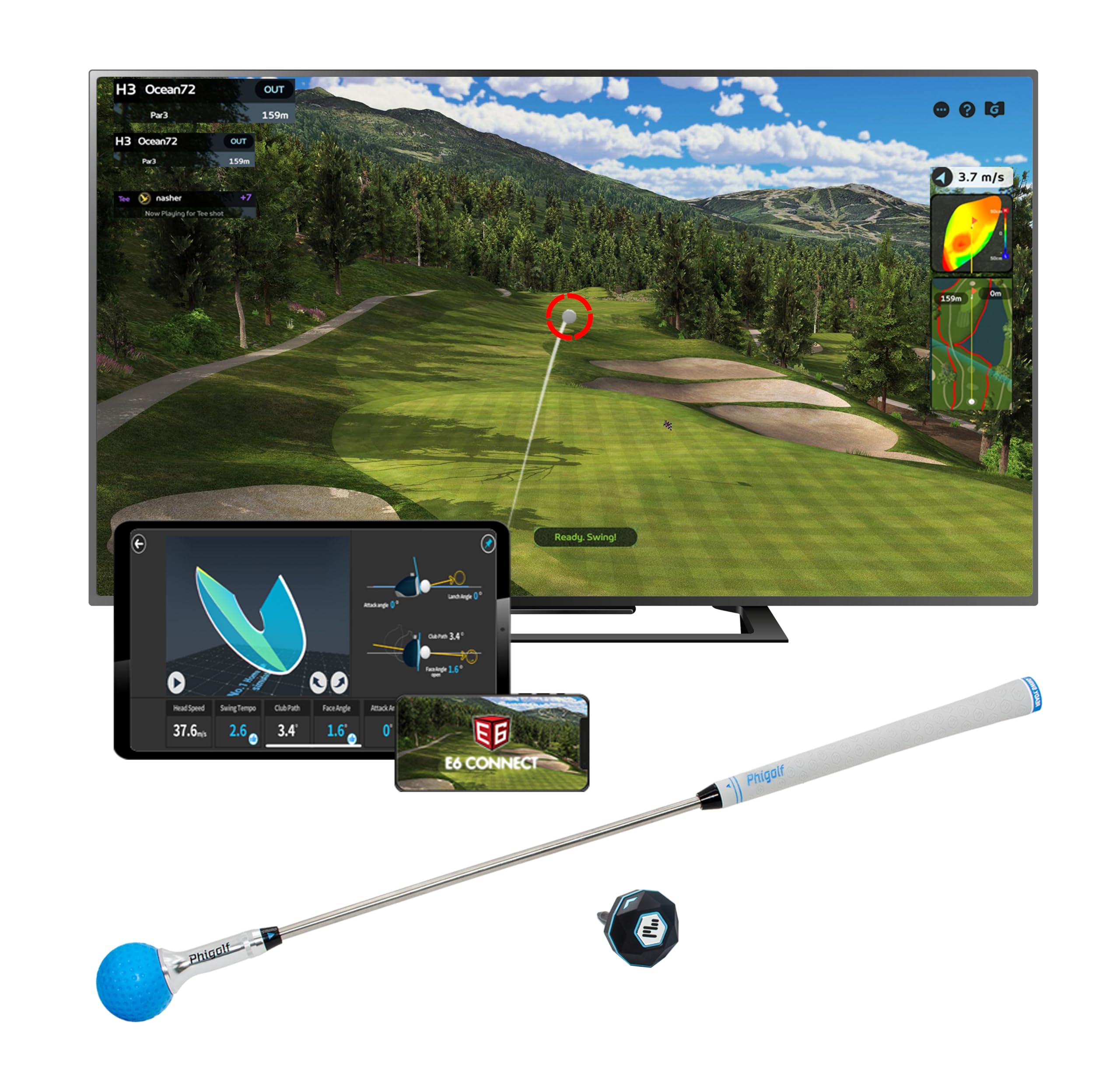
Image: PHIGOLF Phigolf2 Flex Home Golf Simulator, showing the main components including the swing stick and sensor.
Kutuda Neler Var?
- 1 x Phigolf2 Flex Motion Sensor
- 1 x Phigolf2 Flex Swing Stick (upgraded 27.6-inch, 500g steel shaft with replaceable grip)
- USB-C Charging Cable (for sensor)
- Kullanım Kılavuzu (bu belge)

Image: The Phigolf2 Flex sensor and swing stick, key components of the simulator package.
Kurulum Talimatları
- Charge the Sensor: Ensure your Phigolf2 Flex sensor is fully charged using the provided USB-C cable.
- Uygulamayı indirin: Download the official "Phigolf" app from your device's app store (compatible with Android and iOS).
- Bluetooth Eşleştirme: Open the Phigolf app and follow the on-screen instructions to pair the lightweight 9.8g USB-C sensor via Bluetooth to your smartphone or tablet.
- Prepare the Swing Stick: Fully extend the swing stick before use.
- Sensörü takın: Insert the smart sensor into the end hole of the swing stick or your personal golf club.
- Konumlandırma: For optimal performance, ensure adequate space for swinging. If using your own clubs with real balls outdoors, set up a net for safe practice sessions.
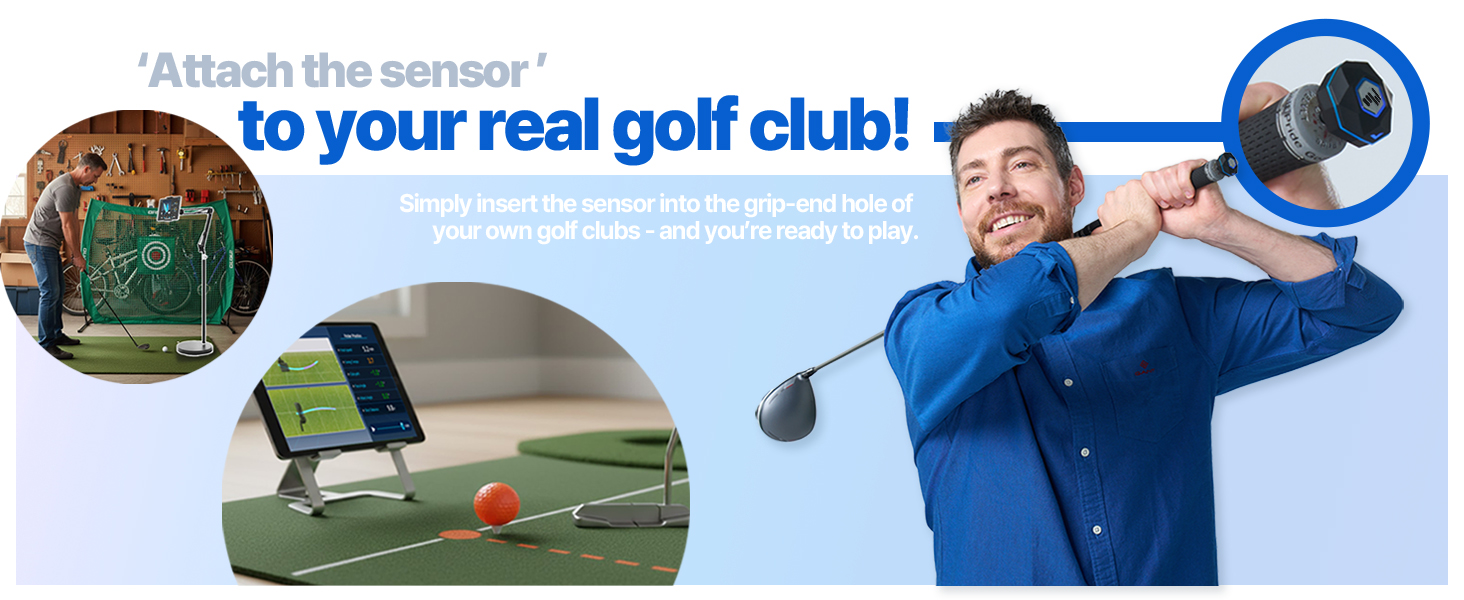
Image: A visual guide demonstrating the setup process, including app download, sensor connection, and attachment to the swing stick.
Video: Official demonstration of the Phigolf2 Flex Golf Simulator with Retractable Swing Stick, showing its features and ease of use.
Kullanım Talimatları
- Uygulamayı başlatın: Open the Phigolf app on your paired device.
- Oyun Modunu Seçin: Choose from various game modes such as Full Course, Speed Golf, Putting, Nearest, Approach, Longest, Local Game, Online Game, or Training.
- Oynamaya Başla: Once a mode is selected, follow the in-app instructions to begin your golf session. The sensor will track your swing and provide real-time feedback.
- Swing Analysis: The app provides six swing-to-putt analytics, including head speed, swing tempo, club path, face angle, attack angle, and shot distance. Review these metrics to improve your game.
- Çok Oyunculu: Enjoy multiplayer matches with up to 4 players for interactive fun.

Image: The PHIGOLF app interface displaying various golf game modes, including Driving Range, Speed Golf, and Tournament.

Image: The PHIGOLF app showing detailed swing analysis data, including head speed, swing tempo, and club path.
Özellikler ve Avantajlar
- Premium Portable & Space-Saving: Take Phigolf2 Flex anywhere – it fits easily in your suitcase, making it perfect for travel. No net or ball required for indoor use.
- Access 38,000+ Golf Courses Worldwide: Experience world-famous courses from the comfort of your home. Includes 9 classic and 8 HD courses in the Phigolf app.
- Easy Setup & Fun for All Skill Levels: Simple and enjoyable to use for beginners and pros alike.
- Use Your Own Clubs: Insert the Phigolf sensor into your personal clubs for an authentic experience.
- Upgraded Swing Stick: The 27.6-inch, 500g steel shaft swing stick features a replaceable grip, mimicking the feel of a real golf club.
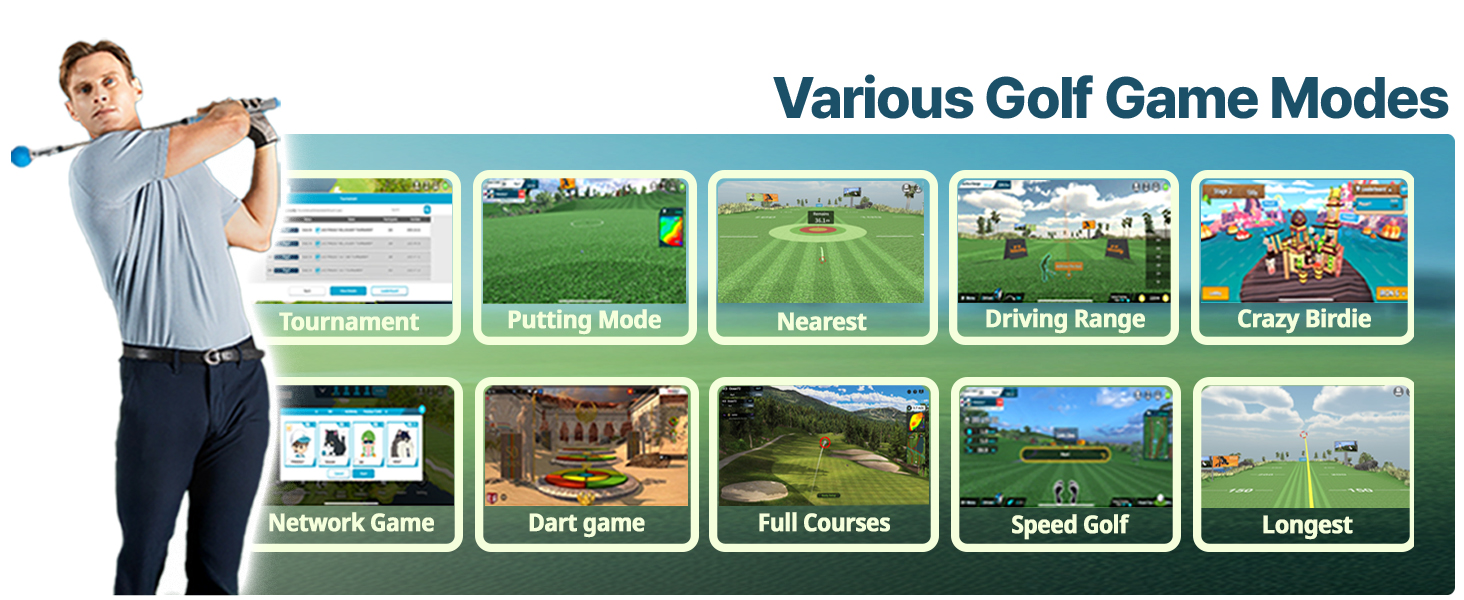
Image: People enjoying the PHIGOLF simulator in diverse environments, highlighting its "Anytime, Anywhere" portability.
Bakım
To ensure the longevity and optimal performance of your PHIGOLF Phigolf2 Flex, follow these maintenance guidelines:
- Sensör Bakımı: Keep the sensor clean and dry. Avoid exposing it to extreme temperatures or moisture. Recharge regularly to maintain battery health.
- Swing Stick Care: Inspect the swing stick and grip periodically for wear and tear. Replace the grip if it becomes worn.
- Uygulama Güncellemeleri: Regularly check for and install updates for the Phigolf app to ensure you have the latest features and bug fixes.
- Depolamak: Store the simulator components in a cool, dry place when not in use.
Sorun giderme
If you encounter any issues with your PHIGOLF Phigolf2 Flex, please refer to the following general troubleshooting tips. For more detailed assistance, consult the tutorials within the Phigolf app.
- Bağlantı Sorunları: Ensure Bluetooth is enabled on your device and the sensor is charged. Try restarting both the app and the sensor.
- Yanlış Okumalar: Verify the sensor is securely attached to the swing stick or club. Ensure proper calibration within the app if available.
- Uygulama Performansı: Close other applications running in the background. Ensure your device meets the minimum system requirements for the Phigolf app.
- Swing Stick Feel: If the swing stick feels unnatural, ensure it is fully extended. Consider using your personal clubs with the sensor for a more familiar feel.
Özellikler
| Bağlanmak | Detay |
|---|---|
| Öğe Paket Boyutları (U x G x Y) | 24.8 x 3.5 x 3.5 inç |
| Paket Ağırlığı | 0.84 Kilogram |
| Ürün Boyutları (U x G x Y) | 3 x 5 x 25 inç |
| Ürün Ağırlığı | 0.59 Kilogram |
| Marka Adı | PHIGOLF |
| Model Adı | Pigolf |
| Renk | Phigolf2 Flex |
| Malzeme | Alüminyum |
| Önerilen kullanıcılar | unisex-yetişkin |
| Üretici | Pigolf |
| Parça Numarası | Phigolf2 Flex |
| Dahil Bileşenler | Sensör |
| İlk Mevcut Tarih | 30 Haziran 2025 |
Garanti ve Destek
Garanti Açıklaması: The PHIGOLF Phigolf2 Flex comes with a 1 Year Manufacturer Warranty.
For technical support, troubleshooting, or warranty claims, please refer to the contact information provided in your product packaging or visit the official PHIGOLF webalan.