
giriiş
This instruction manual provides detailed information on the setup, operation, and maintenance of your Kuephom CD Player Boombox with Cassette Player, Model CD-X2A. Please read this manual thoroughly before using the device to ensure proper functionality and to maximize your listening experience. Keep this manual for future reference.
Ürün Bittiview
The Kuephom CD Player Boombox is a versatile audio system designed for both modern and classic audio formats. It features CD, cassette, Bluetooth, FM/AM radio, USB, and AUX input capabilities.

This image displays the Kuephom CD Player Boombox, highlighting its versatile features including CD/MP3 playback, Bluetooth connectivity, Type I/II tape support, USB input, FM/AM radio, sleep timer, remote control, phone jack, AUX input, and tape recording capabilities.
Paket İçeriği

This image shows the items included in the product package: the CD Player Boombox, an AC Power Cord, the User Manual, and a Remote Control.
- Kuephom CD Player Boombox (Model CD-X2A)
- AC Güç Kablosu
- Uzaktan kumanda
- Kullanıcı Kılavuzu
Kurmak
Üniteye Güç Verme
Your Kuephom CD Player Boombox can be powered by either AC power or batteries.

This image illustrates the dual power options for the boombox: AC power for indoor use and battery power (6 C-size batteries, not included) for portable outdoor use.
AC Power (for Home Use)
- Ensure the boombox is turned off.
- AC güç kablosunu cihazın arkasındaki AC giriş jakına bağlayın.
- AC güç kablosunun diğer ucunu standart bir duvar prizine takın.
Battery Power (for Outdoor/Portable Use)
- Ensure the boombox is turned off.
- Ünitenin altında bulunan pil bölmesi kapağını açın.
- Insert 6 C-size batteries (not included), ensuring correct polarity (+/-).
- Pil bölmesi kapağını sıkıca kapatın.
Anten Ayarı
For optimal FM/AM radio reception, extend the telescopic antenna fully and adjust its position. For AM reception, rotating the unit itself may improve signal quality.
Kullanım Talimatları
Genel Kontroller
Familiarize yourself with the main controls on the unit and the remote control for easy operation.

This image shows the Kuephom CD Player Boombox along with its remote control, demonstrating its convenience for operation from a distance.
CD Çalma

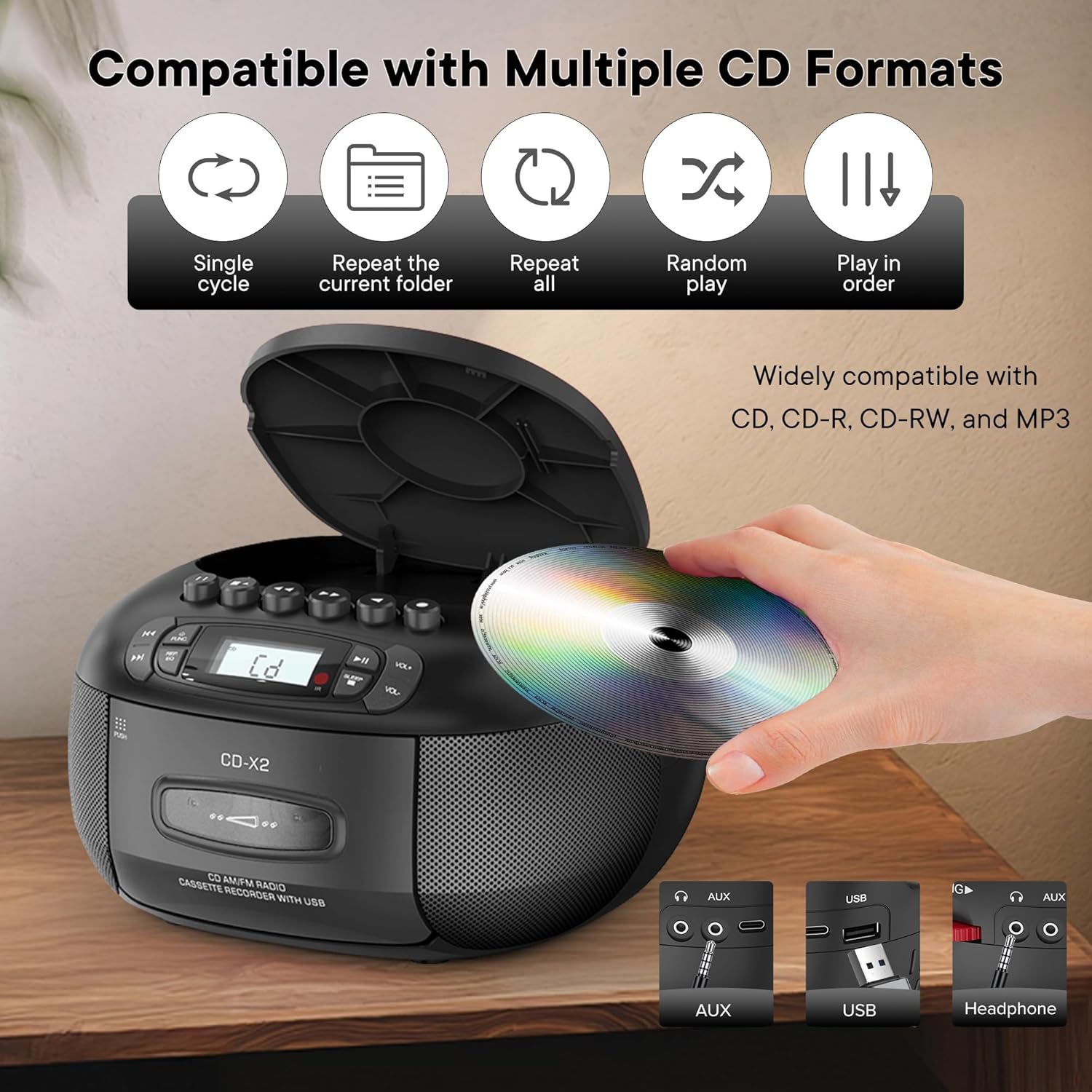
This image illustrates the CD compatibility of the boombox, supporting CD, CD-R, CD-RW, and MP3 formats. It also shows various playback modes: single cycle, repeat current folder, repeat all, random play, and play in order.
- Basın FUNC button to select CD mode. The display will show "CD".
- Open the CD compartment cover by pressing the AÇIK/KAPALI düğme.
- Place a CD (CD, CD-R, CD-RW, or MP3 CD) onto the spindle with the label side facing up.
- Close the CD compartment cover. The unit will read the disc and display the total number of tracks.
- Basın OYNAT/DURDUR oynatmayı başlatmak için düğmesine basın.
- Kullanın ILERİ ATLAMAK or GERİ ATLA Parçalar arasında gezinmek için kullanılan düğmeler.
- Basın REP/EQ button repeatedly to cycle through repeat modes (single track, repeat all, random play).
- kullanarak ses seviyesini ayarlayın. HACİM+ Ve cilt düğmeler.
Cassette Playback and Recording
This image shows a user inserting a cassette tape into the boombox, emphasizing its cassette playback and recording functions.
Playback
- Basın FUNC button to select TAPE mode. The display will show "TAP".
- Basın İTMEK kaset bölmesini açmak için düğme.
- Kaseti, açık kenarı yukarı bakacak şekilde yerleştirin.
- Kaset bölmesini kapatın.
- Basın OYNAMAK button (usually indicated by a triangle symbol) to start playback.
- Kullanın HIZLI İLERLEME or GERİ SARMA Bantlar arasında hızlıca geçiş yapmak için düğmeler.
- Basın DUR/ÇIKAR button to stop playback or eject the tape.
Kayıt
You can record audio from CD, Bluetooth, USB, or FM/AM radio onto a cassette tape.
- Kaset yuvasına boş bir kaset yerleştirin.
- Select the desired source (CD, Bluetooth, USB, or Radio) using the FUNC düğme.
- Start playback on the source (e.g., play a CD track, start Bluetooth streaming).
- Basın KAYIT button (usually indicated by a red circle) on the boombox. The unit will begin recording the audio onto the cassette.
- Basın DURMAK Kaydı sonlandırmak için düğmeye tıklayın.
FM/AM Radyo
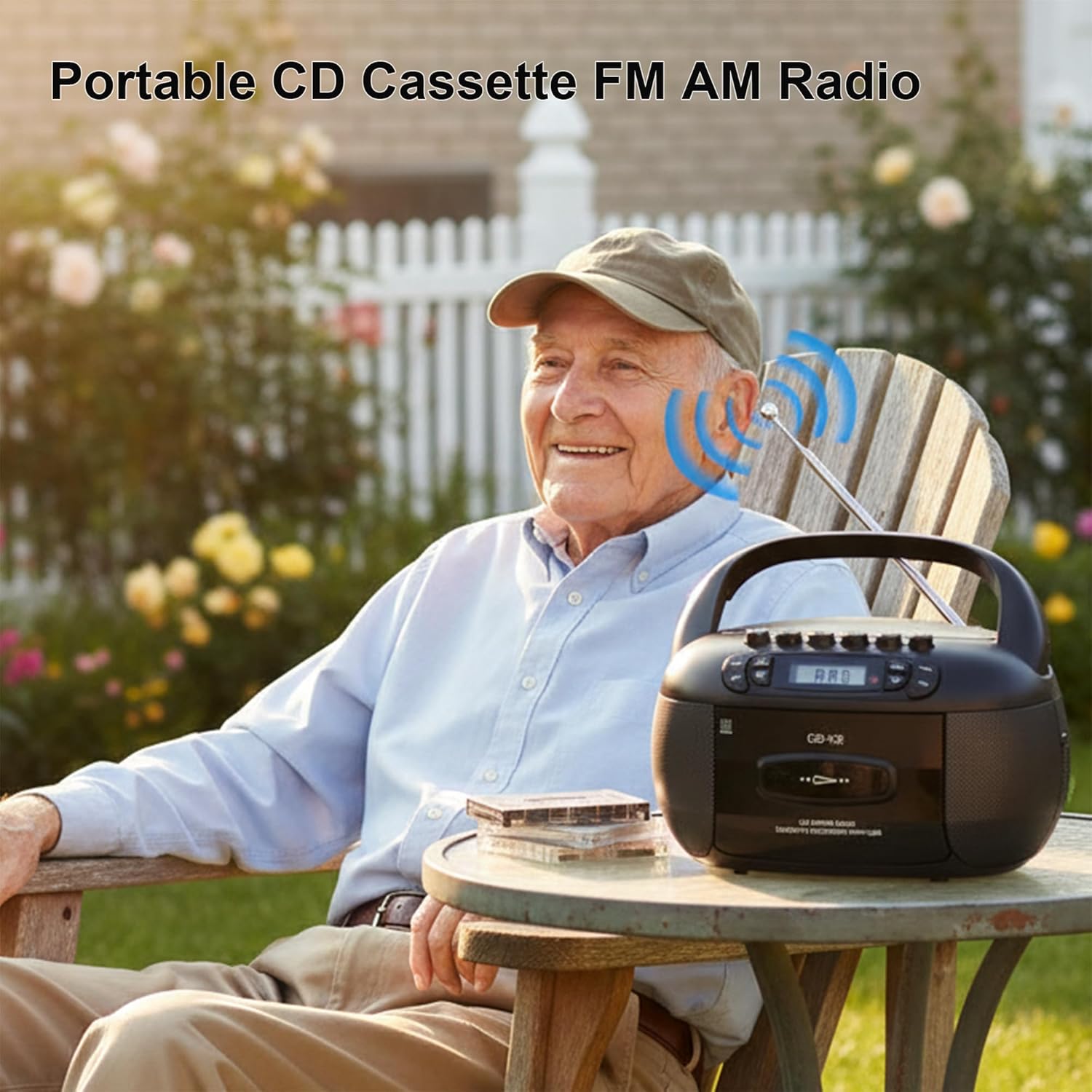
This image depicts a user enjoying the portable FM/AM radio function of the boombox outdoors, with the antenna extended for better reception.
- Basın FUNC button to select RADIO mode. The display will show "rAd".
- Extend the telescopic antenna for FM reception. For AM, adjust the unit's position.
- Kullanın AYARLAMA düğme (veya ATLAMAK buttons if available) to tune to your desired FM or AM station. The frequency will be displayed.
- kullanarak ses seviyesini ayarlayın. HACİM+ Ve cilt düğmeler.
Bluetooth Bağlantısı

The image demonstrates the boombox's Bluetooth functionality, allowing wireless audio streaming from a smartphone.
- Basın FUNC button to select Bluetooth mode. The display will show "bt" and flash, indicating it's in pairing mode.
- Akıllı telefonunuzda veya diğer Bluetooth cihazınızda Bluetooth'u etkinleştirin ve kullanılabilir cihazları arayın.
- Select "Kuephom CD-X2A" (or similar name) from the list of devices.
- Once paired, the "bt" indicator on the boombox display will stop flashing and remain solid.
- You can now play audio from your connected device through the boombox.
USB/MP3 Playback
- Basın FUNC button to select USB mode. The display will show "USB".
- Ünitedeki USB bağlantı noktasına bir USB flash sürücü takın.
- The unit will automatically detect and begin playing MP3/WMA fileUSB belleğinden s.
- Kullanın OYNAT/DURDUR, ILERİ ATLAMAK, Ve GERİ ATLA oynatmayı kontrol etmek için düğmeler.
AUX Girişi
- Basın FUNC button to select AUX mode. The display will show "AUX".
- Connect an external audio device (e.g., smartphone, tablet, MP3 player) to the AUX input jack on the boombox using a 3.5mm audio cable (not included).
- Start playback on your external device. The audio will be routed through the boombox speakers.
- kullanarak ses seviyesini ayarlayın. HACİM+ Ve cilt Müzik çalarınızdaki ve/veya harici cihazınızdaki düğmeler.
Uyku Zamanlayıcısı

This image shows the boombox on a bedside table next to a sleeping person, highlighting the convenient sleep timer function that automatically stops playback.
- While the unit is playing, press the UYUMAK düğme.
- Each press will cycle through available sleep timer durations (e.g., 10, 20, 30, 60, 90 minutes).
- Select your desired duration. The unit will automatically power off after the set time.
Bakım
Ünitenin Temizlenmesi
- Ünitenin dışını yumuşak bir bezle silin.amp bezle silin. Aşındırıcı temizleyiciler veya çözücüler kullanmayın.
- For the CD lens, use a specialized CD lens cleaning kit. Do not touch the lens directly.
- Keep the cassette head and pinch rollers clean to ensure optimal tape playback and recording quality. Use a cotton swab lightly dampİzopropil alkol ile yıkandı.
Depolamak
When not in use for extended periods, disconnect the AC power cord and remove batteries. Store the unit in a cool, dry place away from direct sunlight and extreme temperatures.
Sorun giderme
| Sorun | Olası Neden | Çözüm |
|---|---|---|
| Güç yok | Şarj kablosu bağlı değil; piller bitmiş veya yanlış takılmış. | AC güç kablosunun bağlantısını kontrol edin; pilleri değiştirin veya doğru kutupluluğu sağlayın. |
| Ses yok | Ses seviyesi çok düşük; Yanlış mod seçildi; Kulaklık bağlı. | Increase volume; Select correct source mode; Disconnect headphones. |
| CD çalmıyor | CD inserted incorrectly; CD dirty or scratched; Disc format not supported. | Reinsert CD label side up; Clean or replace CD; Ensure CD is supported format (CD, CD-R, CD-RW, MP3). |
| Zayıf radyo alımı | Anten uzatılmamış; Zayıf sinyal; Girişim. | Extend and adjust FM antenna; Rotate unit for AM; Move away from electronic devices. |
| Bluetooth eşleştirme başarısız oldu | Boombox eşleştirme modunda değil; Cihaz çok uzakta; Cihazda Bluetooth devre dışı bırakılmış. | Ensure boombox is in BT pairing mode; Move device closer; Enable Bluetooth on your device. |
| Kaset çalmıyor/kaydetmiyor | Tape inserted incorrectly; Tape damaged; Cassette head dirty. | Reinsert tape correctly; Use a different tape; Clean cassette head. |
Özellikler
| Özellik | Detay |
|---|---|
| Marka | Kuepom |
| Model Numarası | CD-X2A |
| Bağlantı Teknolojisi | Yardımcı, Bluetooth, USB |
| Renk | Siyah |
| Hoparlör Tipi | Stereo |
| Ürün Boyutları (U x G x Y) | 8.39 x 4.8 x 8.54 inç |
| Güç Kaynağı | Corded Electric, Battery (6 C-size) |
| Netage | 12 watt |
| Bluetooth Desteği | Evet |
| Konuşmacılar Sayısı | 2 |
| Sinyal-Gürültü Oranı | 80 dB |
| Ses Çıkışı Modu | Stereo |
| Ürün Ağırlığı | 1.57 Kilogram |
Garanti ve Destek
Kuephom products are manufactured with attention to quality and performance. For any questions, technical assistance, or warranty claims, please refer to the contact information provided with your purchase or visit the official Kuephom webLütfen garanti işlemleri için satın alma belgenizi saklayın.