
giriiş
This manual provides essential instructions for the safe and effective operation of your xo poppy InstaPrint Digital Camera. Please read this manual thoroughly before using the device and retain it for future reference.
The InstaPrint Digital Camera combines photography, instant thermal printing, and entertainment features. It includes 16X digital zoom, 1080p video recording, a 2.4-inch display, built-in games, and an MP3 player.

Image 1: InstaPrint Digital Camera. This image shows the front of the InstaPrint Digital Camera, highlighting its compact design and the instant print output.
Paket İçeriği
Paketin içinde tüm öğelerin mevcut olduğundan emin olun:
- InstaPrint Digital Camera
- 3 Photo Rolls
- 3 Label Rolls
- 256MB SD Card
- USB kablosu
kamera bittiview
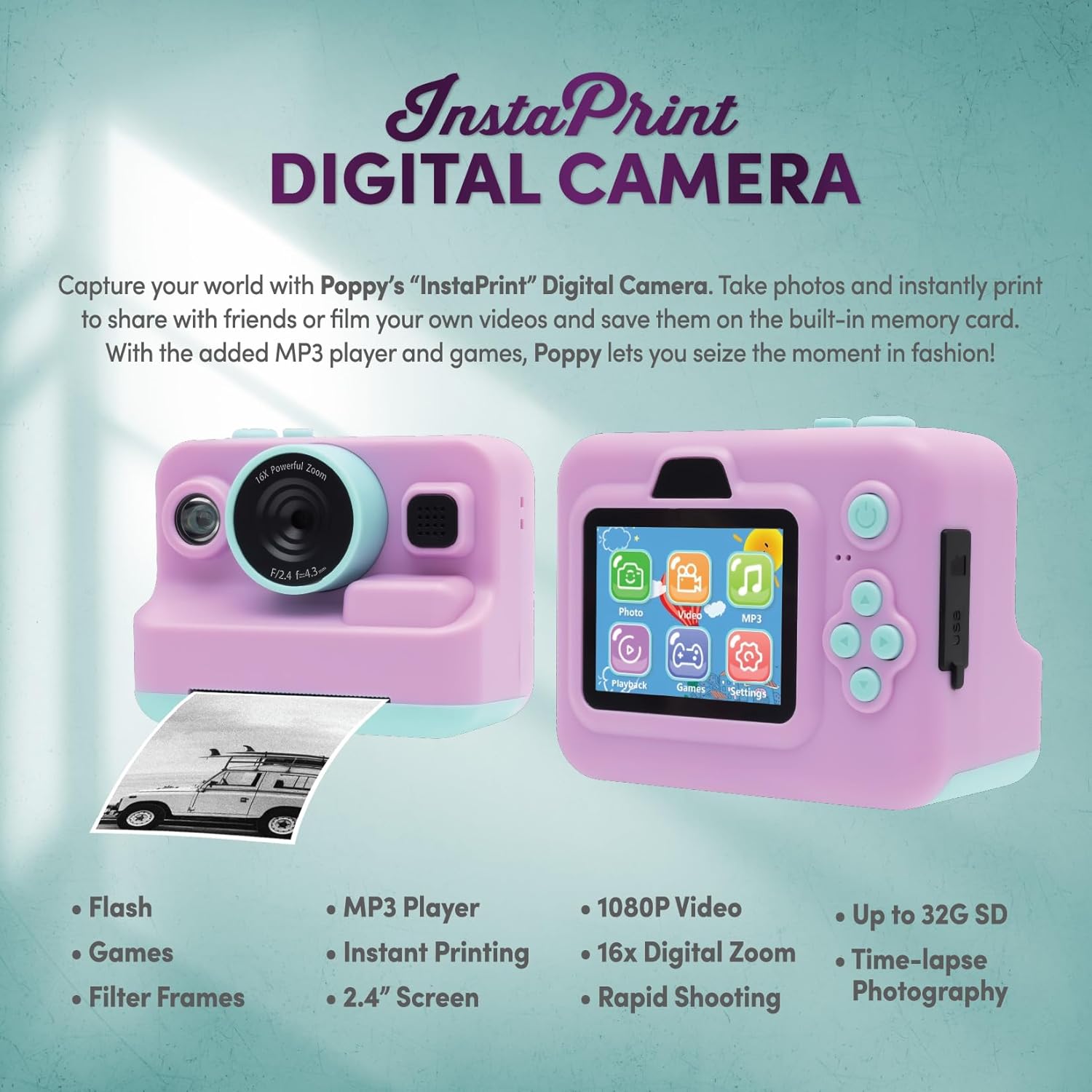
Image 2: Camera Features and Controls. This image displays the front and back of the InstaPrint Digital Camera, pointing out key components such as the 16x Digital Zoom lens, flash, cutter, instant thermal printing slot, photo/label rolls, picture button, power button, SD port, USB port, control buttons, MP3 player, digital display, built-in games, video function, and photo effects.
Kurmak
1. Kamerayı Şarj Etme
Before first use, fully charge the camera battery. Connect the included USB cable to the camera's USB port and the other end to a compatible USB power adapter (not included) or a computer USB port. The charging indicator will show the charging status.
2. SD Kartın Takılması
Locate the SD card slot on the camera. Insert the included 256MB SD card into the slot until it clicks into place. Ensure the card is inserted in the correct orientation to avoid damage. The camera supports up to 32GB SD cards for expanded storage.
3. Loading Thermal Paper Rolls

Image 3: Instant Printing in Action. This image shows the camera in use, with a photo being instantly printed, demonstrating the thermal printing capability.
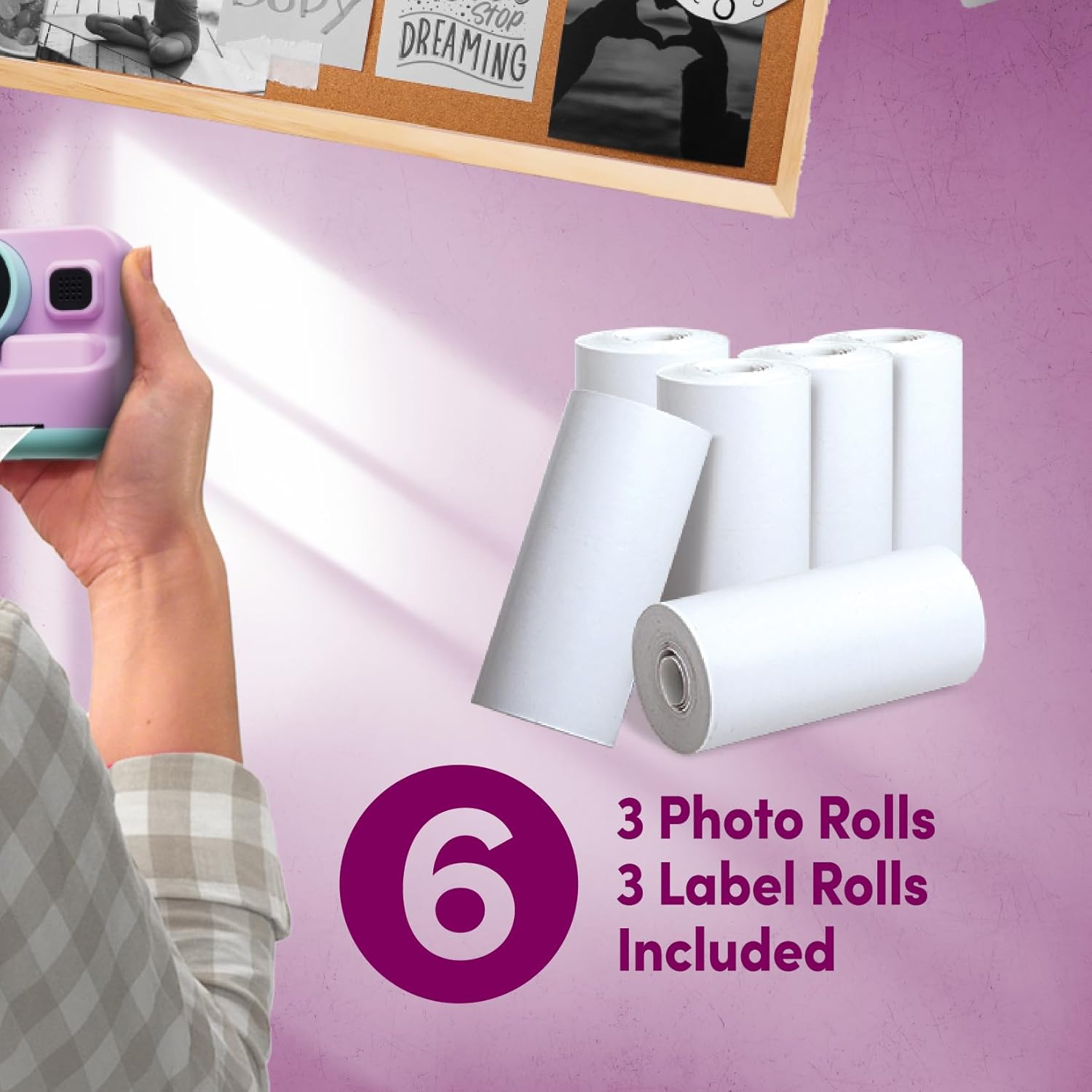
Image 4: Included Thermal Paper Rolls. This image displays the six thermal paper rolls included with the camera: three for photos and three for labels, ready for use with the instant printing function.
- Open the paper compartment cover on the camera.
- Place one of the thermal paper rolls (photo or label) into the compartment, ensuring the paper feeds out correctly.
- Close the cover securely. A small portion of the paper should extend from the printing slot.
Kullanım Talimatları
Güç Açık/Kapalı
Press and hold the Power Button to turn the camera on or off.
Fotoğraf Çekmek
- Kamerayı aç.
- Frame your shot using the 2.4-inch digital display.
- Use the control buttons to adjust settings or apply photo effects if desired.
- Press the Picture Button to capture the photo.
Video Kaydı
- Navigate to the video mode using the control buttons.
- Press the Picture Button to start recording.
- Press the Picture Button again to stop recording. Videos are recorded in 1080p resolution.
Anında Baskı
After taking a photo, you can choose to print it instantly. Select the print option from the camera's menu. The thermal printer will produce a black and white print. Use the built-in cutter mechanism for a clean tear.
Dijital Zoom
The camera features 16X digital zoom. Use the zoom controls (typically marked with 'W' for wide and 'T' for telephoto) to adjust the zoom level before capturing a photo or video.
Built-in Games and MP3 Player
Access the Games and MP3 Player functions through the main menu on the digital display. Use the control buttons to navigate and select options. Load MP3 files onto the SD card to use the MP3 player.
Bakım
Kamerayı Temizleme
Fotoğraf makinesinin gövdesini ve ekranını temizlemek için yumuşak, kuru bir bez kullanın. Objektif için özel bir objektif temizleme bezi kullanın. Sıvı temizleyicilerden veya aşındırıcı malzemelerden kaçının.
Pil Bakımı
To prolong battery life, avoid exposing the camera to extreme temperatures. Recharge the battery regularly, even if the camera is not in frequent use.
Depolamak
When not in use, store the camera in a cool, dry place, away from direct sunlight and moisture. Remove the SD card if storing for extended periods.
Sorun giderme
| Sorun | Olası Neden | Çözüm |
|---|---|---|
| Kamera açılmıyor. | Low battery; faulty battery. | Charge the camera. Ensure the battery is properly inserted. |
| Fotoğraf/video çekmek yasaktır. | SD kart dolu veya doğru takılmamış. | SD kartın takılı olduğundan emin olun. Gereksiz olanları silin. fileveya SD kartı değiştirin. |
| Prints are blank or faded. | Thermal paper loaded incorrectly; paper roll empty. | Termal kağıdın, termal tarafı baskı kafasına bakacak şekilde yerleştirildiğinden emin olun. Kağıt rulosu boşsa yenisiyle değiştirin. |
| Kamera donuyor. | Yazılım hatası. | Press and hold the Power Button for 10 seconds to force a restart. |
Özellikler
- Model Adı: PY-DGCMP-ALV
- Marka: xo haşhaş
- Ürün Ölçüleri: 2 x 4 x 3 inç
- Ürün Ağırlığı: 1 pound
- Fotoğraf Sensörü Teknolojisi: CMOS
- Desteklenen File Biçim: JPEG
- Görüntü Sabitleme: Dijital
- Maksimum Odak Uzaklığı: 35 Milimetre
- Optik Yakınlaştırma: 1x
- Maksimum Webkamera Görüntü Çözünürlüğü: 5 MP
- Fotoğraf Sensörü Boyutu: 1/3.2 inç
- Pozlama Kontrol Türü: Otomatik
- Piller: 1 Standart Dışı Pil (dahil)
- Video Çözünürlüğü: 1080p
- Dijital Yakınlaştırma: 16x
- Görüntülemek: 2.4 inç LCD
- Depolamak: 256MB SD card included, supports up to 32GB
- Bağlantı: USB
- Özellikler: Instant Thermal Printing, Built-in Games, MP3 Player, Flash, Speaker, Microphone, Digital Photo Effects, Cutter Mechanism
Önemli Güvenlik Bilgileri
- Fotoğraf makinesini kendiniz sökmeyin veya tamir etmeye çalışmayın.
- Fotoğraf makinesini sudan ve aşırı nemden uzak tutun.
- Kamerayı düşürmekten veya sert darbelere maruz bırakmaktan kaçının.
- Şarj etmek için yalnızca birlikte verilen USB kablosunu kullanın.
- Pilleri ve elektronik bileşenleri yerel yönetmeliklere uygun şekilde sorumlu bir şekilde atın.
Garanti Bilgileri
Ürün bilgilerinde belirli garanti detayları verilmemektedir. Lütfen satıcının veya üreticinin resmi web sitesine başvurun. webGaranti şartları ve koşulları için lütfen siteyi ziyaret edin.
Müşteri Desteği
For technical assistance or product inquiries, please contact xo poppy customer support through their official channels. Contact information is typically available on the product packaging or the manufacturer's webalan.
Related Video Content
Video 5: Digital Camera Overview. This short video provides a visual overview of a digital camera, demonstrating its flip screen and general operation. While not specific to the InstaPrint model, it illustrates common digital camera features.