
1. Giriş
The FOXWELL NT201 is an On-Board Diagnostics II (OBDII) and European On-Board Diagnostics (EOBD) scanner designed to diagnose engine-related issues in vehicles. This device allows users to read and clear diagnostic trouble codes (DTCs), view live data streams, perform I/M readiness tests, and more. This manual provides detailed instructions for the proper use and maintenance of your NT201 scanner and its accompanying portable carrying case.
2. Güvenlik Bilgileri
Araç üzerinde çalışırken daima güvenlik önlemlerine uyun. Teşhis araçlarının yanlış kullanımı kişisel yaralanmalara veya araçta hasara yol açabilir. Lütfen bu yönergeleri okuyun ve uygulayın:
- Aracın düz bir yüzeye park edildiğinden ve el freninin çekili olduğundan emin olun.
- Uygun göz koruması kullanın.
- Keep clothing, hair, hands, tools, and test equipment away from moving engine parts.
- Operate the vehicle in a well-ventilated area to prevent carbon monoxide poisoning.
- Kontak açıkken veya motor çalışırken test ekipmanını bağlamayın veya bağlantısını kesmeyin.
- Keep the scanner dry and clean. Avoid exposure to extreme temperatures.
3. Paket İçeriği
Paketinizde tüm öğelerin mevcut olduğundan emin olun:
- FOXWELL NT201 OBD2 Scanner Unit
- Integrated OBDII Cable
- Taşınabilir Taşıma Çantası
- Kullanım Kılavuzu (bu belge)
4. Ürün Bittiview
The NT201 scanner features a clear display and intuitive button layout for easy navigation and operation.

Şekil 4.1: Ön view of the FOXWELL NT201 OBD2 Scanner. This image displays the scanner's screen, which shows 'I/M Readiness' status indicators, and the control buttons including ESC, UP, DOWN, and ENTER, along with the I/M readiness hotkey.
4.1. Cihaz Düzeni
- LCD Ekran: Shows test results, menu options, and operational information.
- ESC Düğmesi: Exits current screen or returns to the previous menu.
- YUKARI/AŞAĞI Düğmeleri: Menü seçenekleri veya veriler arasında gezinmeyi sağlar.
- GİRİŞ Düğmesi: Bir seçimi onaylar veya bir menüye girer.
- I/M Readiness Hotkey: Provides quick access to the I/M Readiness status.
- OBDII Konektörü: Tarayıcıyı aracın Veri Bağlantı Konnektörüne (DLC) bağlar.
5. Kurulum
To begin using your NT201 scanner, follow these steps:
- Aracın 16 pinli Veri Bağlantı Konnektörünü (DLC) bulun. Bu genellikle sürücü tarafındaki gösterge panelinin altında bulunur.
- Aracın kontak anahtarını 'AÇIK' konumuna getirin (motor kapalı).
- Plug the NT201's OBDII connector into the vehicle's DLC. The scanner will power on automatically.
- The scanner will perform a system check and display the main menu.
6. Kullanım Talimatları
6.1. Read and Clear Fault Codes
This function allows you to retrieve Diagnostic Trouble Codes (DTCs) from the vehicle's engine control unit (ECU) and clear them after repairs.
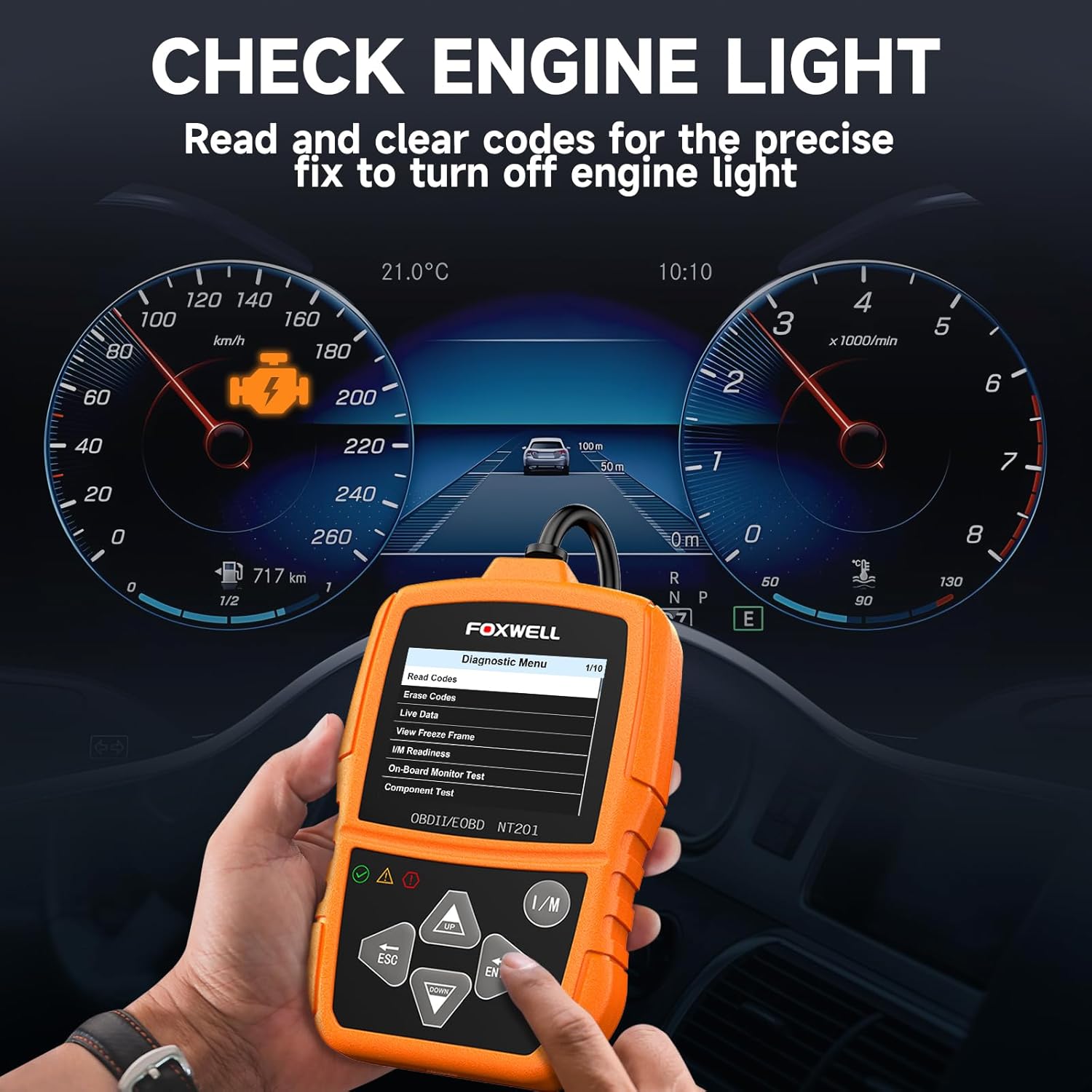
Şekil 6.1: The FOXWELL NT201 scanner in use, displaying the diagnostic menu with 'Read Codes' highlighted. A vehicle dashboard is visible in the background, showing the check engine light illuminated.
- Ana menüden şunu kullanın: YUKARI/AŞAĞI buttons to select "Diagnostic Menu" and press GİRMEK.
- "Kodları Oku" seçeneğini seçin. view current, pending, and permanent DTCs. The scanner will display the codes and their definitions.
- After addressing the underlying issue, select "Erase Codes" from the Diagnostic Menu and press GİRMEK. Confirm the action when prompted. This will turn off the Malfunction Indicator Lamp (MIL) or 'Check Engine Light'.
6.2. Canlı Veri Akışı
View real-time operational parameters of the vehicle's engine, such as engine RPM, vehicle speed, coolant temperature, and more.

Şekil 6.2: The FOXWELL NT201 scanner displaying a live data stream. The screen shows various parameters like Engine RPM and Vehicle Speed Sensor data, presented both numerically and graphically, with a car interior visible in the background.
- From the Diagnostic Menu, select "Live Data" and press GİRMEK.
- Yapabilirsiniz view data in text format or graphical format. Use the YUKARI/AŞAĞI buttons to scroll through parameters.
- Basmak GİRMEK to select a parameter for detailed viewing or graphing.
6.3. One-Key I/M Readiness Test
Quickly check the vehicle's emission readiness status to determine if it's ready for an emissions test.

Şekil 6.3: The FOXWELL NT201 scanner with its 'I/M' hotkey prominently displayed and highlighted, indicating its function for a quick smog check. An exhaust pipe is visible in the background, suggesting emissions testing.
- With the scanner connected and powered on, press the dedicated İÇİNDE kısayol tuşu.
- The scanner will display the status of various emission-related monitors (e.g., MIL, MIS, FUE, CCM, CAT, O2S, EGR).
- Green indicates the monitor has completed its test, Yellow indicates pending, and Red indicates not ready or a fault.
6.4. O2 Sensörü Testi
This function retrieves O2 sensor monitor test results for the most recently completed tests from the vehicle's on-board computer. This helps in diagnosing fuel efficiency and emission-related issues.
- From the Diagnostic Menu, select "O2 Sensor Test" and press GİRMEK.
- için ekrandaki komutları izleyin. view test sonuçları.
7. Bakım
7.1. Tarayıcının Temizlenmesi
Yumuşak bir d kullanınamp cloth to clean the scanner's exterior. Do not use abrasive cleaners or solvents. Keep the screen free of dust and smudges for optimal visibility.
7.2. Depolama
When not in use, store the NT201 scanner in its portable carrying case to protect it from dust, moisture, and physical damage. Store in a cool, dry place away from direct sunlight.

Şekil 7.1: An open portable carrying case designed for the FOXWELL NT201 scanner, showing the scanner and its cable neatly organized within the case's compartments. The case provides organized protection for the device.

Şekil 7.2: A diagram illustrating the dimensions of the portable carrying case, showing its length, width, and height. This case is suitable for the FOXWELL NT201 and similar diagnostic tools.
8. Sorun Giderme
If you encounter issues with your NT201 scanner, refer to the following common problems and solutions:
| Sorun | Olası Neden | Çözüm |
|---|---|---|
| Tarayıcı açılmıyor. | DLC bağlantısı gevşek; Araç kontağı açık değil; Araç aküsü düşük. | Ensure the OBDII cable is securely connected. Turn vehicle ignition to 'ON'. Check vehicle battery voltage. |
| Araçla iletişim hatası. | Incorrect protocol; Faulty DLC; Vehicle not OBDII compliant. | Verify vehicle is OBDII compliant (1996 or newer for most regions). Check DLC for damage. Try on another compliant vehicle. |
| Screen display is dim or unreadable. | Environmental conditions; Screen damage. | Move to a better lit area. If damaged, contact support. |
9. Özellikler
- Görüntülemek: Arka aydınlatmalı LCD
- Çalışma Sıcaklığı: 0 ila 60°C (32 ila 140°F)
- Depolama Sıcaklığı: -20 ila 70°C (-4 ila 158°F)
- Harici güç: Araç aküsü aracılığıyla 8.0 ila 18.0 V arasında güç sağlanır.
- Desteklenen Protokoller: KWP2000, J1850 VPW, ISO9141, J1850 PWM, CAN
- Uyumluluk: Most 1996 and newer OBDII compliant vehicles (cars, light trucks, SUVs, minivans, hybrids). Does not support electric vehicles or 24V heavy-duty trucks.
10. Garanti ve Destek
For warranty information or technical support, please refer to the FOXWELL official webSite üzerinden satın alabilir veya doğrudan müşteri hizmetleriyle iletişime geçebilirsiniz. Garanti talepleriniz için satın alma fişinizi saklayın.
FOXWELL Official Webalan: www.foxwelltech.com


