
1. Giriş
Thank you for choosing the FLEXISPOT Electric Standing Desk. This manual provides detailed instructions for the assembly, operation, and maintenance of your new adjustable height desk. Designed to promote a healthier work environment, this desk allows you to easily switch between sitting and standing positions, reducing the negative effects of prolonged sitting. Please read this manual thoroughly before assembly and use to ensure proper function and safety.
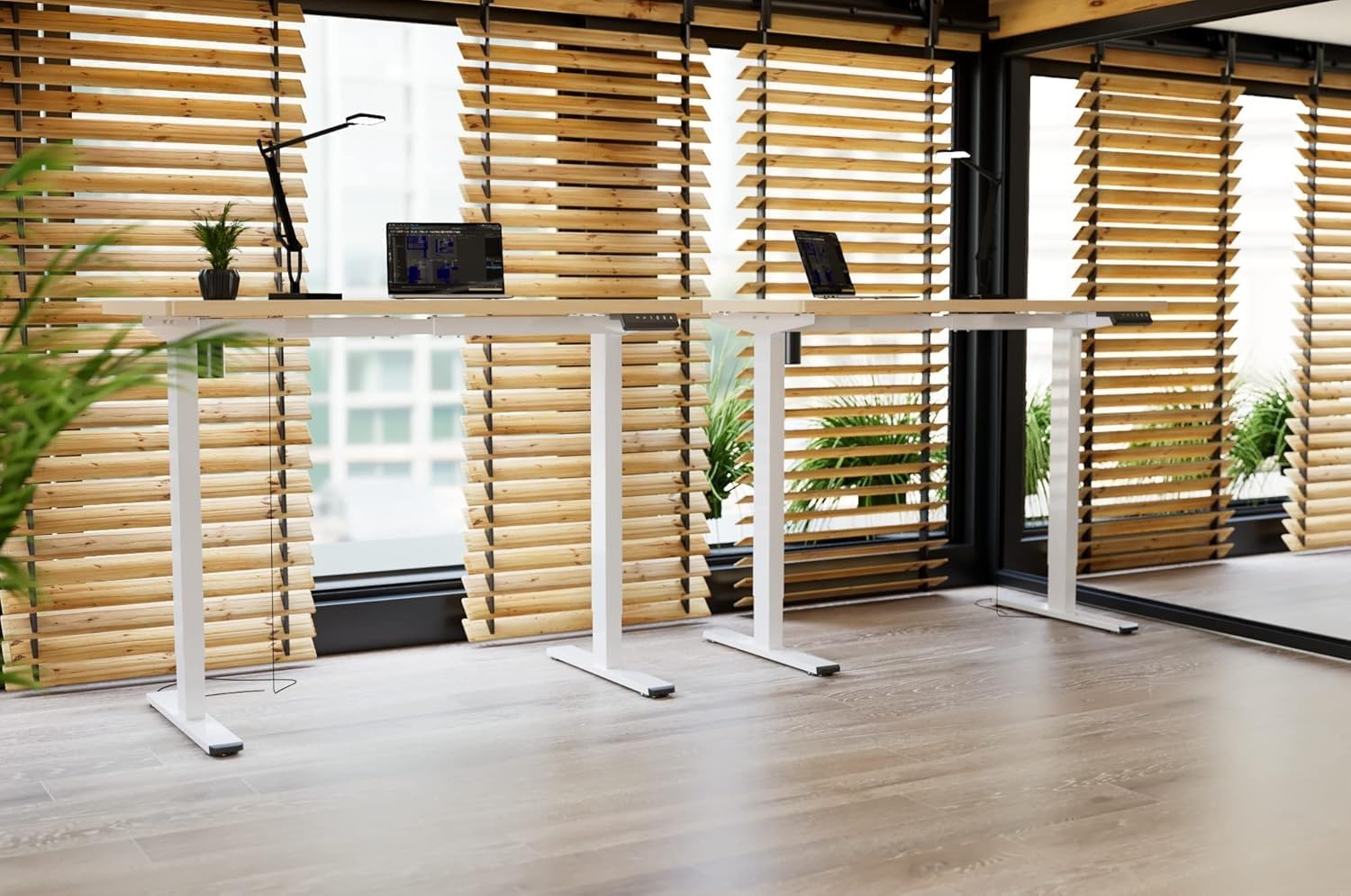
Image: Two FLEXISPOT electric standing desks with maple tops and white frames, set up in an office environment.
2. Güvenlik Bilgileri
- Montajdan önce tüm bileşenlerin mevcut ve hasarsız olduğundan emin olun.
- Çalışma sırasında çocukları ve evcil hayvanları masadan uzak tutun.
- Do not place hands or other body parts near moving parts of the desk frame.
- Avoid overloading the desk beyond its specified weight capacity.
- Only use the provided power adapter and ensure it is connected to a grounded outlet.
- Do not disassemble or modify the desk's motor or control system.
- If any unusual noise or movement occurs, immediately stop operation and unplug the desk.
- Bu masa yalnızca iç mekan kullanımı için tasarlanmıştır.
3. Paket İçeriği
Lütfen paketinizde aşağıdaki bileşenlerin tamamının bulunduğunu doğrulayın:
- Desktop (Maple, 140x60cm)
- Electric Lifting Columns (2x)
- Desk Feet (2x)
- Çapraz Çubuk/Çerçeve Bileşenleri
- Kontrol Kutusu
- Çok Fonksiyonlu Tuş Takımı
- Güç Adaptörü ve Kablosu
- Backpack Hook (2x)
- Montaj Donanımı (vidalar, Allen anahtarları)
- Kullanım Kılavuzu
4. Kurulum ve Montaj
Follow these steps to assemble your FLEXISPOT Electric Standing Desk. It is recommended to have two people for assembly.
- Bileşenleri Paketinden Çıkarın: Tüm parçaları ambalajından dikkatlice çıkarın ve çizilmeleri önlemek için temiz ve yumuşak bir yüzeye serin.
- Assemble Desk Feet: Attach the desk feet to the bottom of the lifting columns using the provided screws.
- Çapraz Bağlantı Çubuğu: Secure the crossbar components between the two lifting columns.
- Masaüstünü Ekle: Place the desktop upside down on a soft surface. Carefully position the assembled frame onto the desktop, aligning the pre-drilled holes. Secure the frame to the desktop with the appropriate screws.
- Install Control Box and Keypad: Mount the control box and multi-function keypad to the underside of the desktop using the provided hardware.
- Kabloları Bağlayın: Connect the motor cables from the lifting columns to the control box. Connect the keypad cable to the control box. Finally, connect the power adapter to the control box and then to a power outlet.
- Aksesuarların Kurulumu: Attach the backpack hooks to the desired location on the desk frame or desktop edge.
- Kablo yönetimi: Organize all cables using cable ties or management trays (not included) to prevent tangles and ensure safe operation.
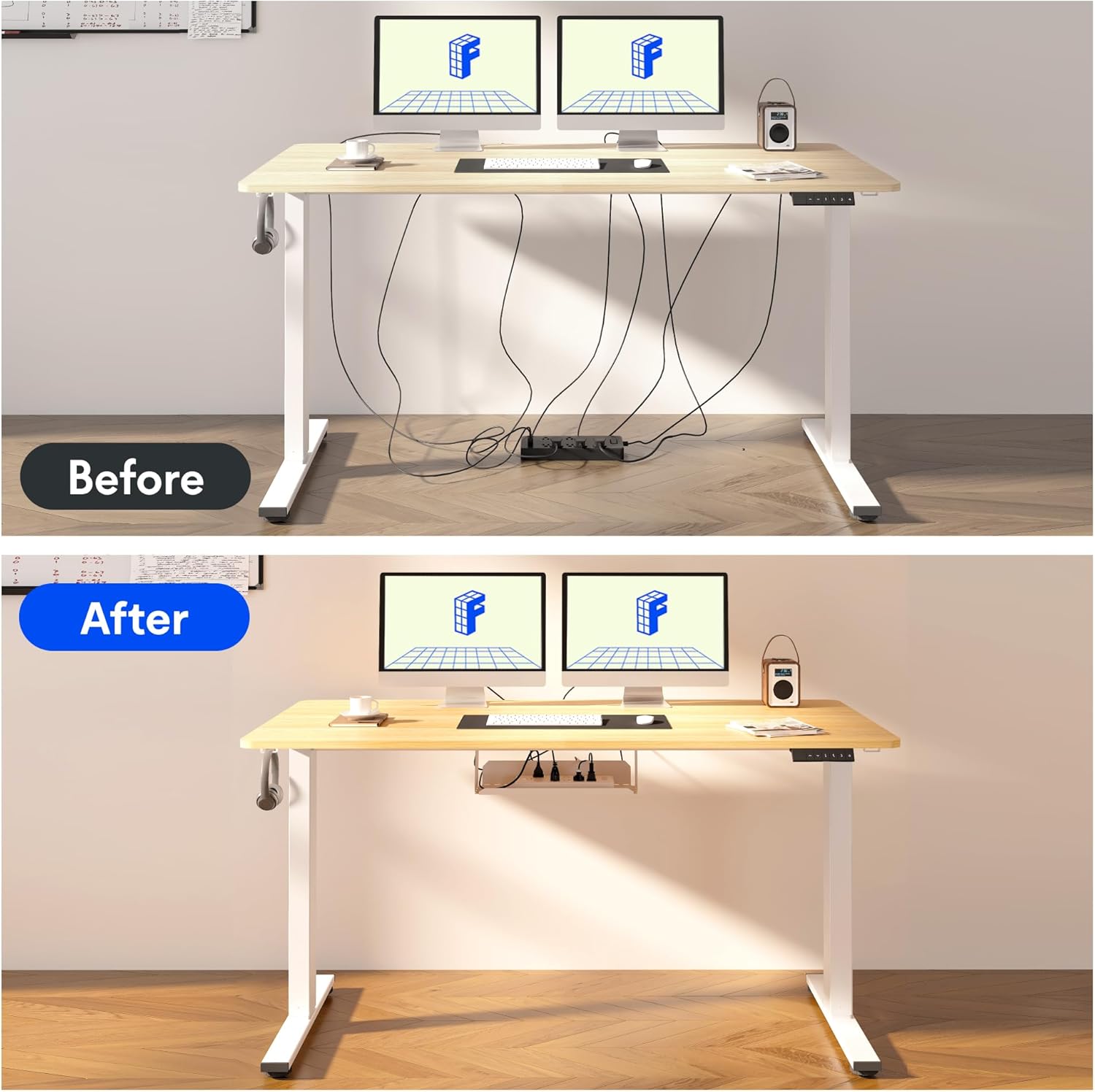
Image: Illustration of effective cable management for the desk, showing a 'before' state with loose cables and an 'after' state with cables neatly secured.

Resim: Yakın çekim view of the optional cup holder and backpack hooks, demonstrating their attachment to the desk.
5. Kullanım Talimatları
Your FLEXISPOT desk features an intuitive multi-function keypad for easy height adjustment and memory presets.

Resim: Ayrıntılı view of the multi-function keypad, highlighting the LED display, up and down adjustment keys, and four memory preset buttons.
- Yüksekliği Ayarlama: Kullanın Up (▲) Ve Aşağı (▼) keys to raise or lower the desk to your desired height. The current height will be displayed on the LED screen.
- Bellek Ön Ayarlarını Ayarlamak:
- Adjust the desk to your preferred sitting or standing height using the Up/Down keys.
- Basın "M" button (or similar memory set button, if present, otherwise directly press a number).
- Numaralandırılmış hafıza düğmelerinden birine hemen basın (1, 2, 3 veya 4) to save the current height to that preset. The LED display will confirm the setting.
- Bellek Ön Ayarlarını Geri Çağırma: Press any of the numbered memory buttons (1, 2, 3 veya 4Masayı kaydedilen yüksekliğe otomatik olarak hareket ettirmek için.
- Sıfırlama Fonksiyonu: If the desk encounters an error or needs to be reset, press and hold the Aşağı (▼) button until the desk reaches its lowest position and then slightly rises, indicating a successful reset.
6. Bakım
- Temizlik: Masanın yüzeyini ve çerçevesini yumuşak bir bezle silin.amp Bez. Sert kimyasallardan veya aşındırıcı temizleyicilerden kaçının.
- Kablo yönetimi: Regularly check and organize cables to prevent damage and ensure smooth operation.
- Yağlama: The lifting mechanism is designed to be maintenance-free. Do not apply lubricants to the columns.
- Denetleme: Tüm vidaları ve bağlantıları düzenli olarak kontrol ederek sıkı olduklarından emin olun. Gerekirse tekrar sıkın.
7. Sorun Giderme
| Sorun | Olası Neden | Çözüm |
|---|---|---|
| Masa hareket etmiyor. | Power cable disconnected, control box cable loose, overload. | Check all cable connections. Reduce weight on the desk. Perform a reset (see Operating Instructions). |
| Masa dengesiz hareket ediyor veya alışılmadık sesler çıkarıyor. | Loose screws, obstruction, uneven load. | Check all assembly screws. Ensure no obstructions are in the path of the lifting columns. Distribute weight evenly. |
| Bellek ön ayarları çalışmıyor. | Ön ayarlar doğru şekilde kaydedilmedi. | Re-save the memory presets following the steps in the Operating Instructions. |
| LED ekranda hata kodu gösteriliyor. | Sistem hatası. | Perform a reset. If the error persists, contact customer support. |
8. Özellikler
- Masaüstü Boyutları: 140 cm (Uzunluk) x 60 cm (Genişlik)
- Ayarlanabilir Yükseklik Aralığı: 73.5 cm ila 118 cm
- Malzeme: Maple wood desktop, Metal frame (White)
- Motor: Single motor, quiet operation (below 50 dB)
- Özel Özellikler: Electric height adjustment, Smart memory panel (4 presets), Backpack hook (2x)
- Kararlılık: Enhanced frame design with wider feet and thicker columns for improved stability.

Image: Technical drawing illustrating the desktop dimensions (140x60cm) and the adjustable height range of the desk frame (73.5-118cm).

Resim: Dahili view of the desk's powerful and quiet motor, emphasizing its smooth and stable operation.
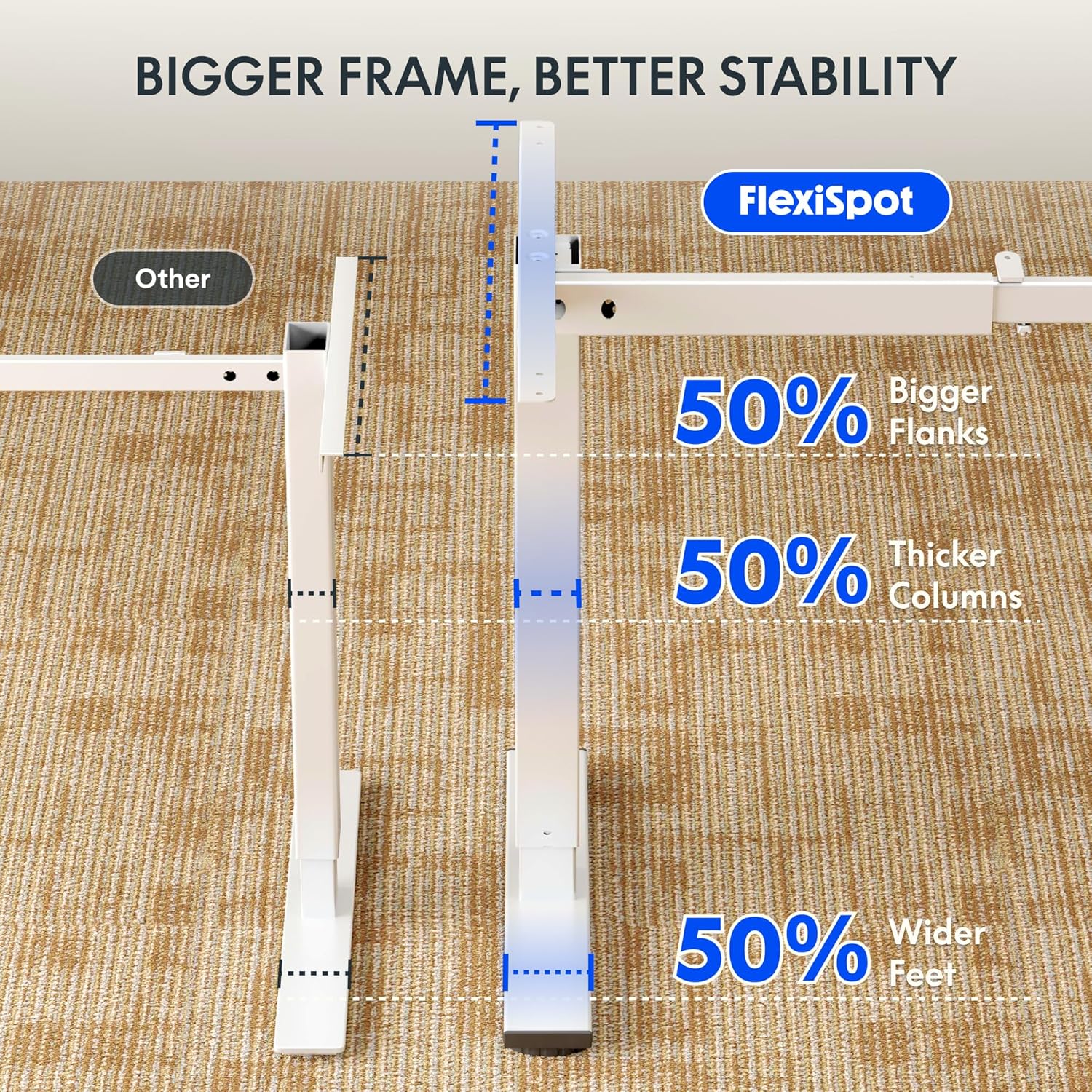
Image: Comparative diagram illustrating the superior stability of the FlexiSpot desk frame, featuring 50% bigger flanks, thicker columns, and wider feet compared to standard designs.
9. Garanti Bilgileri
This FLEXISPOT Electric Standing Desk is covered by a limited manufacturer's warranty. Please refer to the warranty card included in your package or visit the official FLEXISPOT website for detailed terms and conditions regarding coverage, duration, and claims process. Keep your proof of purchase for warranty service.
10. Müşteri Desteği
If you have any questions, require assistance with assembly, or encounter issues not covered in this manual, please contact FLEXISPOT customer support. You can find contact information on the official FLEXISPOT websitenizden veya perakendeciniz aracılığıyla.
Daha fazla bilgi için şu adresi ziyaret edin: www.flexispot.com