
Moman Xview M4 Pro
Moman Xview M4 Pro Selfie Monitor User Manual
Modeli: Xview M4 Pro
1. Giriş
This manual provides comprehensive instructions for the safe and efficient use of your Moman Xview M4 Pro Selfie Monitor. Please read this manual thoroughly before operating the device and retain it for future reference.
2. Güvenlik Bilgileri
Güvenli çalışma sağlamak ve hasarı önlemek için aşağıdaki önlemlere uyun:
- Monitörü suya veya aşırı neme maruz bırakmayın.
- Cihazı düşürmekten veya güçlü darbelere maruz bırakmaktan kaçının.
- Do not attempt to disassemble or repair the monitor yourself. Contact qualified service personnel.
- Monitörü doğrudan güneş ışığından ve ısı kaynaklarından uzak tutun.
- Yalnızca belirtilen güç adaptörünü ve aksesuarları kullanın.
3. Paket İçeriği
Paketin içinde tüm öğelerin mevcut olduğundan emin olun:
- Moman Xview M4 Pro Selfie Monitor (main unit)
- USB-C Şarj Kablosu
- Kullanım Kılavuzu (bu belge)
Note: The package contents may vary slightly depending on the region or specific bundle purchased.
4. Kurulum
4.1 Monitörün Şarj Edilmesi
Before first use, fully charge the Moman Xview M4 Pro monitor. Connect the provided USB-C cable to the monitor's charging port and the other end to a compatible USB power adapter (not included) or a computer's USB port.
The charging indicator light will typically show red while charging and turn green or off when fully charged.
4.2 Monitörün Montajı
The Moman Xview M4 Pro is designed to be mounted on various camera rigs or smartphone cages. It features a standard 1/4"-20 screw hole for attachment.
- Attach the monitor to a cold shoe mount or a compatible bracket (sold separately) using the 1/4"-20 screw.
- Securely fasten the monitor to your smartphone cage or camera setup.
- Ayarla viewgerektiği gibi açı.
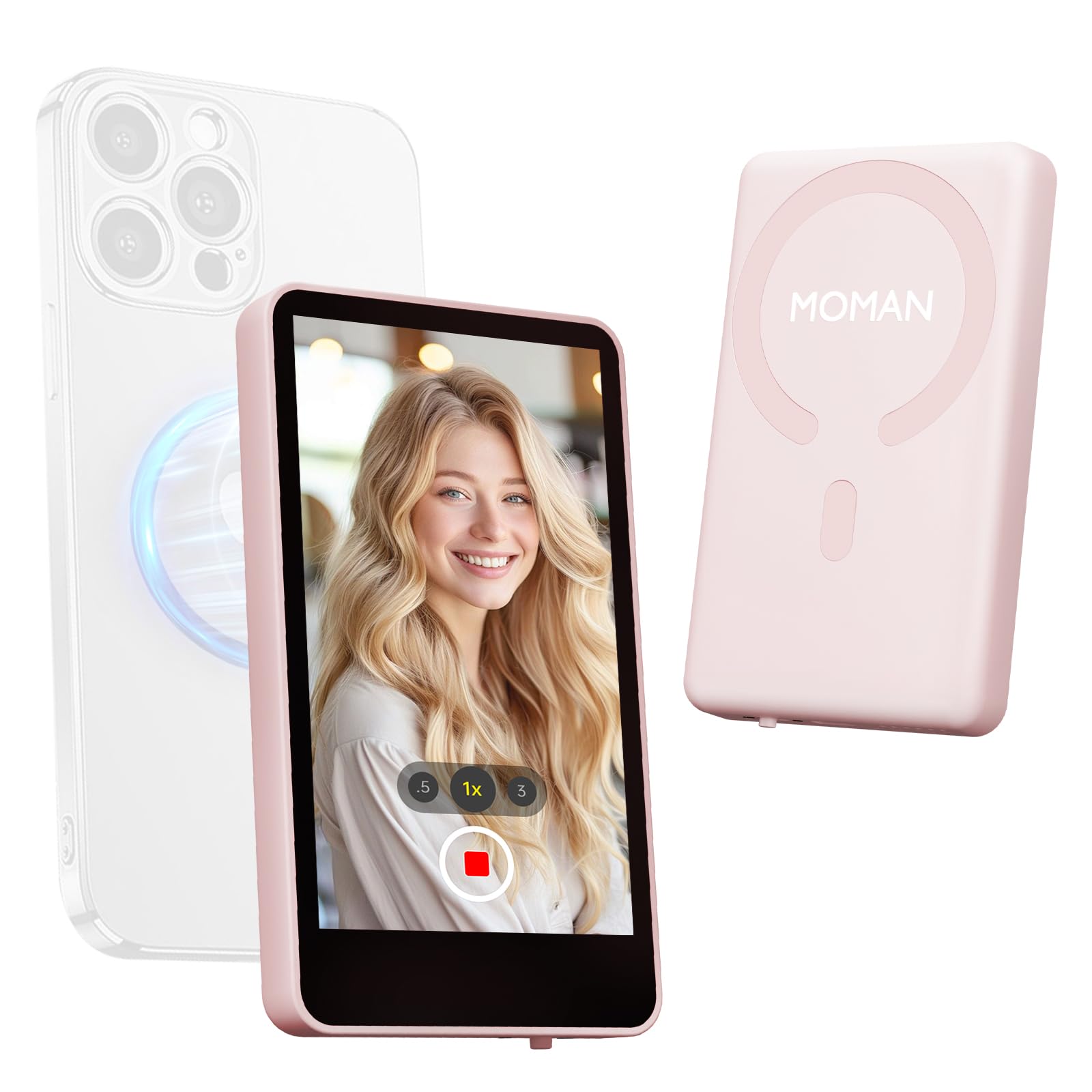
Image: The Moman Xview M4 Pro Selfie Monitor shown attached to a smartphone rig, demonstrating its compact size and mounting flexibility.
5. Kullanım Talimatları
5.1 Açma/Kapatma
To power on the monitor, press and hold the power button located on the side/back of the device for approximately 3 seconds. The screen will illuminate. To power off, press and hold the power button again until the screen turns off.
5.2 Connecting to a Smartphone
The Moman Xview M4 Pro connects wirelessly to your smartphone (iPhone 7-17 Series & Android). Follow these steps:
- Akıllı telefonunuzun Bluetooth ve Wi-Fi özelliğinin etkin olduğundan emin olun.
- Download and install the dedicated Moman Xview Akıllı telefonunuzun uygulama mağazasından uygulamayı indirin.
- Open the Moman Xview app and follow the on-screen instructions to pair with the M4 Pro monitor. The app will guide you through the connection process, typically involving selecting the monitor from a list of available devices.
- Once connected, your smartphone's camera feed will be mirrored on the M4 Pro monitor.
For optimal performance, ensure your smartphone and the monitor are within close proximity and free from wireless interference.
5.3 Monitör İşlevleri
The M4 Pro monitor provides various functions to enhance your selfie and video recording experience:
- Gerçek zamanlı izleme: View your smartphone's camera feed in real-time.
- Parlaklık Ayarı: Use the dedicated buttons or app controls to adjust screen brightness.
- Mirror/Flip Function: Some models or app versions may offer options to mirror or flip the display for specific shooting scenarios. Refer to the app for available features.
- Pil Göstergesi: The monitor displays its current battery level.
6. Bakım
6.1 Temizlik
To clean the monitor, use a soft, dry, lint-free cloth. For stubborn smudges, lightly dampen the cloth with water or a screen-cleaning solution. Do not use harsh chemicals or abrasive materials.
6.2 Depolama
When not in use, store the monitor in a cool, dry place, away from direct sunlight and extreme temperatures. It is recommended to use the original packaging or a protective case to prevent scratches and damage.
7. Sorun Giderme
| Sorun | Olası Neden | Çözüm |
|---|---|---|
| Monitör açılmıyor. | Pil zayıf. | Charge the monitor using the provided USB-C cable. |
| Akıllı telefona bağlanılamıyor. | Bluetooth/Wi-Fi off; App not installed; Monitor not in pairing mode; Interference. | Ensure Bluetooth/Wi-Fi are on. Install Moman Xview app. Restart monitor and app. Move closer to the monitor. |
| Ekran boş veya titriyor. | Bağlantı kopukluğu; Yazılım hatası. | Ensure secure connection. Restart monitor and smartphone. Check for app updates. |
If the problem persists after trying these solutions, please contact Moman customer support.
8. Özellikler
| Özellik | Detay |
|---|---|
| Örnek | Xview M4 Pro |
| Bağlantı | Wireless (Bluetooth/Wi-Fi) |
| Uyumluluk | iPhone 7-17 Series & Android smartphones |
| Boyutlar | 12.19 x 9.91 x 1.9 cm (yaklaşık) |
| Ağırlık | 168 gram (yaklaşık) |
| Güç Kaynağı | USB-C (internal rechargeable battery) |
Özellikler önceden haber verilmeksizin değiştirilebilir.
9. Garanti ve Destek
Moman products are covered by a limited warranty. For detailed warranty terms and conditions, please refer to the warranty card included with your product or visit the official Moman webalan.
For technical support, troubleshooting assistance, or service inquiries, please contact Moman customer support through their official website veya ürün ambalajınızda yer alan iletişim bilgileri.
Moman Resmi Webalan: www.moman.co
İlgili belgelerXview M4 Pro


Ask a question about this manual
Ask about setup, troubleshooting, compatibility, parts, safety, or missing instructions. Manuals+ will review the question and use this page’s manual context to help answer it.