
1. Giriş
Thank you for choosing the ANJIELO SMART Wired Video Intercom System. This manual provides essential information for the safe and efficient installation, operation, and maintenance of your new security system. Please read this manual thoroughly before use and retain it for future reference.
2. Ürün Bittiview ve Bileşenler
The ANJIELO SMART Wired Video Intercom System offers enhanced home security and communication. This package includes:
- 10-inch TFT-LCD Touch Screen Monitor (Indoor Unit)
- 1080P Doorbell Camera (Outdoor Unit)
- Monitör için Güç Adaptörü
- 4-wire connection cable (approx. 3 meters)
- RFID Kartlar (5 adet)
- Rain Cover for Doorbell Camera
- Montaj Donanımı
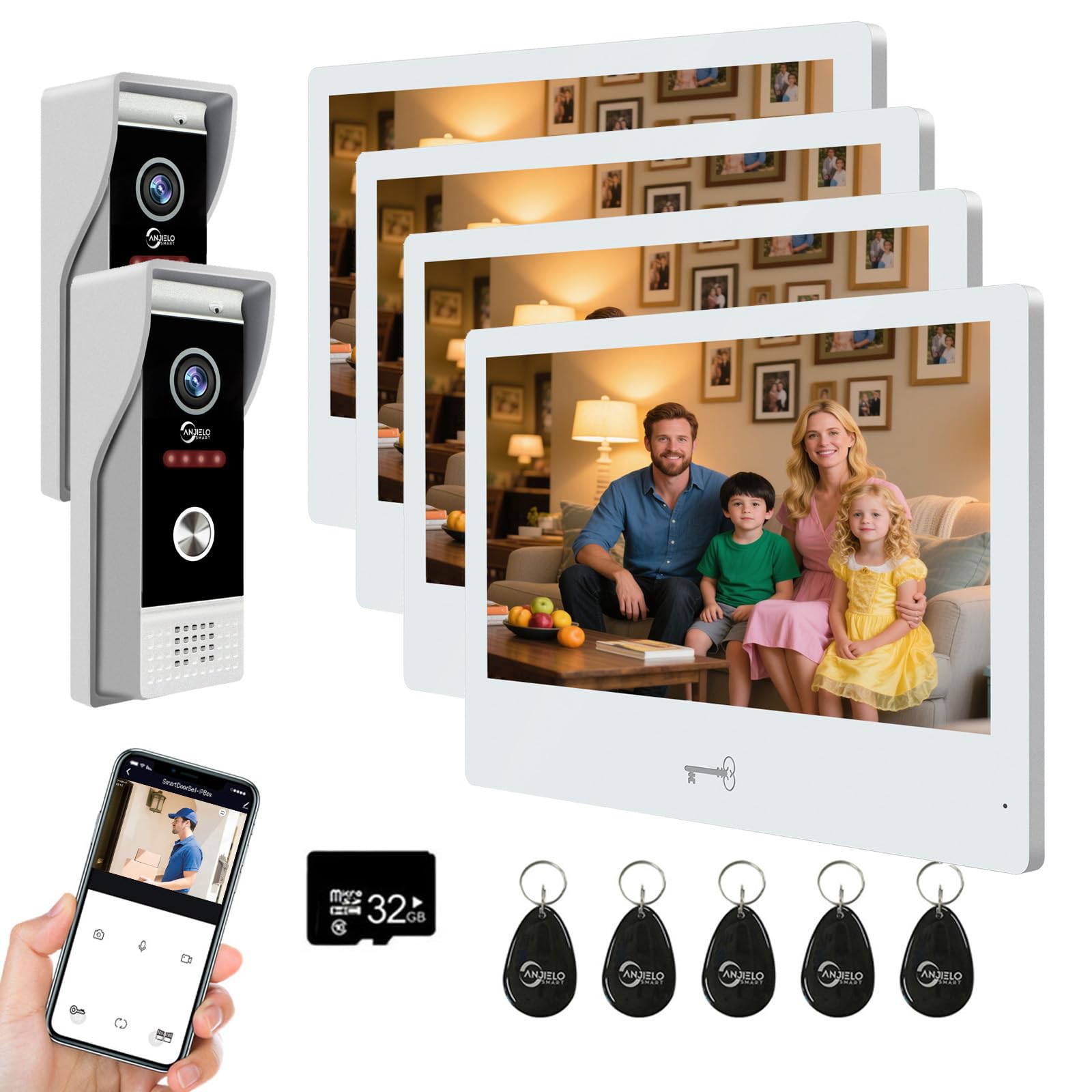
Resim: Üzeriview of the ANJIELO SMART Wired Video Intercom System, showing the indoor monitor and outdoor doorbell unit.
3. Özellikler
Doorbell Camera (Outdoor Unit)
- Kamera sensörü: 1 / 2.7 CMOS
- Çözünürlük: 1080P
- Mercek: 3.2 mm
- Viewaçı: 148°
- Gece Görüşü: IR LEDs (120°)
- Güç Tüketimi: Maksimum 200 mA
- Güç Kaynağı: Provided by indoor unit
- Çalışma Sıcaklığı: -40℃ ile +50℃ arası
- Kurulum: Yüzeye montaj
- Boyutlar: 120 mm x 52 mm x 33 mm
Kapalı Monitör
- Ekran: 10-inch TFT-LCD Touch Screen
- Çözünürlük: 1024x680
- Zil sesleri: 7-chord melodies
- Ayarlanabilir Ayarlar: Volume, Color
- Bağlantı Yöntemi: 4-wire (to doorbell), WiFi (to home network)
- WiFi Solution: TUYA App compatible (2.4 GHz band only)
- Panel Malzemesi: Acrylic/ABS cover
- Kurulum: Yüzeye montaj
- Giriş Voltage: AC 100-240V 50/60Hz
- Çalışma Hacmitage: DC 12 V, 2 A
- Boyutlar: 250 mm x 182 mm x 12 mm
Genel Sistem Özellikleri
- Bağlantı Teknolojisi: Wired (doorbell to monitor), Wireless (monitor to WiFi)
- Kontrol Yöntemi: App (Tuya), Touch Screen
- Maximum Range (Wired): Up to 100 meters (using RVV4 wires)
- Desteklenen Cihazlar: Up to 2 doorbells and 6 indoor monitors
- Unlocking Compatibility: All standard 12V electronic locks
4. Güvenlik Bilgileri
Lütfen aşağıdaki güvenlik önlemlerine uyun:
- Emin değilseniz, tüm kablolama işlemlerinin yetkili bir elektrikçi tarafından yapılmasını sağlayın.
- Herhangi bir kurulum veya bakım işlemi yapmadan önce elektrik bağlantısını kesin.
- İç mekan monitörünü suya veya yüksek neme maruz bırakmayın.
- Yalnızca verilen güç adaptörünü kullanın.
- Ürünü doğrudan güneş ışığından ve ısı kaynaklarından uzak tutun.
- Cihazı kendiniz sökmeye veya onarmaya çalışmayın. Yardım için destek ekibiyle iletişime geçin.
5. Kurulum
5.1. Kablolama ve Kurulum
- Mount the Doorbell Camera: Choose a suitable outdoor location, preferably protected from direct heavy rain, and mount the doorbell camera using the provided hardware. Ensure the rain cover is properly installed.
- İç Mekan Monitörünü Monte Edin: Select an indoor location for the monitor. It should be within reach of a power outlet and a suitable distance for the 4-wire connection to the doorbell.
- Kapı zilini monitöre bağlayın: Use the provided 4-wire cable to connect the outdoor doorbell unit to the indoor monitor. Ensure connections are secure and follow the wiring diagram in the detailed installation guide (not provided in this summary). The maximum recommended distance for this wired connection is 100 meters using RVV4 wires.
- Gücü bağlayın: Plug the power adapter into the indoor monitor and then into a standard AC power outlet.
- Elektronik Kilidi Bağlayın (Opsiyonel): If you are integrating an electronic lock, connect it to the doorbell unit according to the lock's instructions and the system's wiring diagram. The system is compatible with all standard 12V electronic locks.
5.2. WiFi and App Configuration
- Tuya Uygulamasını İndirin: Download and install the Tuya Smart app on your smartphone from your device's app store.
- Kayıt Ol/Giriş Yap: Bir hesap oluşturun veya Tuya Smart uygulamasına giriş yapın.
- Connect Monitor to WiFi: On the indoor monitor, navigate to the WiFi settings. Select your home's 2.4 GHz WiFi network and enter the password. Note: The monitor only supports 2.4 GHz WiFi bands.
- Uygulamaya Cihaz Ekle: Follow the instructions within the Tuya app to add your video intercom system as a new device. This typically involves scanning a QR code displayed on the monitor or selecting the device type manually.
- Paylaşım Erişimi: The system supports sharing access with up to 5 mobile phones without requiring additional app installations on those devices.
6. Kullanım Talimatları
6.1. Çağrıları Yanıtlama ve İki Yönlü Ses
- When a visitor presses the doorbell, all connected indoor monitors and your smartphone (via the Tuya app) will ring simultaneously.
- On the monitor or app, you can see and hear the visitor. Tap the answer button to initiate two-way audio communication.
- The system also functions as an intercom between indoor monitors, allowing room-to-room communication.
6.2. Kapıların Kilidini Açmak
The system offers three methods for unlocking compatible electronic locks:
- RFID Cards: Present a pre-programmed RFID card to the doorbell unit to unlock the door. Five RFID cards are included for your convenience.
- Tuya Uygulaması: From your smartphone app, you can remotely unlock the door.
- İç Mekan Monitörü: Tap the unlock icon on the 10-inch touch screen monitor.
6.3. Hareket Algılama
- The doorbell camera features customizable motion detection. By default, the entire camera view is monitored.
- To define specific monitoring areas, access the motion detection settings on the indoor monitor.
- You can tap and drag to create transparent boxes over areas you wish to exclude from motion detection, minimizing false alarms. Tap again to re-enable detection for an area.
7. Bakım
- Temizlik: Use a soft, dry cloth to clean the monitor screen and doorbell camera lens. Do not use abrasive cleaners or solvents.
- Dış ünite: Periodically check the doorbell camera for any obstructions or dirt that might affect its performance. Ensure the rain cover is intact.
- Kablolama: Occasionally inspect visible wiring for any signs of damage or wear.
- Yazılım Güncellemeleri: Check the Tuya app or monitor settings for available firmware updates to ensure optimal performance and security.
8. Sorun Giderme
- No Video/Audio from Doorbell:
- Check the 4-wire connection between the doorbell and the monitor. Ensure all wires are securely connected.
- Monitörün açık olduğundan emin olun.
- Monitor Not Connecting to WiFi:
- Ensure your home router is broadcasting a 2.4 GHz WiFi signal. The monitor does not support 5 GHz networks.
- WiFi şifrenizin doğruluğunu kontrol edin.
- Move the monitor closer to the WiFi router to improve signal strength.
- Yönlendiricinizi ve iç mekan monitörünüzü yeniden başlatın.
- RFID Card Not Unlocking:
- Ensure the RFID card is correctly programmed.
- Present the card directly to the RFID reader area on the doorbell unit.
- Verify the electronic lock is properly connected and powered.
- Hareket Algılama Çalışmıyor:
- Check motion detection settings on the monitor to ensure it is enabled and the detection area is correctly configured.
- Kamera lensinin temiz ve engelsiz olduğundan emin olun.
- Intercom Not Working Between Monitors:
- Verify all monitors are powered on and correctly wired to the system.
- Check intercom settings on each monitor.
9. Garanti ve Destek
Garanti bilgileri, teknik destek veya servis talepleriniz için lütfen perakendecinizle veya doğrudan üreticiyle iletişime geçin. Satın alma belgenizi saklayın.


