
giriiş
The UltraPro 800 Series Z-Wave On/Off Switch (Model 76601) is designed to provide smart control over your lights, fans, and other fixtures. This in-wall smart switch integrates with compatible Z-Wave hubs, allowing for remote operation, scheduling, and automation. Featuring Z-Wave Plus Long Range technology, it offers extended wireless coverage and enhanced security for your smart home system. This manual provides detailed instructions for installation, operation, and troubleshooting to ensure optimal performance of your device.
Güvenlik Bilgileri
RISK OF FIRE, ELECTRIC SHOCK, OR PHYSICAL INJURY
- Bu cihaz, Ulusal Elektrik Yasasına ve yerel yönetmeliklere uygun olarak kurulmak üzere tasarlanmıştır.
- Always turn OFF power at the circuit breaker or fuse box before installation or servicing.
- Kısa devreleri önlemek için tüm kablo bağlantılarının sağlam ve uygun şekilde yalıtılmış olduğundan emin olun.
- Do not exceed the maximum load ratings for this switch (15A resistive, 1800W incandescent, 1/2 HP motor).
- Use only copper wire for connections.
- Bu talimatların herhangi bir kısmından emin değilseniz, kalifiye bir elektrikçiye danışın.
Paket İçeriği
- 1 x UltraPro 800 Series Z-Wave On/Off Switch (Model 76601)
- 1 x Wallplate (optional, may be sold separately)
Özellikler
- Ses Kontrolü: Compatible with Amazon Alexa and Google Assistant when connected to a Z-Wave certified hub.
- DIY Design (QuickFit): Reduced housing depth and elimination of heat tabs for easier installation in crowded electrical boxes. Color-coded flying leads simplify wiring.
- Multi-Switch Capable: Supports single-pole or multi-switch configurations. Works with up to four compatible add-on switches for full functionality from multiple locations, or one standard three-way switch for ON/OFF control.
- Evrensel Uyumluluk: Supports Z-Wave Plus Long Range (up to 1,300ft.) and Z-Wave Classic (up to 150ft.) for flexible network integration.
- Kişiselleştirme Seçenekleri: Features a customizable LED indicator with eight colors and four operation modes.
Kurulum ve Yükleme
Kurulum Öncesi Önemli Notlar:
- Montaj için nötr kabloya ihtiyaç vardır.
- This switch is designed for use with permanently installed fixtures only.
- Ensure the electrical box has sufficient space for the switch and wiring.
Kablolama Şeması ve Bağlantılar:
The UltraPro 76601 switch features color-coded flying leads for easy identification and connection. Refer to the image below for a visual guide to the wiring connections.

Resim: Arka view of the UltraPro Z-Wave switch showing the pre-stripped, color-coded wires for Line, Load, Neutral, Ground, and Traveler connections.
- Gücü kapatın: Locate the circuit breaker controlling the switch location and turn it OFF. Verify power is off by toggling the light switch.
- Eski Anahtarı Kaldır: Mevcut anahtarı duvar kutusundan söküp dikkatlice çekin. Eski anahtardaki tüm kabloları çıkarın.
- Kabloları Tanımlayın: Identify the following wires in your wall box:
- LINE (Hot): Black wire, typically coming from the circuit breaker.
- YÜK: Black wire, going to the light fixture or appliance.
- DOĞAL: White wire, usually bundled with other white wires. (Required)
- ZEMİN: Green or bare copper wire.
- TRAVELER (for 3-way/4-way setups): Red or other color wire, used to connect to an add-on switch or another standard 3-way switch.
- Yeni Anahtarı Bağlayın: Using wire nuts, connect the corresponding wires from the wall box to the UltraPro switch's flying leads:
- Bağlan black LINE wire duvar kutusundan Siyah tel anahtarın üzerinde.
- Bağlan black LOAD wire duvar kutusundan kırmızı tel anahtarın üzerinde.
- Bağlan white NEUTRAL wire duvar kutusundan beyaz tel anahtarın üzerinde.
- Bağlan bare/green GROUND wire duvar kutusundan yeşil tel anahtarın üzerinde.
- For 3-way/4-way installations, connect the TRAVELER wire duvar kutusundan sarı tel on the switch. If not using a multi-switch setup, cap off the yellow wire with a wire nut.
- Güvenli Anahtar: Carefully fold the wires and push the switch into the electrical box. Secure it with the provided screws.
- Duvar plakasını takın: Attach the wallplate (not included) over the switch.
- Gücü Geri Yükle: Devre kesiciden gücü tekrar AÇIN.
Boyutlar:
The QuickFit design of the UltraPro switch features a reduced housing depth for easier installation. Refer to the dimensions below:

Image: Diagram showing the physical dimensions of the UltraPro Z-Wave switch, including housing depth (1.13 inches) and overall faceplate dimensions (1.69 x 4.14 inches).
Kullanım Talimatları
Manuel kontrol:
The UltraPro Z-Wave switch can be operated manually using the paddle switch:
- Press the top of the paddle: To turn the connected light or appliance ON.
- Press the bottom of the paddle: To turn the connected light or appliance OFF.
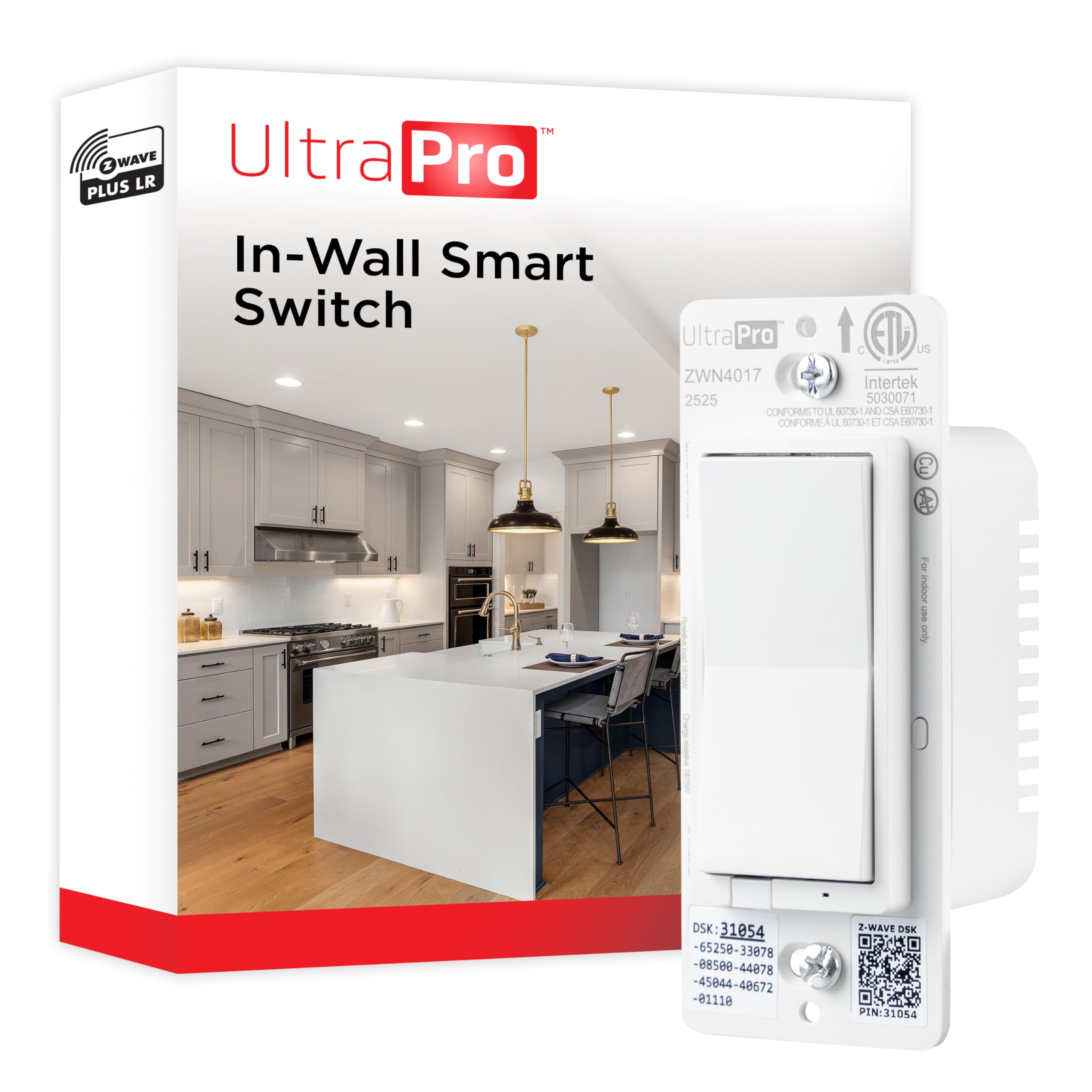
Resim: Ön view of the UltraPro Z-Wave On/Off Switch, showing the large paddle for manual control.
Z-Dalga Kontrolü:
Once paired with a Z-Wave certified hub, you can control the switch remotely through your hub's application or interface. This allows for scheduling, scene creation, and integration with other smart devices.
Ses Kontrolü:
When connected to a compatible Z-Wave hub that supports Amazon Alexa or Google Assistant integration, you can control the switch using voice commands. For example, say "Alexa, turn on the kitchen light" or "Hey Google, turn off the living room fan."
Multi-Switch Configuration
The UltraPro 76601 switch supports both traditional 3-way wiring and multi-location control with UltraPro add-on switches. For 3-way or 4-way installations, ensure the traveler wire is correctly connected as described in the installation section.
- With UltraPro Add-on Switches: Connect up to four compatible UltraPro add-on switches to maintain full smart functionality from all control points.
- With Standard 3-Way Switch: The UltraPro 76601 can also be used with one standard 3-way switch for basic ON/OFF control from two locations.
Z-Wave Eşleştirme (Dahil)
Follow these steps to add your UltraPro Z-Wave switch to your Z-Wave network:
- Place your Z-Wave controller/hub into inclusion (pairing) mode. Refer to your hub's instruction manual for specific steps.
- On the UltraPro switch, press the top or bottom of the paddle bir kere. The LED indicator will begin to flash.
- The hub will confirm successful inclusion. The switch's LED will stop flashing and return to its normal state.
- If prompted by your hub, enter the 5-digit Device Specific Key (DSK) or scan the QR code located on the switch or its packaging for S2 security pairing.
The switch supports both Z-Wave Plus Long Range and Z-Wave Classic inclusion. The type of inclusion will depend on your gateway's capabilities.
Z-Dalga Hariç Tutma
To remove your UltraPro Z-Wave switch from a Z-Wave network:
- Place your Z-Wave controller/hub into exclusion (unpairing) mode. Refer to your hub's instruction manual for specific steps.
- On the UltraPro switch, press the top or bottom of the paddle bir kere. The LED indicator will begin to flash.
- The hub will confirm successful exclusion. The switch's LED will stop flashing.
Z-Wave Reset (Factory Reset)
A factory reset will restore the switch to its default settings and remove it from any Z-Wave network. This should only be used when the primary controller is missing or inoperable.
- Press the top of the paddle three (3) times quickly.
- Then, press the bottom of the paddle three (3) times quickly.
- Finally, press the top of the paddle once more and hold it for at least 10 seconds.
- The LED indicator will flash rapidly to confirm the reset.
LED Indicator Customization
The UltraPro 76601 switch features a customizable LED indicator. You can configure its color and operation mode through your Z-Wave hub's advanced settings or by following specific manual button press sequences (refer to the manufacturer's website or your hub's documentation for detailed instructions).
- Eight Colors: Choose from a range of colors to suit your preference or indicate status.
- Four Operation Modes: Customize how the LED behaves (e.g., ON when load is OFF, OFF when load is ON, always ON, always OFF).
Sorun giderme
If you experience issues with your UltraPro Z-Wave switch, consider the following:
- Anahtar Yanıt Vermiyor: Ensure power is ON at the circuit breaker. Check all wiring connections for tightness and correctness.
- Hub ile Eşleşemiyor: Ensure your hub is in inclusion mode. Try performing a Z-Wave exclusion first, then attempt inclusion again. Ensure the switch is within range of your Z-Wave network.
- Light Flickering or Not Turning On/Off: Verify the load connected to the switch does not exceed its maximum wattage or current rating. Ensure the neutral wire is properly connected.
- Parazit yapmak: Z-Wave LR is designed to penetrate walls, but large metal objects or other wireless devices can still cause interference. Try repositioning your Z-Wave hub or adding Z-Wave repeaters.
- Consult Hub Documentation: For specific Z-Wave network issues, refer to the user manual of your Z-Wave certified hub.
Özellikler
| Şartname | Değer |
|---|---|
| Örnek | 76601 |
| Çalışma Modu | AÇIK KAPALI |
| Güncel Derecelendirme | 15 Amps |
| Çalışma Hacmitage | 120 Volt |
| Netage | 1800 watt |
| Bağlantı Protokolü | Z-Dalgası |
| Kontrol Yöntemi | Voice, Manual |
| Denetleyici Türü | Amazon Alexa, Google Assistant, SmartThings (via Z-Wave hub) |
| Ürün Boyutları (U x G x Y) | 1.75 x 1.75 x 4.25 inç |
| Konut Derinliği | 1.13 inç |
| Devre tipi | 3-way (with add-on switch or standard 3-way) |
| Montaj Tipi | Duvara Montaj |
| Düşük Sıcaklık Derecesi | 32 Fahrenheit derece (0°C) |
| Üst Sıcaklık Derecesi | 104 Fahrenheit derece (40°C) |
| Malzeme | Metal (dahili bileşenler), Plastik (gövde) |
| Sertifikasyon | ETL |
| UPC | 030878766012 |
Garanti ve Destek
UltraPro products are manufactured by Jasco Products Company, LLC. For warranty information, technical support, or to register your product, please visit the official UltraPro website or contact Jasco customer service. Keep your proof of purchase for warranty claims.