
giriiş
This manual provides detailed instructions for the installation, operation, and maintenance of your GNCC GT1ProB-2P Outdoor Security Camera. Designed for reliable home surveillance, this 2K camera features motion detection, color night vision, two-way audio, and 24/7 recording capabilities. Please read this manual thoroughly before use to ensure proper setup and optimal performance.
Paket İçeriği
- GNCC GT1ProB-2P Outdoor Security Camera (2 units)
- Güç Adaptörü
- Montaj Standı
- Montaj Vidaları
- Kullanım Kılavuzu
Kurmak
1. Fiziksel Kurulum
The GNCC GT1ProB-2P camera is designed for outdoor use and is IP65 waterproof. Select a suitable location that provides the desired viewing angle and is within range of a power outlet and your 2.4 GHz Wi-Fi network.
- Sondaj Noktalarını İşaretleyin: Place the mounting stand against the wall or surface where you intend to install the camera. Use a pencil to mark the positions for the mounting screws.
- Matkap Delikleri: Drill pilot holes at the marked positions. Insert wall anchors if necessary for your mounting surface.
- Standı Sabitleyin: Attach the mounting stand to the wall using the provided mounting screws.
- Kamerayı Takın: Securely attach the camera to the mounting stand. Adjust the camera angle as needed.
- Gücü bağlayın: Connect the power adapter to the camera and plug it into a power outlet. The camera will power on.

Image: The GNCC GT1ProB-2P camera, demonstrating its IP65 waterproof design, suitable for outdoor installation.
2. Uygulama Kurulumu ve Eşleştirme
The GNCC GT1ProB-2P camera uses the Osaio app for control and monitoring.
- İndir uygulaması: Arama "Osaio" in your smartphone's app store (App Store for iOS or Google Play Store for Android) and download the application.
- Hesap oluşturmak: Open the Osaio app and follow the on-screen instructions to create a new user account or log in if you already have one.
- Cihaz Ekle: Tap the "+" icon or "Add Device" option within the app. Select your camera model (GT1ProB-2P) from the list.
- Wi-Fi'ye bağlanın: Follow the app's prompts to connect the camera to your 2.4 GHz Wi-Fi network. Ensure your phone is also connected to the same 2.4 GHz Wi-Fi network during the pairing process.
- QR Kodunu Tara: The app may display a QR code. Hold your camera up to your phone screen to scan the QR code. A voice prompt from the camera will confirm successful connection.
- Kurulumu Tamamla: Bağlantı kurulduktan sonra kameranıza bir isim verin ve uygulama içinden kurulum işlemini tamamlayın.
Kullanım Talimatları
Canlı View ve Kayıt
Access the Osaio app to view canlı footage from your camera. The camera supports 24/7 continuous recording.
- Yerel Depolama: Insert a MicroSD card (up to 128GB, not included) into the camera's MicroSD card slot for local storage of recordings.
- Bulut Depolama: An optional cloud storage service is available, offering a 14-day free trial. This provides remote backup of your recordings.

Image: A smartphone interface showing 24/7 recording playback from the GNCC camera, with a timeline of events.
Hareket Algılama ve Bildirimler
The camera features advanced motion detection. When motion is detected, the camera can send instant notifications to your smartphone via the Osaio app.
- Etkinleştir/Devre Dışı Bırak: You can enable or disable motion detection and adjust sensitivity settings within the Osaio app.
- Uyarılar: Receive push notifications on your phone when motion or sound is detected.
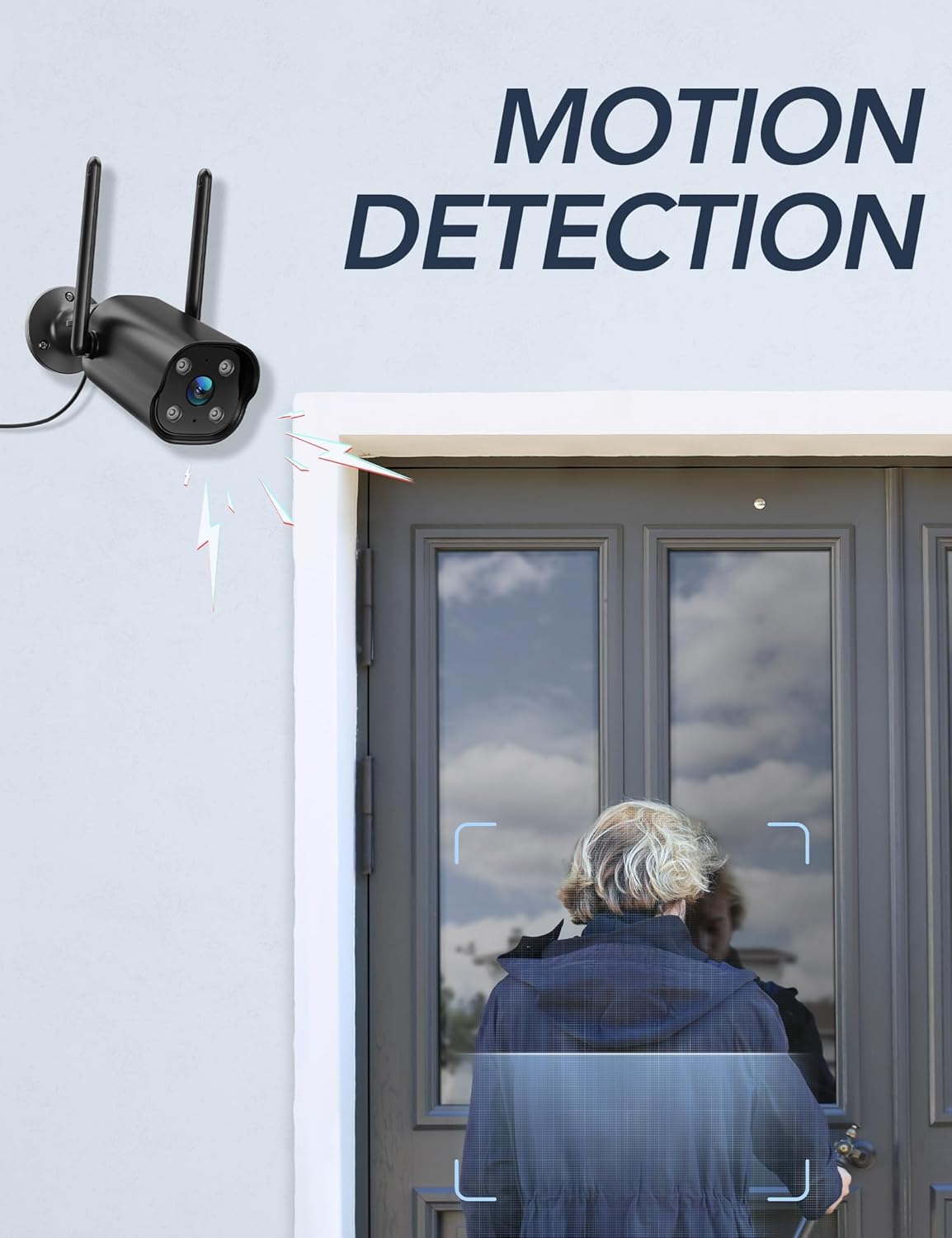
Image: The GNCC camera illustrating its motion detection capability, highlighting a person entering the detection zone.

Image: A smartphone displaying push notifications from the Osaio app, indicating detected motion and sound events.
Çift Yönlü Ses
The integrated microphone and speaker allow for two-way communication through the camera. This feature enables you to speak to visitors or deter intruders remotely.
- Etkinleştir: Canlı yayında view interface of the Osaio app, locate and tap the microphone icon to speak through the camera.
- Dinlemek: Kameranın mikrofonu çevredeki sesleri algılar ve siz de bu sesleri telefonunuzdan duyabilirsiniz.

Image: The GNCC camera demonstrating its two-way audio function, allowing communication between the user and the monitored area.
Gece Görüşü
The camera is equipped with enhanced night vision, providing clear visibility up to 50 feet (15 meters) in low-light conditions. It also supports color night vision for improved detail.
Akıllı Ev Entegrasyonu
The GNCC GT1ProB-2P camera is compatible with Amazon Alexa and Google Home. Refer to the Osaio app settings or your smart home assistant's documentation for instructions on linking your camera.
Bakım
Temizlik
To ensure optimal image quality, periodically clean the camera lens. Use a soft, damp cloth to gently wipe away dust and dirt. Avoid using harsh chemicals or abrasive materials that could scratch the lens.
Firmware güncellemeleri
GNCC regularly releases firmware updates to improve camera performance and add new features. Check for available updates through the Osaio app settings. It is recommended to keep your camera's firmware up to date.
Sorun giderme
Yaygın Sorunlar ve Çözümleri
- Kamera Çevrimdışı:
- Kameranın açık olduğundan ve güç adaptörünün güvenli bir şekilde bağlı olduğundan emin olun.
- Wi-Fi yönlendiricinizi ve internet bağlantınızı kontrol edin.
- Verify the camera is within range of your 2.4 GHz Wi-Fi network.
- Kamerayı yeniden başlatmak için güç adaptörünü çıkarıp tekrar takın.
- Kayıt yok:
- If using local storage, ensure a MicroSD card is properly inserted and formatted within the Osaio app.
- Check recording settings in the Osaio app to ensure 24/7 recording or motion-triggered recording is enabled.
- If using cloud storage, verify your subscription status.
- Kötü Görüntü Kalitesi:
- Kamera merceğini yumuşak bir bezle temizleyin.
- Kameranın yeterli güç aldığından emin olun.
- Wi-Fi sinyal gücünüzü kontrol edin; zayıf sinyal video akış kalitesini etkileyebilir.
- Hareket Algılama Çalışmıyor:
- Verify motion detection is enabled in the Osaio app settings.
- Hareket hassasiyeti ayarlarını düzenleyin.
- Kameranın görüşünü engelleyen herhangi bir şey olmadığından emin olun. view.
Özellikler
| Model Adı | GT1ProB-2P |
| Marka | GNCC |
| Bağlantı Teknolojisi | Wired (Power), Wi-Fi (2.4 GHz), Bluetooth |
| Video Yakalama Çözünürlüğü | 2K |
| Foto Sensör Çözünürlüğü | 3 MP |
| Gece Görüş Aralığı | 50 feet'e (15 metre) kadar |
| Özel Özellikler | 2-Way Audio, HD Resolution, Motion Sensor, Night Vision, Weatherproof (IP65) |
| İç/Dış Mekan Kullanımı | Dış mekan |
| Uyumlu Cihazlar | Smartphone (via Osaio App), Amazon Alexa, Google Home |
| Güç Kaynağı | Kablolu Elektrik |
| Yerel Depolama | 128 GB'a kadar MicroSD kart (dahil değildir) |
| Bulut Depolama | Optional, 14-day free trial available |
| Ürün Boyutları (U x G x Y) | 11 x 7.6 x 5 Santimetre |
| Renk | Siyah |
| Üretici | kalado |

Image: The GNCC camera highlighting its dual storage options: optional cloud storage and local MicroSD card storage (up to 128GB).
Garanti Bilgileri
GNCC products are covered by a limited warranty from the date of purchase. This warranty typically covers defects in materials and workmanship under normal use. Please refer to the warranty card included in your product packaging or visit the official GNCC webGaranti şartları ve koşulları, süresi ve kapsamıyla ilgili ayrıntılar için lütfen siteyi ziyaret edin.
The warranty does not cover damage caused by improper installation, accident, misuse, abuse, natural disaster, or unauthorized modification or repair.
Müşteri Desteği
If you encounter any issues or have questions regarding your GNCC GT1ProB-2P Outdoor Security Camera, please contact our customer support team. Before contacting support, please ensure you have reviewed the troubleshooting section of this manual.
- Çevrimiçi destek: Visit the official GNCC webSSS, destek makaleleri ve iletişim formları için site.
- E-posta Desteği: Refer to your product packaging or the GNCC webMüşteri destek e-posta adresine özel site.
- Osaio App: The Osaio app may also offer in-app support options or a help section.
When contacting support, please have your product model (GT1ProB-2P) and purchase information readily available.