
1. Giriş
Satın aldığınız için teşekkür ederizasing the LG 27G411A UltraGear Gaming Monitor. This manual provides essential information for the safe and efficient use of your monitor. Please read it thoroughly before operating the product and retain it for future reference. This 27-inch Full HD (1920 x 1080) IPS display is designed for an immersive gaming experience, featuring a 144Hz refresh rate, 1ms Motion Blur Reduction (MBR), HDR10 support, and compatibility with NVIDIA G-Sync and AMD FreeSync technologies.
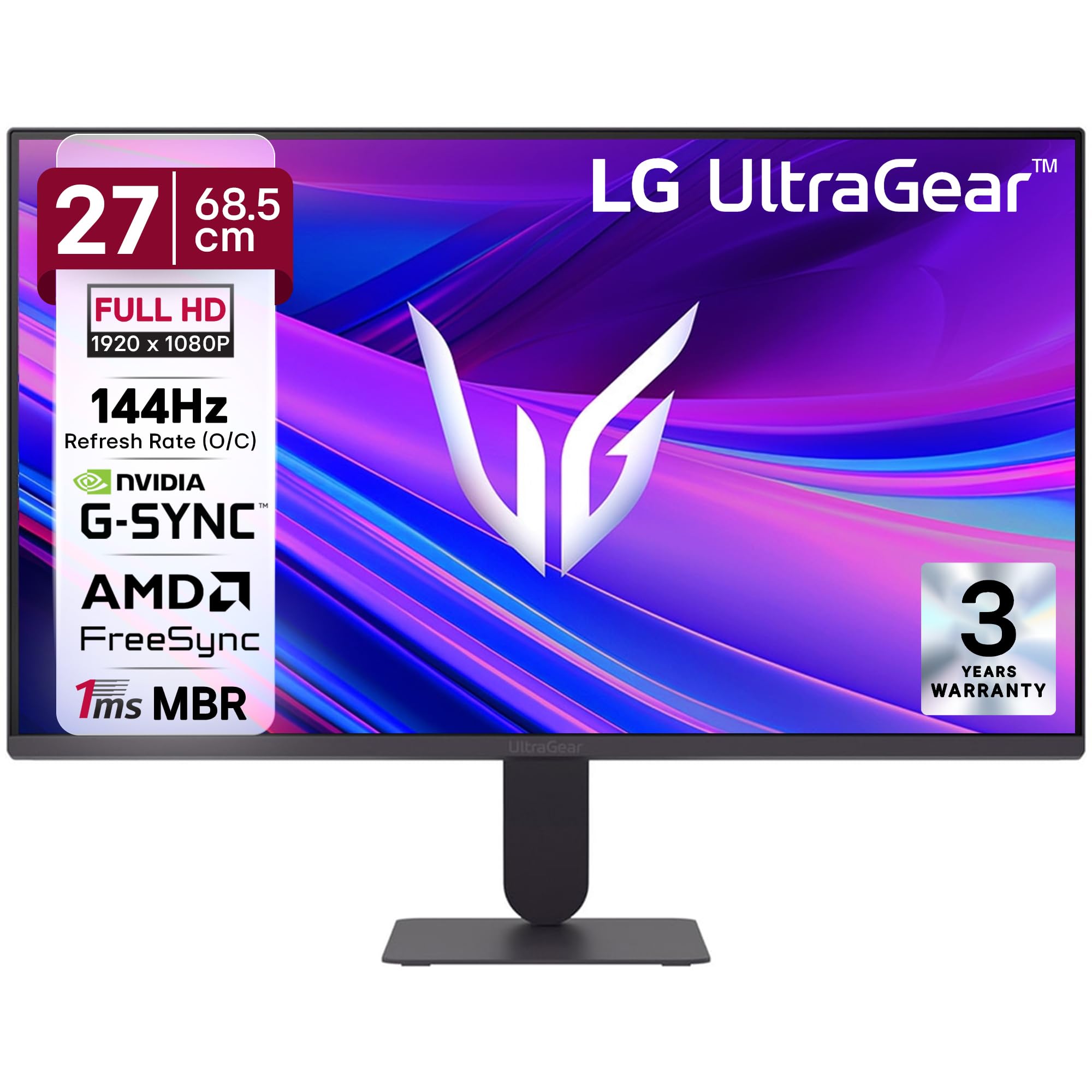
Şekil 1: Ön view of the LG 27G411A UltraGear Gaming Monitor.
2. Güvenlik Bilgileri
Ürüne zarar gelmesini veya kendinizin ve başkalarının yaralanmasını önlemek için aşağıdaki güvenlik önlemlerine uyun.
- Güç: Use only the power cord and adapter supplied with the monitor. Do not overload power outlets.
- Atama: Place the monitor on a stable, level surface. Avoid direct sunlight, heat sources, and areas with high humidity or dust. Ensure adequate ventilation around the monitor.
- İşleme: Do not drop the monitor or subject it to strong impacts. Avoid touching the screen with sharp objects.
- Temizlik: Disconnect the power cord before cleaning. Use a soft, dry cloth. Do not use liquid cleaners or aerosol sprays.
- Onarımlar: Bu ürüne kendiniz servis vermeye çalışmayın. Tüm servis işlemleri için kalifiye servis personeline başvurun.
3. Paket İçeriği
Ürün kutunuzda tüm öğelerin mevcut olduğundan emin olun:
- LG 27G411A UltraGear Monitor
- Güç kablosu
- HDMI Kablosu
- Monitör Standı (Taban ve Boyun)
- Kullanım Kılavuzu (bu belge)
4. Kurulum
4.1 Monitör Montajı
Follow these steps to assemble the monitor stand and attach it to the display panel.
- Carefully place the monitor face down on a soft cloth or cushion to prevent scratches.
- Attach the stand neck to the base, securing it with the captive screw.
- Align the assembled stand with the mounting slot on the back of the monitor panel and push until it clicks into place.
- Alternatively, the monitor supports VESA 100x100mm wall mounting. Remove the stand if using a wall mount.

Figure 2: Illustration of the monitor's ultra-slim design, tilt adjustment, and VESA wall mount compatibility.
4.2 Monitörü Bağlama
Uygun kabloları kullanarak cihazlarınızı monitöre bağlayın.
- Güç Bağlantısı: Güç kablosunu monitörün güç girişine ve ardından bir duvar prizine bağlayın.
- HDMI Bağlantısı: Use the supplied HDMI cable to connect your computer or gaming console to the HDMI port on the monitor.
- DisplayPort Bağlantısı: For optimal performance, especially for 144Hz refresh rate, connect your computer to the DisplayPort (DP) on the monitor using a DisplayPort cable (not always included).
- Kulaklık Çıkışı: Connect headphones or external speakers to the 3-pole headphone out port for audio output.

Şekil 3: Arka view of the monitor displaying the power input, HDMI, DisplayPort, and headphone out ports.

Şekil 4: Ayrıntılı view of the DisplayPort (DP-IN), HDMI, and Headphone (HP) ports.
5. Kullanım Talimatları
5.1 Güç Açma/Kapatma
Press the joystick button located at the bottom center of the monitor to turn it on or off. A short press will bring up the OSD menu, while a long press will power off the monitor.
5.2 Ekran Üstü Görüntüleme (OSD) Menüsü
OSD menüsü, çeşitli monitör ayarlarını yapmanıza olanak tanır. Gezinmek için joystick düğmesini kullanın:
- Menü seçenekleri arasında gezinmek için joystick'i yukarı/aşağı/sola/sağa hareket ettirin.
- Bir seçeneği belirlemek veya bir ayarı onaylamak için kumanda koluna basın.
5.3 Görüntü Modları
The monitor offers several preset picture modes optimized for different content types:
- Gelenek: Tüm görüntü ayarlarının manuel olarak yapılmasına olanak tanır.
- Gamer1/Gamer2: User-configurable modes for gaming preferences.
- FPS/RTS: Optimized for First-Person Shooter and Real-Time Strategy games.
- Canlı: Enhances color and contrast for general viewIng.
- Okuyucu: Rahat okuma için mavi ışığı azaltır.
- HDR Etkisi: HDR olmayan kaynaklar için HDR içeriği simüle eder.
- Renk Zayıflığı: Adjusts color settings to assist users with color vision deficiency.
5.4 Gaming Enhancements
The LG 27G411A is equipped with features to enhance your gaming experience:
- 144Hz Refresh Rate & 1ms MBR: Experience fluid motion and reduced ghosting. The monitor supports a native 120Hz refresh rate and up to 144Hz in overclock mode via DisplayPort 1.4 (HDMI 2.0 supports up to 144Hz).
- AMD FreeSync & NVIDIA G-Sync Compatible: Ekran yırtılmasını ve takılmaları ortadan kaldırmak için monitörünüzün yenileme hızını GPU'nuzun kare hızıyla senkronize eder.
- Siyah Sabitleyici: Gölgelerde saklanan düşmanları görmenize yardımcı olmak için karanlık alanları aydınlatır.
- Dinamik Eylem Senkronizasyonu (DAS): Gerçek zamanlı işlemler için giriş gecikmesini en aza indirir.
- Nişangah: FPS oyunlarında nişan almayı iyileştirmek için ekranın ortasına sabit bir nişangah yerleştirir.
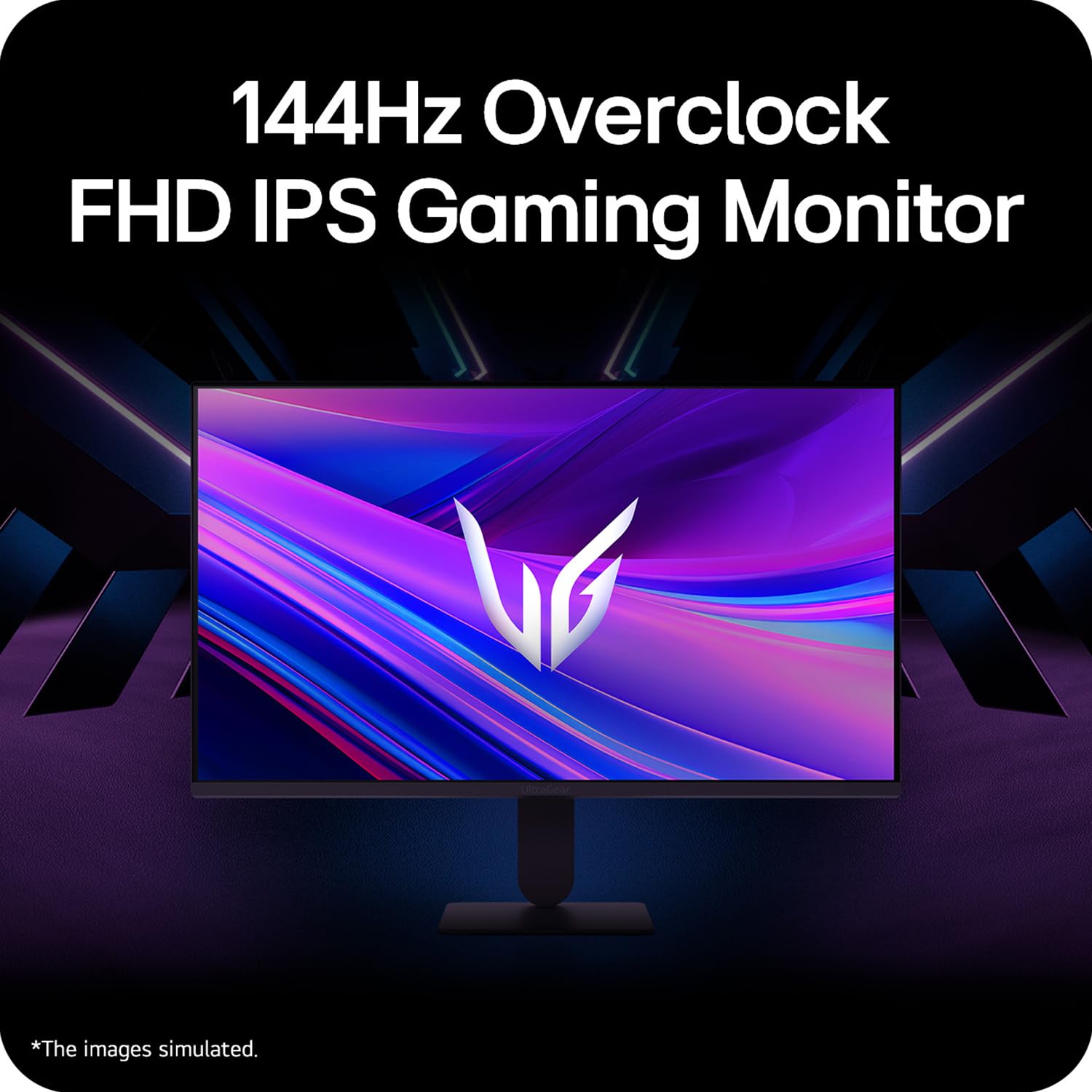
Figure 5: Visual representation of 144Hz overclock for fluid gaming motion.

Figure 6: Illustration of 1ms Motion Blur Reduction (MBR) for fast-paced gaming. Note: 1ms MBR causes lowered luminance and cannot be used with AMD FreeSync/DAS. Flicker may occur during 1ms MBR operation.

Figure 7: The monitor is certified compatible with NVIDIA G-Sync and AMD FreeSync technologies.

Figure 8: Precision Gaming Mode features: Dynamic Action Sync (DAS), Black Stabilizer, and Crosshair.
5.5 Eye-Care Features
To reduce eye strain during prolonged use, the monitor includes:
- Titreşim Koruması: Reduces screen flicker to minimize eye fatigue.
- Okuyucu Modu: Adjusts color temperature and brightness to simulate paper, making it easier on the eyes for reading tasks.
- Renk Zayıflığı: Provides color adjustments for users with color vision deficiencies.
5.6 Smart Convenience (LG Switch App)
The LG Switch app offers enhanced control and customization options for your monitor directly from your computer. Features include Dual mode, Smart screen split, Launch a video call, and Personalized Picture Wizard.

Figure 9: The LG Switch app provides smarter control and seamless switching between various display modes and settings.
6. Bakım
6.1 Monitörün Temizlenmesi
Monitörünüzün görünümünü ve performansını korumak için:
- Temizlemeden önce monitörün fişini mutlaka prizden çekin.
- Yumuşak, tüy bırakmayan bir bez kullanarak ekranı ve dış yüzeyleri nazikçe silin.
- İnatçı izler için hafifçe silinampBezi su veya hafif, aşındırıcı olmayan bir ekran temizleyici ile silin. Sıvıyı doğrudan ekrana püskürtmeyin.
- Avoid using benzene, alcohol, or other volatile solvents, as they may damage the monitor.
7. Sorun Giderme
Monitörünüzle ilgili sorunlarla karşılaşırsanız aşağıdaki yaygın çözümlere başvurun:
| Sorun | Olası Neden / Çözüm |
|---|---|
| Güç yok | Ensure the power cable is securely connected to the monitor and a working power outlet. Check if the power outlet is functional. |
| Sinyal yok / Boş ekran | Verify that the video cable (HDMI or DisplayPort) is securely connected to both the monitor and your computer/device. Ensure the correct input source is selected in the OSD menu. Check if the computer is powered on and not in sleep mode. |
| Titreyen veya bo distorted görüntü | Check the video cable for damage or loose connections. Try a different video cable or port. Adjust the refresh rate settings on your computer. Disable 1ms MBR if flicker is observed. |
| Backlight leakage on corners | Minor backlight leakage can be a characteristic of IPS panels, especially visible on a completely black screen in a dark environment. This is generally not considered a defect unless it significantly impacts normal viewIng. |
| Monitor not recognized by PC | Update your graphics card drivers. Restart your computer. |
8. Özellikler
Key technical specifications for the LG 27G411A UltraGear Gaming Monitor:
- Ekran Boyutu: 27 İnç (68.5 cm)
- Panel Tipi: IPS
- Çözünürlük: Tam HD (1920x1080)
- En Boy Oranı: 16:9
- Yenileme Hızı: 144 Hz (Overclock)
- Yanıt Süresi: 1ms MBR (5ms GTG)
- Parlaklık: 250 cd/m² (tipik)
- Kontrast Oranı: 1500:1
- Renk Gamı: sRGB% 99
- HDR Desteği: HDR10
- Uyarlanabilir Senkronizasyon: NVIDIA G-Sync Uyumlu, AMD FreeSync
- Viewaçı: 178° (Y/D)
- Bağlantı: 1 x HDMI, 1 x DisplayPort, 1 x Kulaklık Çıkışı
- Dimensions (with stand, WxHxD): 61.2 x 45.2 x 22 cm (24.07 x 17.81 x 8.66 inç)
- Ağırlık (stand ile): 3.8 kilo
- Güç Tüketimi: 20W (tipik)
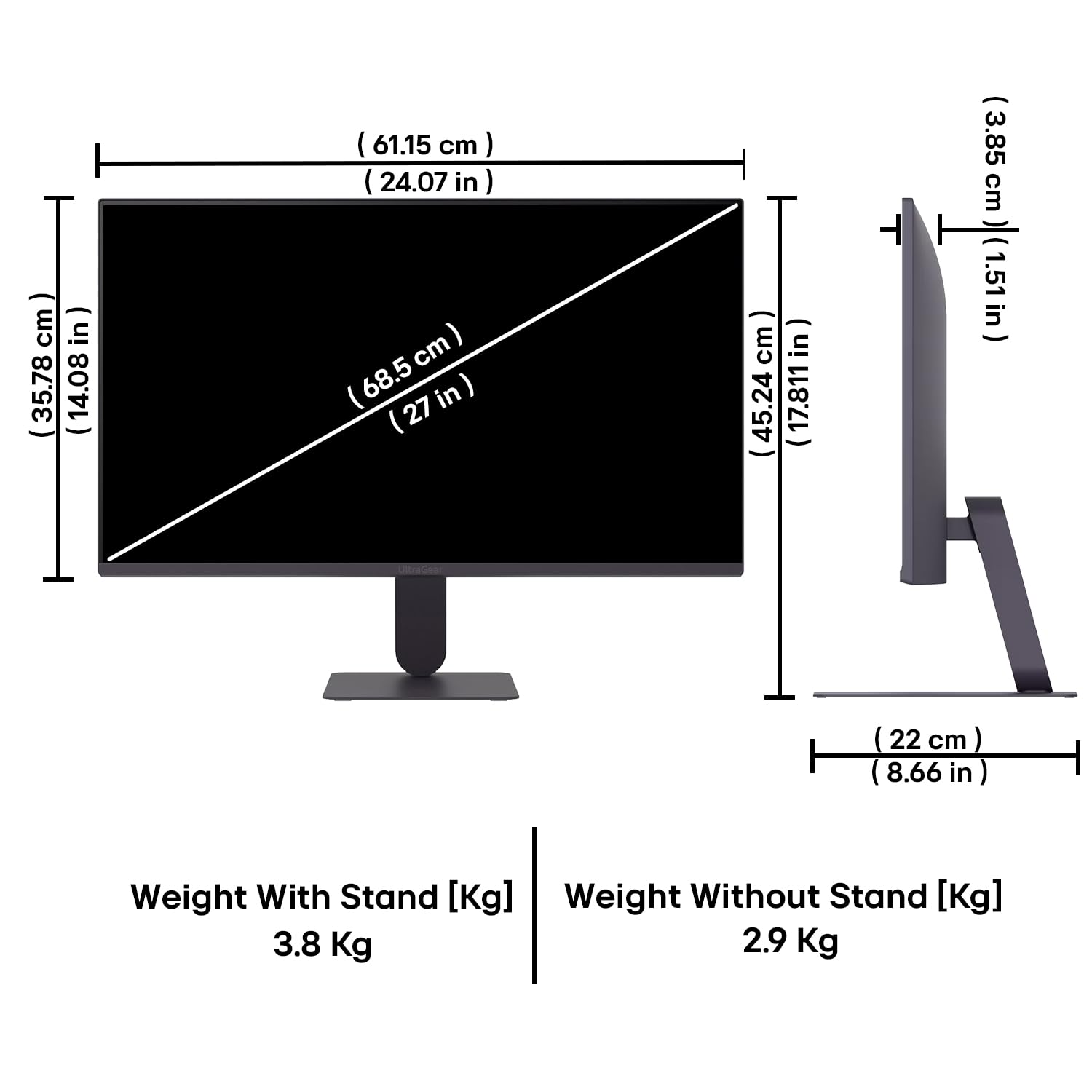
Figure 10: Physical dimensions and weight of the LG 27G411A monitor with and without the stand.
9. Garanti Bilgileri
This LG 27G411A UltraGear Gaming Monitor comes with a 3 Yıl Üretici Garantisi covering parts and labor. Please retain your proof of purchase for warranty claims. For detailed terms and conditions, refer to the warranty card included in your product packaging or visit the official LG webalan.
10. Müşteri Desteği
Daha fazla yardım, teknik destek veya servis sorularınız için lütfen LG Müşteri Hizmetleri ile iletişime geçin. İletişim bilgilerini resmi LG web sitesinde bulabilirsiniz. webBu bilgiye siteden veya monitörünüzle birlikte verilen belgelerden ulaşabilirsiniz.
LG Electronics Hindistan Pvt. Ltd.
PLOT NO. A-5, MIDC RANJANGAON.
TALUKA SHIRUR, PUNE, MAHRASHTRA (INDIA), 412220


