
1. Ürün Bittiview
Siyahview SCM6 is a 14-inch Full HD (1920x1080) IPS portable monitor designed to extend your laptop's display, enhancing productivity and multitasking capabilities. It features an ultra-light (1.3 lbs) and ultra-slim (0.17 inches) design, making it ideal for mobile use. The display is TÜV SÜD certified for low blue light and flicker-free operation, promoting eye comfort during prolonged use.
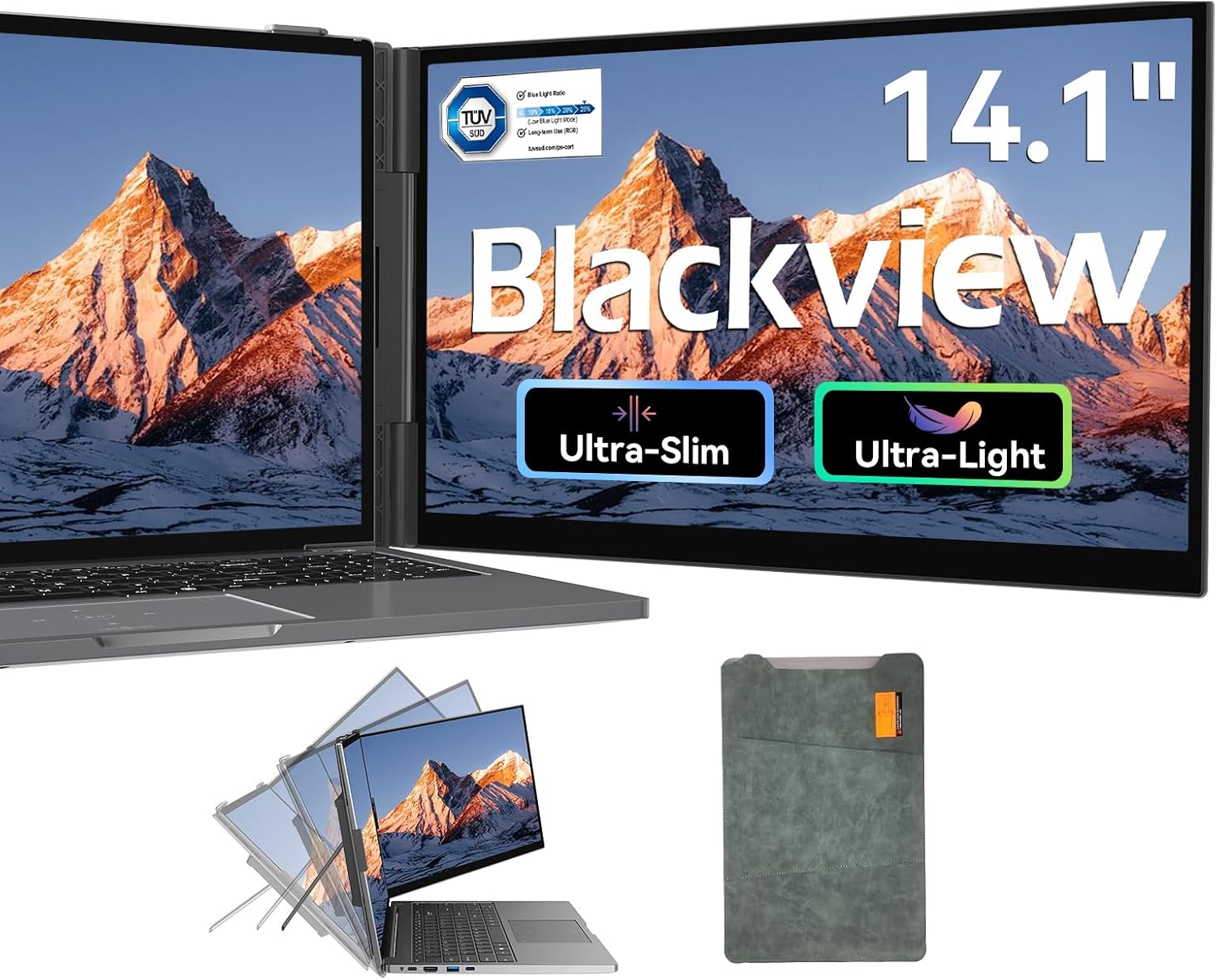
Resim: Siyahview SCM6 Portable Laptop Screen Extender attached to a laptop, showcasinçift ekran işlevselliği.
2. Paket İçeriği
Paketin içinde tüm öğelerin mevcut olduğundan emin olun:
- 1 x Siyahview SCM6 Laptop Screen Extender
- 1 x Koruyucu Kılıf
- 1 x USB-C to USB-C Cable (Full-Featured)
- 1 x USB-A - USB-C Kablosu
- 1 x HDMI - USB-C Kablosu
- 1 x User Manual & Quick Guide

Resim: Siyahların görsel bir temsiliview SCM6 package contents, including the screen, protective case, and various cables.
3. Kurulum Talimatları
3.1 Attaching the Screen Extender
The SCM6 features reinforced springs and non-slip pads to securely attach to laptops ranging from 13 to 17 inches. The integrated kickstand provides additional stability.
- Position the screen extender behind your laptop's display.
- Gently extend the side grips to fit around the edges of your laptop screen.
- Ensure the grips are securely fastened to prevent movement.
- Unfold the integrated kickstand to provide additional support and adjust the viewgerektiği gibi açı.

Resim: Siyahview SCM6 attached to a laptop, showing its adjustable kickstand and 180° rotation capability.
3.2 Monitörü Bağlama
The SCM6 offers flexible connectivity options. No additional driver downloads are required for most systems.
Method 1: Single USB-C Cable (Full-Featured Port)
If your laptop has a full-featured USB-C port (supporting data transfer, video signal, and power delivery), use the provided USB-C to USB-C cable for a single-cable connection.

Image: Diagram illustrating a single USB-C cable connection from a laptop to the Blackview SCM6.
Method 2: HDMI and USB-A Cables
If your laptop does not have a full-featured USB-C port, use the HDMI to USB-C cable for video transmission and the USB-A to USB-C cable for power supply.

Image: Diagram illustrating a two-cable connection (HDMI to USB-C for video, USB-A to USB-C for power) from a laptop to the Blackview SCM6.
Connection Instructions Video
Video: This video provides a step-by-step guide on how to connect the Blackview SCM6 screen extender to various devices, demonstrating both single USB-C and dual cable (HDMI + USB-A) connection methods.
3.3 Sürücü Kurulumu
Siyahview SCM6 is generally plug-and-play. However, for certain operating systems or specific functionalities, driver installation might be necessary. Refer to the included Quick Guide for detailed instructions.
Windows Sürücü Kurulumu
Locate the "USB Display" driver installation file on your computer. Double-click to install the driver, and follow the on-screen instructions to complete the installation. Once the installation is complete, the external screen should function properly.
Mac Sürücü Kurulumu
Locate the "USB Display" driver installation file on your computer. Double-click to install the driver, and follow the on-screen instructions to move the application to the Applications folder. Find the privacy settings, tick the USB Display program. After the installation is complete, the external screen should function properly.
4. Kullanım Talimatları
4.1 Görüntü Modları
The SCM6 supports multiple display modes:
- Ayna Modu: Duplicates your laptop's display on the SCM6.
- Uzatma Modu: Masaüstünüzü her iki ekrana da yayarak daha fazla çalışma alanı sağlar.
- Landscape & Portrait: Supports both horizontal and vertical orientations.
4.2 Screen Adjustments
Adjust screen settings using the monitor's control buttons:
- Parlaklık: Adjust the screen's luminosity.
- Zıtlık: Açık ve koyu alanlar arasındaki farkı değiştirin.
- Arka aydınlatma: Control the intensity of the backlight.
- Keskinlik: Enhance the clarity of images.
- Renk Gamı: The SCM6 offers 100% sRGB color gamut for vibrant and accurate colors.
5. Bakım
Siyahınızın uzun ömürlü ve optimum performans göstermesini sağlamak içinview SCM6, follow these maintenance guidelines:
- Temizlik: Yumuşak, tiftiksiz bir bez kullanın ve hafifçe kurulayın.ampened with water or a mild screen cleaner. Avoid harsh chemicals or abrasive materials.
- İşleme: Always handle the monitor with care. Avoid dropping it or applying excessive force. When not in use, store it in the provided protective case.
- Depolamak: Monitörü serin, kuru ve doğrudan güneş ışığından ve aşırı sıcaklıklardan uzak bir yerde saklayın.
6. Sorun Giderme
Siyah cihazınızla ilgili herhangi bir sorunla karşılaşırsanızview SCM6, refer to the following common solutions:
- Sinyal Yok/Siyah Ekran:
- Tüm kabloların güvenli bir şekilde bağlandığından emin olun.
- Verify that your laptop's USB-C port is full-featured or that both HDMI and USB-A cables are correctly connected for video and power.
- Check your laptop's display settings to ensure the external monitor is detected and configured for mirror or extend mode.
- If using a USB-C to USB-C connection, confirm the port supports DP Alt Mode.
- Güç Sorunları:
- Ensure the monitor is receiving adequate power. If using a single USB-C cable, confirm your laptop provides sufficient power.
- If using HDMI, ensure the USB-A to USB-C cable is connected to a power source (e.g., laptop USB-A port or a 5V/2A power adapter).
- M1/M2/M3 Chip Compatibility: The SCM6 is compatible with all common laptop models, including those with M1/M2/M3 chips.
- Göz yorgunluğu: The SCM6 is TÜV SÜD certified for low blue light, which helps minimize dryness, discomfort, and visual fatigue during prolonged use.
- Kurulum Zorluğu: The setup process is designed to be simple. If you face difficulties, ensure the side grips are properly extended and the kickstand is unfolded correctly.
Daha fazla yardım için lütfen Black ile iletişime geçinview Müşteri desteği.
7. Özellikler
| Özellik | Detay |
|---|---|
| Marka | Siyahview |
| Model Numarası | SCM6 |
| Ekran Boyutu | 14 inç |
| Çözünürlük | FHD 1080p (1920 x 1080 Piksel) |
| En Boy Oranı | 16:9 |
| Yenileme Hızı | 60 Hz |
| Görüntü Türü | IPS |
| Parlaklık | 300 Candela |
| Kontrast Oranı | 1000:1 |
| ViewAçı | 180 Derece |
| Bağlantı Teknolojisi | HDMI, USB Tip C |
| Ek Özellikler | Built-In Speakers, Eye Care, Lightweight, Portable, Ultra-Slim |
| Ürün Boyutları (D x G x Y) | 13.89"D x 8.14"G x 0.9"Y |
8. Garanti ve Destek
Siyahview provides an industry-leading 24-month reliable warranty (typically 12 months) for the SCM6 Portable Laptop Screen Extender. This warranty includes a replacement-only policy to ensure every unit you receive is brand new and factory-sealed.
Should you encounter any issues or require assistance, please contact Blackview's professional customer support. They are committed to providing sincere and efficient support to resolve your concerns promptly.