
1. Giriş ve Üzeriview
This manual provides essential information for setting up, operating, maintaining, and troubleshooting your HP 17-inch Business Laptop. This device is designed for productivity and features a 13th Generation Intel Core i5 processor, a 17.3-inch HD+ anti-glare display, a backlit keyboard with a numeric keypad, and a fingerprint reader for enhanced security. It comes pre-installed with Windows 11 Home.
Temel özellikler şunlardır:
- İşlemci: 13th Gen Intel Core i5-1334U 10-core processor for efficient multitasking.
- İşletim Sistemi: Windows 11 Home for a modern and secure computing experience.
- Görüntülemek: 17.3-inch HD+ (1366x768) anti-glare screen with micro-edge design.
- Bellek saklama alanı: Up to 64GB DDR4 RAM and up to 2TB NVMe M.2 SSD for fast performance and ample depolama.
- Bağlantı: USB 3.2 Gen 1 Type-C, USB 3.2 Gen 1 Type-A, HDMI 1.4, and a headphone/microphone combo jack.
- Güvenlik: Integrated fingerprint reader.
- Kolaylık: Full-size backlit keyboard with numeric keypad and HP Fast Charge battery technology.
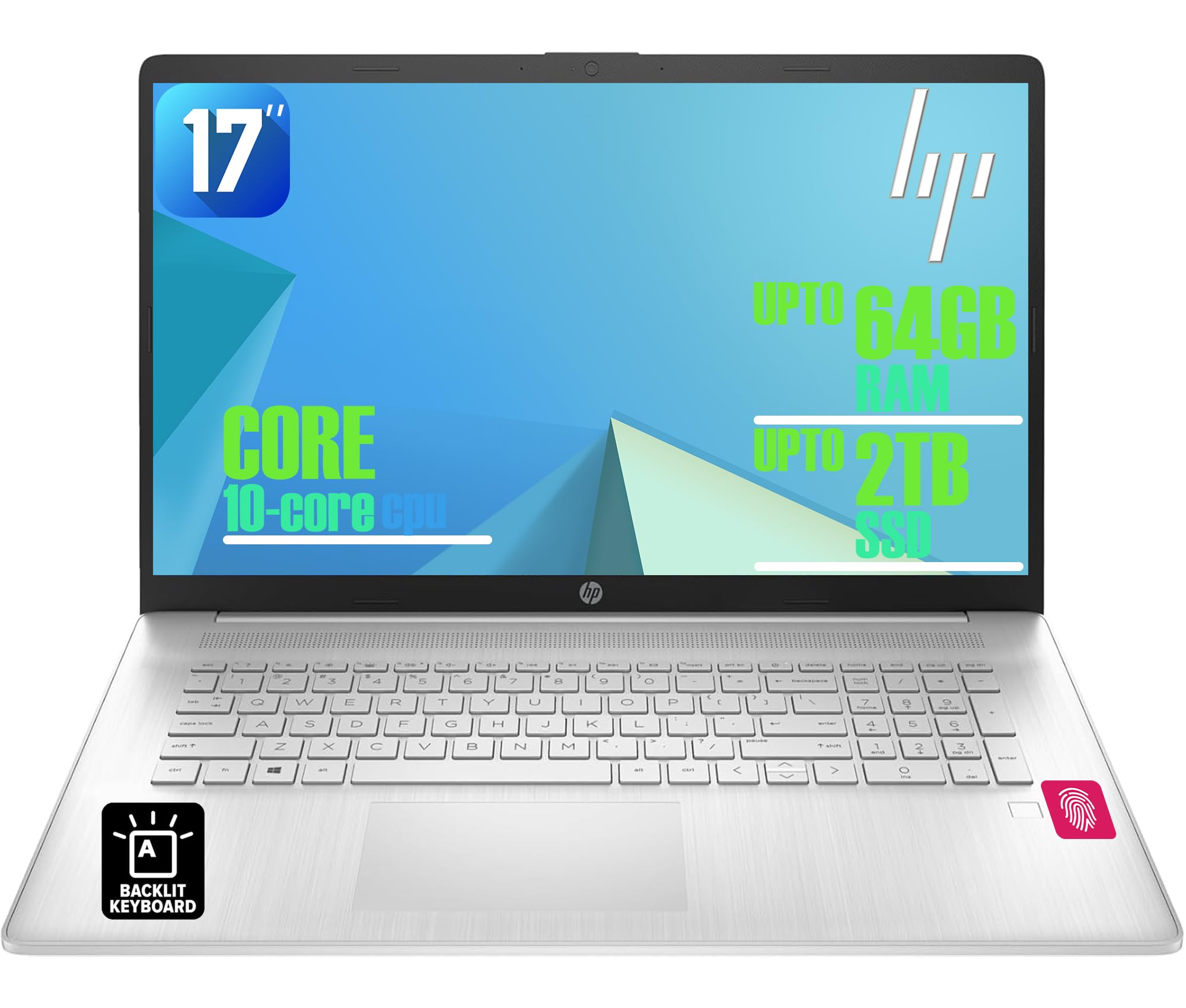
Figure 1: HP 17-inch Business Laptop (Silver)
2. Kurulum
2.1 Kutudan Çıkarma ve İlk İnceleme
Carefully remove the laptop and all accessories from the packaging. Check for any visible damage. The package should include the HP 17-inch laptop, a power adapter, and documentation.
2.2 Güce Bağlama
- Güç adaptörünü dizüstü bilgisayarın yan tarafındaki AC akıllı pin portuna bağlayın.
- Güç adaptörünü duvar prizine takın.
- Dizüstü bilgisayarı ilk kullanımdan önce en az 30 dakika şarj edin veya pil göstergesi yeterli şarj seviyesini gösterene kadar bekleyin.
2.3 İlk Başlatma ve Windows Kurulumu
- Dizüstü bilgisayarın kapağını açın ve genellikle klavye bölmesinin sağ üst kısmında bulunan güç düğmesine basın.
- Windows 11 Home kurulum sürecini tamamlamak için ekrandaki talimatları izleyin. Bu, bölgenizi ve dilinizi seçmeyi, bir Wi-Fi ağına bağlanmayı ve bir kullanıcı hesabı oluşturmayı içerir.
2.4 Çevre Birimlerini Bağlama
Your HP laptop offers various ports for connecting external devices:
- USB Bağlantı Noktaları: Use the USB 3.2 Gen 1 Type-C port or the two USB 3.2 Gen 1 Type-A ports for connecting external drives, mice, keyboards, or other USB accessories.
- HDMI: Connect an external monitor or projector using the HDMI 1.4 port.
- Ses: Plug headphones or an external microphone into the 3.5mm headphone/microphone combo jack.

Şekil 2: Yan view illustrating available ports (USB Type-C, USB Type-A, HDMI, Headphone/microphone combo, AC smart pin)
3. Dizüstü Bilgisayarınızı Çalıştırma
3.1 Güç Yönetimi
- Güç Açık: Güç düğmesine basın.
- Uyku modu: Kapağı kapatın veya Başlat menüsünden 'Uyku' seçeneğini seçin.
- Kapat: Başlat menüsünden 'Kapat' seçeneğini seçin.
- Tekrar başlat: Başlat menüsünden 'Yeniden Başlat'ı seçin.
3.2 Klavye ve Dokunmatik Yüzey
The laptop features a full-size backlit keyboard with a numeric keypad. Use the function keys (Fn) in combination with other keys for specific actions like adjusting screen brightness, volume, or toggling the keyboard backlight.
The integrated touchpad supports multi-touch gestures for navigation. Refer to Windows settings for customizing touchpad behavior.

Figure 3: Backlit keyboard with numeric keypad and integrated fingerprint reader
3.3 Parmak İzi Okuyucu
The integrated fingerprint reader allows for secure and quick login using Windows Hello. To set up, navigate to Ayarlar > Hesaplar > Oturum açma seçenekleri ve parmak izinizi kaydetmek için talimatları izleyin.
3.4 Kablosuz Bağlantı
- Wifi: The laptop supports Realtek Wi-Fi 6 (2x2). To connect to a wireless network, click the Wi-Fi icon in the taskbar, select your desired network, and enter the password if required.
- Bluetooth: Bluetooth 5.3 is integrated for connecting wireless accessories like headphones or mice. Enable Bluetooth from Ayarlar > Bluetooth ve cihazlar and pair your devices.
3.5 Ekran ve Webkam
The 17.3-inch HD+ anti-glare display provides a clear viewing experience. The HP True Vision 720p HD webcam with dual microphones is suitable for video calls and online meetings.
3.6 HP QuickDrop
HP QuickDrop allows for wireless file transfer between your laptop and mobile devices without needing cables. Install the HP QuickDrop app on both your laptop and mobile device and follow the in-app instructions to pair and transfer files.

Figure 4: HP QuickDrop for wireless file transfer between laptop and phone
4. Bakım
4.1 Dizüstü Bilgisayarınızı Temizleme
- Ekran: Hafifçe yumuşak, tüy bırakmayan bir bez kullanın.ampSu veya ekran temizleyici ile temizleyin. Sıvıyı doğrudan ekrana püskürtmeyin.
- Klavye ve Şasi: Yumuşak ve kuru bir bez kullanın. İnatçı kirler için hafifçe kurulayın.amp cloth can be used, ensuring no liquid enters the device. Compressed air can help remove debris from between keys.
4.2 Pil Bakımı
The laptop is equipped with a 41Wh Lithium-Ion Battery. To maximize battery lifespan:
- Aşırı sıcaklıklardan kaçının.
- Pili düzenli olarak tamamen boşaltmayın.
- Utilize HP Fast Charge, which can charge the battery from 0 to 50% in approximately 45 minutes.

Figure 5: Battery life indicator (Up to 8 hours wireless streaming)
4.3 Yazılım Güncellemeleri
Sisteminizin en son güvenlik yamalarına ve performans iyileştirmelerine sahip olduğundan emin olmak için Windows güncellemelerini düzenli olarak kontrol edin ve yükleyin. Şuraya gidin: Ayarlar > Windows Update Güncellemeleri yönetmek için.
5. Sorun Giderme
This section addresses common issues you might encounter with your HP laptop.
5.1 Güç Sorunları
- Dizüstü bilgisayar açılmıyor: Ensure the power adapter is securely connected to both the laptop and a working power outlet. Check if the power adapter's indicator light is on. Try a different outlet.
- Pil şarj olmuyor: Verify the power adapter connection. Check battery health in Windows settings.
5.2 Ekran Sorunları
- Ekranda görüntü yok: Ensure the laptop is powered on. If an external monitor is connected, try disconnecting it or pressing Fn + F4 (or the corresponding display toggle key) to switch display output.
- Ekranı karart: Adjust brightness using the function keys (e.g., Fn + F2/F3) or through Windows settings.
5.3 Bağlantı Sorunları
- Wi-Fi bağlanmıyor: Windows ayarlarında Wi-Fi'nin etkinleştirildiğinden emin olun. Yönlendiricinizi ve dizüstü bilgisayarınızı yeniden başlatın. Güncel ağ sürücülerini kontrol edin.
- Bluetooth cihazı eşleşmiyor: Hem dizüstü bilgisayarda hem de cihazda Bluetooth'un etkin olduğundan emin olun. Cihazın eşleştirme modunda olduğundan emin olun.
5.4 Genel Performans Sorunları
- Yavaş performans: Gereksiz uygulamaları kapatın. Kötü amaçlı yazılımlara karşı tarama yapın. SSD'de yeterli boş alan olduğundan emin olun.
- Sistem donuyor: Basmak Ctrl + Alt + Del to open Task Manager and end unresponsive tasks. If unresponsive, perform a hard shutdown by holding the power button for several seconds.
6. Özellikler
The following table outlines the key technical specifications for the HP 17-inch Business Laptop (Model: HP laptop).
| Özellik | Şartname |
|---|---|
| Marka | HP |
| Model Adı | HP laptop |
| İşlemci | 13th Gen Intel Core i5-1334U (10 Cores, up to 4.6 GHz) |
| İşletim Sistemi | Windows 11 Ev |
| Görüntülemek | 17.3-inch HD+ (1366x768) Anti-glare, 250 nits |
| Grafikler | Intel Iris Xe Grafikleri (Tümleşik) |
| RAM Bellek | Up to 64GB DDR4 SDRAM 3200 MHz |
| Depolamak | Up to 2TB NVMe M.2 SSD |
| Kablosuz Bağlantı | Realtek Wi-Fi 6 (2x2), Bluetooth 5.3 |
| Limanlar | 1x USB 3.2 Gen 1 Type-C, 2x USB 3.2 Gen 1 Type-A, 1x HDMI 1.4, 1x Headphone/microphone combo jack |
| Klavye | Sayısal tuş takımı bulunan tam boyutlu, arkadan aydınlatmalı klavye |
| Güvenlik | Parmak İzi Okuyucu |
| Kamera | Gizlilik Deklanşörlü 720p HD Kamera |
| Pil | 41Wh Lithium-Ion (HP Fast Charge) |
| Boyutlar (U x G x Y) | 15.78" x 10.15" x 0.81" (yaklaşık) |
| Ağırlık | 4.6 lbs (yaklaşık) |
| Renk | Doğal Gümüş |

Figure 6: Laptop dimensions (15.78" W x 10.15" D x 0.78" H) and weight (4.60 lbs)
7. Garanti ve Destek
7.1 Üretici Garantisi
Your HP laptop is covered by a manufacturer's warranty. Please refer to the warranty documentation included with your product for specific terms, conditions, and duration. Keep your proof of purchase for warranty claims.
7.2 Teknik Destek
For technical assistance, driver downloads, or further support, please visit the official HP support website. You will typically need your product's serial number or model number to access specific support resources.
Çevrimiçi destek: https://support.hp.com