
giriiş
Thank you for choosing the TMEZON C680 Indoor Window Security Camera. This manual provides essential information for setting up, operating, and maintaining your camera. Please read it thoroughly before use and retain it for future reference.
Güvenlik Bilgileri
- Yalnızca verilen güç adaptörünü kullanın.
- Fotoğraf makinesini aşırı sıcaklık veya nem koşullarına maruz bırakmayın.
- Bu kamera yalnızca iç mekanda kullanım için tasarlanmıştır.
- Çocukların erişemeyeceği yerde saklayınız.
Paket İçeriği
Paketinizdeki tüm ürünlerin eksiksiz olduğundan emin olun. Herhangi bir ürün eksik veya hasarlıysa, lütfen müşteri desteğiyle iletişime geçin.
- TMEZON C680 Indoor Window Security Camera
- Güç Adaptörü
- USB Güç Kablosu
- Mounting Kit (screws, anchors)
- Kullanıcı Kılavuzu
Ürün Bittiview
Familiarize yourself with the components of your TMEZON C680 camera.
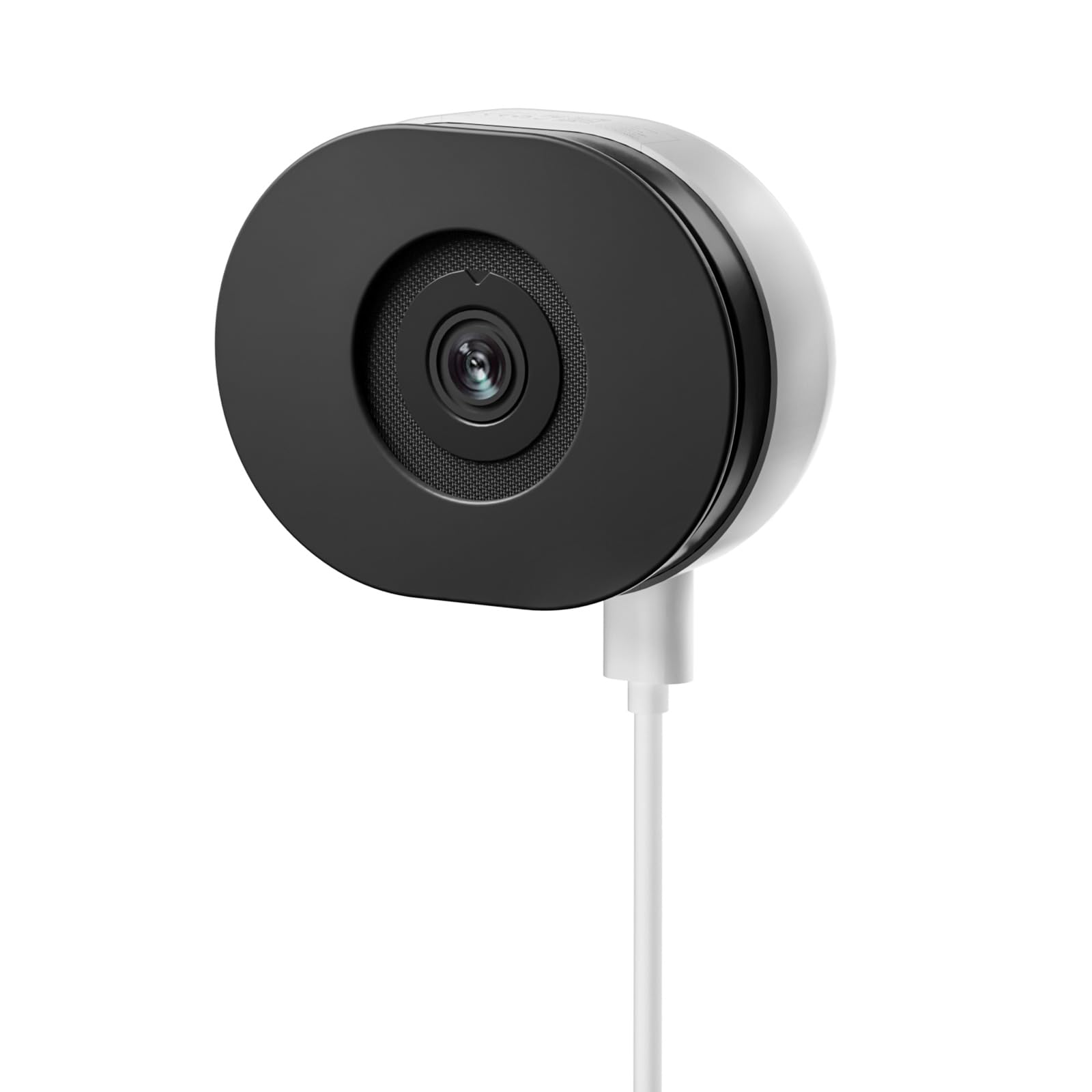
Image: The TMEZON C680 Indoor Window Security Camera. This image displays the camera's compact, circular form factor, highlighting the main lens and overall design.
Kamera Bileşenleri
- Kamera Lensi: Captures 4MP 2.5K video.
- Durum Gösterge Işığı: Indicates camera status (e.g., solid blue for connected, flashing red for disconnected).
- Mikrofon: For audio input and two-way audio communication.
- Konuşmacı: For audio output and two-way audio communication.
- Güç girişi: Güç adaptörüne bağlanır.
- Sıfırlama Düğmesi: Press and hold for 5 seconds to reset the camera to factory settings.
- MicroSD Kart Yuvası: For local storage (card not included).
Kurmak
Adım 1: Uygulamayı indirin
Arama the "TMEZON Smart" app (or similar, as specified in your product documentation) in your mobile device's app store (App Store for iOS, Google Play Store for Android). Download and install the app.
Adım 2: Kamerayı Açın
Connect the USB power cable to the camera's power port and plug the power adapter into a wall outlet. The camera's status indicator light will turn on. Wait for it to flash red, indicating it's ready for pairing.
Adım 3: Uygulamaya Cihaz Ekle
- Open the TMEZON Smart app and create an account or log in.
- Tap the "+" icon (or "Add Device") to add a new camera.
- Cihaz listesinden "Güvenlik Kamerası" veya "Akıllı Kamera"yı seçin.
- Follow the on-screen instructions to connect the camera to your 2.4GHz Wi-Fi network. Ensure your phone is connected to the same 2.4GHz Wi-Fi network.
- The app will display a QR code. Position your camera to scan this QR code from your phone screen. You will hear a confirmation sound from the camera once scanned successfully.
- Once connected, the status indicator light will turn solid blue.
Step 4: Window Mounting
The TMEZON C680 is designed for easy window mounting.
- Choose a clean, flat window surface for optimal viewIng.
- Use the provided mounting kit to secure the camera to the window frame or a nearby wall, ensuring the lens faces outwards.
- Adjust the camera angle to cover your desired surveillance area.
Kullanım Talimatları
Canlı View
Open the TMEZON Smart app and select your camera from the device list to access the live video feed.
Kayıt ve Oynatma
The camera supports 24/7 continuous recording to a local MicroSD card (not included).
- MicroSD Kartı Takın: Power off the camera, insert a MicroSD card (up to 128GB, Class 10 or higher recommended) into the slot, then power on.
- View Kayıtlar: In the app's live view, tap the "Playback" or "History" icon to access recorded footage.
Çift Yönlü Ses
Canlı yayında view interface, tap the microphone icon to speak through the camera's speaker. Tap the speaker icon to listen to audio from the camera's microphone.
Renkli Gece Görüşü
The camera automatically switches to color night vision in low-light conditions, providing clear, vivid footage up to 32 feet. No manual adjustment is typically required.
Hareket Algılama ve Uyarılar
The camera features motion-only alert type.
- Uygulamada, kamera ayarlarına gidin.
- Find "Motion Detection" or "Alert Settings."
- Enable motion detection and customize sensitivity levels and alert schedules as needed.
- You will receive push notifications on your mobile device when motion is detected.
Bakım
Temizlik
Kamera lensini ve gövdesini yumuşak ve kuru bir bezle nazikçe silin. Sıvı temizleyiciler veya aşındırıcı malzemeler kullanmayın.
Firmware güncellemeleri
Periodically check the TMEZON Smart app for available firmware updates to ensure optimal performance and security. Follow the in-app instructions for updating.
Depolamak
When not in use for extended periods, store the camera in a cool, dry place, away from direct sunlight.
Sorun giderme
| Sorun | Çözüm |
|---|---|
| Kamera açılmıyor. | Güç adaptörünün hem kameraya hem de çalışan bir elektrik prizine güvenli bir şekilde bağlı olduğundan emin olun. Farklı bir priz deneyin. |
| Wi-Fi'ye bağlanılamıyor. |
|
| No recording to MicroSD card. |
|
| Kötü video kalitesi. |
|
Özellikler
- Modeli: C680
- Çözünürlük: 4 MP (2.5K)
- Gece Görüşü: 32 feet'e kadar renkli gece görüşü.
- Bağlantı: 2.4 GHz Wi-Fi
- Depolamak: MicroSD Kart (128 GB'a kadar, dahil değildir)
- Ses: Çift Yönlü Ses (Dahili Mikrofon ve Hoparlör)
- Güç: Corded Electric, 5W
- İç/Dış Mekan Kullanımı: Sadece İç Mekan
- Viewaçı: 120 Derece
- Boyutlar: Yaklaşık 3.5 x 3.5 x 3.5 inç
- Malzeme: Plastik
- Uyarı tipi: Yalnızca Hareket
Garanti ve Destek
TMEZON products are designed for reliability and performance. For warranty information, technical support, or customer service inquiries, please refer to the contact information provided on the product packaging or visit the official TMEZON webalan.
You can also visit the TMEZON store on Amazon for additional product information and support: TMEZON Amazon Store.