
1. Giriş
Thank you for choosing the CORBOBO LEOBOG A98 Wireless Mechanical Gaming Keyboard. This keyboard is designed for versatility and performance, offering tri-mode connectivity, hot-swappable switches, vibrant RGB backlighting, and a durable gasket-mounted structure. This manual provides essential information for setting up, operating, and maintaining your keyboard.
2. Paket İçeriği
- LEOBOG A98 Wireless Mechanical Gaming Keyboard
- USB kablosu
- Tuş Çektirmesi
- Kullanıcı Kılavuzu
- Replacement Key Switches (2)
3. Kurulum ve Bağlantı
3.1 Tri-Mode Multi-Device Connectivity
The LEOBOG A98 supports three connection modes: Bluetooth 5.0 (BT5.0), 2.4GHz wireless, and USB-C wired. You can pair up to 5 devices and switch between them instantly.
- Bluetooth Modu: Use the switch on the keyboard to select BT mode. Follow your device's instructions to pair with 'LEOBOG A98'.
- 2.4GHz Kablosuz Modu: Insert the USB receiver (located under the magnetic cover on the keyboard) into your device's USB port. Select 2.4GHz mode using the keyboard switch.
- USB-C Kablolu Mod: Klavyeyi, birlikte verilen USB-C kablosunu kullanarak cihazınıza bağlayın. Klavye otomatik olarak kablolu moda geçecektir.

Image: The LEOBOG A98 keyboard demonstrating its tri-mode connectivity, allowing simultaneous use across multiple devices like a PC, tablet, and smartphone.
Video: Demonstrates the keyboard's versatile connection options, including compatibility with Mac, PC, and Android devices.
3.2 USB Alıcı Depolama
The 2.4GHz USB receiver is conveniently stored under a magnetic cover on the keyboard itself, ensuring it is always accessible and securely stored when not in use.
3.3 Klavyeyi Şarj Etme
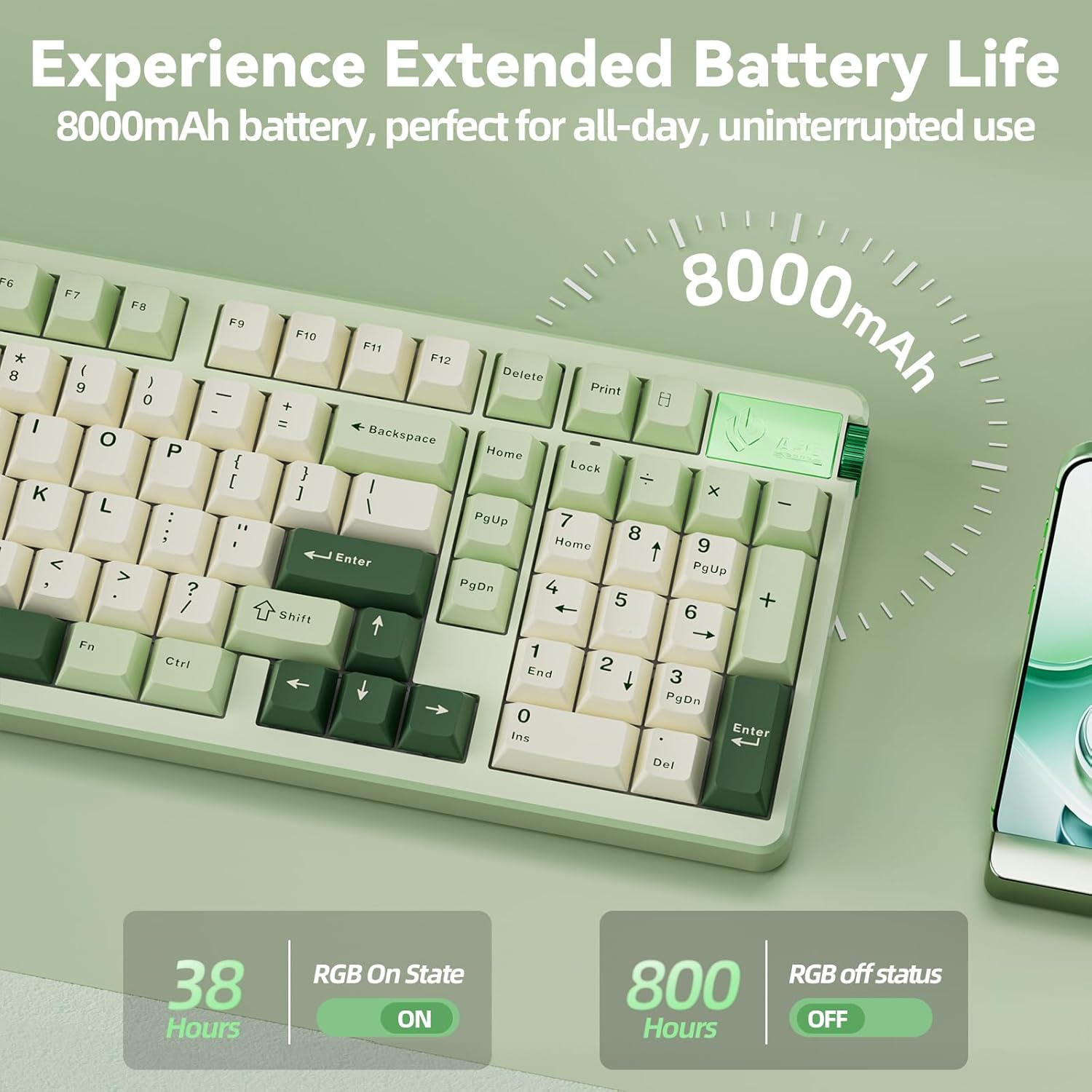
The keyboard is equipped with an 8000mAh battery. Connect the keyboard using the provided USB-C cable to a power source for charging. A full charge provides weeks of use.
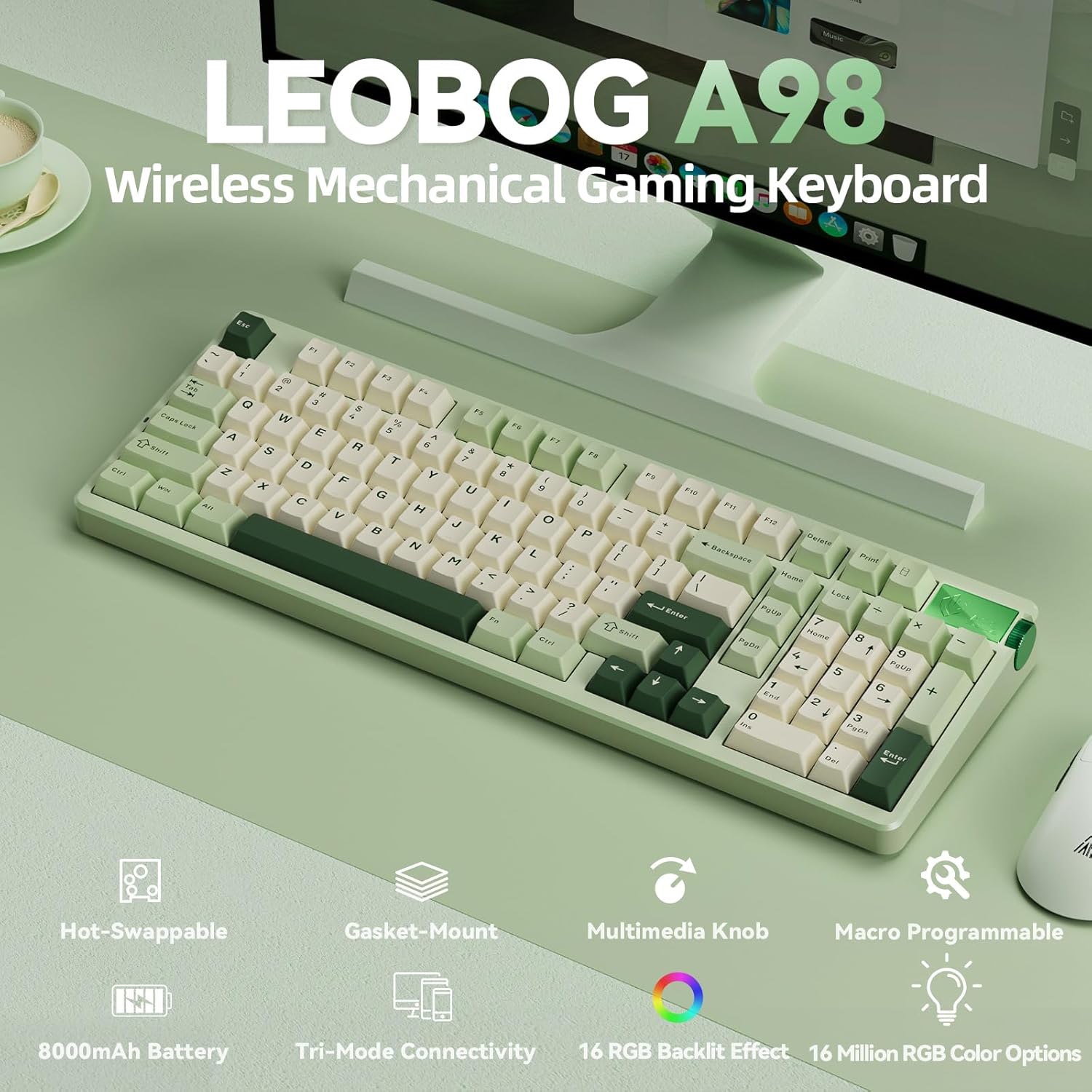
Image: Visual representation of the keyboard's extended battery life, indicating usage times with and without RGB backlighting.
4. Kullanım Talimatları
4.1 Çok Fonksiyonlu Düğme
The intuitive knob on the keyboard allows for quick adjustments and mode switching:
- 3 saniye basılı tutun: Oyun Modu ve Ofis Modu arasında geçiş yapın.
- In Gaming Mode: Short press to cycle through 16 RGB lighting effects. Rotate up to increase RGB brightness, rotate down to decrease RGB brightness.
- In Office Mode: Short press to mute/unmute audio. Rotate up to increase volume, rotate down to decrease volume.
Resim: Ayrıntılı view of the multifunction knob and its operational modes for gaming and office use.
4.2 RGB Arka Aydınlatma
The keyboard features 16 dynamic RGB lighting effects and 16.8 million color options. Use the following shortcut controls to customize the lighting:
- FN + \|: Cycle through 16 RGB effects.
- FN + Tab: Renk değiştir.
- FN + Yukarı/Aşağı Ok Tuşu: Parlaklığı ayarlayın.
- FN + Sol/Sağ Ok: Hızı ayarlayın.
Resim: Klavye gösterisiasing its colorful RGB backlighting and the corresponding shortcut keys for control.
4.3 Makro Programlama
The LEOBOG A98 supports macro programming and N-key rollover for accurate keystroke registration. Driver software is available for download to customize keys, macros, and RGB effects. Note: Driver software is not compatible with macOS.
Sürücü İndirme: bit.ly/m/corbobo

Image: The driver software interface for the LEOBOG A98, illustrating options for programmable keys, macros, and RGB synchronization.
Video: Bir fazlaview of the LEOBOG A98 Mechanical Keyboard, highlighting its wireless capabilities and number pad.
5. Bakım
5.1 Hot-Swappable Mechanical Switches
The keyboard features a dedicated hot-swap PCB, allowing you to easily change 3-pin or 5-pin switches without soldering. This provides flexibility to customize your typing experience.

Image: The keyboard with several keycaps removed, illustrating the hot-swappable switch design for easy customization.
5.2 Double-shot PBT Keycaps
The keyboard is equipped with double-shot PBT keycaps, which are known for their durability and resistance to shine and fading, ensuring the legends remain clear over time.
5.3 Gasket Mounted Structure
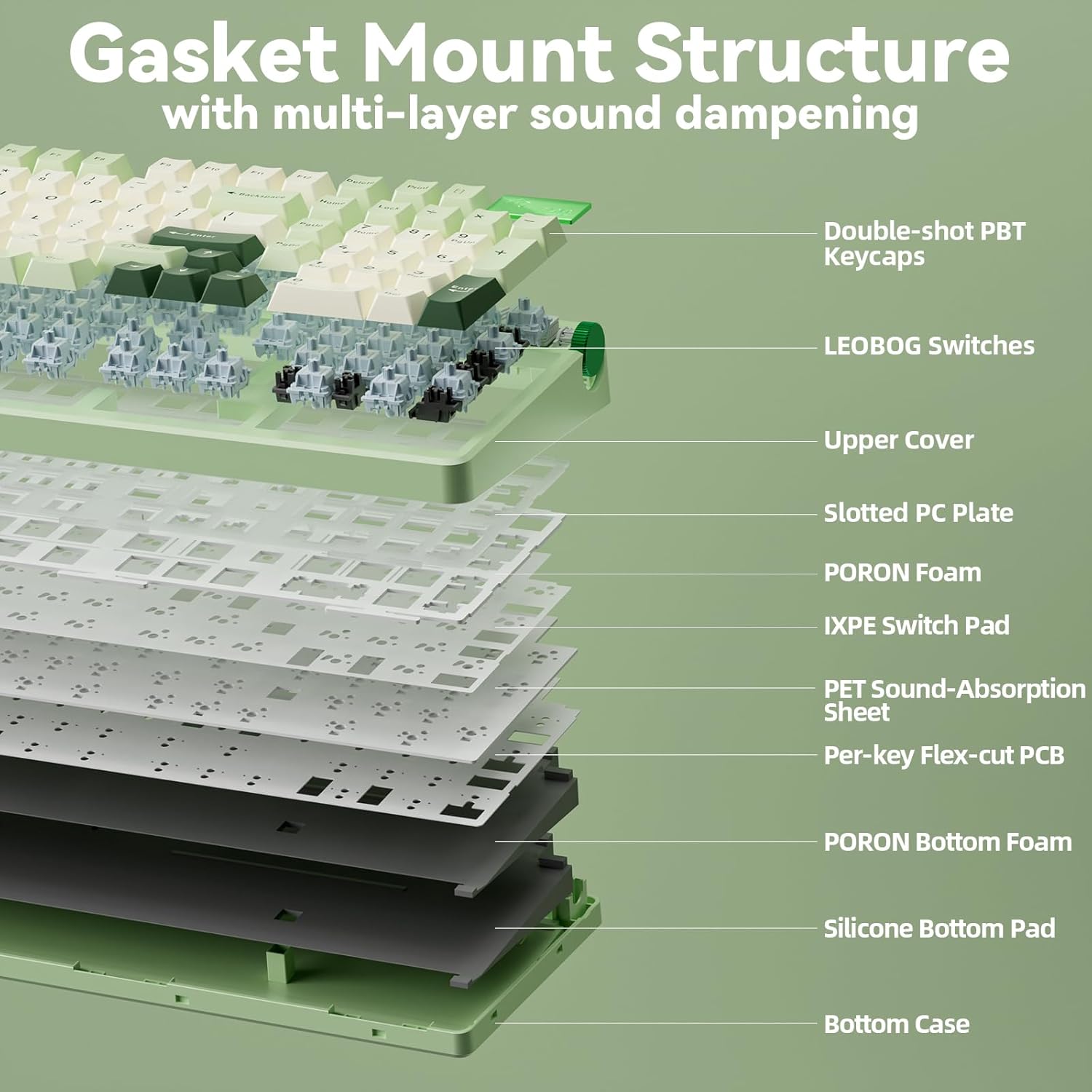
The gasket-mounted structure with five layers of internal sound damping provides a smooth, quiet, and satisfying typing experience. This design reduces hollow ringing and vibration, contributing to the keyboard's long-term durability and comfort.
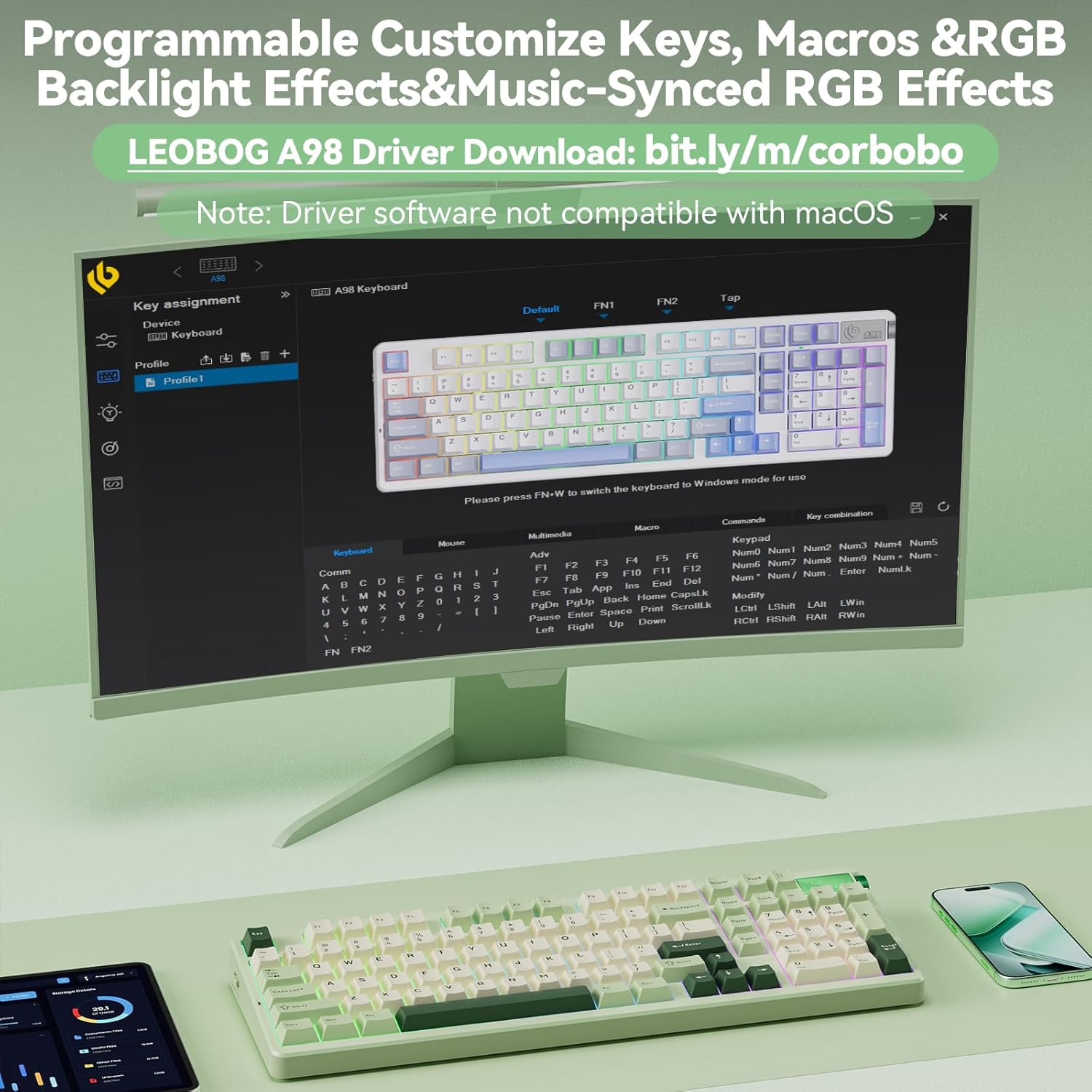
Image: An exploded diagram illustrating the multi-layer sound dampening and gasket mount structure of the LEOBOG A98 keyboard.
6. Özellikler
| Özellik | Detay |
|---|---|
| Model Numarası | LEOBOG A98 |
| Bağlantı Teknolojisi | 2.4G Kablosuz, Bluetooth, USB-C |
| Pil Kapasitesi | 8000mAh |
| Klavye Arka Aydınlatma | RGB (16 efekt, 16.8 milyon renk) |
| Tuş Malzemesi | Çift atışlı PBT |
| Anahtar Türü | Hot-Swappable (3-pin or 5-pin) |
| Yapı | Gasket Mounted with 5-layer sound dampinmek |
| Düzen | 96% with Number Pad |
| Uyumlu Cihazlar | Oyun Konsolu, Dizüstü Bilgisayar, PC, Akıllı Telefon, Tablet |
| Ürün Ağırlığı | 3.67 pound |
| Paket Boyutları | 20.91 x 7.36 x 2.44 inç |
7. Sorun Giderme
If you encounter any issues with your LEOBOG A98 keyboard, please try the following common troubleshooting steps:
- Bağlantı Sorunları: Ensure the keyboard is in the correct mode (BT, 2.4GHz, or Wired) for your device. Re-pair Bluetooth devices or re-insert the 2.4GHz USB receiver. Try a different USB port or cable for wired connection.
- Tuşlar Yanıt Vermiyor: Check battery level. Ensure the keyboard is properly connected. If specific keys are not working, consider replacing the hot-swappable switch for that key.
- RGB Aydınlatma Sorunları: Use the FN key combinations to cycle through effects, adjust brightness, or change colors. Ensure the keyboard is not in a mode that disables RGB.
- Sürücü Yazılımı Sorunları: Ensure you have downloaded the correct driver for your operating system (Windows only). Reinstall the driver if necessary.
8. Garanti ve Destek
For warranty information, technical support, or further assistance, please contact CORBOBO customer service through the retailer where the product was purchased or visit the official CORBOBO webSite. Satın alma belgeniz olarak satın alma fişinizi saklayın.