
giriiş
Thank you for choosing the HUINA 1/14 RC Electric Excavator 1535. This remote-controlled digger is designed for enthusiasts aged 14 and up, offering a realistic and engaging experience with its 15-channel 2.4G radio control, sound effects, and light features. This manual provides essential information for safe setup, operation, and maintenance to ensure optimal performance and longevity of your model.
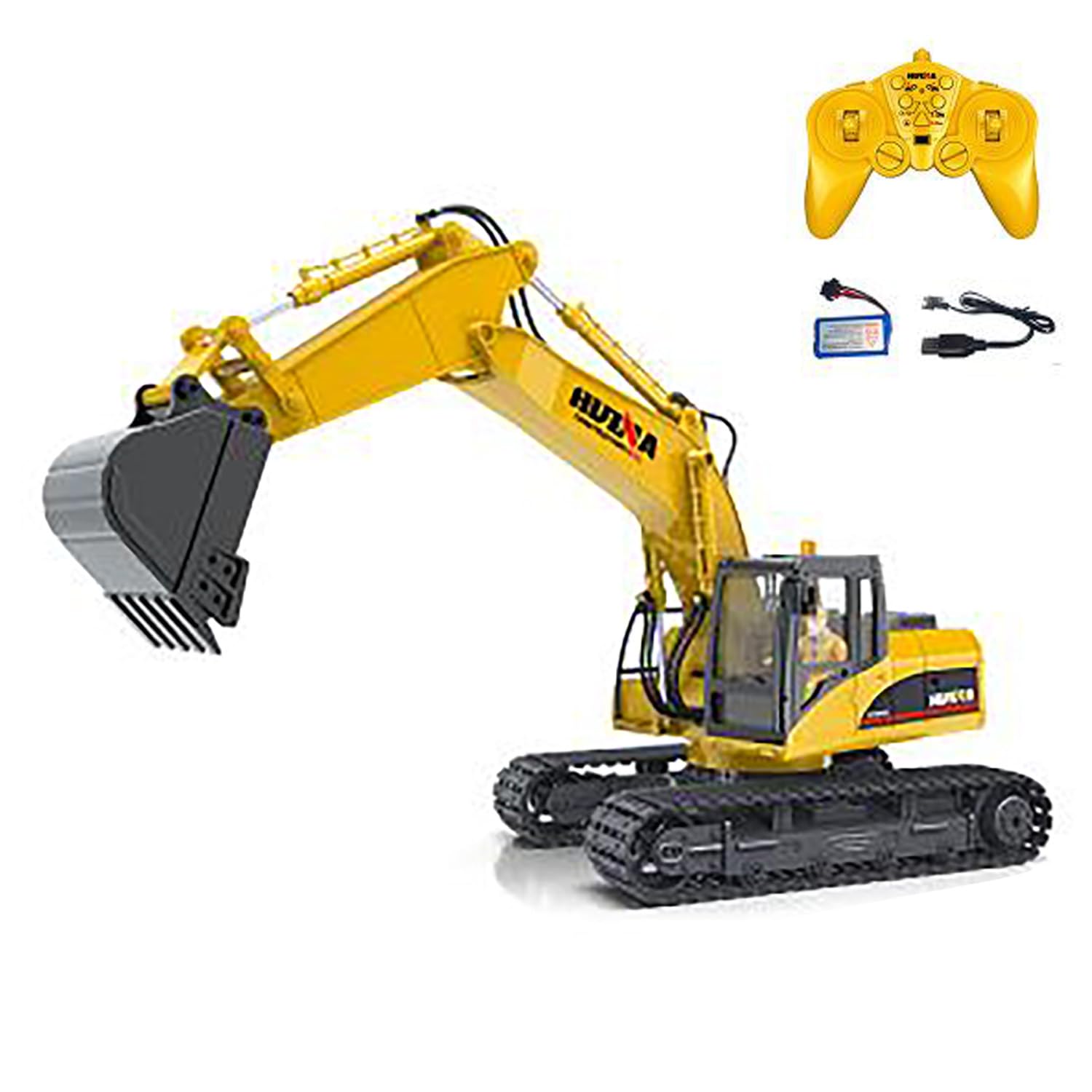
Figure 1: HUINA 1/14 RC Electric Excavator 1535.
Paket İçeriği
- 1/14 RC Excavator Truck Toy
- 2.4G Radio Controller (AA*2 batteries not included)
- Vehicle Battery (7.4V Li-Po)
- USB Şarj Kablosu
- Light & Sound Unit
Özellikler
| Özellik | Detay |
|---|---|
| Üretici | HUINA (wheelfun) |
| Ölçek | 1/14 |
| Model Numarası | 1535 (TH25807-AMZUS2-S) |
| Malzeme | Metal, Plastik |
| Araç Boyutu | Yaklaşık 48 x 30 x 17.5 cm (18.9 x 11.8 x 6.9 inç) |
| Ürün Ağırlığı | 6 pound |
| Araç Aküsü | 7.4V Li-Po (Included) |
| Uzaktan Kumanda Pili | AA*2 (Dahil Değil) |
| Oyun Zamanı | Yaklaşık. 20-30 dakika |
| Şarj Süresi | 2 saat |
| Uzaktan Kumanda Mesafesi | Yaklaşık. 25 metre |
| Önerilen Yaş | 14 yaş ve üzeri |

Figure 2: Excavator dimensions for reference.
Güvenlik Bilgileri
- Always operate the excavator in a safe, open area away from people, pets, and obstacles.
- Elektrik hasarını önlemek için su yakınında veya ıslak koşullarda çalıştırmayın.
- Parmaklarınızı, saçlarınızı ve bol giysilerinizi hareketli parçalardan uzak tutun.
- En iyi performansı elde etmek için her kullanımdan önce pilin tam olarak şarj edildiğinden emin olun.
- Supervise younger users, even if the recommended age is met.
- Turn off both the excavator and remote controller when not in use.
Kurmak
1. Pil Kurulumu
Araç Aküsü:
- Locate the battery compartment on the excavator.
- Carefully connect the provided 7.4V Li-Po battery to the excavator's power connector.
- Place the battery securely into the compartment and close the cover.
Uzaktan Kumanda Pili:
- Open the battery cover on the back of the 2.4G radio controller.
- 2 adet AA pil (dahil değildir) takın ve kutupların doğru (+/-) olduğundan emin olun.
- Pil kapağını kapatın.
2. Araç Aküsünün Şarj Edilmesi
- Connect the 7.4V Li-Po battery to the USB charging cable.
- USB şarj kablosunu uyumlu bir USB güç kaynağına (örneğin, bilgisayar, USB duvar adaptörü) takın.
- USB kablosundaki şarj gösterge ışığı, şarj durumunu gösterecektir (ışık davranışıyla ilgili ayrıntılar için şarj cihazının kullanım kılavuzuna bakın).
- Charging typically takes about 2 hours. Disconnect once fully charged.
3. Remote Controller Pairing
- Ensure the excavator's battery is installed and the power switch is OFF.
- Uzaktan kumandayı AÇIN.
- Turn ON the excavator's power switch.
- The remote controller and excavator should automatically pair. A successful connection is usually indicated by a solid light on the remote or a specific sound from the excavator.
- If pairing fails, turn both devices OFF, then repeat steps 2-4.
Ekskavatörün Çalıştırılması
Temel Kontroller
The 15-channel remote controller allows for precise and full-function control of the excavator. Familiarize yourself with the joystick and button layout for optimal operation.
- İleri/Geri Hareket: Use the left joystick to move the excavator forward or backward.
- Sol/Sağ Direksiyon: Use the left joystick to steer the excavator left or right while moving.
- Arm and Boom Control: The right joystick and various buttons control the independent movements of the bucket, boom, and arm for digging and lifting.
- Rotating Platform: Use dedicated buttons or joystick movements to rotate the excavator's cabin and arm assembly 360 degrees.
Özel Fonksiyonlar
- Akıllı Aydınlatma: Activate the one-touch powerful illumination for clear vision during night operations or in low-light conditions.
- Ses efektleri: The excavator features realistic engine sounds and operational noises.
- Otomatik Demo Modu: Press the auto-demo button to initiate a pre-programmed sequence of movements, showcasing the excavator's capabilities.

Figure 3: The excavator demonstrating its range of motion.
Bakım
- Temizlik: After each use, especially if operated in dirt or sand, gently clean the excavator with a soft, dry cloth. Avoid water or harsh chemicals.
- Depolamak: Store the excavator and remote controller in a cool, dry place away from direct sunlight and extreme temperatures. Remove batteries from the remote controller if storing for extended periods.
- Pil Bakım: Do not overcharge or completely discharge the Li-Po battery. Follow charging guidelines to prolong battery life.
- Teknik Destek: For complex repairs or technical guidance, a professional after-sales and technical maintenance team is available to provide assistance in English via video or text.
Sorun giderme
| Sorun | Olası Çözüm |
|---|---|
| Kazıcı makine çalışmıyor. | Ensure the vehicle battery is fully charged and correctly connected. Check the power switch. |
| Uzaktan kumanda yanıt vermiyor. | Check if AA batteries are correctly installed and have sufficient power. Ensure the remote is paired with the excavator. |
| Excavator loses connection. | Move closer to the excavator. Ensure no strong interference sources are nearby. Re-pair the remote controller. |
| Movements are sluggish or weak. | The vehicle battery may be low. Recharge the battery. |
Garanti ve Destek
The manufacturer uses solid packaging for all items. In case of damage upon arrival, a free replacement part can be resent. For any issues or technical assistance, a professional after-sales and technical maintenance team is available to provide guidance in English through video or text for repairs. Please contact the seller or manufacturer's support channels for further assistance.