
Önemli Güvenlik Talimatları
Elektrikli aletleri kullanırken, aşağıdakiler de dahil olmak üzere temel güvenlik önlemlerine her zaman uyulmalıdır:
- Tost makinesini çalıştırmadan önce tüm talimatları okuyun.
- Sıcak yüzeylere dokunmayın. Kulp veya düğmeleri kullanın.
- Elektrik çarpmasına karşı korunmak için kabloyu, fişi veya tost makinesini suya veya başka bir sıvıya batırmayın.
- Herhangi bir cihazın çocuklar tarafından veya çocukların yakınında kullanılması durumunda yakın gözetim gereklidir.
- Kullanılmadığında ve temizlemeden önce fişini prizden çekin. Parçaları takıp çıkarmadan önce soğumasını bekleyin.
- Kablo veya fişi hasarlı olan veya cihaz arızalandıktan veya herhangi bir şekilde hasar gördükten sonra hiçbir cihazı çalıştırmayın.
- Kablonun masa veya tezgah kenarından sarkmasına veya sıcak yüzeylere temas etmesine izin vermeyin.
- Sıcak gazlı veya elektrikli ocakların üzerine veya yakınına, ya da ısıtılmış fırına koymayın.
- Cihazı kullanım amacı dışında kullanmayınız.
- Büyük boyutlu yiyecekler, metal folyo paketler veya mutfak eşyaları yangına veya elektrik çarpması riskine yol açabileceğinden tost makinesine konulmamalıdır.
- Tost makineleri çalışırken perde, drape, duvar vb. yanıcı maddelerle örtülürse veya temas ederse yangın çıkabilir.
- Tost makinesi fişe takılıyken içindeki yiyecekleri çıkarmaya çalışmayın.
- Gözetimsiz çalıştırmayın.
Ürün Bittiview
The WHALLULTRA Touchscreen Toaster is a 2-slice appliance designed for efficient and versatile toasting. It features a modern touchscreen interface, durable stainless steel construction, wide slots to accommodate various bread types, and an integrated warming rack. This toaster offers multiple functions including Bagel, Defrost, Reheat, and Cancel, along with adjustable shade settings.
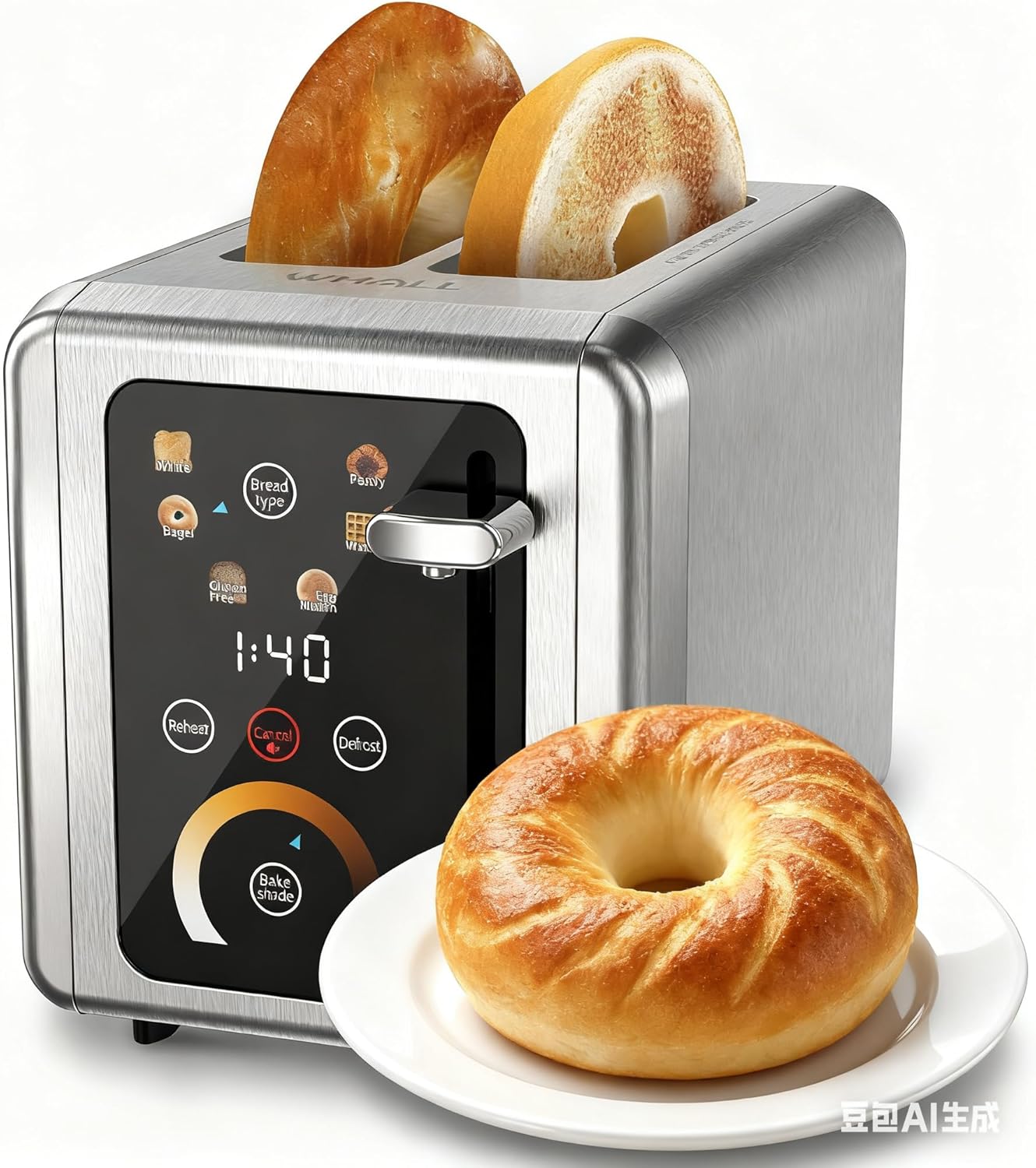
Image: The WHALLULTRA Touchscreen Toaster, showcasing its stainless steel finish and touchscreen control panel, with two toasted bagel halves emerging from the slots and a fresh bagel on a plate beside it.
Kurmak
- Paketi aç: Tost makinesini ve tüm ambalaj malzemelerini dikkatlice çıkarın. Ambalajı ileride saklama veya taşıma için muhafaza edin.
- Atama: Place the toaster on a stable, flat, heat-resistant surface, away from flammable materials. Ensure adequate ventilation around the toaster.
- İlk Kullanım (Yakma): Before first use, operate the toaster without bread on the highest shade setting to burn off any manufacturing residues. A slight odor or smoke may be present; this is normal. Ensure the area is well-ventilated.
- Gücü bağlayın: Güç kablosunu standart bir elektrik prizine takın.
Kullanım Talimatları
Temel İşlemler
- Adım 1: Ekmek dilimlerini tost makinesinin yuvalarına yerleştirin.
- Adım 2: Use the touchscreen to select the desired bread type (e.g., White, Bagel, Gluten Free, Eng Muffin, Pastry, Waffle) and adjust the toast shade level. Press 'Defrost' or 'Reheat' if needed.
- Adım 3: Tost kolunu yerine kilitlenene kadar aşağı doğru itin. Tost pişirme işlemi başlayacaktır.
- Adım 4: Once the countdown ends, the toasted bread will automatically pop up.

Image: A visual guide illustrating the four basic steps of operating the toaster: inserting bread, selecting settings on the touchscreen, pushing down the lever, and the bread popping up when done.
Kontrol Paneli Fonksiyonları

Resim: Ayrıntılı view of the toaster's touchscreen control panel, highlighting the 'Bread Type', 'Cancel', 'Defrost', and 'Reheat' buttons with their respective functions explained.
- Ekmek Türü: Press this button to cycle through different bread types (White, Bagel, Gluten Free, Eng Muffin, Pastry, Waffle) for optimized toasting.
- İptal: Press to stop the current toasting cycle immediately. A long press for 2 seconds will mute the toaster's sound.
- Buz çözme: Activates a longer toasting cycle (approximately 20% longer) suitable for toasting frozen bread.
- Tekrar ısıtma: Reheats bread for 30 seconds after a cycle has finished, without further browning.
Tost Gölge Seçimi

Image: A graphic demonstrating various toast shade levels, from light to dark, with approximate toasting times ranging from 70 seconds to 230 seconds, indicating the toaster's adjustable shade control.
The toaster offers a range of shade settings, allowing you to customize your toast from lightly golden to dark and crispy. Use the 'Bake Shade' control on the touchscreen to select your preferred level. The display will show the remaining time for the selected shade.
Ekmek Türü Seçimi

Image: The WHALLULTRA Touchscreen Toaster centrally placed, with an arc of different bread types around it, including bagels, white bread, gluten-free bread, English muffins, waffles, and pastries, illustrating its versatility.
The 'Bread Type' function optimizes toasting for specific items. Select the appropriate type for best results:
- Beyaz: Standard setting for white bread.
- Simit: Simitlerin kesilmiş iç yüzeyini kızartırken dış yüzeyini de hafifçe ısıtır.
- Gluten Free: Optimized for gluten-free bread, which often requires a different toasting profile.
- Eng Muffin: Suitable for English muffins.
- Hamur işi: Ideal for pastries and thicker items.
- Gözleme: For toasting waffles.
Bakım ve Temizlik
Düzenli temizlik, tost makinenizin optimum performansını sağlar ve ömrünü uzatır.
- Ekmek kızartma makinesinin fişini daima prizden çekin. ve temizlemeden önce tamamen soğumasını bekleyin.
- Kırıntı Tepsisi: Pull out the crumb tray located at the bottom of the toaster. Dispose of crumbs and wipe the tray clean with a damp cloth. Ensure the tray is completely dry before reinserting. Clean the crumb tray regularly to prevent crumb buildup, which can be a fire hazard.
- Dış: Tost makinesinin dışını yumuşak bir bezle silin.amp Bez kullanın. Yüzeyi çizebileceğinden aşındırıcı temizleyiciler veya metal ovma pedleri kullanmayın.
- İç mekan: Never insert any objects into the toaster slots to clean. If food becomes lodged, unplug the toaster and carefully invert it to shake out the food.
- Tost makinesini suya veya başka bir sıvıya daldırmayın.
Sorun giderme
Ekmek kızartma makinenizle ilgili sorunlarla karşılaşırsanız, aşağıdaki yaygın sorunlar ve çözümlerine göz atın:
| Sorun | Olası Neden | Çözüm |
|---|---|---|
| Tost makinesi çalışmıyor. | Takılı değil; elektrik prizinde sorun var; devre kesici atmış. | Ekmek kızartma makinesinin çalışır durumdaki bir prize güvenli bir şekilde takılı olduğundan emin olun. Evinizdeki sigortayı kontrol edin. |
| Kol aşağıda kalmıyor. | Ekmek kızartma makinesi prize takılı değil; iç mekanizma sorunu var. | Ekmek kızartma makinesinin prize takılı olduğundan emin olun. Sorun devam ederse, müşteri desteğiyle iletişime geçin. |
| Bread is unevenly toasted. | Ekmek kalınlığının eşit olmaması; ekmek kırıntısı birikmesi. | Ensure bread slices are of uniform thickness. Clean the crumb tray and check for any obstructions in the slots. |
| Duman veya yanık kokusu. | Crumb buildup; food lodged in slots; first use burn-off. | Immediately unplug the toaster. Clean the crumb tray. If food is lodged, carefully remove it after the toaster has cooled. Ensure adequate ventilation during first use. |
Özellikler
- Modeli: WHALLULTRA Touchscreen Toaster 2 Slice
- Güç: 850W
- Dilimler: 2
- Malzeme: Paslanmaz çelik
- Fonksiyonlar: Bagel, Defrost, Reheat, Cancel, Adjustable Shade Control, Multiple Bread Types
- Kontrol: Dokunmatik Ekran Arayüzü
Garanti ve Destek
Your WHALLULTRA Touchscreen Toaster is covered by a manufacturer's warranty against defects in material and workmanship under normal household use. Please refer to the warranty card included with your purchase for specific terms and conditions, including the warranty period and how to make a claim.
For technical support, troubleshooting assistance, or warranty inquiries, please contact WHALLULTRA customer service. Contact information can typically be found on the product packaging or the official WHALLULTRA webalan.