
1. Giriş
This manual provides detailed instructions for the ANBERNIC RG476H handheld game console. Please read this manual thoroughly before using the device to ensure proper operation and to maximize your gaming experience.

Resim 1.1: Üzeriview of the ANBERNIC RG476H handheld game console, showcasing its full-screen design and available colors.
2. Ürün Bittiview
2.1 Temel Özellikler
- İşletim Sistemi: Android 13 with built-in game frontend.
- İşlemci: Dimensity T820 (6nm EUV 5G SoC chip, 8-core: 1*A76@2.7GHz + 3*A76@2.3GHz + 4*A55@2.1GHz).
- Görüntülemek: 4.7-inch LTPS in-cell OCA full lamination touchscreen, 1280x960 resolution, up to 120Hz refresh rate.
- Bellek saklama alanı: 8GB LPDDR4X RAM, 128GB UFS2.2 ROM, expandable up to 2TB via TF card.
- Bağlantı: WiFi (2.4G/5G 802.11a/b/g/n/ac), Bluetooth 5.0.
- Kontroller: Dual Hall joysticks, 6-axis gyroscope, Hall triggers, vibration motor.
- Pil: 5000mAh Lithium-ion battery, providing up to 7 hours of continuous use.
- Soğutma: Active cooling system with high-speed fan and heat pipe.
- Çıktı: HDMI output, USB Type-C with 1080p DisplayPort output (supports dual-screen display for NDS/3DS games).
- Ek Özellikler: RGB joystick lighting with multiple effects, FOTA wireless upgrades, online multiplayer, streaming, wireless screen projection, 3.5mm stereo headphone jack, power-saving settings.
2.2 Bileşenler ve Kontroller
Familiarize yourself with the physical components and controls of your RG476H console.

Image 2.1: Technical diagram illustrating the layout of buttons, ports, and internal components of the RG476H.
- Sol Joystick: For directional control in games.
- Sağ Joystick: For camera control or other directional inputs.
- Yön Düğmesi: Hassas yönlendirme girişi için.
- A/B/X/Y Düğmeleri: Standart eylem düğmeleri.
- L1/L2/R1/R2 Düğmeleri: Omuz ve tetik düğmeleri.
- Başlat/Seç Düğmeleri: Game control functions.
- Fonksiyon tuşu: For system-specific actions.
- Geri düğmesi: For navigating back in menus.
- TF Kart Girişi: For external storage expansion.
- USB Tip-C Bağlantı Noktası: For charging, data transfer, and DisplayPort output.
- 3.5 mm Kulaklık Girişi: Ses çıkışı için.
- Mikrofon: Ses girişi için.
- Konuşmacılar: Dual stereo speakers located at the bottom.
- Güç Düğmesi: Cihazı açıp/kapatmak veya uyku moduna almak için.
- Sesi Aç/Kapat: Ses seviyelerini ayarlamak için.
3. Kurulum
3.1 İlk Şarj
Before first use, fully charge your RG476H console.
- Connect the provided USB Type-C cable to the console's charging port.
- Connect the other end of the cable to a compatible 5V/2A power adapter (not included) or a USB port on a computer.
- Şarj gösterge ışığı yanacaktır. Tam şarj genellikle yaklaşık 3 saat sürer.
3.2 Açma/Kapatma
- Açmak İçin: Ekran aydınlanana kadar Güç düğmesini basılı tutun.
- Kapatmak İçin: Güç düğmesine basılı tutun, ardından ekrandaki seçeneklerden "Kapat"ı seçin.
- Uyumak/Uyanmak: Briefly press the Power button to put the device into sleep mode or wake it up.
3.3 TF Kart Takılması (İsteğe Bağlı)
To expand storage for games and media, you can install a TF (microSD) card. The device supports up to 2TB.

Image 3.1: The TF card slot for storage expansion, shown alongside other features.
- Cihazdaki TF kart yuvasını bulun.
- Insert the TF card gently into the slot until it clicks into place.
- To remove, push the TF card inward until it clicks, then release. It will spring out.
4. Kullanım Talimatları
4.1 Gezinme ve Kullanıcı Arayüzü
The RG476H runs on Android 13, providing a familiar and intuitive interface.
- Use the joysticks or D-pad to navigate through menus and select options.
- The touchscreen allows for direct interaction with the Android interface.
- The built-in game frontend organizes your games for easy access.
4.2 Oyun Oynama
The console supports a wide range of Android games and up to 30 types of simulator games.
- Access the game frontend from the main menu.
- Select your desired game from the list.
- Use the physical controls (joysticks, D-pad, A/B/X/Y, L/R buttons) for gameplay.
- For simulator games, you may need to configure controls within the emulator settings.
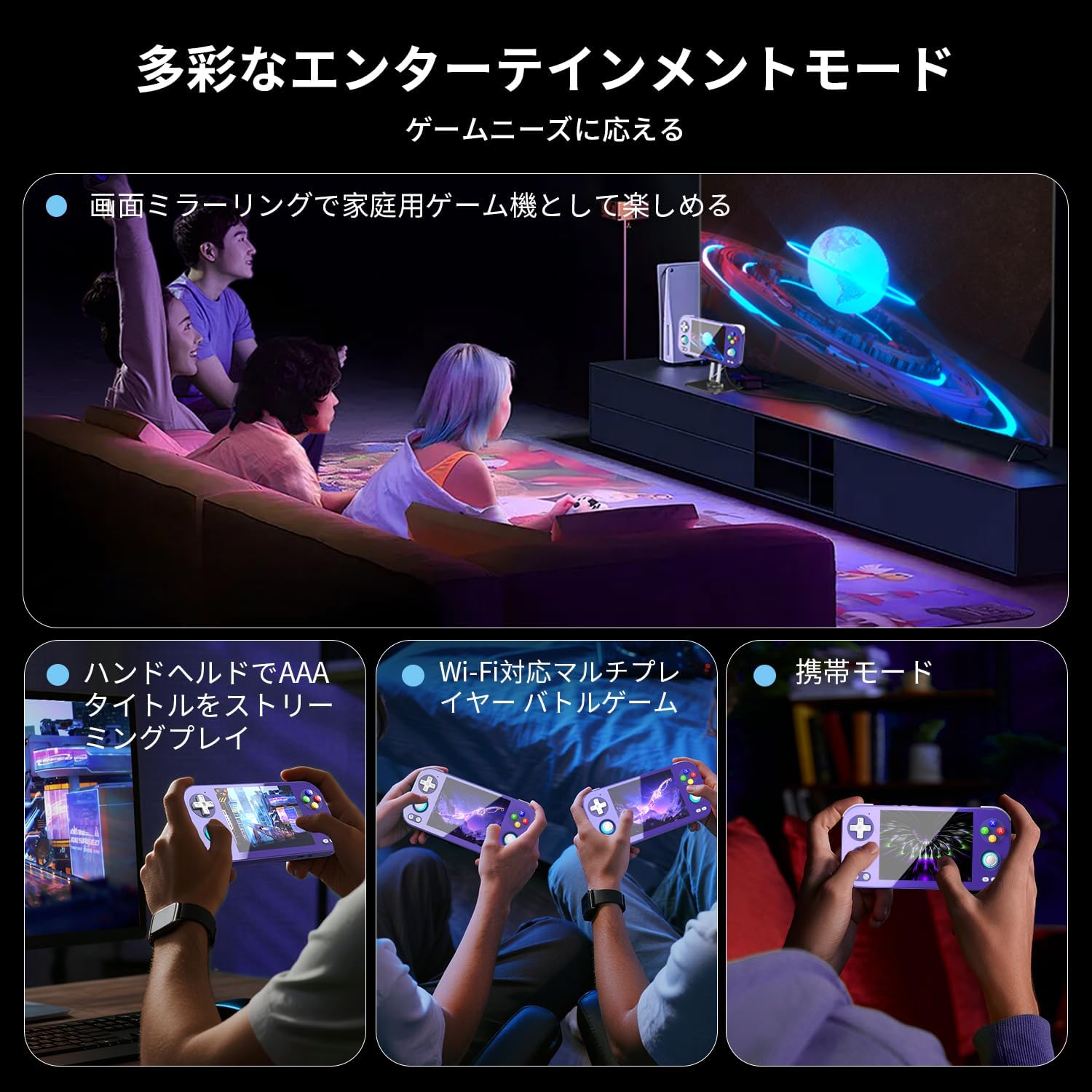
Image 4.1: The RG476H supports various entertainment modes, including handheld play, Wi-Fi multiplayer, and screen mirroring to a TV.
4.3 Gelişmiş Özellik
- Ay Işığında Yayın: Supports Moonlight Streaming for playing PC games on your console. Refer to Moonlight documentation for setup.
- HDMI Çıkışı: Connect the console to a TV or monitor via HDMI for a larger display.
- USB Type-C DisplayPort: Use a compatible USB-C to DisplayPort cable for 1080p video output. This feature also supports dual-screen display for NDS/3DS games.
- Wi-Fi ve Bluetooth: Connect to Wi-Fi networks for online gaming, updates, and browsing. Pair Bluetooth accessories like headphones or controllers.
- RGB Joystick Lighting: Customize the RGB lighting effects of the joysticks (e.g., constant light, breathing, rainbow, marquee, chase, gaming mode) and adjust brightness through system settings.
- ANBERNIC AI Assistant: Utilize the built-in AI features for real-time translation, game assistance, and other smart functions.

Image 4.2: The ANBERNIC AI Assistant offers features like AI Square, real-time translation, game assistance, and image processing.
5. Bakım
5.1 Temizlik
- Konsolun dış yüzeyini temizlemek için yumuşak, kuru bir bez kullanın.
- For the screen, use a microfiber cloth specifically designed for electronics. Do not use abrasive cleaners or solvents.
- Bağlantı noktalarını toz ve kalıntılardan uzak tutun.
5.2 Yazılım Güncellemeleri
The RG476H supports FOTA (Firmware Over-The-Air) wireless upgrades.
- Cihazınızın Wi-Fi'ye bağlı olduğundan emin olun.
- Navigate to System Settings and check for available updates.
- Follow the on-screen prompts to download and install updates. Ensure the device has sufficient battery life or is connected to power during updates.
6. Sorun Giderme
6.1 Yaygın Sorunlar ve Çözümler
| Sorun | Olası Neden / Çözüm |
|---|---|
| Cihaz açılmıyor. | Battery may be depleted. Connect to charger and try again. Ensure power button is pressed and held sufficiently. |
| Ekran tepkisiz. | Perform a soft reset by holding the power button for 10-15 seconds. If issue persists, ensure the screen is clean and free of obstructions. |
| Games are lagging or performing poorly. |
|
| Wi-Fi or Bluetooth not connecting. |
|
| Hoparlörlerden ses gelmiyor. | Check volume settings. Ensure headphones are not connected if you expect sound from speakers. |
7. Özellikler
| Özellik | Detay |
|---|---|
| Örnek | RG476H |
| İşlemci | Unisoc T820, 6nm EUV 5G SoC |
| Grafik işlemcisi | Quad-core Mali-G57, 850MHz |
| Veri deposu | 8GB LPDDR4X |
| Depolamak | 128GB UFS2.2 (Expandable via TF card up to 2TB) |
| Görüntülemek | 4.7-inch LTPS in-cell OCA full lamination touchscreen, 1280x960 resolution, up to 120Hz refresh rate |
| İşletim Sistemi | Android 13 |
| Bağlantı | 2.4G/5G WiFi 802.11a/b/g/n/ac, Bluetooth 5.0 |
| Pil | 5000mAh Lithium-ion, up to 7 hours usage |
| Ses | High-quality dual stereo speakers, 3.5mm stereo headphone jack |
| Sensörler | 6-axis gyroscope, Hall joysticks, Hall triggers, Vibration motor |
| Limanlar | USB Type-C (charging, data, 1080p DisplayPort output), TF card slot |
| Boyutlar | 21.1x11.1x4.2 cm |
| Ağırlık | 470 gr |
8. Garanti ve Destek
For warranty information and technical support, please refer to the official ANBERNIC webSiteyi ziyaret edin veya perakendecinizle iletişime geçin. Satın alma belgenizi garanti talepleriniz için saklayın.
Üretici: ANBERNİK
Webalan: www.anbernic.com (Örnamp(bağlantı, gerçek bağlantı değişiklik gösterebilir)