
1. Ürün Bittiview
The Estink Tabletop Water Fountain is designed to create a tranquil and relaxing atmosphere in your home or office. Crafted from durable plastic, this compact fountain features a soothing water flow and an integrated LED light. It is powered via USB or AA batteries, offering flexible placement options.

Image 1: The Estink Tabletop Water Fountain displayed on an office desk, showcasing its compact design and decorative stones.
2. Paket İçeriği
Lütfen aşağıda listelenen tüm öğelerin paketinizde yer aldığından emin olun:
- 1 x Fountain Ornament
- 1 x Ball (for water flow)
- 1 x USB Güç Kablosu
- 1 x Bag of Irregular Stones
- 1 x Kullanım Kılavuzu
3. Önemli Güvenlik Talimatları
- Bu ürün yalnızca iç mekanda kullanılmak üzere tasarlanmıştır.
- Keep the fountain away from electronic devices to prevent water damage.
- Ensure the power source (USB or batteries) matches the product's requirements (DC3V/250mA).
- Do not operate the fountain without sufficient water.
- Always unplug the fountain or remove batteries before cleaning or maintenance.
- Çocukların ve evcil hayvanların erişemeyeceği yerde saklayınız.
4. Kurulum Kılavuzu
Adım 1: Paketin açılması
Tüm parçaları ambalajından dikkatlice çıkarın. Herhangi bir hasar olup olmadığını kontrol edin. Ambalajı ileride saklama veya taşıma için muhafaza edin.
Step 2: Placing the Stones
Place the provided irregular stones into the base of the fountain. Arrange them as desired around the water reservoir.
Adım 3: Suyla Doldurma
Fill the fountain's reservoir with clean, distilled water. Ensure the water level is sufficient to cover the pump but not so high that it overflows when the fountain is operating. Do not overfill.
Adım 4: Gücü Bağlama
The fountain can be powered by either a USB cable or 2 AA batteries (not included).
- USB Gücü: Connect the included USB power cord to the port on the back of the fountain and plug the other end into a compatible DC3V/250mA USB adapter (not included) or a USB port.
- Pil Gücü: Open the battery compartment (usually on the bottom) and insert 2 x 1.5V AA batteries, ensuring correct polarity. Close the compartment securely.

Resim 2: Arka view of the fountain, highlighting the power input port and on/off switch.

Image 3: The fountain shown alongside its USB power cable, illustrating the connection method.
5. Kullanım Talimatları
Açma/Kapatma
Once powered, locate the ON/OFF switch, typically on the back or bottom of the fountain. Flip the switch to 'ON' to start the water flow and illuminate the LED light. Flip to 'OFF' to stop operation.
Water Flow and LED Light
The fountain features a gentle water flow that cascades over the ball, creating a soothing sound. A small yellow LED light is integrated to provide a warm, ambient glow, enhancing the relaxing atmosphere.
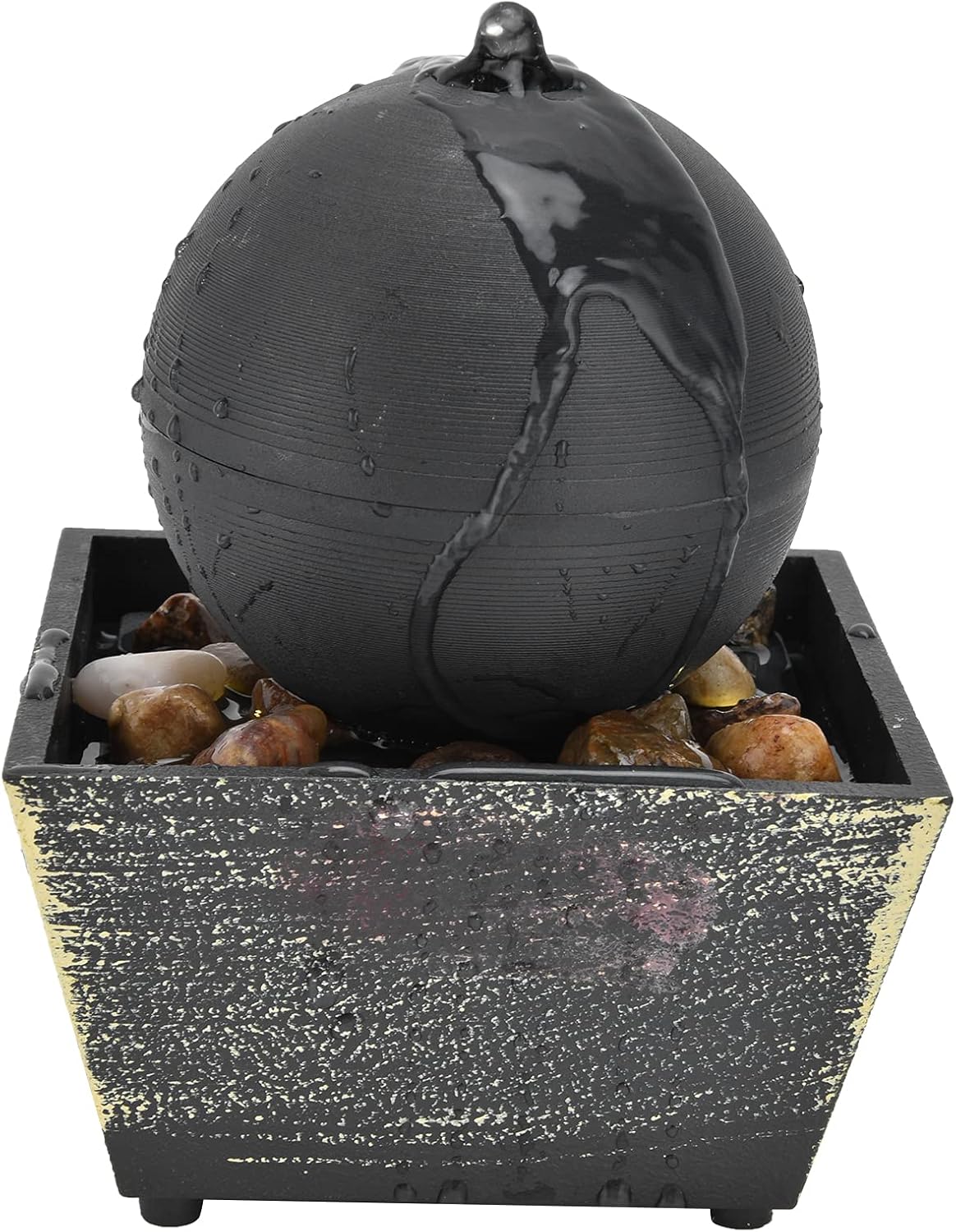
Image 4: The fountain in operation, with water gently flowing over the spherical top.

Image 5: The fountain illuminated by its small yellow LED light, creating a calming ambiance.
6. Bakım ve Onarım
- Su Değişimleri: Regularly change the water in the fountain to prevent algae buildup and maintain water clarity. Depending on usage, change water every 1-2 weeks.
- Temizlik: Periodically clean the fountain's interior and pump to remove any mineral deposits or debris. Use a soft brush and mild soap if necessary, then rinse thoroughly. Ensure no soap residue remains.
- Pompa Bakımı: If water flow weakens, the pump may be clogged. Disassemble the pump according to its specific instructions (if provided) and clean any blockages.
- Dış Temizlik: Wipe the exterior of the fountain with a soft, damp tozunu almak için bez.
- Depolamak: When not in use for extended periods, drain all water, clean the fountain, and store it in a dry place.

Resim 6: Yakın çekim view of the fountain's base, showing its textured finish, which should be kept clean.
7. Sorun Giderme
- Su Akışı Yok:
- Check if the power cord is securely connected or if batteries are correctly inserted and charged.
- Açma/kapama düğmesinin 'AÇIK' konumunda olduğundan emin olun.
- Verify that the water level is sufficient to cover the pump.
- Clean the pump for any blockages or debris.
- LED Işık Çalışmıyor:
- Ensure the fountain is powered on. The LED light operates with the water pump.
- Check power connection or battery status.
- Aşırı Gürültü:
- Çeşmenin düz ve sağlam bir yüzeye yerleştirildiğinden emin olun.
- Check water level; low water can cause pump noise.
- Clean the pump for any debris that might be causing vibration.
- Water Splashing:
- Ensure the fountain is not overfilled.
- Adjust the placement of stones if they are disrupting water flow.
8. Ürün Özellikleri
| Öğe | Şartname |
| Model Numarası | Estinkg42a9qbcps |
| Malzeme | Plastik |
| Ürün Boyutları | Yaklaşık 14.5 x 11.5 x 11.5 cm (5.7 x 4.5 x 4.5 inç) |
| Ürün Ağırlığı | Yaklaşık. 496 gr (17.5 ons) |
| Güç Kaynağı | USB (DC3V/250mA adapter) or 2 x 1.5V AA batteries (not included) |
| Açık Renk | Small yellow light |
| Üretici | Kokuşmuş |

Image 7: A visual representation of the fountain's dimensions for reference.
9. Önemli Notlar
- Please allow a 1-2 inch error due to manual measurement.
- Item color displayed in photos may show slight variations from the real object due to monitor calibration differences. Please consider the actual product as standard.
- The number and style of irregular stones included may vary.
10. Garanti ve Müşteri Desteği
For warranty information or customer support inquiries regarding your Estink Tabletop Water Fountain, please refer to the seller's return policy or contact the retailer where the product was purchased. Keep your purchase receipt as proof of purchase.