
giriiş
Thank you for choosing the CASCHO Smart Watch P125. This device is designed to enhance your daily life with advanced health monitoring, fitness tracking, and smart communication features. This manual provides essential information for setting up, operating, and maintaining your smartwatch.
The CASCHO Smart Watch P125 features a 1.85-inch HD full-touch screen, a gold-tone metal bezel, and comes with two interchangeable straps (one metal mesh, one silicone). It offers 24/7 health monitoring including heart rate, blood oxygen (SpO2), blood pressure, and sleep patterns. With over 120 sports modes, Bluetooth 5.4 for calls and messages, and an AI voice assistant, it's a versatile companion for both Android and iOS users.
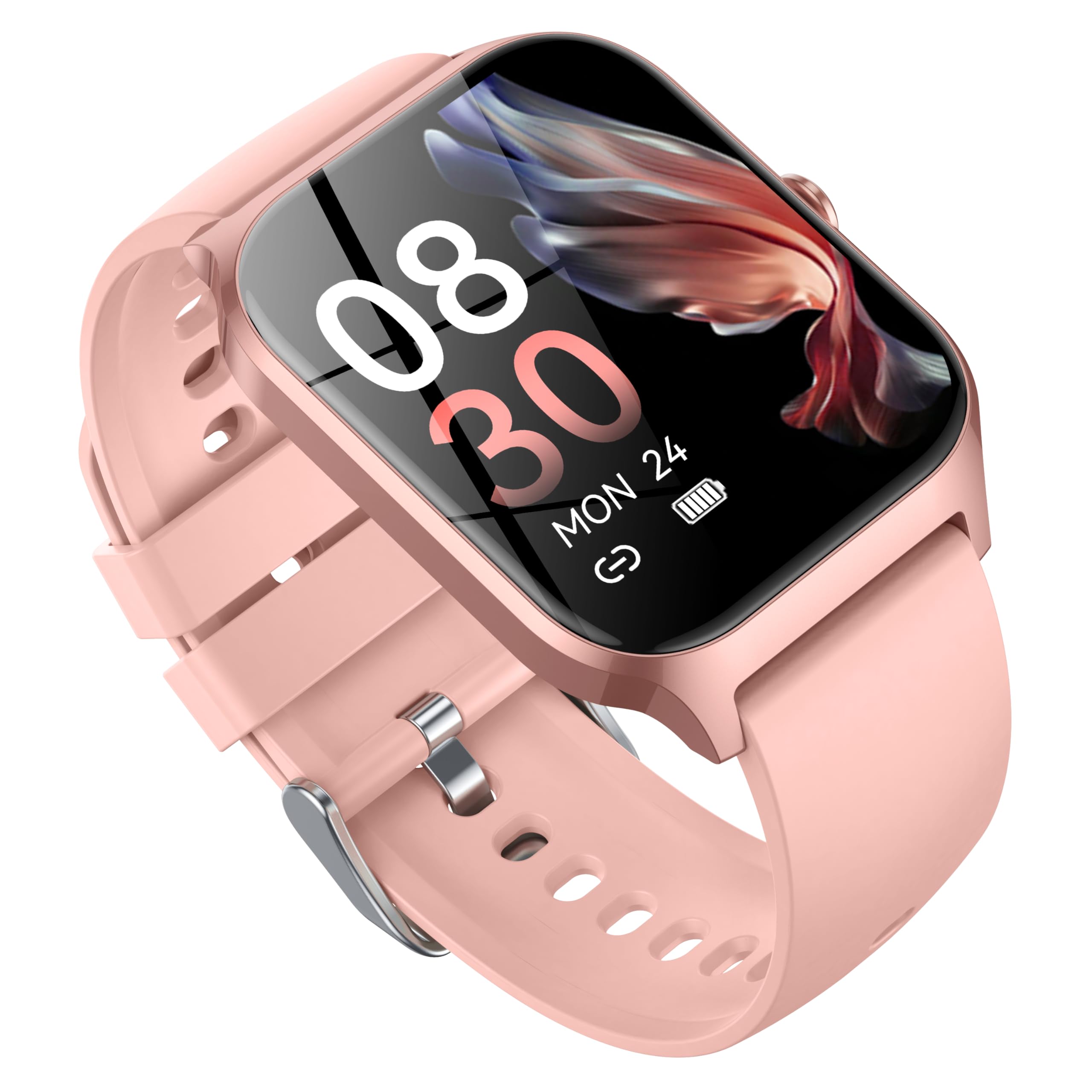
Image: CASCHO Smart Watch P125 in Lilac Pink with both mesh and silicone bands.
1. Kurulum
1.1 Akıllı Saati Şarj Etme
Before initial use, fully charge your smartwatch. The watch uses a magnetic charging cable. Ensure the charging pins align correctly with the magnetic contacts on the back of the watch. A full charge typically takes approximately 2 hours.
Video: Demonstrates how to correctly use the magnetic data cable to charge the CASCHO Smart Watch P125. The video highlights the magnetic poles for proper connection.
1.2 Uygulama İndirme ve Eşleştirme
- Scan the QR code provided in the user manual or on the watch screen to download the 'VeryFit' app from your device's app store (App Store for iOS, Google Play for Android).
- Akıllı telefonunuzda Bluetooth'un etkinleştirildiğinden emin olun.
- Open the 'VeryFit' app, register or log in, and follow the on-screen instructions to add your device. Select 'P125' from the list of available devices to pair.
- Eşleştirme isteğini hem telefonunuzda hem de akıllı saatinizde onaylayın.
Video: Guide on how to connect the CASCHO Smart Watch P125 to your smartphone using the companion app.
1.3 Güç Açma/Kapatma
- Güç Açık: Ekran ışığı yanana kadar yan düğmeyi birkaç saniye basılı tutun.
- Kapat: From the watch face, swipe down to access the quick settings, tap the settings icon, then navigate to 'System' > 'Power Off'. Confirm to shut down.
2. Akıllı Saatinizi Çalıştırma
2.1 Temel Gezinme
- Yukarı/Aşağı Kaydırma: Menüler ve bildirimler arasında gezinin.
- Sola/Sağa Kaydır: Hızlı işlevlere veya widget'lara erişin.
- Musluk: Bir öğeyi seçin veya bir eylemi onaylayın.
- Yan Düğmeye Basın: Return to the main watch face or wake the screen.
2.2 Sağlık İzleme
The CASCHO Smart Watch P125 continuously monitors key health metrics:
- Kalp Atış Hızı: Gerçek zamanlı kalp atışı takibi.
- Kan Oksijeni (SpO2): Kan oksijen saturasyon seviyelerini ölçer.
- Tansiyon: Tahmini kan basıncı değerlerini verir.
- Uyku Takibi: Automatically monitors sleep patterns (deep sleep, light sleep, wakefulness) and provides comprehensive analysis in the app.
- Stres Tespiti: Gün boyunca stres seviyenizi anlamanıza yardımcı olur.
- Kadınlarda Adet Döngüsü Takibi: Supports tracking and predictions for menstrual cycles.
2.3 Fitness Tracking (120+ Sports Modes)
Track your workouts with precision across a wide range of activities:
- Modlar şunları içerir: Walking, Running, Cycling, Swimming, Yoga, Basketball, Rock Climbing, Skateboarding, Roller Skating, Strength Training, HIIT, and many more.
- The watch accurately records steps, calories burned, and distance covered.
- Synchronize data with the 'VeryFit' app for detailed analysis and progress tracking.
Video: Bittiview of the multifunctional features of the CASCHO Smart Watch P125, including health and fitness tracking.
2.4 İletişim Özellikleri
- Bluetooth Aramaları: Make and answer calls directly from your wrist via Bluetooth 5.4.
- Mesaj Bildirimleri: Receive alerts for incoming calls, SMS, and app notifications (e.g., WhatsApp, Facebook) directly on your watch.
- Yapay Zeka Sesli Asistan: Utilize the built-in AI voice assistant for quick commands and information retrieval.
ASLA Özelleştirme
- Yüzleri İzle: Choose from over 200 watch face styles via the 'VeryFit' app or customize with your own photos.
- Değiştirilebilir Kayışlar: Easily swap between the included metal mesh and silicone straps to match your style or activity.
3. Bakım
- Temizlik: Saatinizi ve kayışlarını düzenli olarak yumuşak bir bezle temizleyin.amp bez. Sert kimyasallardan kaçının.
- Suya Dayanıklılık: The watch is IP68 water-resistant, suitable for daily use and light water exposure (e.g., hand washing, rain). Avoid hot water, saunas, or deep diving.
- Pil Bakım: To prolong battery life, avoid extreme temperatures and do not leave the watch fully discharged for extended periods.
4. Sorun Giderme
- Saat açılmıyor: Saatinizin tam şarjlı olduğundan emin olun.
- Telefonla eşleştirilemiyor: Check if Bluetooth is enabled on your phone and the watch is within range. Restart both devices and try again. Ensure the 'VeryFit' app is updated.
- Yanlış sağlık verileri: Saatin bileğinize sıkıca oturduğundan emin olun. Ölçüm sırasında aşırı hareketten kaçının.
- Alınmayan bildirimler: Check app notification settings on your phone and within the 'VeryFit' app. Ensure the app is running in the background.
5. Özellikler
| Marka | kasko |
| Model Numarası | P125 |
| Ekran Boyutu | 1.85 inç |
| İşletim Sistemi | OS 1.0'ü giyin |
| Bağlantı Teknolojisi | Bluetooth 5.4 |
| Pil Hücresi Kompozisyonu | Lityum İyon (300mAh) |
| Suya Dayanıklılık | IP68 |
| Ürün Ağırlığı | 80 Gram (2.82 ons) |
| Bellek Depolama Kapasitesi | 1 GB |
| Özel Özellik | Alarm Clock, Heart Rate Monitor, Sleep Monitor, Blood Oxygen Monitor, Activity Tracker, AI Voice Assistant |
6. Garanti
Your CASCHO Smart Watch P125 comes with a standard manufacturer's warranty. Please refer to the warranty card included in your product packaging for specific terms and conditions. Keep your proof of purchase for any warranty claims.
7. Destek
For further assistance, technical support, or to provide feedback, please contact CASCHO customer service through the 'VeryFit' app or visit the official CASCHO website. You can also refer to the FAQ section within the app for common questions.