
1. Giriş
This manual provides essential information for the safe and efficient use of your DOOGEE Fire 3 Rugged Phone. The Fire 3 is designed for durability and performance, featuring the Android 16 operating system, a large 8350mAh battery, and a compact 5.5-inch HD+ IPS display. It is built to withstand challenging environments while offering modern smartphone functionalities.

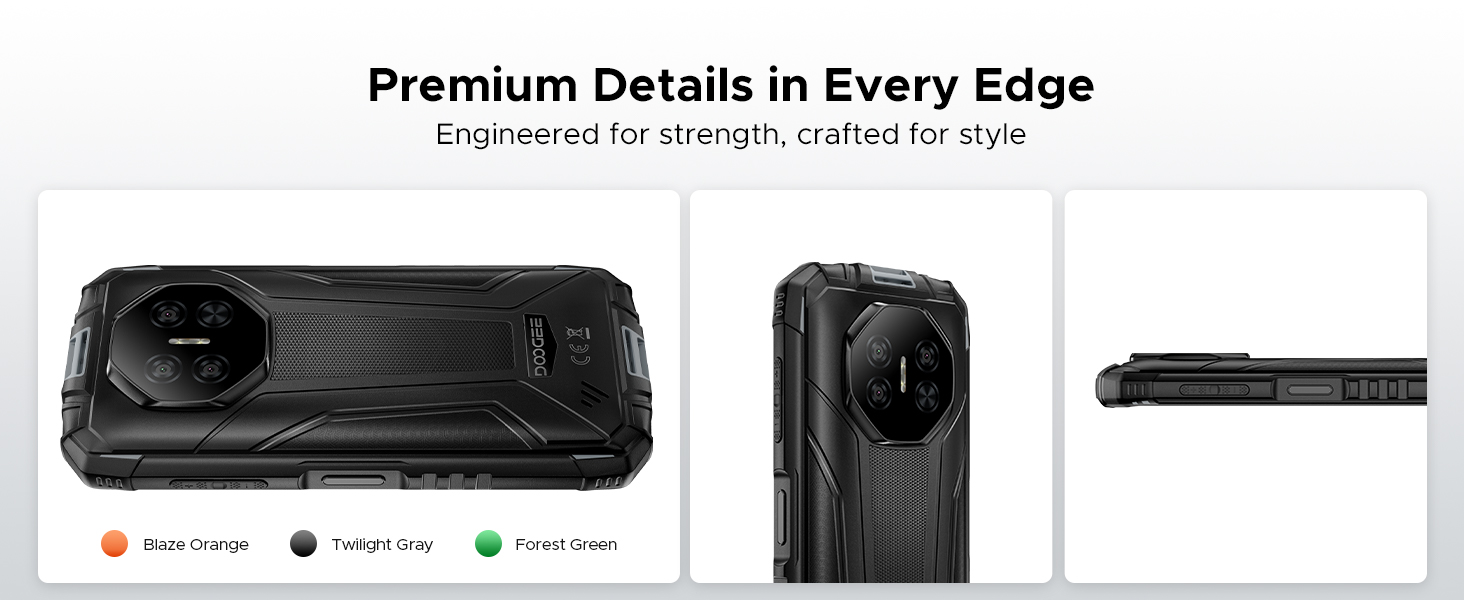
The DOOGEE Fire 3 Rugged Phone, showcasing its compact design and core features.
Paket İçeriği
- DOOGEE Fire 3 Rugged Phone
- Şarj cihazı
- USB kablosu
- SIM İtici Aracı
- Hızlı Başlangıç Kılavuzu
- Garanti Kartı
2. İlk Kurulum
2.1 SIM Kart ve MicroSD Kart Kurulumu
The DOOGEE Fire 3 supports dual SIM cards and a microSD card for expandable storage. Ensure the phone is powered off before inserting or removing cards.
- Telefonun yan tarafında bulunan SIM kart tepsisini bulun.
- SIM kart çıkarma aracını tepsinin yanındaki küçük deliğe yerleştirin ve tepsi dışarı çıkana kadar sıkıca bastırın.
- Place your Nano-SIM cards and/or microSD card into the designated slots on the tray. Ensure the gold contacts face downwards and the cards are correctly oriented.
- Tepsiyi yerine oturana kadar dikkatlice telefona doğru itin.
2.2 Açma/Kapatma
- Açmak İçin: DOOGEE logosu görünene kadar (sağ tarafta bulunan) Güç düğmesine basılı tutun.
- Kapatmak İçin: Güç düğmesine basılı tutun, ardından ekranda görüntülenen seçeneklerden 'Kapat'ı seçin.
- Yeniden başlatmak: Güç tuşuna basılı tutun, ardından seçeneklerden 'Yeniden Başlat'ı seçin.
2.3 İlk Yapılandırma
Upon first power-on, the phone will guide you through the Android 16 setup wizard. Follow the on-screen prompts to:
- Dilinizi ve bölgenizi seçin.
- Bir Wi-Fi ağına bağlanın.
- Google hesabınızla giriş yapın veya yeni bir hesap oluşturun.
- Set up screen lock (PIN, pattern, password, or biometric).
- Review ve hüküm ve koşulları kabul edin.
3. Telefonunuzu Kullanma
3.1 Temel Gezinme
The DOOGEE Fire 3 uses a capacitive touchscreen. Navigate by tapping, swiping, pinching, and spreading fingers on the display.
3.2 Android 16 Özellikleri
The phone operates on the Android 16 system, offering enhanced security and various features:
- Uygulama Klonlama: Duplicate certain applications to use multiple accounts simultaneously.
- Akıllı Hareket Algılama: Utilize gestures for quick actions.
- Süper Pano: Kopyalanan içeriği yönetmek için geliştirilmiş pano işlevselliği.
- Bölünmüş Ekran: Run two applications side-by-side for multitasking.
- Video Geliştirme: Improve video playback quality.
- Canlı Altyazı: Automatically caption media playing on your device (English only).
- Eldiven Modu: Eldiven takılıyken dokunmatik ekran kullanımına olanak tanır.
- Ekran Farkındalığı: Keeps the screen on while you are looking at it.
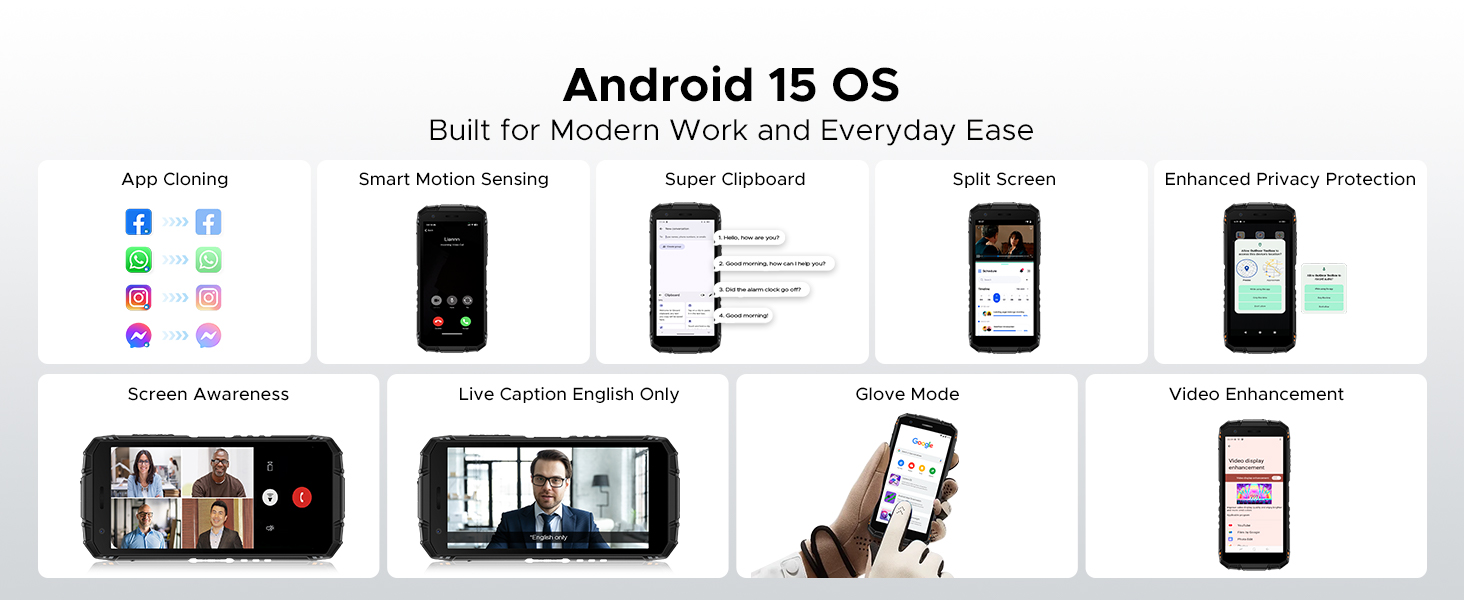
Android 16 işletim sisteminin temel özellikleri.
3.3 NFC (Yakın Alan İletişimi)
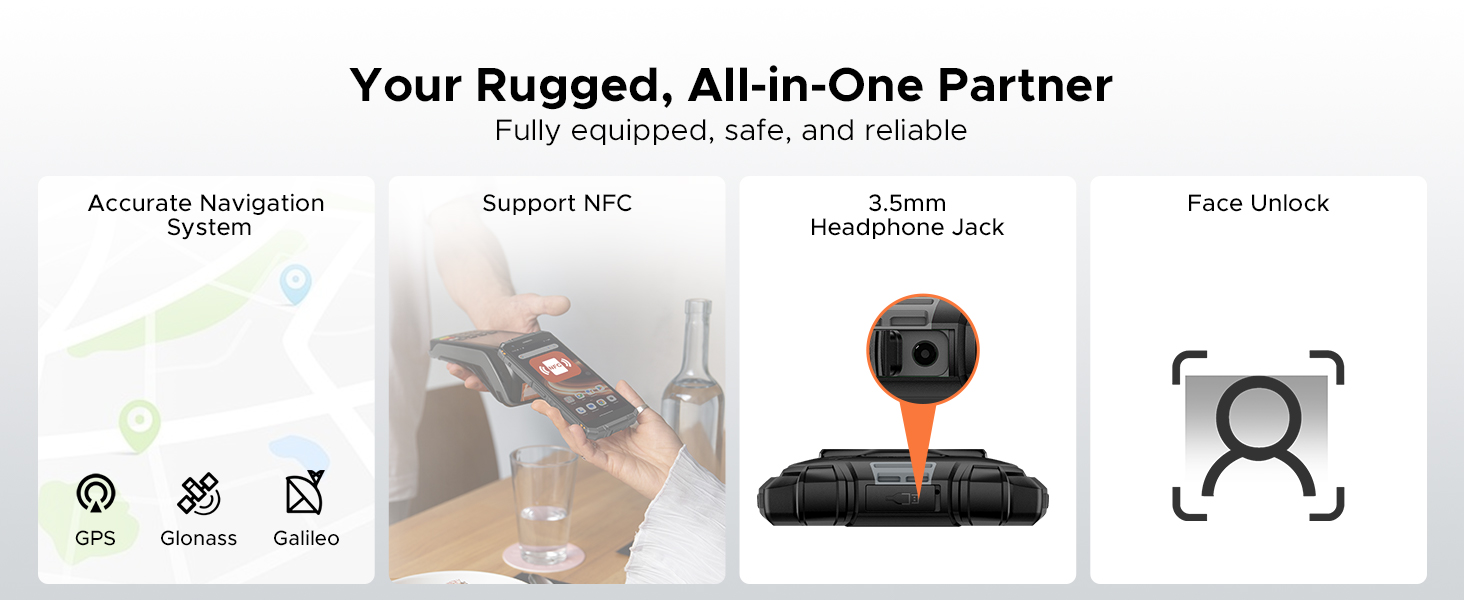
The phone supports NFC for contactless payments, quick data transfer, and connecting to compatible devices. To use NFC, ensure it is enabled in Settings and hold the phone near an NFC reader or tag.
3.4 Yüz Tanıma Kilidi
Set up Face Unlock in the Security settings to conveniently unlock your phone using facial recognition.
3.5 Dijital Araç Seti
The DOOGEE Fire 3 includes a suite of practical tools for outdoor and professional use:
- Pusula: For navigation and direction.
- Ses Ölçer: Measures ambient noise levels.
- Pic Hanging: Assists in aligning objects.
- Büyüteç: Enlarges small text or objects.
- İletki: Açıları ölçer.
- Şakül: Dikey hizalamayı belirler.
- Alarm zili: Yüksek sesli alarm fonksiyonu.
- Gradienter: Measures slopes and angles.
- Height Measure: Estimates object heights.
The integrated Digital Toolkit for various utility functions.
4. Pil Yönetimi
4.1 8350mAh Massive Battery
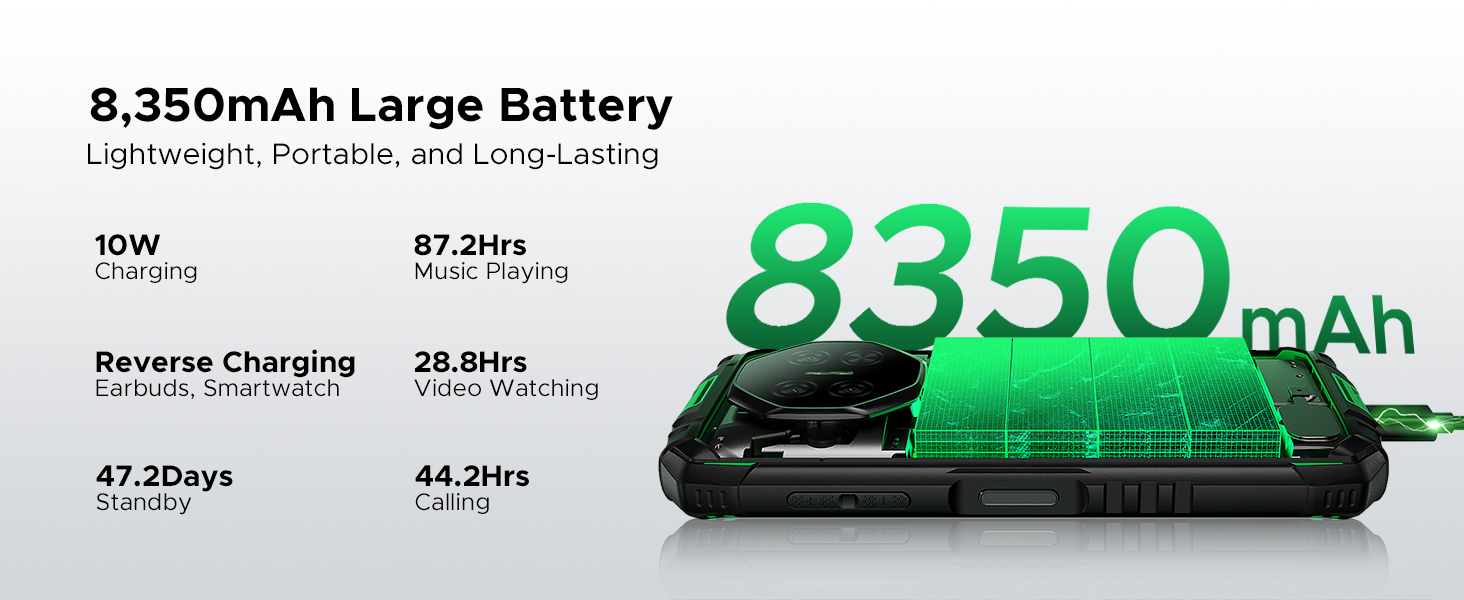
The DOOGEE Fire 3 is equipped with an 8350mAh battery, providing extended usage times. Expected battery life includes:
- Up to 47 days standby time.
- 87 saate kadar müzik çalma süresi.
- 28 saate kadar video izleme imkanı.
- 44 saate kadar görüşme süresi.
4.2 Şarj Etme
The phone supports 10W charging. Use the provided charger and USB cable for optimal charging performance. Avoid using damaged chargers or cables.
4.3 Ters Şarj
The DOOGEE Fire 3 can function as a power bank to charge other devices such as earbuds or smartwatches using a compatible USB cable (not included).

Details on the 8350mAh battery and its performance.
5. Dayanıklılık Özellikleri
The DOOGEE Fire 3 is engineered for resilience in harsh environments.
5.1 IP68/IP69K Ratings
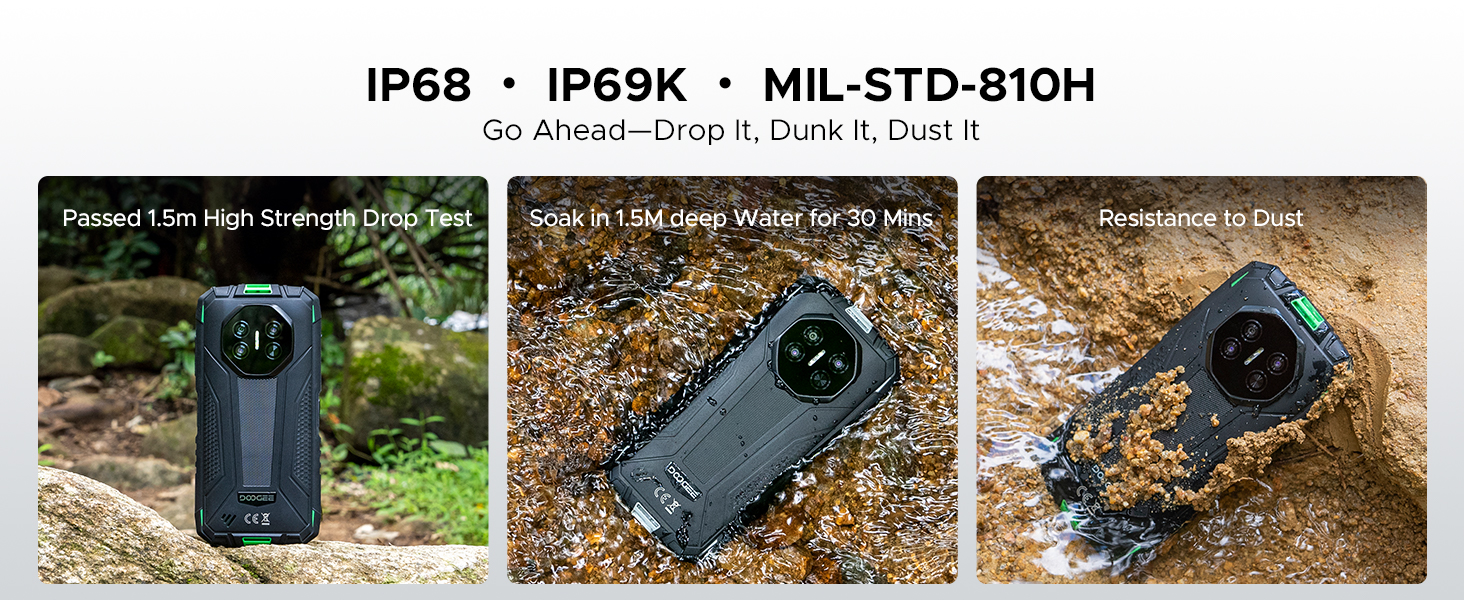
The phone is certified with IP68 and IP69K ratings, indicating high levels of water and dust resistance. It can withstand:
- Submersion in water up to 4 feet (1.2 meters) for 30 minutes.
- Protection against high-pressure, high-temperature water jets.
- Complete protection against dust ingress.
5.2 MIL-STD-810H Certification
The DOOGEE Fire 3 meets MIL-STD-810H military standards for durability, ensuring it can withstand:
- Drops from up to 5 feet (1.5 meters).
- Resistance to extreme temperatures, humidity, and vibrations.
The DOOGEE Fire 3 demonstrating its resistance to drops, water, and dust.
6. Kamera Fonksiyonları
Capture moments with the integrated camera system.
6.1 Arka Kamera
The phone features a 13MP AI triple rear camera, designed to capture clear and detailed photos in various conditions.
6.2 Ön Kamera
An 8MP front camera is available for selfies and video calls.
6.3 AI Scene Recognition
The AI scene recognition feature automatically detects the subject and optimizes camera settings for the best possible shot across 12 distinct scenes.
The 13MP main camera and 8MP front camera in action.
AI Scene Recognition for optimized photography.
7. Ekran
7.1 5.5-inch HD+ IPS Display
The DOOGEE Fire 3 features a 5.5-inch HD+ IPS display with a resolution of 1280x720 pixels. It offers 400 nits (typical) brightness and supports 16.7 million colors, providing clear visuals.
7.2 Göz Bakımı Modu
An Eye Care mode is available to reduce blue light emission, helping to minimize eye strain during prolonged use.
The 5.5-inch HD+ IPS display specifications.
Eye Care mode for comfortable viewIng.
8. Performans ve Depolama
8.1 İşlemci
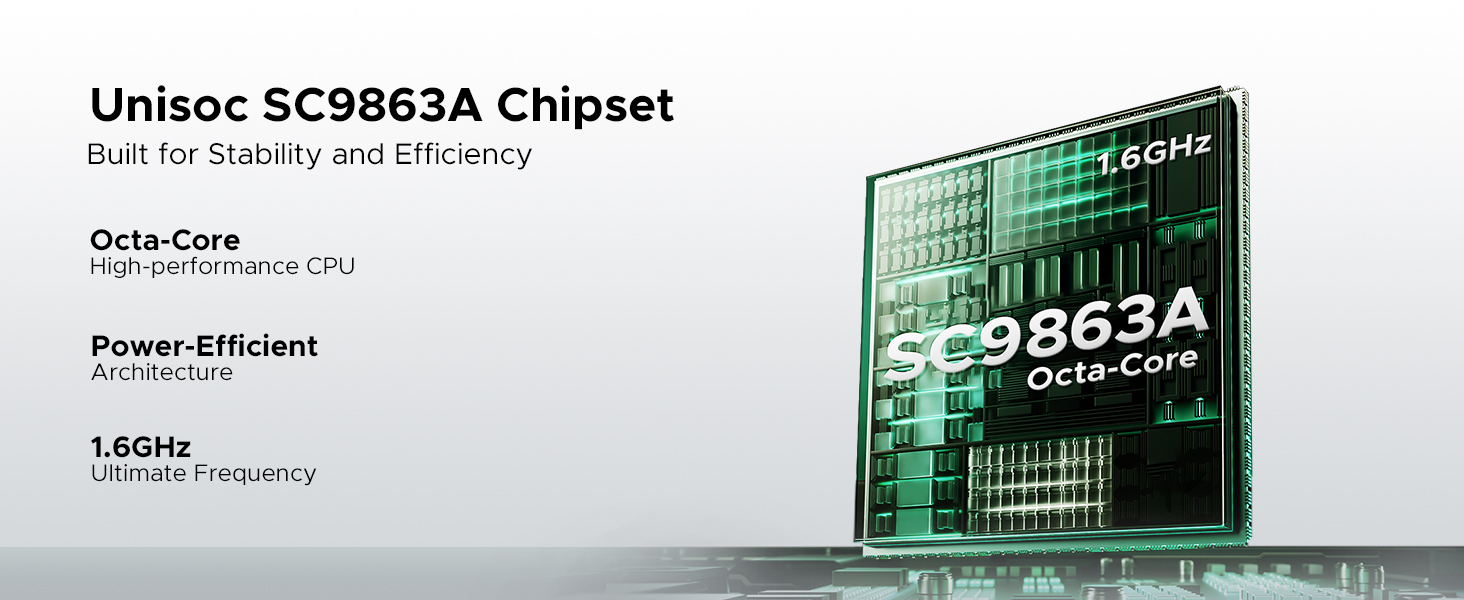
The DOOGEE Fire 3 is powered by an Octa-Core Unisoc SC9863A chipset, providing stable and efficient performance for daily tasks and applications.
The Unisoc SC9863A Octa-Core chipset for stable performance.
8.2 Bellek ve Depolama
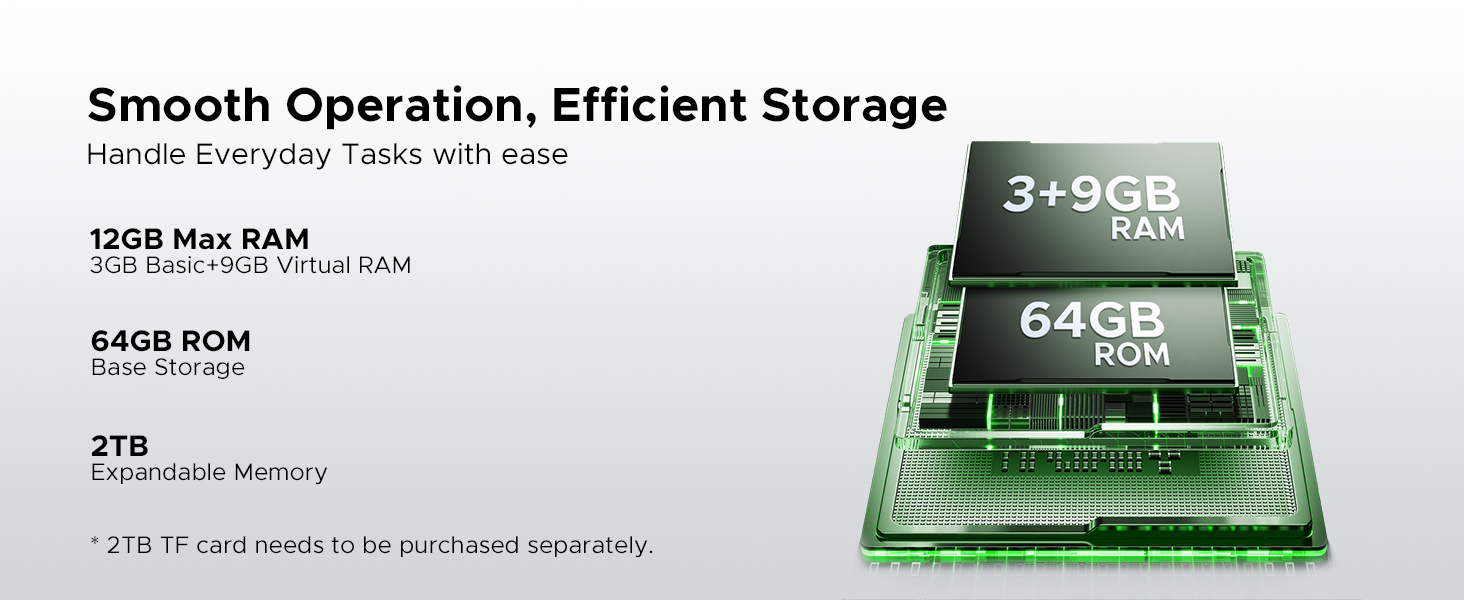
The phone comes with 12GB of RAM (3GB physical + 9GB virtual expansion) and 64GB of internal storage (ROM). Storage can be expanded up to 2TB using a microSD card (sold separately).
Memory and storage configuration of the DOOGEE Fire 3.
9. Bağlantı
9.1 Ağ Uyumluluğu
The DOOGEE Fire 3 is an unlocked dual SIM phone compatible with GSM networks, including T-Mobile. It does not support AT&T, new Cricket, or Verizon networks. Please verify compatibility with your local frequency bands before purchase.
Desteklenen frekans bantları:
- GSM: B2/3/5/8
- WCDMA: B1/2/4/5/8
- TDD: B34/38/39/40/41
- : B1/2/3/4/5/7/8/18/19/20/25/26/28A/28B/66
- Supports EDGE/GPRS.
9.2 Diğer Bağlantılar
- Wifi: Standart Wi-Fi protokollerini destekler.
- Bluetooth: Kablosuz aksesuarları bağlamak için.
- KÜRESEL KONUMLAMA SİSTEMİ: Integrated GPS, GLONASS, and Galileo for accurate navigation.
- USB BAĞLANTI: Şarj ve veri aktarımı için Type-C bağlantı noktası.
- 3.5 mm Kulaklık Girişi: Kablolu ses aksesuarları için.
10. Bakım
10.1 Temizlik
To clean your DOOGEE Fire 3, wipe it with a soft, damp cloth. For stubborn dirt or mud, rinse under low-pressure fresh water and ensure all ports are dry before charging or using accessories. Avoid using harsh chemicals or abrasive materials.
10.2 Water and Dust Exposure
While the phone is IP68/IP69K rated, it is important to ensure all port covers are securely closed before exposure to water or dust. After exposure to saltwater or other liquids, rinse the phone with fresh water and dry thoroughly.
10.3 Sıcaklık
Avoid exposing the phone to extreme temperatures (below -20°C or above 60°C) for extended periods, as this can affect battery life and overall performance.
11. Sorun Giderme
If you encounter issues with your DOOGEE Fire 3, try the following basic troubleshooting steps:
- Telefon açılmıyor: Ensure the battery is charged. Connect the phone to its charger for at least 15 minutes, then try powering it on.
- Telefon donuyor veya yanıt vermiyor: Yeniden başlatmayı zorlamak için Güç düğmesini yaklaşık 10-15 saniye basılı tutun.
- Şarj sorunları: Check if the charger and USB cable are securely connected and undamaged. Try a different charger or cable if available.
- Ağ bağlantı sorunları: Ensure your SIM card is correctly inserted. Check network settings and ensure airplane mode is off. Restart the phone.
- Uygulama çöküyor: Sorunlu uygulamanın önbelleğini ve verilerini Ayarlar > Uygulamalar bölümünden temizleyin. Sorun devam ederse, uygulamayı kaldırıp yeniden yükleyin.
- Kötü çağrı kalitesi: Ağ sinyal gücünü kontrol edin. Mikrofon ve hoparlörün engellenmediğinden emin olun.
- Aşırı Isınma: Close background applications and reduce screen brightness. Avoid using the phone while charging in hot environments.
Sürekli devam eden sorunlar için destek bölümüne bakın veya müşteri hizmetleriyle iletişime geçin.
12. Teknik Özellikler
| Özellik | Şartname |
|---|---|
| Marka | DOOGEE |
| Model Adı | Yangın 3 |
| İşletim Sistemi | Android 16 |
| Kurulu RAM Bellek Boyutu | 12 GB (3 GB fiziksel + 9 GB sanal) |
| CPU Modeli | MediaTek_MT8127 (Unisoc SC9863A) |
| Bellek Depolama Kapasitesi | 64 GB |
| Desteklenen Flash Bellek Boyutu Maksimum | 2 TB (microSD, card not included) |
| Ekran Boyutu | 5.5 inç |
| Ekran Çözünürlüğü Maksimum | 1280x720 (HD+) |
| Parlaklık | 400 nit (TİP) |
| Ekran Rengi | 16.7M |
| Rear Facing Camera Photo Sensor Resolution | 13 MP (Triple AI Camera) |
| Ön Fotoğraf Sensörü Çözünürlüğü | 8 MP |
| Pil Kapasitesi | 8350 Miliamp Saat |
| Kablosuz Taşıyıcı | Kilidi Açıldı |
| Hücresel Teknoloji | 4G |
| Bağlantı Teknolojisi | GSM, WCDMA, TDD, FDD, NFC |
| SIM Kart Yuvası Sayısı | Çift SIM |
| Su Direnç Seviyesi | Waterproof (IP68/IP69K) |
| Dayanıklılık Standardı | MIL-STD-810H |
| Biyometrik Güvenlik Özelliği | Yüz Tanıma |
| Renk | Gri |
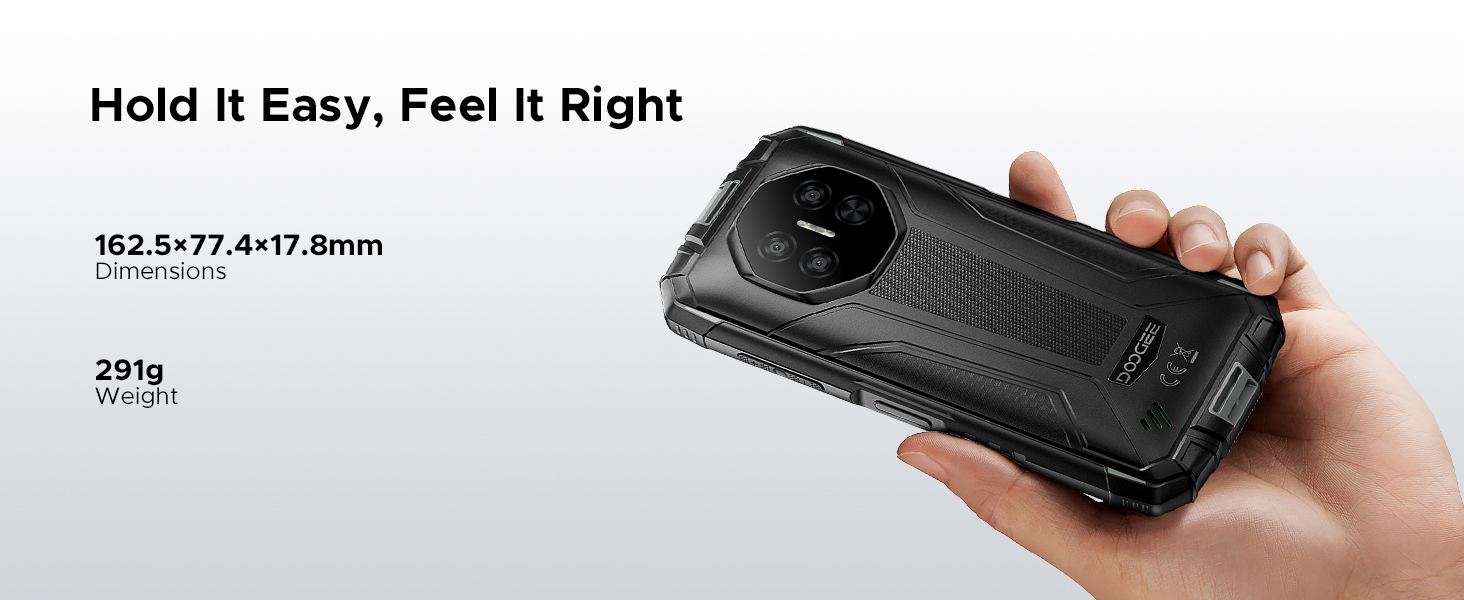
| Boyutlar | 162.5x77.4x17.8 mm |
| Ağırlık | 291 gr |
13. Garanti Bilgileri
The DOOGEE Fire 3 Rugged Phone comes with a 2-year free warranty from the date of purchase. Additionally, a 30-day money-back guarantee is offered for returns without reason. Please retain your proof of purchase for warranty claims.
14. Müşteri Desteği
For any problems or inquiries regarding your DOOGEE Fire 3, a professional support team is available 24/7 to assist you. Please refer to the contact information provided with your product packaging or visit the official DOOGEE webDestek ayrıntıları için site.