
1. Önemli Güvenlik Bilgileri
Before operating the LONGER Ray5 Mini 3.5W Laser Engraver, please read and understand all safety instructions. Failure to follow these guidelines may result in injury or damage to the device.
- Göz Koruması: Always wear the provided laser safety glasses during operation to protect your eyes from direct or reflected laser light. The laser module includes an anti-laser protective cover for additional safety.
- Acil durdurma: The device is equipped with an emergency stop button. Press this button immediately in case of any malfunction or unsafe condition.
- Alev Sensörü: The engraver features a flame sensor to detect and alert users to potential fires, enhancing safety during engraving and cutting processes.
- Havalandırma: Operate the laser engraver in a well-ventilated area to dissipate fumes and smoke produced during engraving.
- Malzeme Uyumluluğu: Only engrave or cut materials specified as safe for laser processing. Avoid highly reflective, flammable, or unknown materials.

Image: Laser safety glasses and the laser module with its protective cover, emphasizing eye protection.
2. Ürün Bittiview
The LONGER Ray5 Mini 3.5W is a compact and high-precision laser engraver designed for various materials. It offers advanced features for both beginners and experienced users.
Temel Özellikler:
- Yüksek Hız: Achieves engraving speeds up to 12,000 mm/min, powered by a 32-bit motherboard.
- Absolute Precision: Features an ultra-fine laser focal spot of 0.04mm for detailed and high-contrast results.
- Akıllı Kontrol: Supports WiFi and mobile app control, in addition to PC software (LaserGRBL, LightBurn).
- Kompakt Tasarım: Pre-assembled for immediate use, with a fixed-focus laser head for easy height adjustment.
- Çalışma Alanı: 130x140mm engraving area.
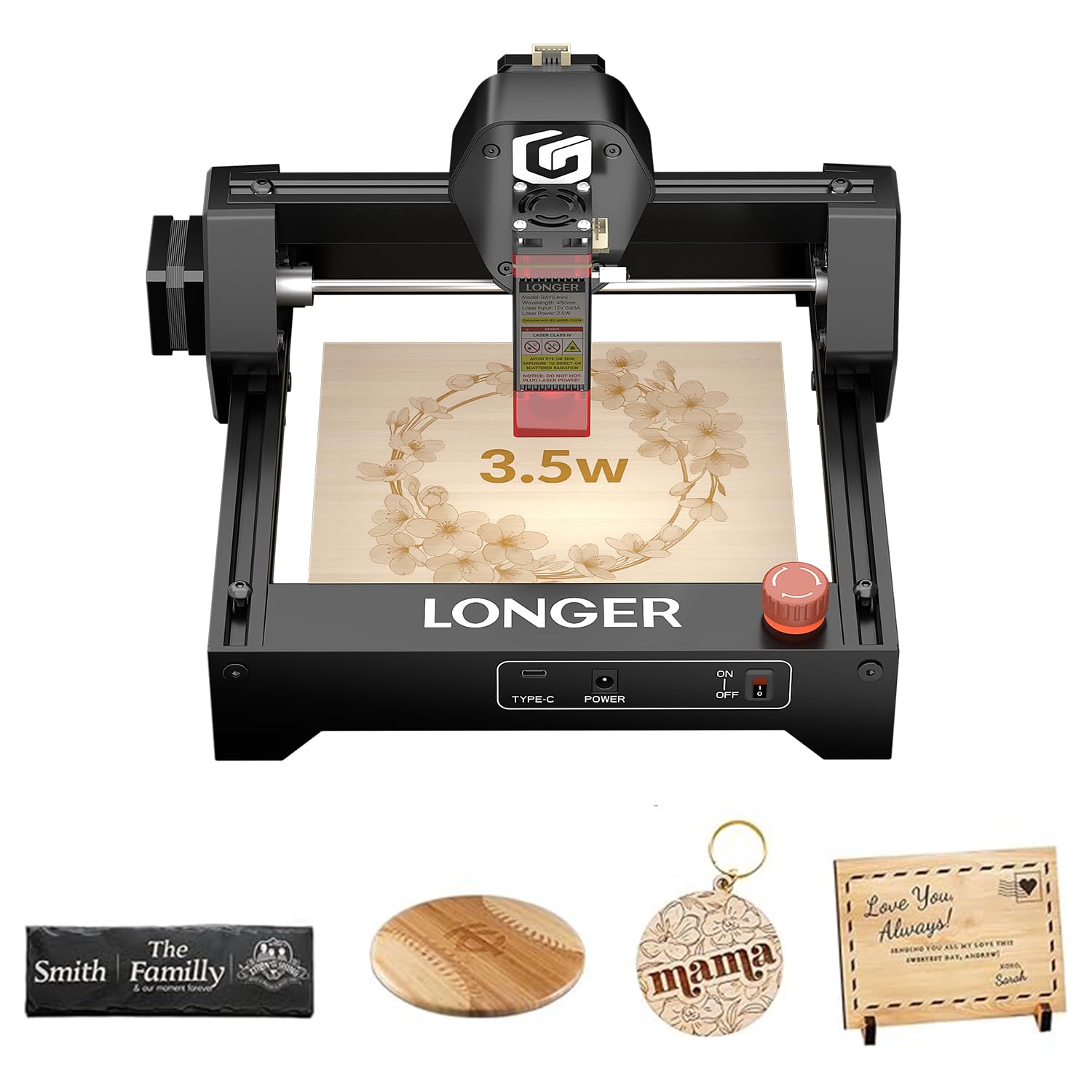
Image: The LONGER Ray5 Mini 3.5W Laser Engraver, showcasinKompakt tasarımıyla dikkat çekiyor.

Image: Visual representation of the 12,000 mm/min engraving speed compared to other models.

Image: Close-up showing the 0.04mm laser spot for high-precision engraving.
3. Kurulum ve Montaj
The LONGER Ray5 Mini 3.5W Laser Engraver comes largely pre-assembled, allowing for quick setup.
3.1 Kutudan Çıkarma ve İlk İnceleme
- Tüm bileşenleri dikkatlice ambalajından çıkarın.
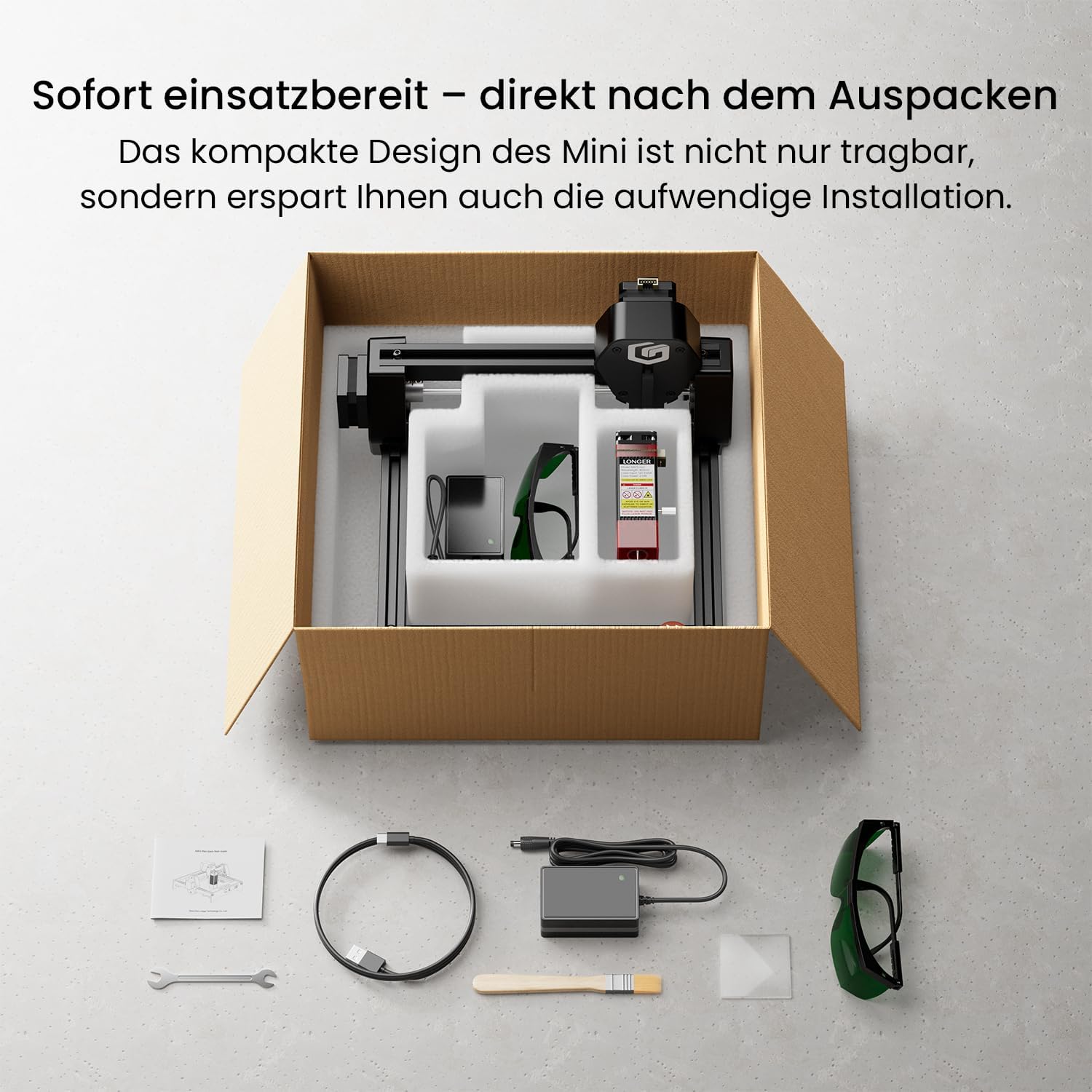
- Verify that all included accessories are present: laser engraver unit, power adapter, USB cable, safety glasses, small wrench, and user manual.
- Inspect the device for any visible damage during transit.

Image: The LONGER Ray5 Mini and its accessories laid out after unboxing.
3.2 Güç Bağlantısı
- Connect the power adapter to the engraver's power input port.
- Güç adaptörünü uygun bir elektrik prizine takın.
- Güç anahtarını kullanarak cihazı açın.
3.3 Odak Ayarı
The fixed-focus laser head allows for quick height adjustments to accommodate different material thicknesses. Use the provided focus block or follow the software's focusing guide.
4. Kullanım Talimatları
The LONGER Ray5 Mini offers flexible control options for your engraving projects.
4.1 Yazılım Uyumluluğu
The engraver is compatible with popular laser engraving software:
- LazerGRBL: Windows kullanıcıları için ücretsiz, açık kaynaklı bir yazılım.
- Hafif Yanık: Windows, macOS ve Linux ile uyumlu, ücretli ve zengin özellikli bir yazılım.
4.2 Cihazınıza Bağlanma
You can connect the engraver via USB or wirelessly via WiFi/App.
- USB Bağlantısı: Connect the engraver to your computer using the provided USB cable. Launch your chosen software (LaserGRBL or LightBurn) and follow its instructions to establish a connection.
- WiFi/Uygulama Kontrolü: Download the dedicated mobile application for real-time control from your smartphone or tablet. The app allows for project management and offline engraving.
Video: Demonstrates connecting the LONGER Ray5 Mini to a laptop and initiating an engraving process on a slate coaster. The video shows the laser in action and the finished product.
Video: Illustrates controlling the LONGER Ray5 Mini via a mobile application. The user selects a design, adjusts parameters, and starts the engraving process on a red acrylic sheet, showcasing the ease of wireless operation.
4.3 Preparing Your Project
- Place your material securely within the 130x140mm working area.
- Adjust the laser head height to ensure proper focus on the material surface.
- Load your design into the software or mobile app.
- Set engraving parameters (speed, power, passes) according to your material and desired outcome.
Resim: Eskiamples of various materials suitable for engraving, including wood, acrylic, and leather.
4.4 Gravür İşlemine Başlama
Once your project is prepared and parameters are set, initiate the engraving process through the software or app. Monitor the process closely and ensure safety precautions are maintained.
5. Bakım
Regular maintenance ensures optimal performance and longevity of your LONGER Ray5 Mini.
- Lensin Temizlenmesi: Lazer ışın kalitesini korumak için lazer merceğini periyodik olarak yumuşak, tüy bırakmayan bir bez ve mercek temizleme solüsyonu ile temizleyin.
- Yağlama: Apply a small amount of lubricant to the guide rails and lead screws to ensure smooth movement of the laser module.
- Enkaz temizleme: Keep the working area and the engraver free from dust and debris, which can interfere with operation or cause damage.
- Donanım Yazılımı Güncellemeleri: Check the official Longer webPerformansı iyileştirmek ve yeni özellikler eklemek için mevcut tüm ürün yazılımı güncellemeleri için siteyi veya uygulamayı ziyaret edin.
6. Sorun Giderme
This section addresses common issues you might encounter with your LONGER Ray5 Mini.
6.1 Yaygın Sorunlar ve Çözümleri:
- Lazer Ateşlemiyor:
- Check power connection and ensure the device is turned on.
- Verify software connection and laser power settings.
- Acil durdurma düğmesinin devrede olmadığından emin olun.
- Gravür Kalitesi Düşük:
- Adjust laser focus for optimal sharpness.
- Review engraving speed and power settings for the specific material.
- Lazer merceği kirli görünüyorsa temizleyin.
- Bağlantı Sorunları:
- For USB, ensure the cable is securely connected and drivers are installed.
- For WiFi/App, ensure the device is connected to the correct network and the app is updated.
For further assistance, refer to the official Longer support resources or contact customer service.
7. Teknik Özellikler
| Özellik | Şartname |
|---|---|
| Model Numarası | Küçük 3.5W |
| Lazer Gücü | 3.5W |
| Gravür Hassasiyeti | 0.04mm |
| Gravür Hızı | Dakikada 12,000 mm'ye kadar |
| Çalışma Alanı | 130x140mm |
| Bağlantı | WiFi, APP, USB |
| Malzeme | Alüminyum |
| Güç Kaynağı | AC/DC (Corded Electric) |
| Ağırlık | 2.2 Kilogram |
| Ebatlar (Paket) | 30x29x17 cm |
8. Garanti ve Destek
LONGER provides comprehensive support for its products.
- Garanti: The LONGER Ray5 Mini 3.5W Laser Engraver comes with a 1-year warranty. Please retain your proof of purchase for warranty claims.
- Müşteri Desteği: For technical assistance, troubleshooting, or warranty inquiries, please contact Longer's official customer support. Details can be found in the included manual or on the official Longer webalan.
- Çevrimiçi Kaynaklar: Visit the Longer official website for FAQs, software downloads, and additional tutorials.