
Ürün Bittiview
The pTron Studio Pro are wireless over-ear headphones designed for extended listening and clear communication. They feature an ergonomic design with soft earpads and an adjustable headband for comfortable wear. Key features include long battery life, advanced audio drivers, and versatile connectivity options.
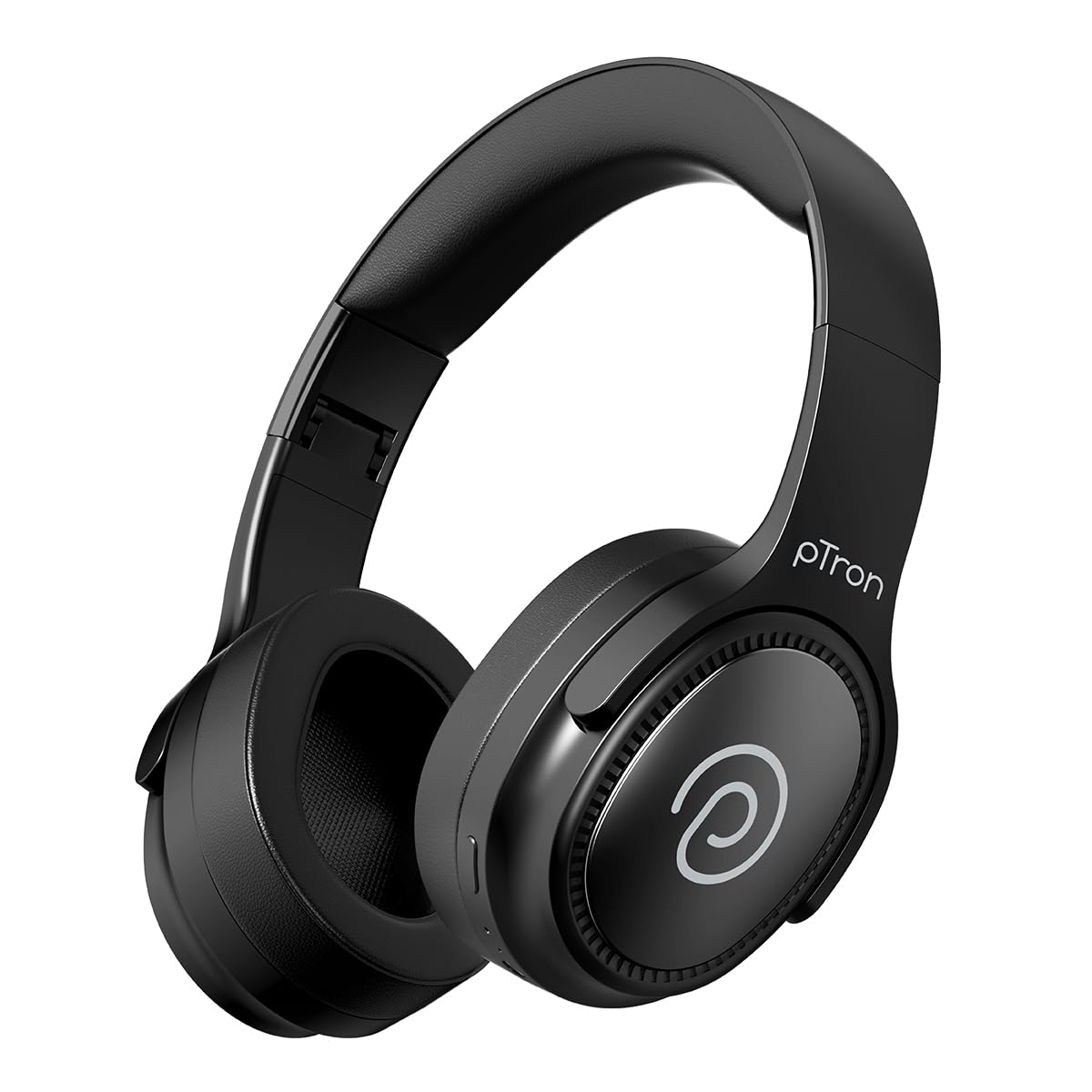
Image: pTron Studio Pro Wireless Over-Ear Headphones in Jet Black, showcasinşık tasarımı.
Temel Özellikler
- Uzatılmış Çalma Süresi: Up to 65 hours of music playback on a single full charge.
- Hızlı Şarj: 2.5 hours for a full charge via Type-C. A 10-minute charge provides approximately 4 hours of playtime.
- Yüksek Kaliteli Ses: Equipped with 40mm Neody Drivers for pristine stereo sound.
- Çağrıları Temizle: Built-in HD Microphone with TruTalk AI-ENC (Environmental Noise Cancellation) for crystal-clear calls.
- Gelişmiş Bağlantı: Fast Bluetooth v5.4 for instant pairing and stable connection.
- Çift Cihaz Eşleştirme: Seamlessly connect and switch between two devices simultaneously.
- Çok Yönlü Modlar: Dedicated Low-Latency Gaming Mode and Music Mode.
- Suya Dayanıklılık: IPX4 rating, making them resistant to water splashes and sweat.
- Comfort & Portability: Ergonomic, lightweight, and foldable design with soft earpads and an adjustable headband for a perfect fit and easy storage.
- Kolay Kontroller: Multi-functional buttons for managing music, calls, and activating voice assistant.

Image: Infographic detailing the main features of the pTron Studio Pro headphones, including battery life, drivers, and connectivity.
Kutuda Neler Var?
Upon unboxing your pTron Studio Pro headphones, you will find the following items:
- pTron Studio Pro Wireless Over-Ear Headphones
- Şarj Kablosu (Tip-C)
- Kullanıcı Kılavuzu
Video: An official product video demonstrating the unboxing and key features of the pTron Studio Pro headphones.
Ürün Yerleşimi ve Kontrolleri
Familiarize yourself with the physical components and control buttons of your pTron Studio Pro headphones.

Resim: Ayrıntılı view of the multi-function control buttons located on the ear cup, including power, volume, and track controls.
Control Button Functions:
| Düğme/İşlem | İşlev |
|---|---|
| Güç Düğmesi (Uzun Basma) | Açma/Kapama, Eşleştirme Moduna Girme |
| Oynat/Duraklat Düğmesi (Tek Basış) | Müzik Çal/Duraklat, Çağrıyı Cevapla/Sonlandır |
| Play/Pause Button (Long Press) | Çağrıyı Reddet, Sesli Asistanı Etkinleştir |
| Sesi Yükselt (+) (Tek Basış) | Hacmi Artırın |
| Ses Kısma (-) (Tek Basış) | Sesi Azalt |
| Sesi Yükselt (+) (Uzun Basma) | Sonraki Parça |
| Ses Kısma (-) (Uzun Basma) | Önceki Parça |
| Mode Button (Single Press) | Oyun Modu ve Müzik Modu arasında geçiş yapın. |
Kurmak
1. Kulaklıkları Şarj Etme
- Kutu içeriğinde bulunan Type-C şarj kablosunu kulaklıktaki şarj portuna bağlayın.
- Connect the other end of the cable to a USB power source (DC5V-1A max.).
- LED göstergesi şarj durumunu gösterecektir. Tam şarj yaklaşık 2.5 saat sürer.
- A 10-minute charge can provide up to 4 hours of playtime.

Image: The pTron Studio Pro headphones highlighting the Type-C charging port and emphasizing the 65-hour playtime.
2. Bluetooth Eşleştirme
- Kulaklığın tam şarjlı olduğundan emin olun.
- Press and hold the Power button until the LED indicator flashes red and blue alternately, indicating pairing mode.
- Cihazınızda (akıllı telefon, tablet, dizüstü bilgisayar) Bluetooth'u etkinleştirin ve kullanılabilir cihazları arayın.
- Select "pTron Studio Pro" from the list of devices.
- Bağlantı kurulduktan sonra LED göstergesi sabit mavi renkte yanacak veya yanıp sönmeyi durduracaktır.
3. Çift Cihaz Eşleştirme
- Kulaklıkları yukarıda açıklandığı gibi ilk cihazla eşleştirin.
- İlk cihazda Bluetooth'u devre dışı bırakın. Kulaklıklar tekrar eşleştirme moduna girecektir.
- Kulaklıkları ikinci cihazla eşleştirin.
- İlk cihazda Bluetooth'u yeniden etkinleştirin. Kulaklıklar her iki cihaza da otomatik olarak bağlanmalıdır.
- You can now switch audio playback between the two connected devices.

Image: The headphones connected to both a laptop and a smartphone, demonstrating the dual device pairing feature.
4. Wired Connection (3.5mm Aux-in)
- Insert one end of a 3.5mm audio cable (not included) into the Aux-in port on the headphones.
- Connect the other end of the cable to your audio source's 3.5mm jack.
- Kulaklık otomatik olarak kablolu moda geçecektir.

Image: The headphones connected to a smartphone using a 3.5mm Aux-in cable, illustrating wired music playback.
Kullanım Talimatları
Güç Açık/Kapalı
- Güç Açık: LED göstergesi yanana kadar Güç düğmesini yaklaşık 3 saniye basılı tutun.
- Kapat: LED göstergesi kapanana kadar Güç düğmesini yaklaşık 5 saniye basılı tutun.
Müzik Kontrolleri
- Oynat/Duraklat: Oynat/Duraklat düğmesine bir kez basın.
- Sonraki Parça: Sesi Açma (+) tuşuna uzun basın.
- Önceki parça: Sesi Azaltma (-) tuşuna uzun basın.
- Sesi aç: Single press the Volume Up (+) button.
- Sesi kıs: Single press the Volume Down (-) button.
Çağrı Kontrolleri
- Çağrıyı Cevapla/Sonlandır: Oynat/Duraklat düğmesine bir kez basın.
- Çağrıyı Reddet: Oynat/Duraklat düğmesine uzun basın.
Sesli asistan
- Voice Assistant'ı etkinleştirin: Long press the Play/Pause button (after rejecting a call, if applicable, or when not on a call).
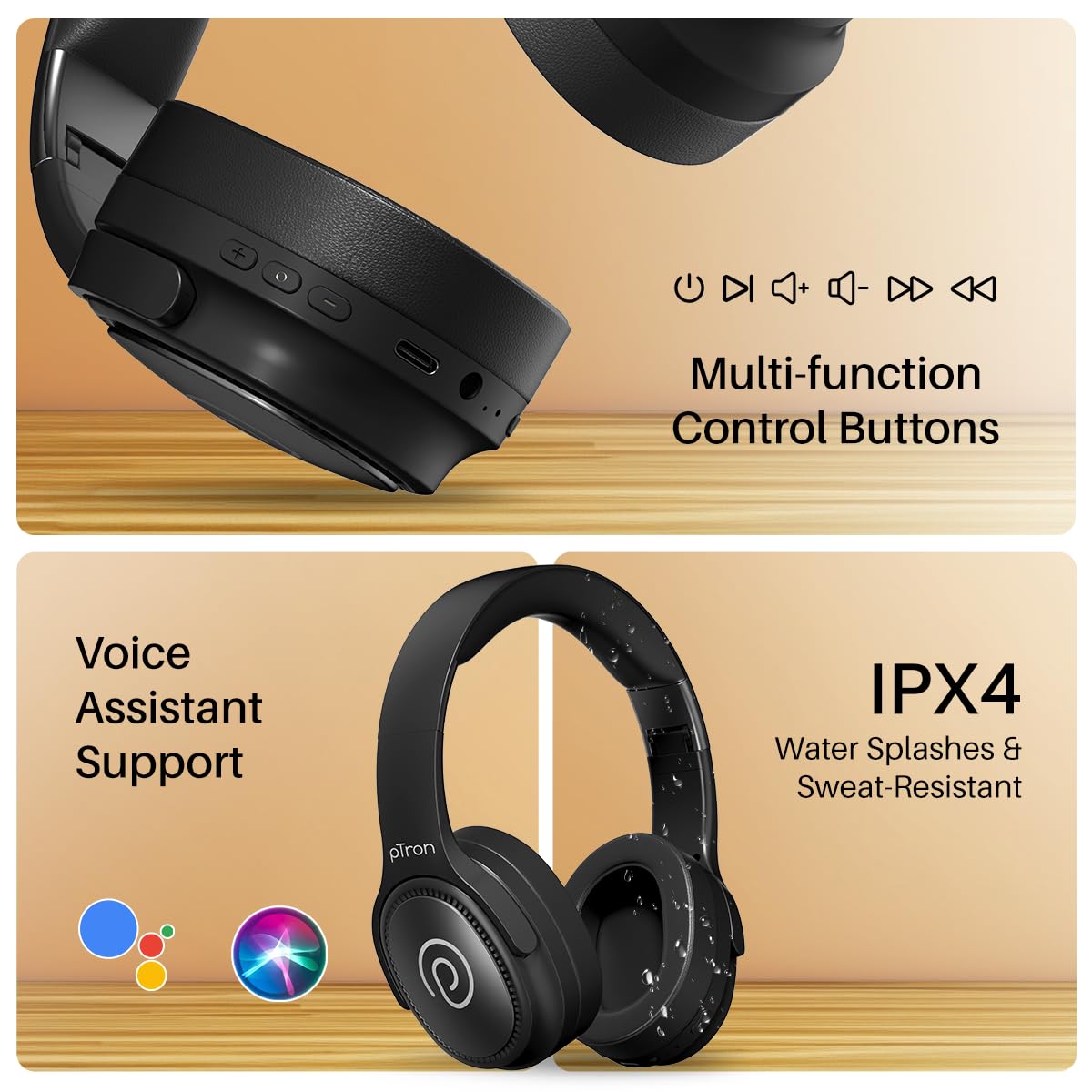
Image: The headphones illustrating support for voice assistants like Google Assistant and Siri, along with their IPX4 water-resistant rating.
Game & Music Modes
- Modları Değiştir: Single press the Mode button to toggle between Low-Latency Gaming Mode and standard Music Mode.
Bakım
To ensure the longevity and optimal performance of your pTron Studio Pro headphones, follow these maintenance guidelines:
- Temizlik: Kulaklığınızı temizlemek için yumuşak ve kuru bir bez kullanın. Aşındırıcı temizleyiciler veya çözücüler kullanmayın.
- Depolamak: Kullanılmadığı zamanlarda kulaklıkları serin ve kuru bir yerde saklayın. Katlanabilir tasarımı sayesinde kompakt bir şekilde saklanabilir.
- Suya Maruz Kalma: While rated IPX4 for water splashes and sweat resistance, avoid submerging the headphones in water or exposing them to heavy rain. Dry them thoroughly if they get wet.
- Şarj: Use only the provided Type-C cable and a compatible power adapter (DC5V-1A max.) for charging.
- Aşırı Sıcaklıklardan Kaçının: Kulaklıkları aşırı yüksek veya düşük sıcaklıklara maruz bırakmayın.
Sorun giderme
If you encounter any issues with your pTron Studio Pro headphones, refer to the following common troubleshooting steps:
| Sorun | Çözüm |
|---|---|
| Kulaklık açılmıyor. | Kulaklığın tamamen şarj olduğundan emin olun. Bir güç kaynağına bağlayın ve şarj göstergesini kontrol edin. |
| Cihazla eşleştirme yapılamıyor. | Make sure Bluetooth is enabled on your device and the headphones are in pairing mode (LED flashing red/blue). Move closer to the device. Forget previous pairings on your device and try again. |
| Ses yok veya ses seviyesi düşük. | Check the volume levels on both the headphones and your connected device. Ensure the headphones are correctly paired. If using Aux-in, ensure the cable is fully inserted. |
| Çağrı kalitesi düşük. | Ensure the microphone is not obstructed. Move to an area with less environmental noise. Check your device's network signal. |
| Kulaklıklar sık sık bağlantısı kesiliyor. | Ensure there are no obstacles between the headphones and your device. Keep within the Bluetooth range (10 meters). Avoid strong electromagnetic interference. |
Özellikler
| Özellik | Detay |
|---|---|
| Marka | pTron |
| Model Adı | Stüdyo |
| Kulak Yerleşimi | Kulak Üstü |
| Bluetooth Sürümü | 5.4 |
| Bluetooth Menzili | 10 Metre |
| Ses Sürücüsü Boyutu | 40 Milimetre |
| Empedans | 32 Ohm |
| Pilin Ortalama Ömrü | 65 Saat |
| Pil Şarj Süresi | 2.5 Saat |
| Şarj Portu | Tip-C |
| Su Direnç Seviyesi | IPX4 (Suya Dayanıklı) |
| Mikrofon | Built-in HD Mic with AI-ENC |
| Kulaklık girişi | 3.5 mm Jak |
| Kontrol Türü | Call Control, Push Button |
| Ürün Özellikleri | Fast Charging, Foldable, Microphone Included, Noise Isolation, Surround Sound |
| Ürün Ağırlığı | 200 Gram |
| Malzeme | Akrilonitril Bütadien Stiren (ABS) |
| Uyumlu Cihazlar | Cep telefonları, Masaüstü bilgisayarlar, Dizüstü bilgisayarlar, Tabletler |
Garanti ve Destek
Your pTron Studio Pro headphones come with a manufacturer's warranty and dedicated customer support.
- Garanti: 6 Months Manufacturer Warranty from the Date of Purchase on Manufacturing Defects Only.
- Üretici iletişim: Building A1, Red Box Creative Park, No. 3 Huancheng South Road, Bantian Street, Longgang District, Shenzhen City, China 518116.
- Customer Care Contact Details: 40-67138888 / Destek@ptron.in
- İthalatçı İletişim Bilgileri: PALRED ELECTRONICS PVT. LTD., SY.NO. 56, 1. KAT, GUNDLAPOCHAMPALLY VILLAGE, TECH PARK MTP, TSIIC-IALA NACHARAM, HYDERABAD - 500076, TELANGANA, HİNDİSTAN.