
1. Giriş
This manual provides essential information for the safe operation and maintenance of your 4DRC V31 RC Plane with Camera. Please read this manual thoroughly before operating the aircraft to ensure proper function and to avoid damage or injury. Keep this manual for future reference.

Figure 1: 4DRC V31 RC Plane, designed for beginner-friendly operation.
2. Paket İçeriği
Verify that all items listed below are included in your package. If any items are missing or damaged, contact customer support.
- 4DRC V31 RC Uçak
- Uzaktan Kumanda Vericisi
- Rechargeable Batteries (2 C batteries included)
- USB Şarj Kablosu
- Yedek Pervaneler
- Tornavida
- Kullanım Kılavuzu (bu belge)
Note: The charger is included as part of the USB charging cable.
3. Ürün Özellikleri
- 360° Flip & Aerial Stunts: Perform aerobatic rolls and 360-degree circling.
- Entegre Kamera: Advanced WiFi-enabled camera for real-time video streaming and capturing flight moments.
- Color LED Lights: Equipped with bright LED lights for visibility and aesthetic appeal during evening flights.
- Kullanımı Kolay: No assembly required. Features one-key takeoff/landing, altitude hold, and three speed options.
- Güvenlik ve Dayanıklılık: Four built-in propellers with protective structure and sturdy EPP material construction for impact resistance.
- Başsız Mod: Simplifies control by eliminating the need to adjust the aircraft's position before flight.
- Tek Tuşla Kalkış/İniş: Uçuşların başlatılmasını ve sonlandırılmasını kolaylaştırır.
- Yükseklik Tutma: Dengeli bir şekilde havada kalabilmek için sabit bir irtifayı korur.
- Üç Hız Seçeneği: Adjustable flight speeds for different skill levels.
4. Kurulum
4.1 Pilin Şarj Edilmesi
- Connect the USB charging cable to the aircraft's battery port.
- Plug the USB end of the cable into a 5V/1A USB power adapter (not included) or a computer's USB port.
- USB kablosundaki gösterge ışığı şarj sırasında yanacak ve tamamen şarj olduğunda sönecektir.
- Şarj süresi yaklaşık 60-90 dakikadır.

Figure 2: The aircraft features a module battery and a low battery alert system. Two batteries provide approximately 40 minutes of flight time.
4.2 Uzaktan Kumandaya Pil Takma
- Uzaktan kumandanın arkasındaki pil yuvasını açın.
- Insert 2 C batteries (included), ensuring correct polarity (+/-).
- Pil bölmesini sıkıca kapatın.
4.3 Pairing the Aircraft with the Remote Control
- Uçağı düz bir yüzeye yerleştirin.
- Turn on the aircraft's power switch. The LED lights on the aircraft will flash.
- Uzaktan kumandayı açın.
- Push the left joystick (throttle) all the way up, then all the way down. The aircraft's LED lights will stop flashing and remain solid, indicating successful pairing.
5. Kullanım Talimatları
5.1 Temel Uçuş Kontrolleri
- Çıkarmak: Press the One-Key Takeoff button or push both joysticks outwards and downwards simultaneously to start the propellers, then push the left joystick up to ascend.
- İniş: Press the One-Key Landing button or pull the left joystick down to descend.
- Yüksel/Alçal: Sol kumanda kolunu (gaz kolunu) yukarı/aşağı hareket ettirin.
- İleri geri: Sağ joystick'i yukarı/aşağı hareket ettirin.
- Sola/Sağa Dön: Sol kumanda kolunu sola/sağa hareket ettirin.
- Sola/Sağa Uçma (Yan Hareket): Sağ joystick'i sola/sağa hareket ettirin.
- Hız Ayarı: Press the speed button on the remote control to cycle through three speed modes (low, medium, high).

Figure 3: Key flight functions including Headless Mode and One-Click Takeoff/Landing.
5.2 Başsız Modu
In Headless Mode, the aircraft's orientation is locked to the remote control's orientation at the time of activation. This means pushing the right joystick forward will always make the aircraft fly away from you, regardless of which way the front of the aircraft is facing.
- To activate Headless Mode, press the Headless Mode button on the remote control. The aircraft's lights will flash to indicate activation.
- To exit Headless Mode, press the Headless Mode button again.
5.3 Yükseklik Tutma
The Altitude Hold function allows the aircraft to maintain a stable altitude without constant throttle input. This makes it easier to control and capture stable photos/videos.

Figure 4: The aircraft's Altitude Hold feature for stable flight and One-Click Quick Stop for emergency landings.
6. Camera and FPV Operation
6.1 Uygulamaya Bağlanma
- Download the "4DRC" app from your smartphone's app store.
- Uçağı açın.
- On your smartphone, go to Wi-Fi settings and connect to the Wi-Fi network named "4DRC-V31-XXXX".
- Open the 4DRC app. You should see the live FPV feed from the aircraft's camera.
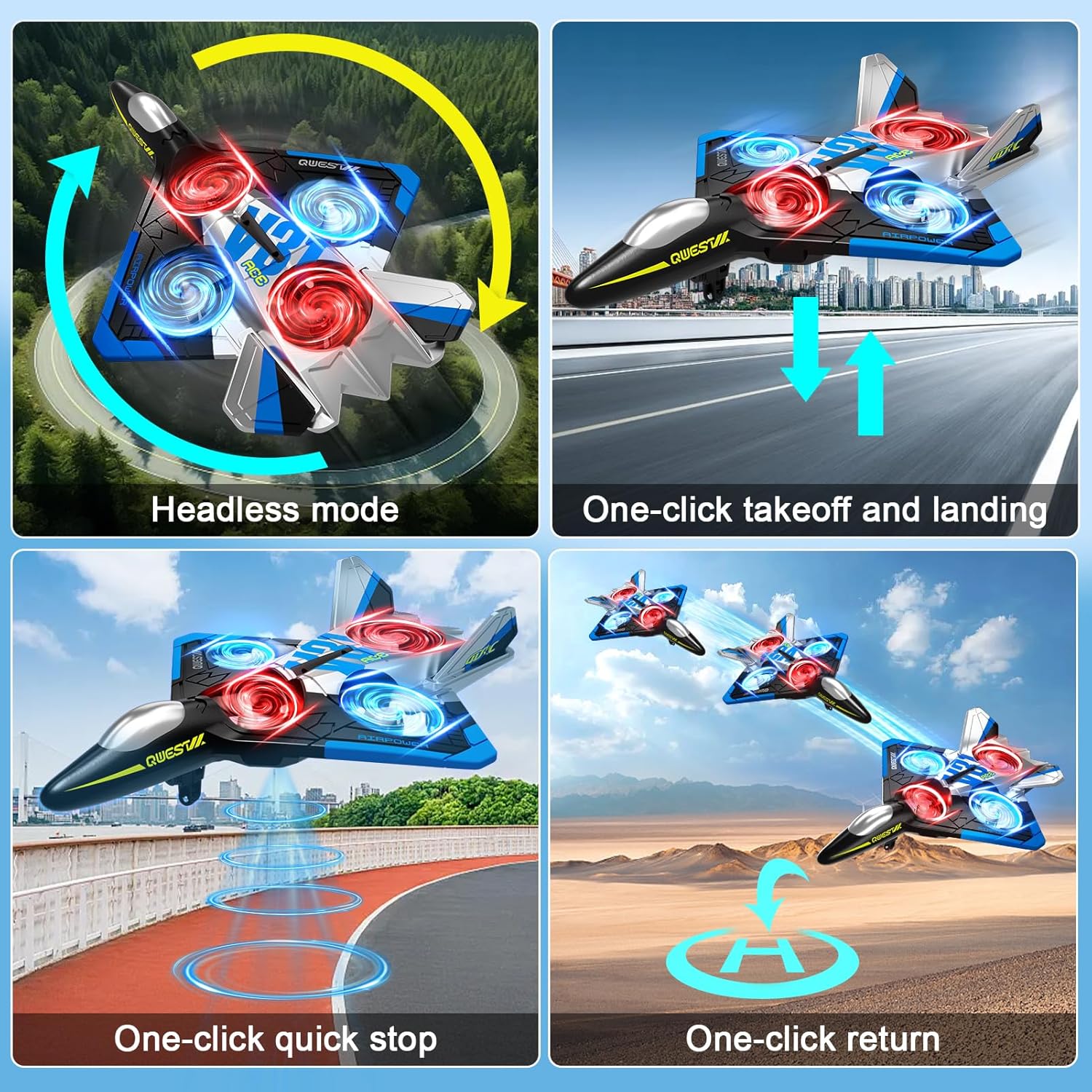
Figure 5: Experience real-time FPV transmission directly to your smartphone.
6.2 Fotoğraf ve Video Çekme
Once connected to the app, you can use the on-screen controls to capture photos and record videos.
- Fotoğraf: Fotoğraf çekmek için uygulamadaki kamera simgesine dokunun.
- Video: Tap the video icon to start recording. Tap again to stop.
- Hareket Kontrolü: The aircraft supports gesture control for taking photos and videos. Refer to the app interface for specific gesture commands.

Figure 6: Utilize gesture control for hands-free photo and video capture.

Figure 7: The camera captures 1080P Full HD aerial images and videos.
7. Özel Uçuş Modları
7.1 360° Döndürme
To perform a 360° flip:
- Fly the aircraft to a height of at least 3 meters.
- Press the 360° Flip button on the remote control.
- Takla hareketini gerçekleştirmek için sağ kumanda kolunu hemen istenen yöne (ileri, geri, sola veya sağa) doğru itin.

Figure 8: The aircraft is capable of performing exciting 3D flips.
7.2 360° Circling
To perform a 360° circling stunt:
- Ensure the aircraft is flying stably at a sufficient height.
- Press the One-Click Circling button on the remote control. The aircraft will automatically perform a 360-degree circle.
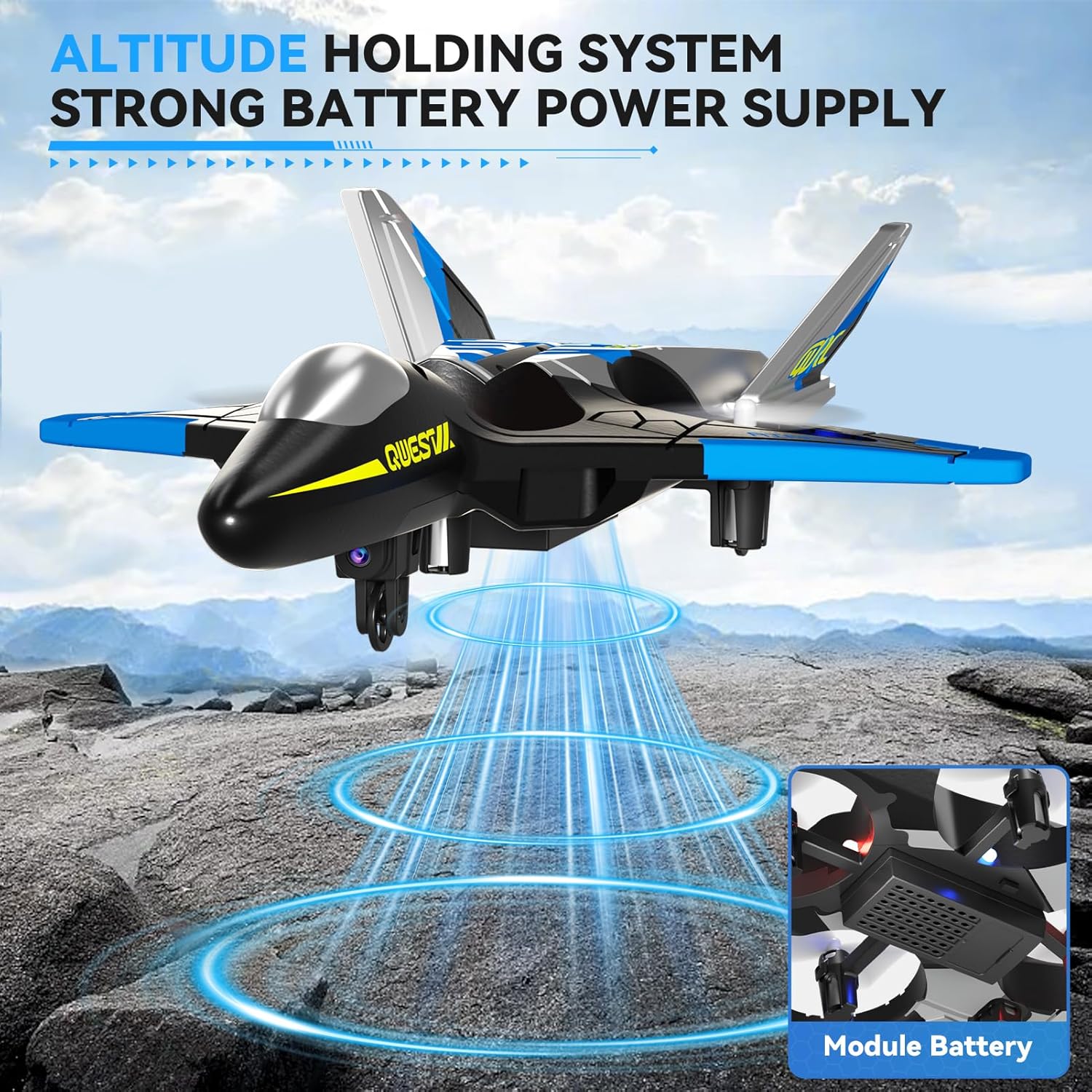
Figure 9: Execute impressive 360° circle flight stunts with ease.
7.3 Yörünge Uçuşu
Using the app, you can draw a flight path on your smartphone screen, and the aircraft will follow it automatically.
- Connect your smartphone to the aircraft's Wi-Fi.
- Open the 4DRC app and enter the flight interface.
- Tap the Trajectory Flight icon.
- Draw your desired flight path on the screen. The aircraft will then fly along the specified route.

Figure 10: Utilize Trajectory Flight and Gesture Control for advanced flight maneuvers.
8. Safety and Durability
The 4DRC V31 RC Plane is designed with safety and durability in mind.
- Pervane Koruması: Four built-in propellers are protected by the aircraft's frame, reducing the risk of injury from spinning blades.
- EPP Material: Constructed from soft yet sturdy EPP material, allowing the aircraft to withstand minor impacts and tumbles.
- Çok Yönlü Engellerden Kaçınma: The aircraft may feature an omnidirectional obstacle avoidance module to prevent collisions.
Video 1: Demonstrates various flight features including LED lights, one-click taxi takeoff, multi-gear speed adjustment, HD camera, real-time transmission, gesture photography/video, gravity induction, bump-proof design, jettisoning mode, optical flow localization, omnidirectional obstacle avoidance, 360° circling, 360° effect tumbling, trajectory flight, and one-touch landing.
9. Bakım
- Temizlik: Wipe the aircraft with a soft, dry cloth after each use. Avoid using water or harsh chemicals.
- Pervane Muayenesi: Pervaneleri düzenli olarak hasar (çatlak, bükülme) açısından kontrol edin. Hasarlı pervaneleri, birlikte verilen yedek parçaları kullanarak derhal değiştirin.
- Pil Bakım:
- Pilleri aşırı şarj etmeyin veya aşırı deşarj etmeyin.
- Pilleri doğrudan güneş ışığından uzak, serin ve kuru bir yerde saklayın.
- If not used for an extended period, charge the battery to about 50% before storing.
- Depolamak: Store the aircraft and remote control in a dry, cool environment, away from extreme temperatures and direct sunlight.
10. Sorun Giderme
| Sorun | Olası Neden | Çözüm |
|---|---|---|
| Uçak uzaktan kumandaya yanıt vermiyor. | Not paired; low battery in aircraft or remote. | Re-pair the aircraft and remote. Charge aircraft battery. Replace remote control batteries. |
| Uçak düzensiz uçuyor veya savruluyor. | Uncalibrated gyroscope; damaged propeller. | Perform gyroscope calibration (refer to app or remote instructions). Check and replace damaged propellers. |
| Camera feed is not visible on smartphone. | Not connected to aircraft Wi-Fi; app not open. | Ensure smartphone is connected to the aircraft's Wi-Fi network. Open the 4DRC app. |
| Kısa uçuş süresi. | Pil tam şarjlı değil; eski pil. | Pilin tamamen şarj olduğundan emin olun. Eski pilleri değiştirmeyi düşünün. |
11. Özellikler
- Model Adı: 4D-V31-BLUE-WIFI (V31 Series)
- Marka: 4DRC
- Malzeme Türü: Plastic (EPP Foam)
- Ürün Ölçüleri: 8 x 3 x 11 inç
- Pil Tipi: Lityum-İyon
- Pil Sayısı: 2 C pil (dahil)
- Dahil Bileşenler: Charger (USB cable)
- Yaş Aralığı: Kid Adults (Manufacturer Minimum Age: 96 months)
- Ek Özellikler: RC plane, RC plane with camera, remote control airplane, 360° Flip, Headless Mode, One-Key Takeoff/Landing, Altitude Hold, Three Speed Options, Color LED Light.
12. Garanti ve Destek
Garanti bilgileri ve müşteri desteği için lütfen ürün ambalajında yer alan iletişim bilgilerine başvurun veya resmi 4DRC'yi ziyaret edin. webSite. Satın alma belgeniz olarak satın alma fişinizi saklayın.
Üretici: 4DRC