
1. Giriş
This manual provides comprehensive instructions for the installation, operation, and maintenance of your Ossuret 7-inch Android 13 Carplay Autoradio. Please read this manual thoroughly before using the device to ensure proper functionality and safety. This unit is designed to enhance your driving experience with advanced multimedia and navigation features.
2. Paket İçeriği
Aşağıda listelenen tüm ürünlerin paketinizde mevcut olduğundan emin olun. Eksik veya hasarlı bir ürün varsa, lütfen müşteri hizmetleriyle iletişime geçin.
- Main Autoradio Unit
- Güç kablosu
- USB Kablosu (4 pinli)
- USB Kablosu (6 pinli)
- GPS Anteni
- RCA Kablosu
- Harici Mikrofon
- Arka Kamera Girişi RCA Kablosu
- Canbus Dekoderi (varsa)
- Radyo Anteni Adaptör Kablosu

3. Uyumlu Araç Modelleri
This Ossuret Autoradio is compatible with the following Opel/Vauxhall/Holden models:
- Opel/Vauxhall/Holden Antara (from 2005)
- Opel/Vauxhall/Holden Astra H (from 2004)
- Opel/Vauxhall/Holden Corsa C (2004-2006)
- Opel/Vauxhall/Holden Corsa D (from 2006)
- Opel/Vauxhall/Holden Meriva (from 2004)
- Opel/Vauxhall/Holden Signum (from 2003)
- Opel/Vauxhall/Holden Tigra Twintop (from 2004)
- Opel/Vauxhall/Holden Vectra C (from 2004)
- Opel/Vauxhall/Holden Vivaro 6
- Opel/Vauxhall/Holden Zafira (from 2005)
4. Kurulum ve Kurulum
Installation of this autoradio requires technical knowledge and experience with car electronics. It is highly recommended to seek professional installation to avoid damage to the unit or your vehicle.
4.1 Kurulum Öncesi Kontrol
- Montaja başlamadan önce aracın kontak anahtarının kapalı ve akünün bağlantısının kesilmiş olduğundan emin olun.
- Confirm compatibility with your vehicle model and year.
- Identify the existing wiring harness and dashboard opening.
4.2 Kablo Bağlantıları
- Güç kablosu: Connect the provided power cable to the vehicle's power supply, ensuring correct polarity (ACC, B+, GND).
- USB Kabloları: Connect the 4-pin and 6-pin USB cables to the corresponding ports on the autoradio. These can be routed to a convenient location for external USB devices.
- GPS Anteni: GPS antenini açık bir yere monte edin view Genellikle gösterge panelinde veya ön camın altında bulunan, gökyüzüne ait bir kabloyu alın ve üniteye bağlayın.
- RCA Kabloları: Ses çıkışı için RCA kablolarını bağlayın (örneğin, harici bir cihaza). amplifiers) or video input/output as needed.
- Harici Mikrofon: Connect the external microphone for improved call quality and route it to a suitable position (e.g., near the sun visor).
- Arka Kamera Girişi: Arka tarafı takıyorsanız view camera, connect its video output to the dedicated RCA input on the autoradio.
- Canbus Dekoderi: If your vehicle requires a Canbus decoder for steering wheel controls or other vehicle data integration, connect it according to the vehicle-specific wiring diagram.
- Radyo Anteni: Connect the vehicle's radio antenna using the provided adapter cable if necessary.
4.3 Ünitenin Montajı
Carefully insert the autoradio into the dashboard opening, securing it with the appropriate mounting brackets. Ensure all cables are properly routed and not pinched.

5. Kullanım Talimatları
5.1 Güç Açma/Kapatma
The unit will typically power on automatically with the vehicle's ignition. To manually power off, press and hold the power button (if available) or turn off the vehicle's ignition.
5.2 Kablosuz Carplay / Android Auto
This autoradio supports wireless Apple Carplay and Android Auto via the pre-installed Zlink application. This allows seamless integration with your smartphone for navigation, music, calls, and other apps.
- Akıllı telefonunuzun Wi-Fi ve Bluetooth özelliklerinin etkinleştirildiğinden emin olun.
- On the autoradio, open the Zlink application.
- Follow the on-screen prompts to connect your phone via Bluetooth first, then confirm the Wi-Fi connection.
- Once connected, your phone's Carplay or Android Auto interface will appear on the autoradio screen.

5.3 Bluetooth İşlevselliği
The unit features Bluetooth for hands-free calling and audio streaming.
- Eşleştirme: Go to the Bluetooth settings on the autoradio and your smartphone. Arama available devices on your phone and select the autoradio (e.g., "Ossuret Car"). Confirm the pairing code if prompted.
- Eller Serbest Arama: Once paired, you can make and receive calls directly from the autoradio screen. The built-in microphone captures your voice.
- Bluetooth Müzik (A2DP): Stream audio from your phone to the autoradio wirelessly.
- Telefon Rehberini İndir: The unit supports downloading your phone's contacts for easy access.

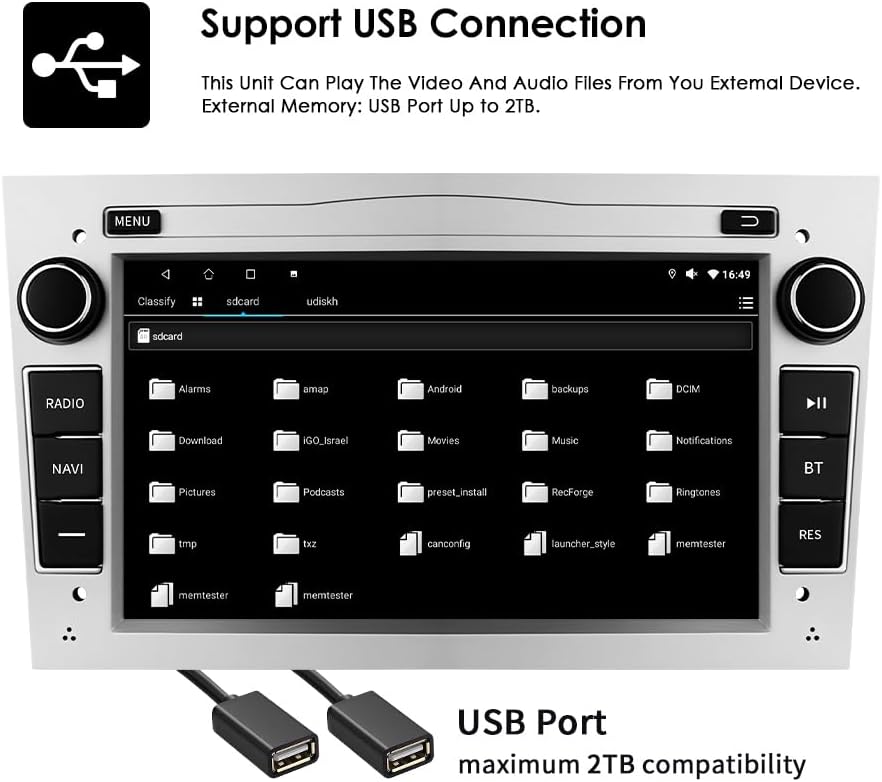
5.4 USB Bağlantısı
Ses ve video oynatmak için harici USB cihazlarını bağlayın. files or access other data. The unit supports USB storage up to 2TB.
- Insert your USB drive into one of the provided USB ports.
- Şuraya gidin: file explorer or media player application on the autoradio.
- Select the USB device to browse and play your media files.
5.5 Multimedya Oynatma
The autoradio supports various audio and video formats for local playback.
- Müzik Formatları: MP3, WMA, AAC, RM, FLAC, vb.
- Video Formatları: MPEG-1/2/4, H.264, H.263, VC1, RV, RMVB, DivX, Sorenson Spark, VP8, AVS Stream, etc.

5.6 GPS Navigasyonu
The unit comes with preloaded European maps and supports both online and offline navigation.
- Ana menüden navigasyon uygulamasına erişin.
- Enter your destination to receive turn-by-turn voice guidance.
- Connect to Wi-Fi for online map updates and real-time traffic information.
5.7 Direksiyon Kontrolü
The autoradio is compatible with your vehicle's factory steering wheel controls, allowing you to manage volume, change tracks, and answer calls without taking your hands off the wheel. Configuration may be required in the unit's settings menu.
5.8 Arka View Kamera Girişi
Uyumlu bir arka view camera is connected, the display will automatically switch to the camera feed when the vehicle is put into reverse gear, providing a clear view Aracın arkasındaki engeller.
6. Bakım
To ensure the longevity and optimal performance of your Ossuret Autoradio, follow these maintenance guidelines:
- Ekran Temizleme: Dokunmatik ekranı nazikçe silmek için yumuşak, tiftiksiz bir bez kullanın. İnatçı lekeler için hafifçe silin.ampBezi su veya ekran temizleyicisiyle silin. Sert kimyasallardan veya aşındırıcı malzemelerden kaçının.
- Genel Temizlik: Üniteyi toz ve kalıntılardan uzak tutun. Havalandırma deliklerini ve düğme boşluklarını temizlemek için yumuşak bir fırça veya basınçlı hava kullanın.
- Yazılım Güncellemeleri: En yeni özelliklere ve hata düzeltmelerine sahip olduğunuzdan emin olmak için üreticiden düzenli olarak yazılım güncellemelerini kontrol edin.
- Aşırı Sıcaklıklardan Kaçının: Do not expose the unit to extreme heat or cold, as this can affect performance and lifespan.
7. Sorun Giderme
Araç radyonuzla ilgili sorunlarla karşılaşırsanız, aşağıdaki yaygın sorunlar ve çözümlere bakın:
| Sorun | Olası Neden | Çözüm |
|---|---|---|
| Güç yok | Yanlış kablolama, atmış sigorta, araç aküsü sorunu | Check power connections, inspect fuses, ensure vehicle battery is charged. |
| Ses yok | Ses seviyesi çok düşük, ses ayarları yanlış, hoparlör kablolamasında sorun var. | Sesi artırın, ses çıkışı ayarlarını kontrol edin, hoparlör bağlantılarını doğrulayın. |
| GPS sinyali kayboldu/zayıfladı | Anten engeli, antenin yanlış yerleştirilmesi | GPS anteninin net bir görüşe sahip olduğundan emin olun view Gökyüzünün durumuna göre gerekirse yeniden konumlandırın. |
| Bluetooth bağlanmıyor | Bluetooth kapalı, yanlış eşleştirme, parazit | Ensure Bluetooth is enabled on both devices, re-pair, move away from other wireless devices. |
| Dokunmatik ekran yanıt vermiyor | Yazılım hatası, ekran hasarı | Cihazı yeniden başlatın. Sorun devam ederse, destek ekibiyle iletişime geçin. |
If the problem persists after attempting these solutions, please contact Ossuret customer support for further assistance.
8. Özellikler
Below are the technical specifications for the Ossuret Autoradio Model B0FPLCMTNZ:
| Özellik | Şartname |
|---|---|
| Marka | Ossuret |
| Model Numarası | B0FPLCMTNZ |
| İşletim Sistemi | Android 13 |
| Veri deposu | 2 GB |
| ROM | 32 GB |
| İşlemci | 4 Çekirdekli*A53 1.5 GHz |
| Ekran Boyutu | 7 inç |
| Ekran Çözünürlüğü | 1024x600 |
| Dokunmatik Ekran Türü | Kapasitif |
| Bağlantı Teknolojisi | Bluetooth, USB, Wi-Fi |
| Özel Özellikler | Wireless Carplay/Android Auto, GPS Navigation, DSP Support |
| Uyumlu Cihazlar | Akıllı telefon |
| Toplam HDMI Bağlantı Noktaları | 1 |
| Ses Çıkışı Modu | Stereo |
| Video Kodlama | H.264, H.265/HEVC, MPEG-4 |
| Kanal Sayısı | 4 |
| Kontrol Yöntemi | Dokunma, Ses |
| Kökeni | Çin |
9. Garanti ve Destek
9.1 Garanti Bilgileri
This Ossuret Autoradio comes with a 1 yıllık üretim garantisi from the date of purchase. This warranty covers defects in materials and workmanship under normal use. It does not cover damage caused by improper installation, accident, misuse, abuse, neglect, unauthorized modification, or normal wear and tear.
9.2 Müşteri Desteği
For technical assistance, warranty claims, or any questions regarding your Ossuret Autoradio, please contact your retailer or the Ossuret customer support team. Have your model number (B0FPLCMTNZ) and proof of purchase ready when contacting support.