
1. Ürün Bittiview
The AJAZZ AJ139 V2 MC is a versatile tri-mode gaming mouse designed for precision and responsiveness. It features a PAW3311 sensor for accurate tracking, a 1000Hz return rate for smooth performance, and a long-lasting 500mAh battery. Its compact and lightweight design makes it suitable for extended use and portability.
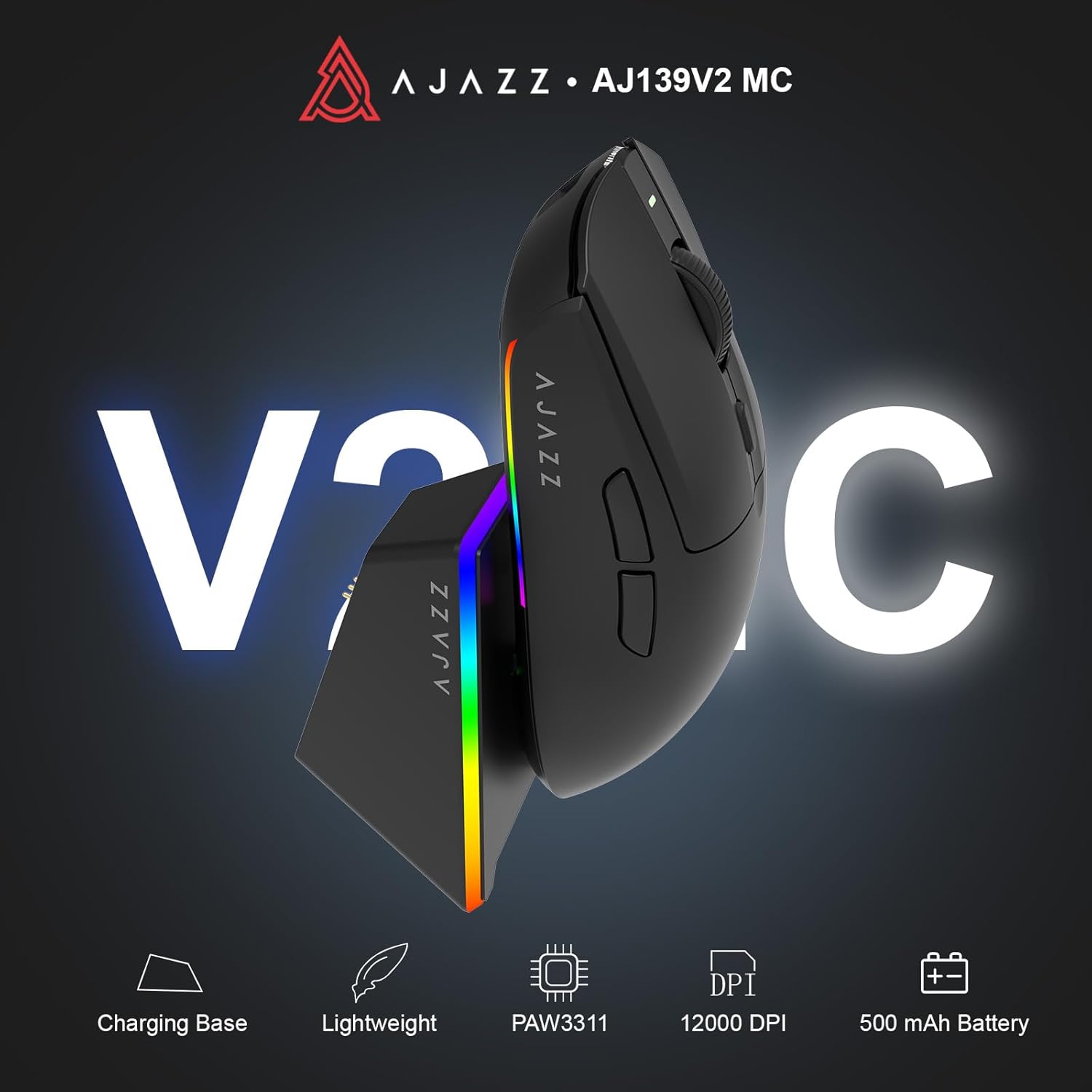
Figure 1.1: AJAZZ AJ139 V2 MC Gaming Mouse and Charging Dock.
Video 1.1: Bir overview of the AJAZZ AJ139 V2 MC Gaming Mouse, highlighting its features and design.
2. Paket İçeriği
Paketin içerisinde tüm ürünlerin mevcut olduğundan emin olun:
- AJAZZ AJ139 V2 MC Oyun Faresi
- Şarj İstasyonu
- USB-C Şarj Kablosu
- 2.4G USB Receiver (Dongle)
- Kullanıcı Kılavuzu
3. Temel Özellikler
- PAW3311 Sensor Technology: Equipped with the PAW3311 sensor, this mouse ensures precise tracking and accurate cursor control for optimal performance.
- High 1000Hz Return Rate: Experience smooth and responsive performance with a 1000Hz return rate, enhancing your gaming or work experience.
- Uzun Ömürlü 500mAh Pil: The integrated 500mAh battery provides extended power, ensuring uninterrupted use for prolonged periods.
- Üç Modlu Bağlantı: Supports versatile connectivity options including Wired, 2.4G Wireless, and Bluetooth, adapting to various devices and setups.
- Kompakt ve Hafif Tasarım: Weighing approximately 66 grams, the mouse features a compact design for easy portability and comfortable use during long sessions.
- Özelleştirilebilir RGB Aydınlatma: Features integrated RGB lighting for personalized aesthetics.
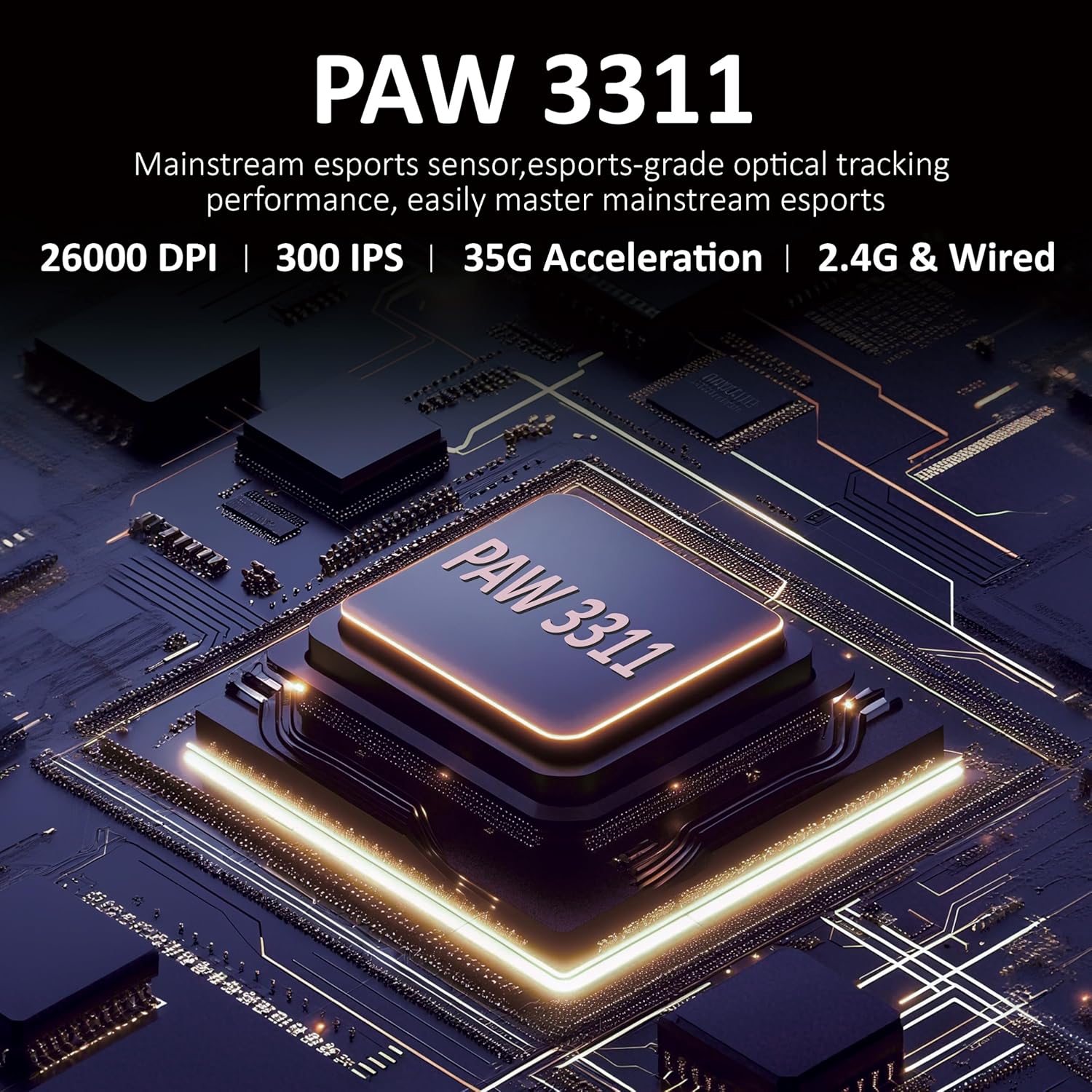
Şekil 3.1: Ayrıntılı view of the PAW3311 sensor technology.
Video 3.1: Demonstration of the mouse's 500mAh battery life.

Figure 3.2: The lightweight design of the AJAZZ AJ139 V2 MC mouse.
4. Kurulum Kılavuzu
4.1. Fareyi Bağlama
The AJAZZ AJ139 V2 MC offers three connection modes:
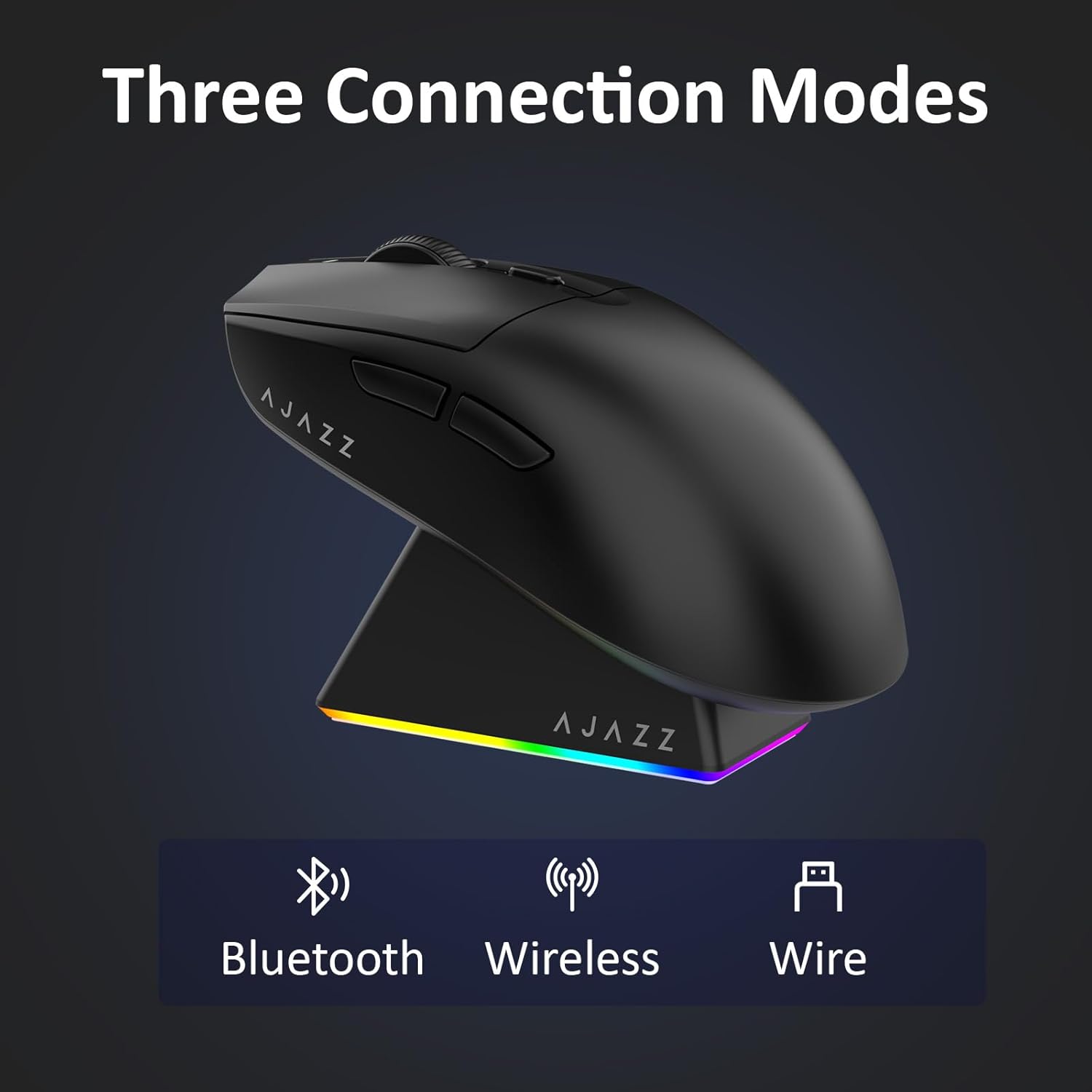
Figure 4.1: Visual representation of the three connection modes.
- 2.4G Kablosuz Modu:
- Farenin alt tarafındaki bölmede bulunan 2.4G USB alıcısını bulun.
- USB alıcısını bilgisayarınızdaki uygun bir USB bağlantı noktasına takın.
- Slide the switch on the bottom of the mouse to the '2.4G' position. The mouse will automatically connect.
- Bluetooth Modu:
- Farenin altındaki düğmeyi 'BT' konumuna getirin.
- Cihazınızda Bluetooth ayarlarını açın ve yeni cihazları arayın.
- Select 'AJAZZ AJ139 V2 MC' from the list to pair.
- Kablolu Mod:
- Connect the USB-C charging cable to the mouse and the other end to your computer's USB port.
- Fare, kablolu bir cihaz gibi çalışacak ve aynı anda şarj olacaktır.
4.2. Fareyi Şarj Etme
The mouse can be charged using the included charging dock or directly via the USB-C cable.
- Şarj İstasyonunun Kullanımı:
- Connect the USB-C charging cable to the charging dock and then to a power source (e.g., computer USB port, USB wall adapter).
- Place the mouse onto the charging dock, aligning the magnetic contacts. The RGB lighting on the dock and mouse will indicate charging status.
- Doğrudan USB-C Şarjı:
- Connect the USB-C charging cable directly to the mouse and a power source.
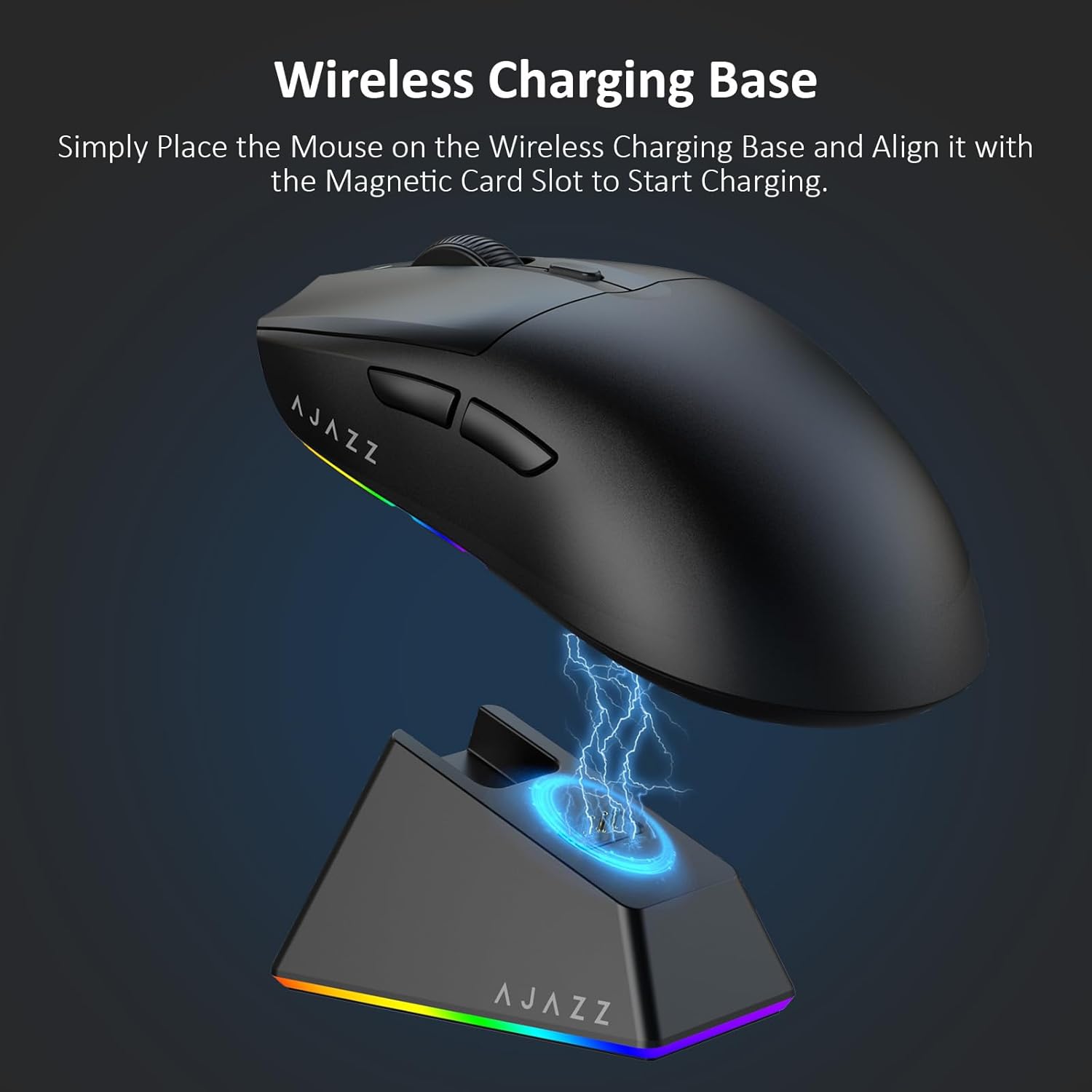
Figure 4.2: The mouse being charged on its wireless charging base.
5. Kullanım Talimatları
5.1. DPI Ayarlaması
The mouse features a dedicated DPI adjustment button on its underside, allowing you to cycle through different sensitivity levels. Press the button to change the DPI setting to suit your preference.
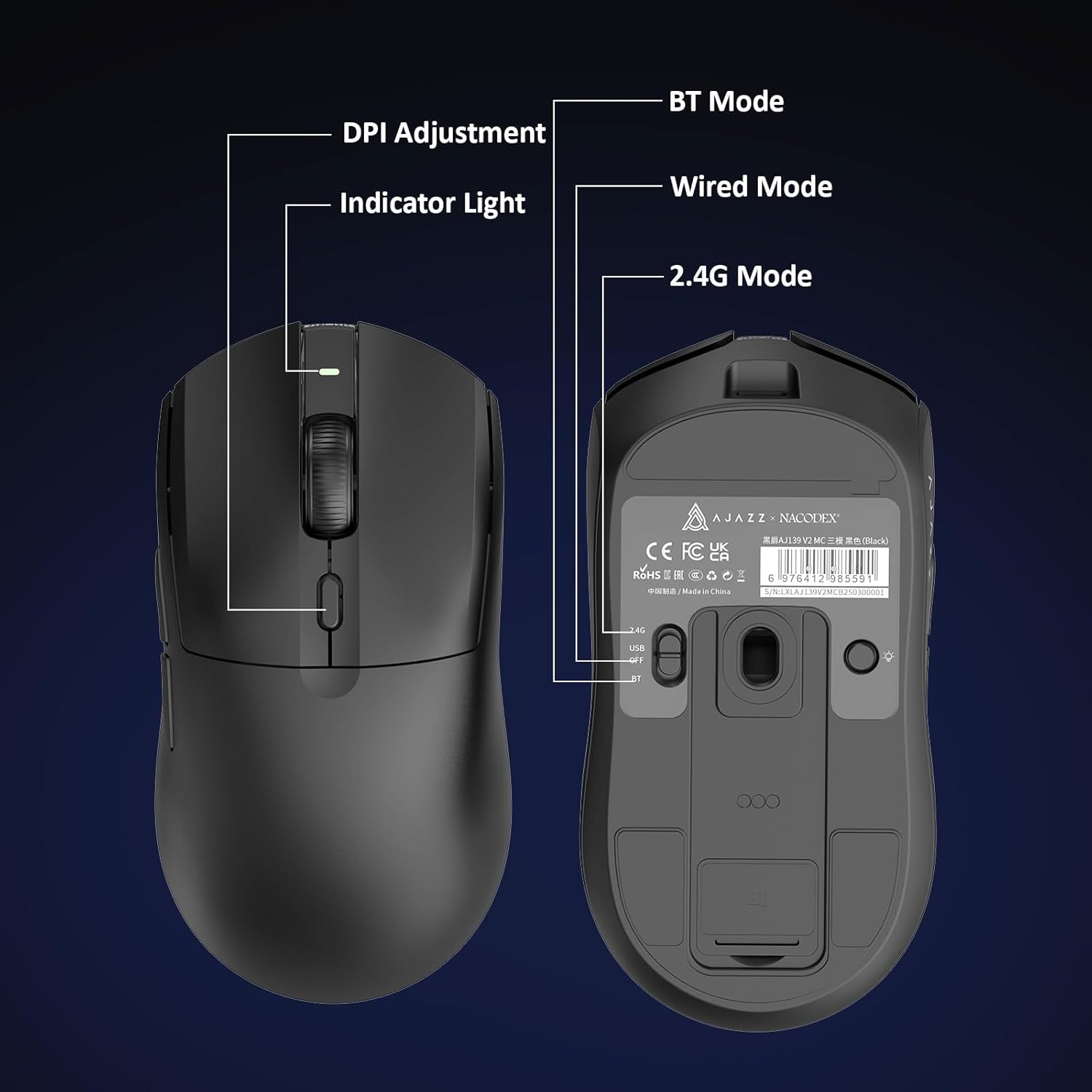
Figure 5.1: Location of the DPI adjustment button and connection mode switch on the mouse underside.
5.2. Düğme Fonksiyonları
The mouse is equipped with 6 programmable buttons:
- Sol Tıklama Düğmesi
- Sağ Tıklama Düğmesi
- Kaydırma Tekerleği (Tıklanabilir)
- DPI Adjustment Button (on underside)
- Two Side Buttons (typically for forward/backward navigation)
For advanced customization of button functions and macros, please refer to the official AJAZZ software (downloadable from the manufacturer's webalan).
5.3. RGB Aydınlatma Kontrolü
The mouse and charging dock feature customizable RGB lighting. Specific controls for lighting modes and colors are typically managed through the official AJAZZ software. A dedicated light button on the underside of the mouse allows for basic cycling or turning off the lighting.
6. Bakım
- Temizlik: Fare yüzeyini temizlemek için yumuşak, kuru bir bez kullanın. İnatçı kirler için, biraz daha kuru bir bez yeterli olacaktır.amp İç bileşenlere nem girmemesini sağlamak için bez kullanılabilir.
- Sensör Bakımı: Doğru izleme performansını korumak için farenin altındaki optik sensörü temiz tutun ve toz veya kirden arındırın.
- Pil Ömrü: Pil ömrünü uzatmak için fareyi sık sık tamamen boşaltmaktan kaçının. Pil göstergesi düşük olduğunda şarj edin.
7. Sorun Giderme
| Sorun | Olası Çözüm |
|---|---|
| Mouse not responding in 2.4G Wireless mode. | Ensure the 2.4G USB receiver is securely plugged into a USB port and the mouse switch is set to '2.4G'. Try a different USB port. |
| Mouse not pairing via Bluetooth. | Ensure the mouse switch is set to 'BT' and your device's Bluetooth is enabled and discoverable. Try unpairing and re-pairing the device. |
| Fare şarj olmuyor. | Verify the USB-C cable is properly connected to both the dock/mouse and the power source. Ensure the mouse is correctly seated on the charging dock's magnetic contacts. |
| Inconsistent tracking or cursor movement. | Farenin altındaki optik sensörü temizleyin. Fareyi uygun bir yüzeyde (örneğin, fare altlığı üzerinde) kullandığınızdan emin olun. |
| RGB aydınlatma çalışmıyor. | Check the mouse's software settings for lighting control. Ensure the mouse has sufficient battery charge. |
8. Teknik Özellikler
| Özellik | Şartname |
|---|---|
| Marka | AJAZZ |
| Model Adı | Aj139 V2 MC |
| Renk | V2 MC Black |
| Bağlantı Teknolojisi | Bluetooth, USB, 2.4G Kablosuz |
| Hareket Algılama Teknolojisi | Optik (PAW3311 Sensörü) |
| Mouse Maximum Sensitivity | 12000 Dots per Inch (DPI) |
| İade Oranı | 1000Hz |
| Pil Kapasitesi | 500mAh |
| Düğme Miktarı | 6 |
| El Yönelimi | Sağ |
| Uyumlu Cihazlar | Masaüstü Bilgisayar |
| İşletim Sistemi | Pencereler |
| Menzil | 10 metre |
| Ürün Ağırlığı | 4 Ons (yaklaşık 113 gram) |
| Ürün Boyutları U x G | 5"U x 2.5"G (yaklaşık 12.7 cm x 6.35 cm) |
| Süsleme Özelliği | RGB Aydınlatma |
| Muhafaza Malzemesi | Plastik |
| Sona ermek | Mat |
9. Garanti ve Destek
This product comes with a standard manufacturer's warranty. For detailed warranty information, please refer to the official AJAZZ websitesine bakın veya satıcınızla iletişime geçin.
For technical support, troubleshooting assistance, or any product-related inquiries, please visit the AJAZZ official support page or contact their customer service team.
Çevrimiçi Kaynaklar:
AJAZZ Official Store