
1. Giriş
Satın aldığınız için teşekkür ederizasing the Ehaho EBS-616 7-inch UTV Sound Bar. This manual provides essential information for the safe and efficient operation of your device. Please read it thoroughly before use and retain it for future reference.
2. Güvenlik Bilgileri
- Do not expose the sound bar to extreme temperatures, direct sunlight, or high humidity.
- Ünite çevresinde uygun havalandırmanın olduğundan emin olun.
- Use only the power adapter and cables provided or specified by the manufacturer.
- Üniteyi sökmeye veya değiştirmeye çalışmayın. Tüm bakım işlemlerini yetkili personele yaptırın.
- Üniteyi su ve diğer sıvılardan uzak tutun.
- İşitme hasarını önlemek için yüksek sesle uzun süre dinlemekten kaçının.
3. Paket İçeriği
Paketin içinde tüm öğelerin mevcut olduğundan emin olun:
- Ehaho EBS-616 UTV Sound Bar
- Uzaktan kumanda
- Montaj Braketleri ve Donanım
- Güç kablosu
- Yardımcı Ses Kablosu
- Kullanım Kılavuzu (bu belge)
4. Ürün Bittiview
The Ehaho EBS-616 is a compact 7-inch UTV sound bar designed for outdoor environments, featuring dual subwoofers, Bluetooth 5.0 connectivity, and a Party Sync function for enhanced audio experience.
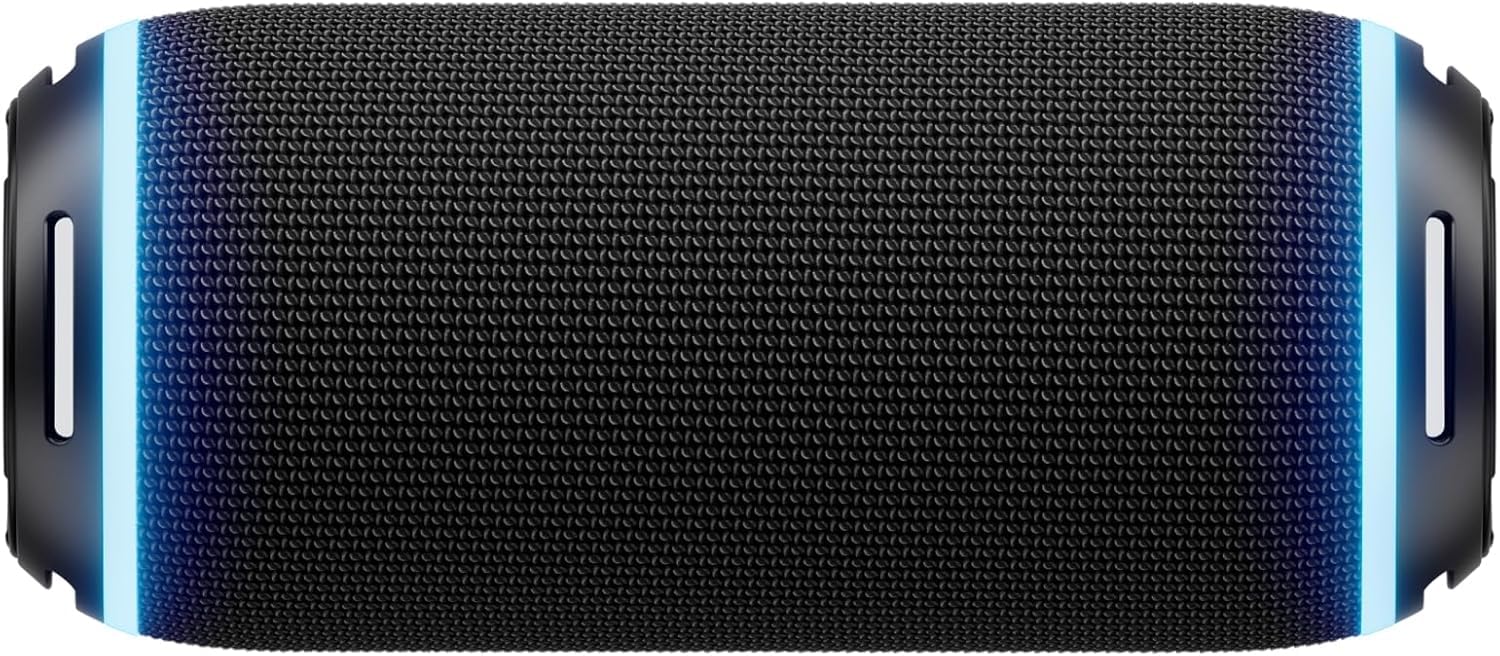
Şekil 4.1: Ön view of the Ehaho EBS-616 UTV Sound Bar, showing the speaker grille and control panel.
4.1. Kontroller ve Bağlantı Noktaları
- Güç Düğmesi: Üniteyi açar veya kapatır.
- Sesi Aç/Kapat: Ses seviyesini ayarlar.
- Mod Düğmesi: Switches between Bluetooth, USB, and AUX input modes.
- Oynat/Duraklat Düğmesi: Medya oynatmayı kontrol eder.
- Parça Atlama Düğmeleri: Sonraki veya önceki parçaya atlar.
- Party Sync Button: Activates or deactivates Party Sync mode.
- USB Bağlantı Noktası: For USB media playback.
- AUX Girişi: Harici ses cihazları için 3.5 mm jak girişi.
- Güç Girişi: DC güç bağlantısı.
5. Kurulum
5.1. Mounting the Sound Bar
- Select a suitable mounting location on your UTV that provides clear sound projection and does not obstruct your view veya kontroller.
- Attach the mounting brackets to the sound bar using the provided screws.
- Securely fasten the sound bar with the attached brackets to the UTV frame using the appropriate hardware. Ensure all connections are tight to prevent vibration.

Şekil 5.1: Illustration of mounting brackets and hardware for securing the sound bar.
5.2. Güç Bağlantısı
- Connect the provided power cable to the DC power input port on the sound bar.
- Connect the other end of the power cable to a suitable 12V DC power source on your UTV. Ensure the connection is secure and properly fused.
5.3. İlk Bluetooth Eşleştirmesi
- Ses çubuğunun açık olduğundan emin olun.
- The sound bar will automatically enter Bluetooth pairing mode, indicated by a flashing LED light.
- Mobil cihazınızda Bluetooth'u etkinleştirin ve mevcut cihazları arayın.
- Select "Ehaho EBS-616" from the list.
- Eşleştirme tamamlandığında, LED göstergesi sürekli yanacak ve bir onay sesi duyacaksınız.
6. Kullanım Talimatları
6.1. Güç Açma/Kapatma
Basılı tutun Güç Düğmesi on the sound bar or the remote control to turn the unit on or off.
6.2. Mod Seçimi
Basın Mod Düğmesi repeatedly to cycle through available input sources: Bluetooth, USB, and AUX.
6.3. Bluetooth Bağlantısı
After initial pairing, the sound bar will automatically attempt to reconnect to the last paired device when powered on and in Bluetooth mode. If reconnection fails, manually select "Ehaho EBS-616" from your device's Bluetooth settings.
6.4. USB Oynatma
MP3/WMA ses dosyaları içeren bir USB flash sürücü takın. files into the USB port. The sound bar will automatically switch to USB mode and begin playback. Use the Oynat/Duraklat Ve Parça Atla oynatmayı kontrol etmek için düğmeler.
6.5. Yardımcı Giriş
Connect an external audio device (e.g., MP3 player, smartphone) to the AUX input port using the provided 3.5mm audio cable. Switch the sound bar to AUX mode using the Mod Düğmesi. Audio will be played from the connected device.
6.6. Ses Kontrolü
Basın Sesi Aç or Sesi Azalt buttons on the sound bar or remote control to adjust the listening volume.
6.7. Party Sync Function
The Party Sync feature allows multiple compatible Ehaho sound bars to connect and play audio simultaneously. To activate:
- Ensure all sound bars are powered on and in Bluetooth mode.
- On the primary sound bar (the one connected to your device), press the Party Sync Button. It will enter pairing mode.
- On the secondary sound bars, also press the Party Sync Button. They will search for the primary unit.
- Once connected, all sound bars will play the same audio.
6.8. Uzaktan Kumanda Kullanımı
The included remote control provides convenient access to all functions. Point the remote control directly at the front of the sound bar for optimal response.

Şekil 6.1: Layout of the Ehaho EBS-616 remote control, showing various function buttons.
7. Bakım
7.1. Temizlik
Wipe the exterior of the sound bar with a soft, dry cloth. Do not use abrasive cleaners, waxes, or solvents. Ensure no liquids enter the ports or speaker grilles.
7.2. Depolama
When not in use for extended periods, store the sound bar in a cool, dry place, away from direct sunlight and extreme temperatures. Disconnect it from the power source.
8. Sorun Giderme
| Sorun | Olası Neden | Çözüm |
|---|---|---|
| Güç yok | Power cable not connected; Power source issue | Check power cable connection; Verify power source is active. |
| Ses yok | Ses seviyesi çok düşük; Yanlış giriş modu; Cihaz çalışmıyor. | Increase volume; Select correct input mode (Bluetooth/USB/AUX); Ensure connected device is playing audio. |
| Bluetooth bağlantısı başarısız oluyor | Ses çubuğu eşleştirme modunda değil; Cihaz çok uzakta; Parazit | Ensure sound bar is in pairing mode; Move device closer; Restart both devices. |
| Uzaktan kumanda çalışmıyor | Battery depleted; Obstruction; Remote not pointed correctly | Replace remote battery; Remove obstructions; Point remote directly at sound bar. |
9. Özellikler
| Özellik | Şartname |
|---|---|
| Örnek | EBS-616 |
| Boyutlar (U x G x Y) | 8.5D x 8.5W x 20H santimetre (yaklaşık 8.48 x 8.48 x 19.99 cm) |
| Bağlantı Teknolojisi | Bluetooth, USB, 3.5mm Auxiliary |
| Konuşmacı Ampkimlik Türü | Aktif |
| Frekans Tepkisi | 40 Hz |
| Ses Çıkışı Modu | Çevrelemek |
| Montaj Tipi | Braket Montajı |
| Dahil Bileşenler | Remote, UTV Sound Bar |
10. Garanti ve Destek
Ehaho products are designed for reliability and performance. For warranty information, please refer to the warranty card included with your purchase or contact Ehaho customer support. For technical assistance or inquiries, please visit the official Ehaho websitesine bakın veya müşteri hizmetleri departmanıyla iletişime geçin.