
1. Giriş
Thank you for choosing the REPTITRIP RP168-C Reptile Humidifier Fogger. This device is designed to maintain optimal humidity levels in reptile terrariums, vivariums, and other enclosures, creating a healthy and comfortable environment for your pets. Please read this manual thoroughly before operation to ensure proper use and longevity of your product.
Önemli Güvenlik Bilgileri
- Always use distilled or demineralized water to prevent mineral buildup and extend the life of the humidifier.
- Ensure the unit is placed on a stable, level surface away from direct sunlight or heat sources.
- Unplug the humidifier from the power outlet before refilling, cleaning, or performing any maintenance.
- Ana üniteyi suya batırmayın.
- Çocukların ve evcil hayvanların erişemeyeceği yerde saklayınız.
- Sis çıkışını veya hava girişini kapatmayın.
2. Paket İçeriği
Lütfen pakette tüm öğelerin mevcut olduğundan emin olun:
- REPTITRIP RP168-C Humidifier Unit
- Esnek Hortum
- Uzaktan kumanda
- 1 C Battery (pre-installed in remote or included separately)
3. Ürün Özellikleri
- Smart Timer for Perfect Habitat Control: Set misting intervals from 1 hour to 7 days and spray duration from 10 seconds to 1 hour. The clear LCD screen displays the countdown to the next misting cycle.
- 3-Stage Mist Output for Custom Humidity: Choose from low (100 ml/h), medium (200 ml/h), or high (300 ml/h) mist levels. Adjust fog output via touchscreen or remote.
- Large 4L Tank for Long-Lasting Performance: A 1.06-gallon water tank provides up to 20 hours of operation. Features a top-fill opening, low-water indicator, and auto-shutoff for safety and convenience.
- Uzaktan kumanda: Adjust settings from a distance for convenience.
- Whisper-Quiet Ultrasonic Mist: Advanced ultrasonic technology ensures silent operation, preventing disturbance to pets or household members.
- Çok Yönlü Kullanım: İçin idealdir amphibians, reptiles, and tropical vivariums, creating a rainforest-like environment.
4. Kurulum
- Atama: Place the humidifier on a stable, flat surface near your reptile's terrarium. Ensure it is not directly exposed to water or excessive humidity from the enclosure.
- Hortumu Bağlayın: Attach the flexible hose to the mist outlet on top of the humidifier. Route the hose into your terrarium, ensuring the mist outlet is positioned to distribute fog evenly without directly soaking any area. The included adapter can be used to secure the hose to a mesh top.
- Su Tankını Doldurun: Open the top lid of the humidifier. Fill the 4L tank with distilled or demineralized water up to the 'MAX' line. Avoid overfilling, as this can affect operation. Securely close the lid.
- Güç Bağlantısı: Plug the power adapter into the humidifier and then into a suitable electrical outlet. The display will illuminate.

Image: Easy top-fill design for convenient water replenishment.
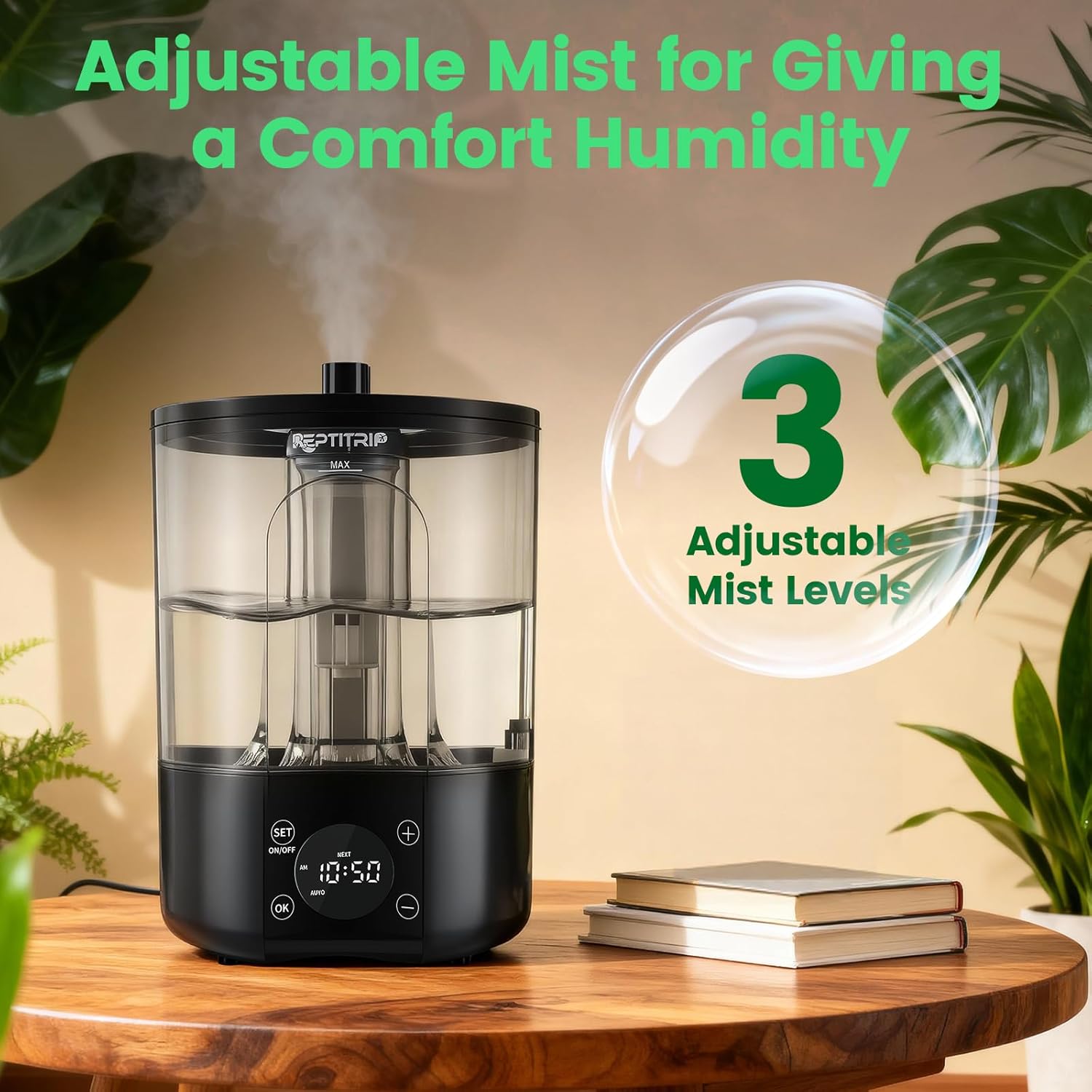
Image: Humidifier connected to a terrarium, demonstrating mist delivery.
5. Kullanım Talimatları
5.1 Güç Açma/Kapatma
Basın GÜÇ uzaktan kumandadaki düğmesine veya AÇIK/KAPALI button on the unit's touchscreen to turn the humidifier on or off.
5.2 Setting the Clock (Current Time)
Geçerli saati ayarlamak için:
- Basın AYARLAMAK button on the remote or unit until 'CLOCK' appears on the display.
- Kullanın + or - Saatleri ayarlamak için düğmelere basın.
- Basın OK button to switch to minutes, then use + or - Ayarlamak.
- Basmak OK again to confirm and exit clock setting.
Video: Demonstrates setting the clock and timer functions on the REPTITRIP humidifier.
5.3 Setting Timer Mode
The timer mode allows you to automate misting cycles. You can set the start time, duration, and frequency of misting.
- Başlangıç Zamanını Ayarlayın:
Basmak AYARLAMAK until 'START' appears. Use + or - to set the desired start hour. Press OK to switch to minutes, then adjust. Press OK onaylamak için. - Set Misting Duration (How Long):
Basmak AYARLAMAK until 'HOW LONG' appears. Use + or - to set the misting duration in minutes and seconds. Press OK to confirm. The duration can be set from 10 seconds to 1 hour. - Set Misting Frequency (How Often):
Basmak AYARLAMAK until 'HOW OFTEN' appears. Use + or - to set the interval between misting sessions in hours or days. Press OK to confirm. The frequency can be set from 1 hour to 7 days.

Image: Custom mist timing settings for precise habitat control.

Image: Auto misting settings for 24/7 habitat care.
5.4 Adjusting Mist Volume
While the humidifier is operating, press the + or - buttons on the remote or unit to cycle through the three mist output levels: Low (100 ml/h), Medium (200 ml/h), and High (300 ml/h).

Image: Adjustable mist for comfortable humidity levels.
5.5 Manuel Mod
Basın KILAVUZ button on the remote control to manually turn the misting on or off, overriding any programmed timer settings. This is useful for immediate adjustments.

Image: Remote control operation for convenient humidity adjustment.
6. Bakım
6.1 Refilling Water
When the water level is low, the humidifier will display a low-water indicator and automatically shut off. To refill, unplug the unit, open the top lid, and pour distilled water into the tank up to the MAX line. Close the lid securely and plug the unit back in.

Image: Water alert feature ensures reliable misting and prevents dry running.
6.2 Temizlik
Regular cleaning is essential to prevent mineral buildup and maintain optimal performance. Unplug the unit before cleaning.
- Su Tankı: Rinse the water tank with clean water. For mineral deposits, use a soft brush and a mild descaling solution (e.g., white vinegar diluted with water). Rinse thoroughly to remove all cleaning agents.
- Mist Outlet and Hose: Ensure the mist outlet and hose are clear of any obstructions. The drain-free hose design helps prevent backflow damage.
- Ana ünite: Taban ünitesinin dışını bir bezle silin.amp bez. Tabanı suya batırmayın.
7. Sorun Giderme
| Sorun | Olası Neden | Çözüm |
|---|---|---|
| No mist produced | Düşük su seviyesi Ünite açık değil Hortum tıkalı | Su tankını yeniden doldurun Ensure unit is plugged in and powered on Check hose for kinks or blockages |
| Timer not working as expected | Yanlış zamanlayıcı ayarları Clock not set correctly | Review and adjust timer settings (Start Time, How Long, How Often) Set the current clock time accurately |
| Lid pops off or is loose | Improper seating Hose tension | Ensure the lid is securely seated and aligned Adjust hose position to reduce tension on the lid |
| Unit stops misting after refilling | Aşırı doldurulmuş su deposu | Ensure water level does not exceed the 'MAX' line. Remove excess water if necessary. |
| Aşırı mineral birikimi | Musluk suyu kullanarak | Always use distilled or demineralized water. Clean the unit regularly as per maintenance instructions. |
8. Özellikler
| Özellik | Detay |
|---|---|
| Marka | REPTITRIP |
| Model Adı | RP168-C |
| Özel Özellik | Adjustable Humidity Control, Fog Adjustment, Quiet |
| Renk | Siyah |
| Ürün Boyutları | 7.8"D x 7.8"G x 10.5"Y |
| Ürün Ağırlığı | 1.34 Pound |
| Dahil Bileşenler | Humidifier, Hose |
| Şekil | Yuvarlak |
| Üretici | REPTITRIP |
| Piller | 1 C battery required (included for remote) |
| Kapasite | 1 Galon (4 Litre) |
9. Garanti ve Destek
For warranty information or technical support, please refer to the product packaging or contact REPTITRIP customer service directly. Keep your purchase receipt as proof of purchase.