
FOREVER iGo Watch 4 JW-600
Forever iGo Watch 4 JW-600 Smartwatch User Manual
1. Giriş
Welcome to the user manual for your new Forever iGo Watch 4 JW-600 Smartwatch. This guide provides essential information on how to set up, operate, and maintain your device, ensuring you get the most out of its features. The iGo Watch 4 combines modern design with advanced functionalities, including an AMOLED touch screen, comprehensive health monitoring, and over 100 sport modes.
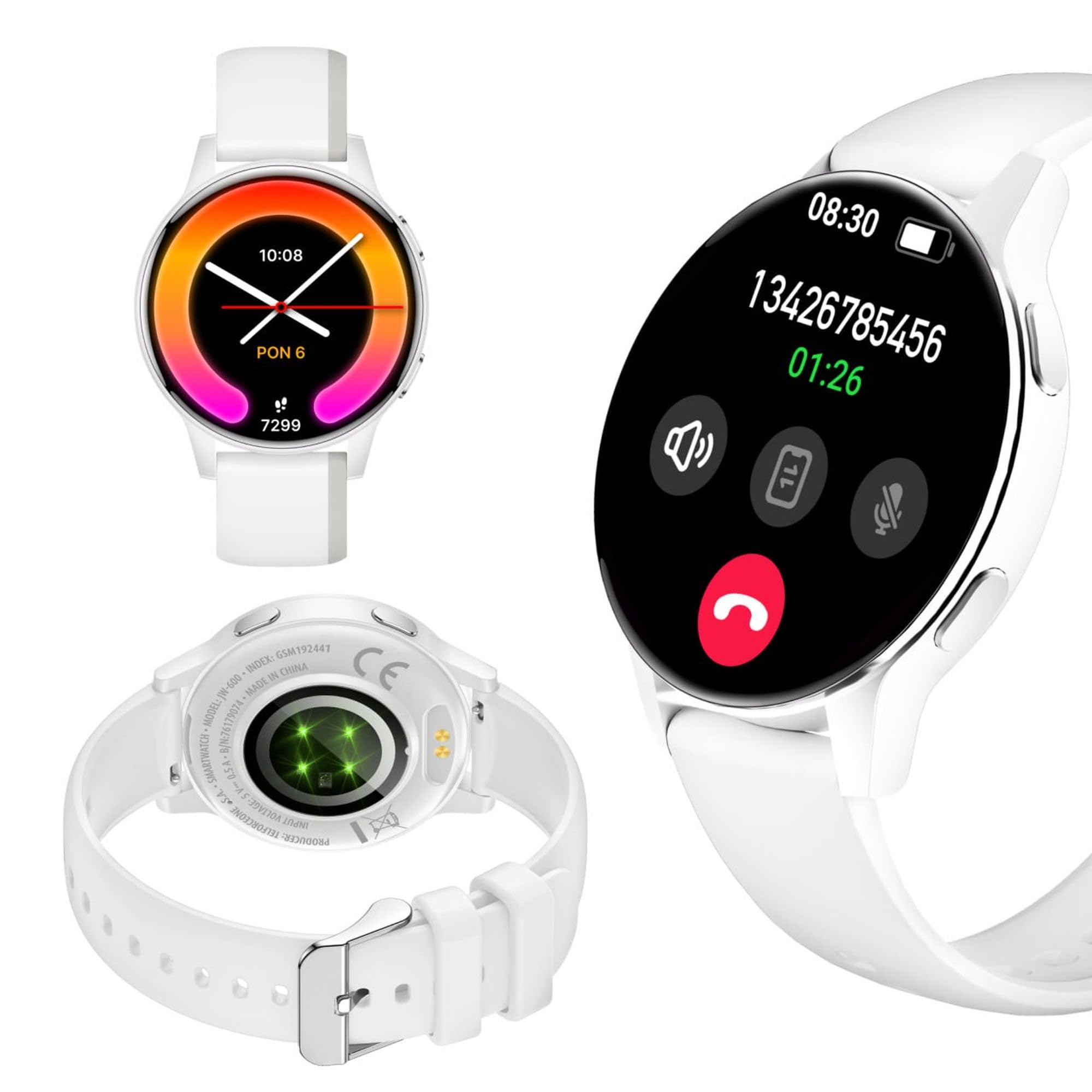
Image: Silhouette of a person wearing the Forever iGo Watch 4 smartwatch, highlighting its sleek design.

Image: Three Forever iGo Watch 4 smartwatches in black, white, and pink, illustrating the available color versions.
2. Paket İçeriği
Upon opening your Forever iGo Watch 4 package, please ensure all items are present and in good condition. Your package should contain:
- Forever iGo Watch 4 Smartwatch
- Manyetik Şarj Kablosu
- Two interchangeable straps (e.g., one pre-installed, one additional)
- Kullanım Kılavuzu (bu belge)

Image: Packaging for the white Forever iGo Watch 4, indicating included items and features.

Image: Two Forever iGo Watch 4 smartwatches, one white and one black with an orange accent, highlighting the two included straps.
3. Kurulum
3.1. Akıllı Saati Şarj Etme
Before first use, fully charge your smartwatch. Connect the magnetic charging cable to the charging points on the back of the watch and plug the USB end into a power adapter (not included) or a computer's USB port. A full charge takes approximately 2 hours and provides up to 7 days of typical use.

Image: Illustration of the smartwatch's durable battery, capable of up to 7 days of typical usage.
3.2. Açma/Kapama
- Açmak İçin: Ekran ışığı yanana kadar yan düğmeye basılı tutun.
- Kapatmak İçin: Navigate to the settings menu on the watch, select 'Power Off', and confirm. Alternatively, press and hold the side button and select 'Power Off' when prompted.
3.3. Uygulama Kurulumu ve Eşleştirme
To unlock the full potential of your iGo Watch 4, download the dedicated companion app on your smartphone (compatible with Android and iOS). Arama the app name (usually 'Forever Smart' or similar, check packaging for exact name) in your phone's app store.
- Uygulamayı akıllı telefonunuza indirin ve yükleyin.
- Akıllı telefonunuzda Bluetooth’u etkinleştirin.
- Uygulamayı açın ve hesap oluşturmak veya giriş yapmak için ekrandaki talimatları izleyin.
- In the app, select 'Add Device' or 'Pair Device' and choose 'iGo Watch 4' from the list of available devices.
- Eşleştirme isteğini hem akıllı telefonunuzdan hem de akıllı saatinizden onaylayın.
4. Akıllı Saatin Çalıştırılması
4.1. Navigation and Display
The iGo Watch 4 features a responsive 1.28-inch AMOLED touch screen with a resolution of 416x416 pixels, providing clear visuals even in bright sunlight. Navigate through menus and functions by swiping across the screen and tapping icons.
- Yukarı/Aşağı Kaydırma: Menüler veya bildirimler arasında gezinin.
- Sola/Sağa Kaydır: Hızlı işlevlere veya farklı araçlara erişin.
- Musluk: Bir öğeyi seçin veya bir uygulamayı açın.
- Yan Düğme: Ana ekrana dönmek veya cihazı uyandırmak için basın.

Resim: Yakın çekim view of the smartwatch display, showing its vibrant AMOLED screen and clear resolution.

Image: Visual representation of the AMOLED screen's size (1.28 inches) and resolution (416x416 pixels).
4.2. Özelleştirilebilir Saat Kadranları
Personalize your smartwatch by choosing from a variety of free watch faces available through the companion app. You can switch between classic and futuristic designs to match your mood or style.

Image: A selection of customizable watch faces available for the iGo Watch 4.

Image: Different watch face options, illustrating the ability to change your watch's appearance daily.
4.3. Notifications and Bluetooth Calls
Once paired with your smartphone, the iGo Watch 4 allows you to receive notifications for calls, SMS messages, and various applications directly on your wrist. You can also make and receive Bluetooth calls without needing to take out your phone.
- Gelen Çağrılar: The watch will vibrate and display the caller ID. You can answer or reject calls directly from the watch.
- Mesajlar: Read SMS and app notifications (e.g., WhatsApp, Messenger) on the watch screen.

Image: A person interacting with the smartwatch, with icons representing phone calls and messages, demonstrating Bluetooth connectivity.

Image: Visual representation of the smartwatch's Bluetooth call and notification capabilities.
4.4. Sağlık İzleme
The iGo Watch 4 is equipped with various sensors to help you monitor your health and well-being. Access these features through the watch's menu or the companion app.
- Kalp Atış Hızı Ölçümü: Gün boyunca kalp atış hızınızı takip edin.
- Uyku İzleme: Track your sleep patterns, including different sleep phases, to help improve your sleep quality.
- Gerilim Ölçümü: Check your stress levels and receive suggestions for breathing exercises to help manage tension.
- Kan Oksijen Doygunluğu (SpO2): Kanınızdaki oksijen seviyesini ölçün.
- Kan Basıncı Ölçümü: Monitor your blood pressure (note: this feature is for reference only and not a medical device).
- Kadın Sağlığı: Adet döngülerini ve ilgili verileri takip edin.
- Su Tüketimi Hatırlatıcısı: Gün boyunca su içmek için hatırlatıcılar ayarlayın.
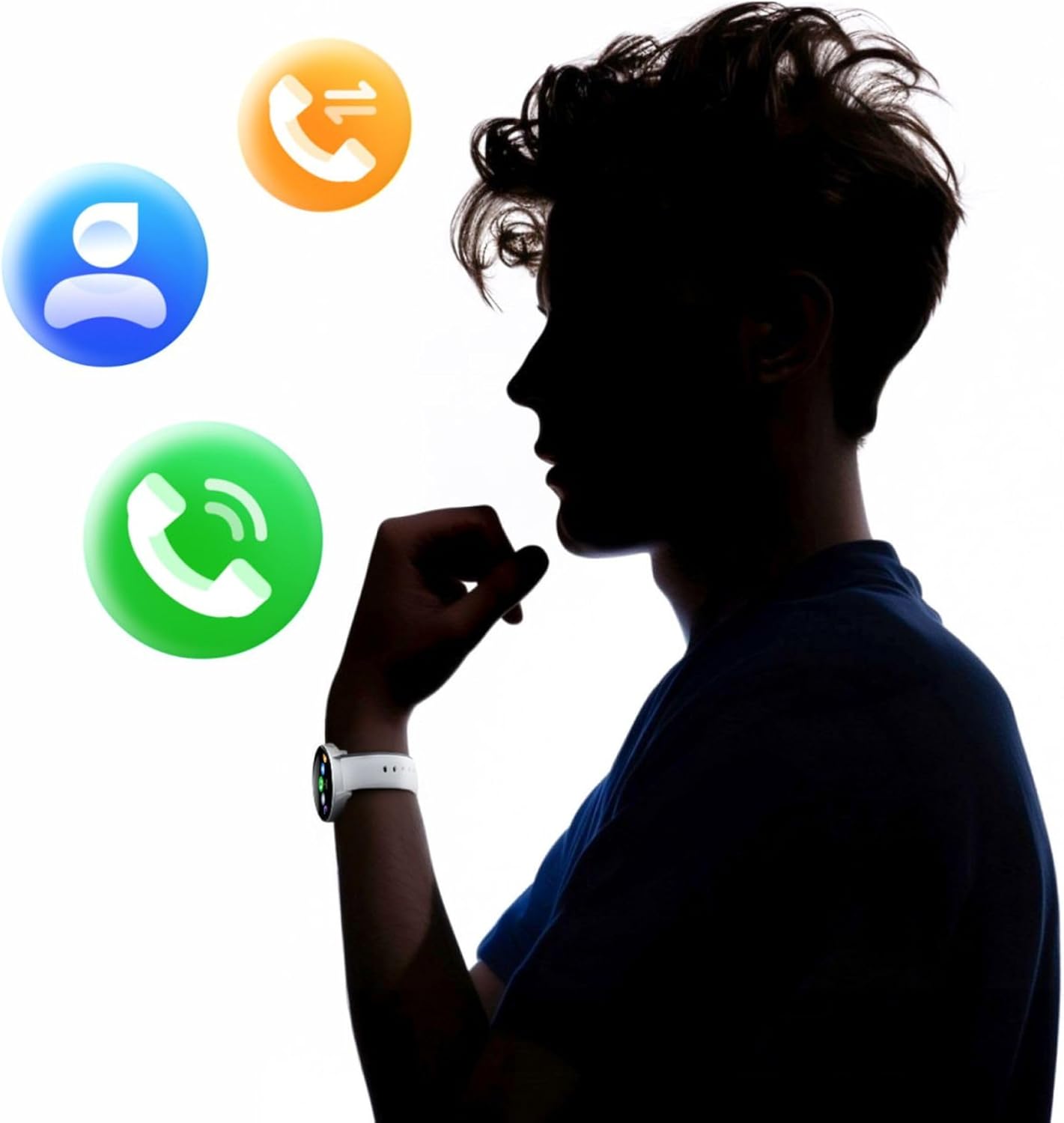
Image: A smartphone displaying the health monitoring app, surrounded by icons for various health metrics like heart rate, blood pressure, and sleep.

Image: Illustration of the sleep monitoring feature, showing sleep duration and phases.

Image: The stress measurement feature, showing how the watch helps monitor stress levels and suggests breathing exercises.
4.5. Spor Modları
With over 100 sport modes, the iGo Watch 4 is designed to track a wide range of physical activities, from running to tennis. The watch accurately counts your steps, distance, and burned calories, providing detailed insights into your workouts through the companion app.

Image: The smartwatch displaying activity data, including calories, steps, and distance, during a workout.

Image: Illustration of the smartwatch's capability to track over 100 sport modes, counting steps and calories.
4.6. Other Smart Functions
The iGo Watch 4 offers several additional smart features to enhance your daily life:
- Müzik Kontrolü: Akıllı telefonunuzdaki müzik çalmayı doğrudan saatinizden kontrol edin.
- Sesli Asistan: Akıllı telefonunuzun sesli asistanına erişin.
- Hava Durumu tahmini: Gerçek zamanlı hava durumu güncellemelerini alın.
- Cihazı Bul: Eğer Bluetooth menzili içindeyse, eşleştirilmiş akıllı telefonunuzu bulun.
- Çalar Saat: Alarm ve hatırlatıcılar ayarlayın.
- Uzaktan Kamera Kontrolü: Saatinizi akıllı telefonunuzun kamerası için uzaktan kumanda deklanşörü olarak kullanın.

Image: The smartwatch displaying icons for various smart functions, including music control, weather, and remote camera.

Image: The smartwatch's interactive 3D menu, highlighting useful smart functions like music control and voice assistant.
5. Bakım
5.1. Akıllı Saatinizi Temizleme
To keep your iGo Watch 4 in optimal condition, regularly clean the device. Use a soft, dry, lint-free cloth to wipe the screen and body. For stubborn smudges, slightly dampen the cloth with water. Avoid using harsh chemicals or abrasive materials, as these can damage the watch.
5.2. Suya Dayanıklılık (IP67)
The iGo Watch 4 is rated IP67, meaning it is protected against dust ingress and can withstand immersion in water up to 1 meter for up to 30 minutes. This makes it suitable for daily use, such as washing hands or being exposed to rain and splashes. However, it is not recommended for swimming, showering with hot water, or diving, as steam and high water pressure can compromise the seals.
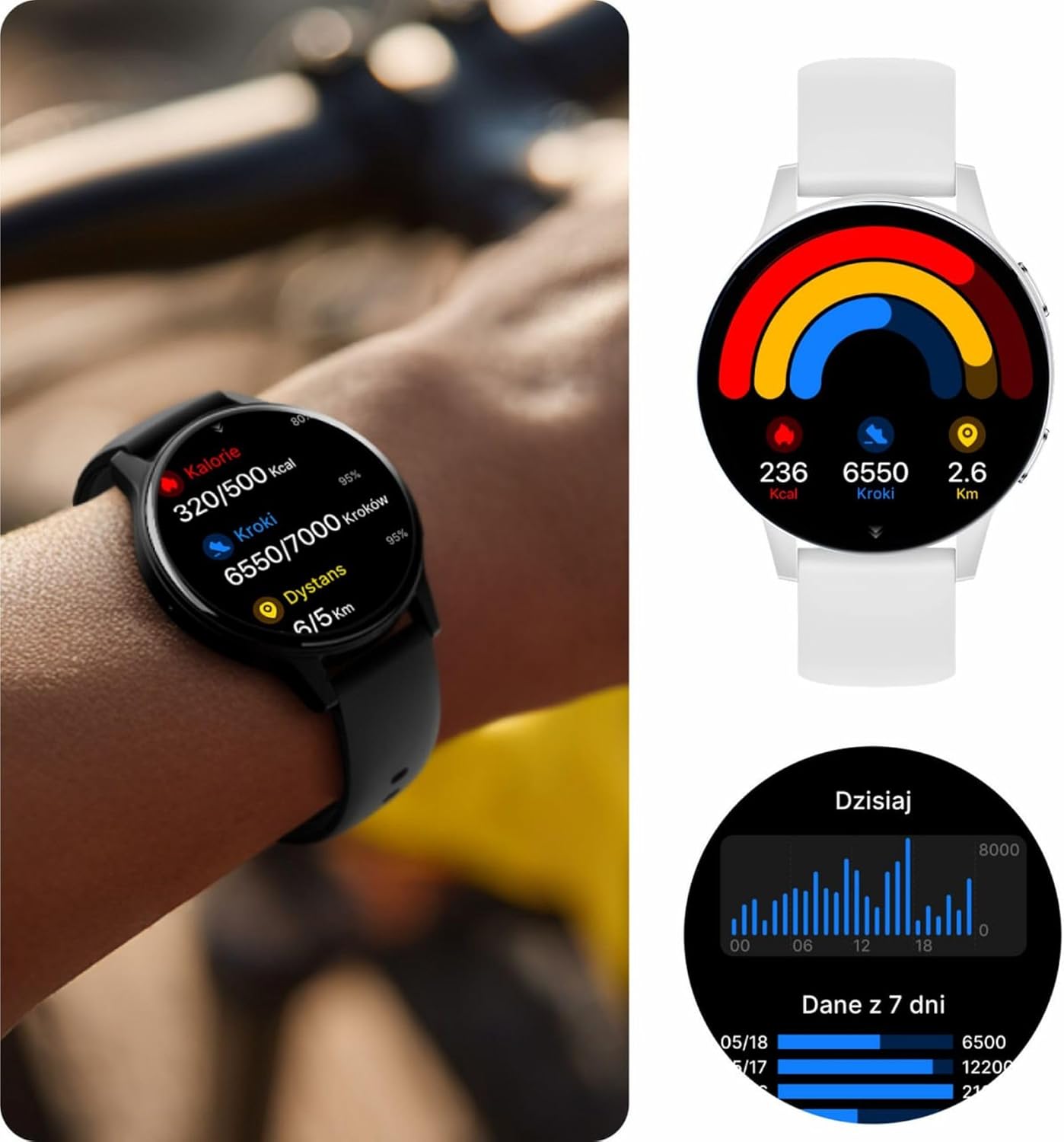
Image: Visual representation of the IP67 waterproof rating, indicating protection against water splashes and brief immersion.

Image: Stylized graphic emphasizing the IP67 waterproof feature of the smartwatch.
6. Sorun Giderme
If you encounter any issues with your Forever iGo Watch 4, please refer to the following common solutions:
- Saat açılmıyor: Saatinizin tam şarjlı olduğundan emin olun. Saatinizi en az 30 dakika şarj cihazına takın.
- Akıllı telefonla eşleştirilemiyor:
- Akıllı telefonunuzda Bluetooth'un etkinleştirildiğinden emin olun.
- Saatin akıllı telefonunuzun menzilinde olduğundan emin olun.
- Hem akıllı telefonunuzu hem de akıllı saatinizi yeniden başlatın.
- Yardımcı uygulamanın en son sürüme güncellenip güncellenmediğini kontrol edin.
- Bildirimler görünmüyor:
- Akıllı telefonunuzda yardımcı uygulamaya bildirim izinlerinin verildiğinden emin olun.
- Saatin Bluetooth üzerinden doğru şekilde bağlandığından emin olun.
- Check the app's settings to ensure notifications for specific applications are enabled.
- Yanlış sağlık verileri:
- Saatin bileğinize tam oturduğundan, çok gevşek veya çok sıkı olmadığından emin olun.
- Saatin arkasındaki sensörleri temizleyin.
- Ölçüm sırasında aşırı hareketlerden kaçınınız.
- Kısa pil ömrü:
- Ekran parlaklığını azaltın.
- Disable unnecessary features or continuous monitoring if not required.
- Limit the number of notifications received.
If the problem persists, please consult the official Forever support resources or contact customer service.
7. Özellikler
Below are the technical specifications for the Forever iGo Watch 4 JW-600 Smartwatch:
| Özellik | Şartname |
|---|---|
| Marka | SONSUZA KADAR |
| Örnek | iGo Watch 4 JW-600 (GSM192441) |
| Görüntü Türü | AMOLED |
| Ekran Boyutu | 1.28 inç |
| Ekran Çözünürlüğü | 416 x 416 piksel |
| Pil Kapasitesi | 280 mAh |
| Ortalama Pil Ömrü | 7 Güne Kadar |
| Şarj Süresi | 2 Saat |
| Suya Dayanıklılık | IP67 |
| Ağırlık | 33.9 gr |
| Kalınlık | 10.6 mm |
| Uyumlu Cihazlar | Akıllı telefon (Android, iOS) |
| İnsan Arayüzü Girişi | Dokunmatik Panel |
| Özel Özellikler | 100+ Sport Modes, Sleep Monitor, Heart Rate, Stress, Blood Oxygen, Blood Pressure, Bluetooth Calls, Notifications |
| Depolama Kapasitesi | 128 GB (for data storage, not app installation) |
| Küresel Konumlama Sistemi | Hiçbiri |
| Kablosuz Tip | 802.11n |

Image: Illustration of the smartwatch's ultra-slim and light form, detailing its weight and thickness.
8. Garanti ve Destek
Your Forever iGo Watch 4 JW-600 Smartwatch comes with a manufacturer's warranty. Please refer to the warranty card included in your package or the official Forever webGaranti şartları ve koşullarıyla ilgili ayrıntılı bilgi için lütfen siteyi ziyaret edin.
For technical support, troubleshooting assistance, or any other inquiries, please visit the official Forever support page or contact their customer service through the contact information provided on their websitenizde veya ürün dokümanlarınızda.
Ask a question about this manual
Ask about setup, troubleshooting, compatibility, parts, safety, or missing instructions. Manuals+ will review the question and use this page’s manual context to help answer it.