
1. Giriş
This manual provides essential information for the safe and efficient use of your XIAOMI Redmi 15 5G Smartphone. Please read it carefully before using the device and keep it for future reference.
2. Paket İçeriği
Paketinizin aşağıdaki öğeleri içerdiğini doğrulayın:
- XIAOMI Redmi 15 5G Smartphone
- Koruyucu Kılıf
- USB-C Kablosu
- SIM İtici Aracı
Not: A power adapter is not included in the package. Please use a compatible 33W fast charger for optimal charging performance.
3. Cihaz Düzeni
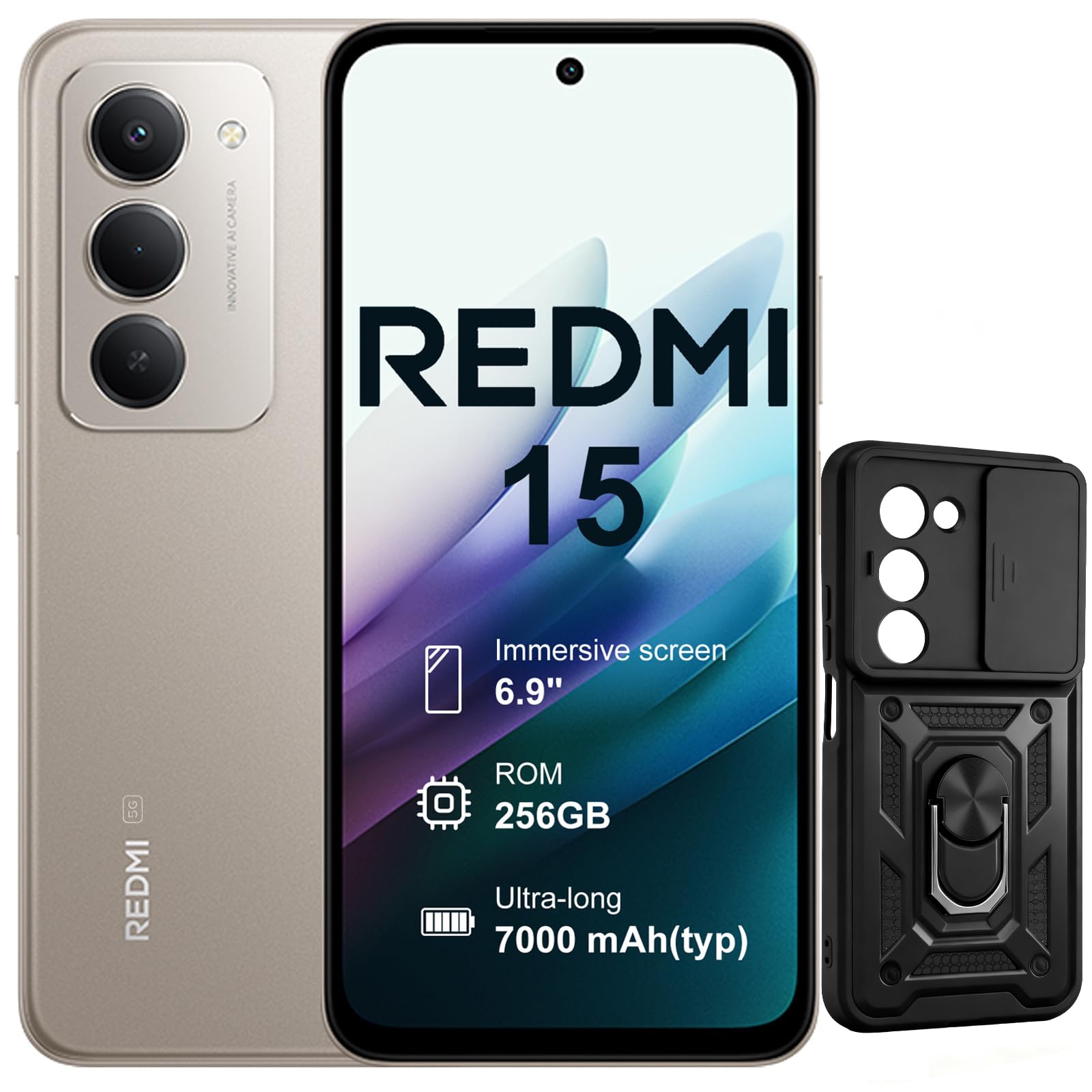
Resim: Ön ve arka view of the XIAOMI Redmi 15 5G Smartphone. The device features a large display on the front and a triple camera setup on the rear.
Akıllı telefonunuzun fiziksel bileşenlerini tanıyın:
- Güç Düğmesi: Located on the side, used to power on/off or wake/sleep the device. Also integrates the fingerprint sensor.
- Ses Düğmeleri: Yan tarafta bulunur ve medya ve arama ses seviyesini ayarlamak için kullanılır.
- USB-C Bağlantı Noktası: Located at the bottom, for charging and data transfer.
- 3.5 mm Kulaklık Girişi: Located on the top/bottom, for connecting wired headphones.
- SIM Kart Tepsisi: Located on the side, for inserting Nano SIM cards.
- Ön Kamera: Located on the display, for selfies and video calls.
- Arka Kameralar: Multiple lenses on the back for high-quality photography and video recording.
4. Kurulum
4.1. SIM Kartların Takılması
- Cihazınızın yan tarafında bulunan SIM kart tepsisini bulun.
- SIM kart çıkarma aracını tepsinin yanındaki küçük deliğe yerleştirin ve tepsi dışarı çıkana kadar sıkıca bastırın.
- Place your Nano SIM card(s) into the designated slots on the tray. This device supports Dual SIM.
- Tepsiyi dikkatlice telefona yeniden takın.
4.2. İlk Güç Açma ve Kurulum
- XIAOMI logosu görünene kadar Güç düğmesini basılı tutun.
- Dilinizi seçmek, bir Wi-Fi ağına bağlanmak ve Google hesabınızı kurmak için ekrandaki talimatları izleyin.
- Configure security features such as fingerprint recognition (integrated into the power button) and screen lock.
5. Akıllı Telefonunuzu Kullanma
5.1. Görüntüleme ve Etkileşim
The Redmi 15 features an immersive 6.9-inch FHD+ display with a 144Hz refresh rate for smooth visuals. It also includes an all-day eye-care display for comfortable viewIng.

Resim: Bir kişi viewing the smartphone screen in a dimly lit room, demonstrating the all-day eye-care display feature for reduced eye strain.
The device incorporates Wet Touch Technology 2.0, ensuring accurate touch response even when your fingers are wet or covered with oil or foam.

Image: A person interacting with the smartphone while at the beach, illustrating the Wet Touch Technology 2.0 which allows for accurate touch input even with wet fingers.
5.2. Kamera Özellikleri
The Redmi 15 5G is equipped with a 50MP AI dual camera system, offering features like Super Resolution mode and dynamic shots. Video recording is stabilized in 4K.
5.3. Bağlantı ve Performans
Powered by the Snapdragon 6 Gen 3 processor with integrated 5G modem, the device provides ultra-fast downloads and smooth gaming. It ensures powerful and fluid multitasking even with demanding applications.

Image: A graphic representation of the Snapdragon 6s Gen 3 processor, highlighting its 5G capabilities and support for up to 16GB RAM with memory extension.
5.4. Özel Özellikler
Google ile Arama Yapmak İçin Daire İçine Alın: This feature allows you to instantly search for anything you see on your phone by circling, scribbling, or tapping to pinpoint items without needing screenshots.

Image: A smartphone screen demonstrating the "Circle to Search with Google" feature, where a user circles an item in an image to perform a search and view related results.
6. Bakım ve Akü Yönetimi
6.1. Battery Charging and Longevity
The device is equipped with a 7000mAh battery, providing up to 2 days of typical use. It supports 33W turbo charging for quick power-ups.

Image: A smartphone screen displaying a charging animation with "86.11%" and "MI TURBO CHARGE", alongside text highlighting the benefits of 33W turbo charging.
The battery is designed for durability, maintaining at least 80% of its original capacity after 1600 full charging cycles. Even at 1% battery level, the phone can remain in standby mode for up to 7.5 hours or allow up to 59 minutes of calls.

Image: A graphic illustrating "1% power endurance" with call and standby times, and "1600 charge cycles, capacity still ≥80%", emphasizing battery longevity.
The device also supports 18W reverse charging, allowing it to function as a portable power bank for other devices.

Image: Two smartphones connected via a cable, demonstrating the 18W reverse charging feature where one phone charges another, effectively acting as a power bank.
6.2. Environmental Resilience
The Redmi 15 5G is designed for reliable performance even in low temperatures, with enhanced battery performance at -20°C. It is also water-resistant.

Image: A smartphone with frost on its edges, illustrating its reliable performance and battery endurance at -20°C, with specific video playback and call times.
7. Sorun Giderme
Cihazınızla ilgili sorunlarla karşılaşırsanız, aşağıdaki temel sorun giderme adımlarını deneyin:
- Cihaz Yanıt Vermiyor: Yeniden başlatmayı zorlamak için Güç düğmesini yaklaşık 10-15 saniye basılı tutun.
- Ağ Sorunları: Check if your SIM card is properly inserted. Try toggling Airplane Mode on and off. Verify your mobile data settings.
- Şarj Sorunları: Ensure the USB-C cable is securely connected to both the phone and the power adapter (not included). Try a different cable or power source.
- Uygulama Arızaları: Uygulamayı kapatıp yeniden açın. Sorun devam ederse, uygulamanın önbelleğini temizleyin veya yeniden yükleyin.
- Parmak İzi Sensörü Çalışmıyor: Parmaklarınızın temiz ve kuru olduğundan emin olun. Gerekirse parmak izlerinizi yeniden kaydedin.
For more advanced troubleshooting, please refer to the official XIAOMI support resources.
8. Özellikler
| Özellik | Şartname |
|---|---|
| Marka | XIAOMI |
| Model Adı | Redmi 15 |
| İşletim Sistemi | Android 15 |
| Veri deposu | 8 GB |
| Depolama Kapasitesi | 256 GB |
| Ekran Boyutu | 6.9 inç |
| Çözünürlük | 2460x1080 |
| Yenileme Hızı | 144 Hz |
| Hücresel Teknoloji | 5G |
| SIM Kart Yuvaları | Çift SIM |
| Biyometrik Tanımlama | Parmak İzi Tanıma |
| Su Direnç Seviyesi | Su geçirmez |
| Kulaklık girişi | 3.5 mm |
| Ön Kamera Çözünürlüğü | 8 MP |
| Arka Kamera Çözünürlüğü | 50 MP |
| Pil Kapasitesi | 7000 mAh |
| Ortalama Pil Ömrü | 2 Gün |
| Boyutlar | 16.9x8x0.8 cm |
| Şarj Portu | USB-C |
9. Garanti Bilgileri
Your XIAOMI Redmi 15 5G Smartphone comes with a 2 yıllık üretici garantisiBu garanti, normal kullanım koşullarındaki malzeme ve işçilik kusurlarını kapsar. Garanti talepleriniz için lütfen satın alma belgenizi saklayın.
For detailed warranty terms and conditions, please visit the official XIAOMI website veya müşteri desteği ile iletişime geçin.
10. Destek
For further assistance, technical support, or service inquiries, please contact XIAOMI customer support through their official channels. You can also visit the official XIAOMI store for more information and resources:


