
1. Önemli Güvenlik Bilgileri
Please read all safety instructions before using this product. Failure to follow these instructions may result in electric shock, fire, or injury.
- Do not expose the power bank to extreme temperatures (above 45°C or below 0°C) or direct sunlight.
- Do not disassemble, modify, or repair any part of the power bank.
- Powerbank cihazınızı sudan ve diğer sıvılardan uzak tutun.
- Powerbank'i düşürmeyin, delmeyin veya aşırı güç uygulamayın.
- Kullanım ve şarj sırasında uygun havalandırmayı sağlayın.
- This power bank is CCC Certified and includes 9 safety mechanisms: overcharge, overcurrent, short circuit, overvoltage, over-discharge, overheat, recovery, overpower, and flame-retardant casing koruması.

Image: Advanced safety protection features of the VENTION Power Bank.
2. Ürün Bittiview
The VENTION 45W 20000mAh Power Bank is a portable charging solution designed for various electronic devices. It features a high-capacity battery, fast charging capabilities, and a compact design for travel convenience.
- 45W Yüksek Hızlı Şarj: Supports Power Delivery (PD) and PPS protocols for rapid charging of compatible devices.
- 20000mAh Kapasite: Provides multiple charges for smartphones and tablets, and can partially charge laptops.
- Dahili USB-C Kablosu: Integrated USB-C cable for convenient charging without needing an extra cable. This cable also functions as a lanyard.
- LED Dijital Ekran: Kalan pil yüzdesini gösterirtage.
- Çoklu Çıkış Bağlantı Noktaları: Includes an additional USB-C port (45W output) and a USB-A port (22.5W output) for charging up to three devices simultaneously.
- Kompakt ve Taşınabilir Tasarım: Smaller than many smartphones, making it easy to carry in pockets or bags.

Image: The VENTION 45W 20000mAh Power Bank.

Image: The compact size of the VENTION Power Bank compared to a smartphone.

Image: The built-in USB-C cable also serves as a convenient lanyard.
3. Paket İçeriği
Paketin içeriği şu şekildedir:
- 1 x VENTION 45W 20000mAh Power Bank
- 1 x Drawstring Bag
- 1 x Kullanım Kılavuzu
4. Özellikler
| Özellik | Şartname |
|---|---|
| Marka | MÜCADELE |
| Model Adı | FHGH0 |
| Model Numarası | FHG |
| Pil Kapasitesi | 20000 Miliamp Saat (77Wh) |
| Pil Hücresi Tipi | Lityum Polimer |
| Pil Ağırlığı | 254 Gram |
| Input (Built-in USB-C Cable) | 5V=3A, 9V=3A, 12V=2.5A, 15V=2A, 20V=1.5A (Maksimum 30W) |
| Giriş (USB-C Bağlantı Noktası) | 5V=3A, 9V=3A, 12V=2.5A, 15V=2A, 20V=1.5A (Maksimum 30W) |
| Çıkış (Dahili USB-C Kablosu) | 5V=3A, 9V=3A, 12V=3A, 15V=3A, 20V=2.25A (Maksimum 45W) |
| Çıkış (USB-C Bağlantı Noktası) | 5V=3A, 9V=3A, 12V=3A, 15V=3A, 20V=2.25A (Maksimum 45W) |
| Çıkış (USB-A Bağlantı Noktası) | 5V=3A, 9V=2.5A, 12V=1.87A (Maksimum 22.5W) |
| Toplam Çıktı | 5V=3A |
| Dimensions (L x W x Thickness) | 6.1"L x 4.3"W x 1.4"Th (10.35 x 7.14 cm) |
| Özel Özellik | Slim, LED Digital Display, Built-in USB-C Cable |
| Renk | Gri |
5. Kurulum
5.1 Power Bank'ın İlk Şarjı
Before first use, fully charge the power bank to ensure optimal performance. The LED digital display will show the battery percentage. A full charge is indicated by 100% on the display.
- Connect the built-in USB-C cable or a separate USB-C cable to the power bank's input port.
- Connect the other end of the cable to a compatible USB wall charger (not included). For fastest charging, use a 30W or higher PD-compatible charger.
- LED ekran şarj işleminin ilerlemesini gösterecektir.
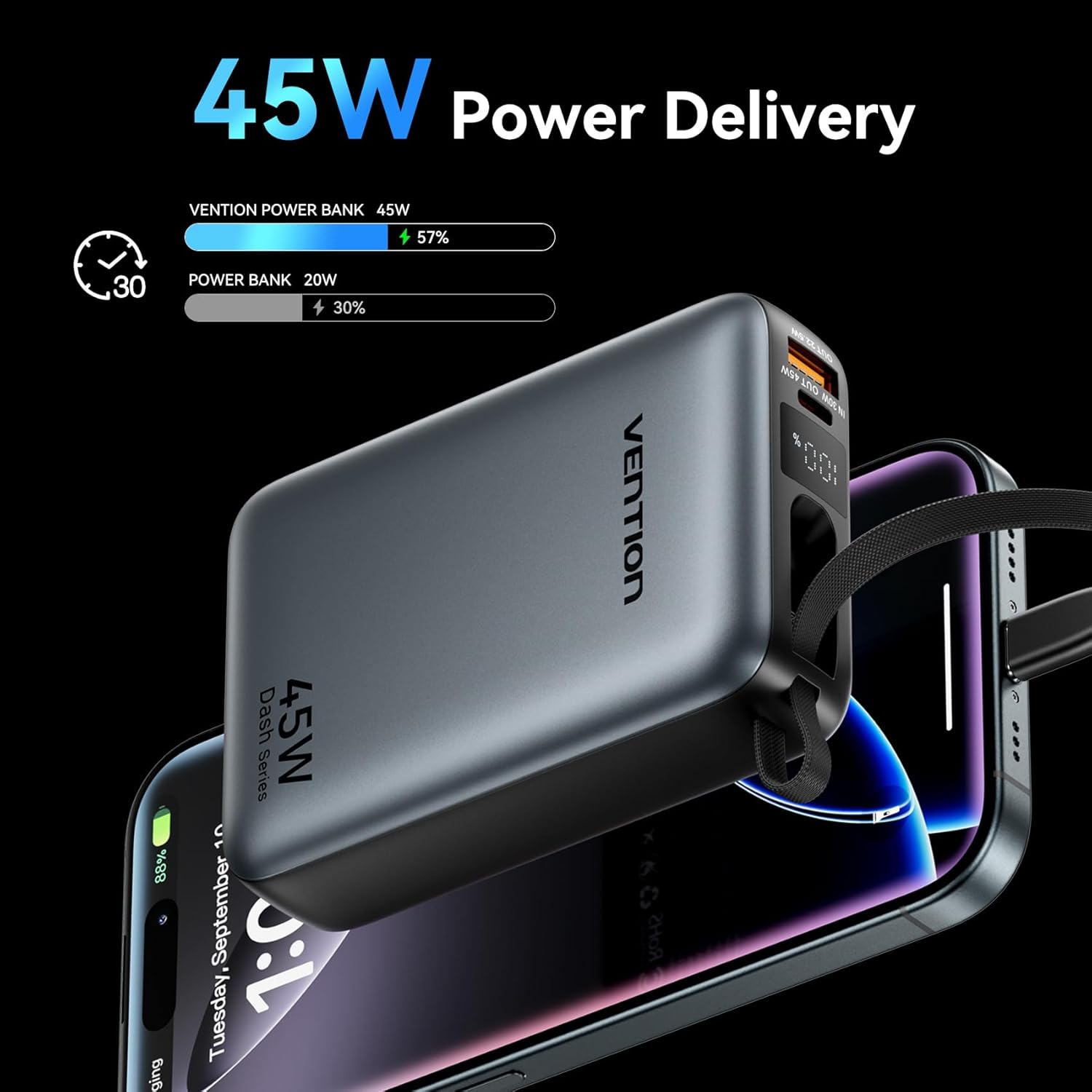
Image: The power bank's LED display showing charging status.
6. Kullanım Talimatları
6.1 Şarj Cihazları
The power bank can charge various devices using its built-in USB-C cable, dedicated USB-C port, or USB-A port.
- Dahili USB-C Kablosunu Kullanma: Pull out the integrated USB-C cable from its storage slot and connect it directly to your device's USB-C charging port.
- USB-C Portunu Kullanma: Connect a compatible USB-C to USB-C cable (not included) to the power bank's USB-C output port and then to your device.
- USB-A Portunu Kullanma: Connect a compatible USB-A to your device's charging cable (not included) to the power bank's USB-A output port and then to your device.
Power bank, cihazınızı otomatik olarak şarj etmeye başlayacaktır. LED ekran, kalan pil yüzdesini gösterecektir.tage.
6.2 Eşzamanlı Şarj
The VENTION Power Bank supports charging up to three devices concurrently using its built-in USB-C cable, USB-C port, and USB-A port. Note that the total output will be shared among the devices, and charging speed may vary depending on the number of devices and their power requirements.

Image: Charging three devices simultaneously with the power bank.

Image: The built-in USB-C cable ready for use.
7. Bakım ve Özen
Proper maintenance ensures the longevity and performance of your power bank.
- Temizlik: Powerbank'i yumuşak, kuru bir bezle silin. Sert kimyasallar veya aşındırıcı malzemeler kullanmayın.
- Depolamak: Powerbank cihazınızı serin, kuru ve doğrudan güneş ışığından ve aşırı sıcaklıklardan uzak bir yerde saklayın.
- Pil Sağlığı: To maintain optimal battery health, fully charge the power bank at least once every 3-6 months, even if not in use. Avoid completely discharging the battery frequently.
- Sıcaklık Kontrolü: The power bank features smart temperature control to prevent overheating during operation and charging.

Image: Smart temperature control system for safe operation.
8. Sorun Giderme
If you encounter issues with your VENTION Power Bank, refer to the following common problems and solutions:
- Powerbank şarj olmuyor:
- Şarj kablosunun hem powerbank'a hem de duvar şarj cihazına güvenli bir şekilde bağlandığından emin olun.
- Duvar şarj cihazının doğru çalıştığından ve yeterli güç sağladığından emin olun (örneğin, 30W PD şarj cihazı).
- Farklı bir şarj kablosu veya duvar adaptörü deneyin.
- Cihaz powerbank'ten şarj olmuyor:
- Güç bankasının yeterli şarjı olup olmadığını kontrol edin.
- Ensure the cable connecting the power bank to your device is securely connected and compatible.
- Try a different port on the power bank or a different charging cable.
- Some devices may require specific charging protocols; ensure your device is compatible with the power bank's output.
- Yavaş şarj oluyor:
- Ensure your device supports fast charging protocols (PD/PPS) and that you are using a compatible cable.
- Charging speed may decrease as the power bank's battery level increases to protect the device.
- Charging multiple devices simultaneously can reduce the charging speed for each individual device.
9. Garanti ve Destek
VENTION products are designed and manufactured to the highest quality standards. For warranty service or support, please contact VENTION directly.
- Webalan: www.ventiontech.com
- E-posta: vention@ventiontech.com