
1. Ürün Bittiview
The InnoVibe Bluetooth Speaker (Model IVSP1597BK) is a versatile device combining a portable Bluetooth speaker, a sound machine with sleep therapy sounds, and a 15W wireless charger. This manual provides instructions for setup, operation, maintenance, and troubleshooting.

Image 1.1: The InnoVibe Bluetooth Speaker with a smartphone charging on its top surface.

Image 1.2: Key features of the InnoVibe speaker, including built-in speaker, wireless charger, sound machine, 6 built-in sounds, 3 timer modes, and rechargeable battery.
2. Paket İçeriği
Lütfen paketi aşağıdaki öğeler açısından kontrol edin:
- InnoVibe Bluetooth Speaker (Model IVSP1597BK)
- USB Şarj Kablosu
- Kullanım Kılavuzu (bu belge)
- Piller (önceden takılmış)
3. Kurulum
3.1 İlk Şarj
Before first use, fully charge the speaker. Connect the provided USB charging cable to the charging port on the speaker and to a compatible USB power adapter (not included). The charging indicator light will show the charging status.
3.2 Açma/Kapatma
- Açmak için: Güç düğmesini 2-3 saniye basılı tutun.
- Kapatmak için: Güç düğmesini 2-3 saniye basılı tutun.
3.3 Bluetooth Eşleştirme
Cihazınızı Bluetooth aracılığıyla bağlamak için:
- Hoparlörün açık olduğundan emin olun. Yanıp sönen bir LED ışığıyla belirtildiği gibi, otomatik olarak Bluetooth eşleştirme moduna girecektir.
- Akıllı telefonunuzda veya tabletinizde Bluetooth ayarlarına gidin.
- Select "InnoVibe Speaker" from the list of available devices.
- Bağlantı kurulduktan sonra LED göstergesi yanıp sönmeyi bırakacak ve sürekli yanacaktır.

Image 3.1: The InnoVibe speaker connected via Bluetooth, playing music from a smartphone.
4. Kullanım Talimatları
4.1 Bluetooth Ses Çalma
After successful Bluetooth pairing, you can stream audio from your connected device. Use the volume controls on the speaker or your connected device to adjust the sound level. The speaker provides 3W audio output.
4.2 Sleep Therapy Sounds
The speaker includes 6 built-in sleep therapy tracks to aid relaxation and sleep. These include White Noise, Ocean Waves, Lullaby, Brook, Rain & Thunder, and Crackling Fire. Use the dedicated button to cycle through the available sounds.
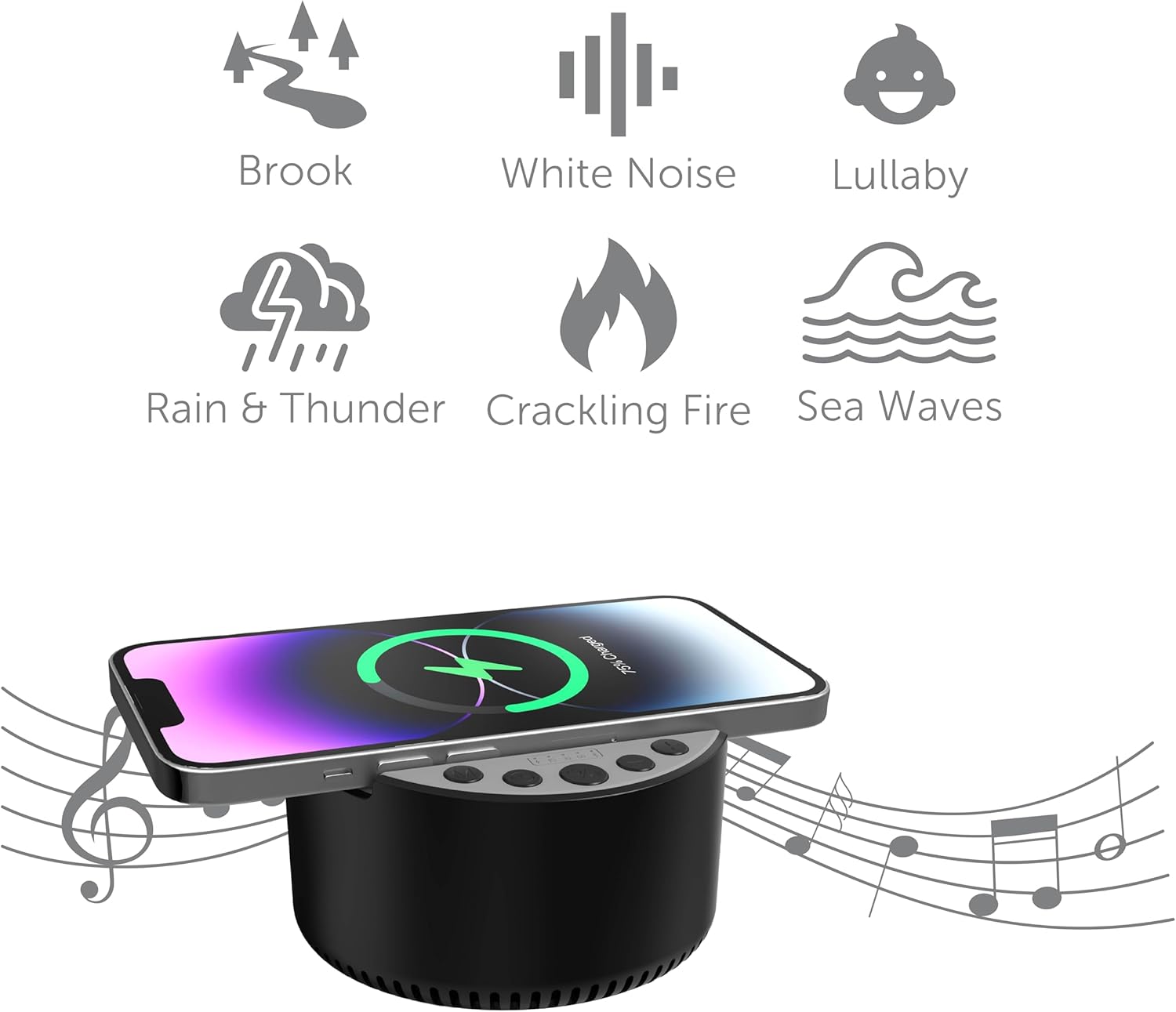
Image 4.1: Visual representation of the six built-in sleep therapy sounds.

Image 4.2: The InnoVibe speaker functioning as a sound machine on a nightstand.
4.3 Zamanlayıcı Modları
The speaker features three auto-off timer modes: 15, 30, and 60 minutes. Press the Timer button to cycle through these options. The speaker will automatically power off after the selected duration, conserving battery life.
4.4 15W Wireless Charging
The top surface of the speaker is equipped with a 15W wireless charging pad. To use this feature:
- Place your Qi-enabled smartphone or device directly onto the center of the charging pad.
- Ensure the device is properly aligned for optimal charging.
- Cihazınızdaki şarj göstergesi, şarj işleminin başladığını doğrulayacaktır.

Image 4.3: A smartphone wirelessly charging on the InnoVibe speaker on a desk.
5. Bakım
5.1 Temizlik
To clean the speaker, use a soft, dry cloth. Do not use abrasive cleaners, solvents, or harsh chemicals, as these may damage the surface or internal components. Avoid exposing the device to excessive moisture.
5.2 Pil Bakımı
The speaker contains a rechargeable battery. To prolong battery life:
- Pilin sık sık tamamen boşaltılmasından kaçının.
- Uzun süre kullanmasanız bile cihazınızı düzenli olarak şarj edin.
- Cihazı kullanılmadığında serin ve kuru bir yerde saklayın.
5.3 Depolama
When storing the speaker for an extended period, ensure it is fully charged and then power it off. Store it in a dry environment away from direct sunlight and extreme temperatures.
6. Sorun Giderme
6.1 Güç Yok
- Pili Kontrol Edin: Hoparlörün şarjının dolu olduğundan emin olun. USB kablosunu kullanarak bir güç kaynağına bağlayın.
- Güç Düğmesi: Press and hold the Power button for 2-3 seconds to ensure it's properly turned on.
6.2 Bluetooth Not Connecting
- Speaker in Pairing Mode: Ensure the speaker's LED indicator is flashing, indicating it's in pairing mode.
- Device Bluetooth On: Verify Bluetooth is enabled on your smartphone or tablet.
- Mesafe: Make sure your device is within 33 feet (10 meters) of the speaker.
- Cihazı Unut: If previously paired, try 'forgetting' the speaker from your device's Bluetooth list and re-pairing.
- Cihazları Yeniden Başlatın: Power off and on both the speaker and your Bluetooth device.
6.3 Wireless Charging Not Working
- Qi-Enabled Device: Confirm your smartphone or device supports Qi wireless charging.
- Hizalama: Cihazın şarj pedinin üzerinde ortalandığından emin olun.
- Dava Müdahalesi: Kablosuz şarjı engelleyebilecek kalın telefon kılıflarını çıkarın.
- Güç Kaynağı: Ensure the speaker itself has sufficient power or is connected to a power source.
6.4 Ses Yok
- Ses Seviyeleri: Check the volume on both the speaker and your connected device.
- Bluetooth Bağlantısı: Hoparlörün Bluetooth aracılığıyla düzgün bir şekilde bağlandığından emin olun.
- Ses Kaynağı: Verify that audio is playing on your connected device.
7. Özellikler
| Özellik | Şartname |
|---|---|
| Model Adı | IVSP1597BK |
| Marka | InnoVibe |
| Bağlantı Teknolojisi | Bluetooth |
| Hoparlör Maksimum Çıkış Gücü | 3 Watt |
| Kablosuz Şarj Çıkışı | 15 Watt |
| Dahili Sesler | 6 Sleep Therapy Tracks |
| Zamanlayıcı Modları | 15, 30, 60 dakika |
| Pil | Rechargeable (500mAh) |
| Ürün Boyutları | 2.52"D x 3.98"G x 4.02"Y |
| Ürün Ağırlığı | 13.3 ons |
| UPC | 810182221014 |
8. Garanti ve Destek
This InnoVibe product is covered by a manufacturer's warranty. Please refer to the warranty card included in your package for specific terms and conditions. For technical support, troubleshooting assistance, or warranty claims, please contact InnoVibe customer service through the contact information provided on the product packaging or the official InnoVibe webalan.