
1. Giriş
The Glocusent N15 Stereo Sunrise Alarm Clock is designed to enhance your sleep and wake-up experience. It features a sunrise simulation light, multiple white noise tracks, various color light options, Bluetooth speaker functionality, FM radio, and TF card support. This manual provides detailed instructions for setting up and operating your device.
2. Paket İçeriği
- 1x Glocusent N15 Sunrise Alarm Clock
- 1x Güç Adaptörü
- 1x 59-inch USB-C Cable
- 1x Kullanım Kılavuzu
3. Ürün Bittiview
3.1 Ön Panel Kontrolleri

Resim: Ön view of the Glocusent N15 Sunrise Alarm Clock, highlighting the touch-sensitive control buttons around the digital display.
- Alarm Clock 1 Setting: Set or adjust Alarm 1.
- Saat Ayarı: Set or adjust the current time.
- Decrease Brightness/Time (-): Decrease light brightness or adjust time/duration.
- Işık Modu Anahtarı: Cycle through light modes (warm white, RGB colors).
- Increase Brightness/Time (+): Increase light brightness or adjust time/duration.
- Sleep Mode Setting: Activate or adjust sleep aid mode.
- Alarm Clock 2 Setting: Set or adjust Alarm 2.
- Uyuklama: Alarmı geçici olarak durdurun.
3.2 Arka Panel Kontrolleri ve Bağlantı Noktaları

Resim: Arka view of the Glocusent N15 Sunrise Alarm Clock, showing the various ports and control buttons.
- Next Track/Volume Up (V+): Skip to the next track or increase volume.
- Oynat/Duraklat: Sesi oynatın veya duraklatın.
- Previous Track/Volume Down (V-): Go to the previous track or decrease volume.
- Power On/Off/Audio Mode Switch (MODE): Power the device on/off or switch between audio modes.
- USB girişi: USB cihazlarını bağlamak için.
- TF Kart Girişi: TF (MicroSD) kart takmak için.
- Ekran Parlaklığı Ayarı: Adjust the brightness of the digital time display.
- C Tipi Giriş Bağlantı Noktası: Cihazın güç girişi.
4. Kurulum
4.1 İlk Güç Açma
Connect the provided USB-C cable to the Type-C input port on the rear of the alarm clock and plug the power adapter into a wall outlet. The device will power on automatically.
4.2 Zaman Ayarı
Geçerli saati ayarlamak için:
- Basın Saat ayarı button once. The hour display will start blinking.
- Kullanın + or - Saati ayarlamak için düğmeler.
- Basın Saat ayarı button again. The minute display will start blinking.
- Kullanın + or - Dakikaları ayarlamak için düğmeler.
- Basın Saat ayarı button a third time to confirm and exit time setting mode.
- To switch between 12-hour and 24-hour format, long press the Saat ayarı düğme.
Not: When connected via Bluetooth, the clock's time will automatically update.
4.3 Alarm Ayarları (Alarm 1 ve Alarm 2)
The device supports two independent alarms. To set an alarm:
- Basın Çalar Saat 1 Ayarı (veya Çalar Saat 2 Ayarı) button once. The hour display will blink.
- Kullanın + or - alarm saatini ayarlamak için düğmeler.
- Basın Çalar Saat 1 Ayarı (veya Çalar Saat 2 Ayarı) button again. The minute display will blink.
- Kullanın + or - Alarm dakikalarını ayarlamak için düğmeler.
- Basın Çalar Saat 1 Ayarı (veya Çalar Saat 2 Ayarı) button again to set the alarm duration (10, 20, 30, or 40 minutes for sunrise simulation). Use + or - seçmek için.
- Basın Çalar Saat 1 Ayarı (veya Çalar Saat 2 Ayarı) button again to select the alarm tone (14 white noise tracks). Use + or - seçmek için.
- Basın Çalar Saat 1 Ayarı (veya Çalar Saat 2 Ayarı) button one more time to confirm the alarm settings. The alarm icon will appear on the display.
- To turn an alarm off, long press its respective Çalar Saat Ayarı button. Long press again to turn it back on.
5. Kullanım Talimatları
5.1 Sunrise Simulation Alarm

Resim: The Glocusent N15 Sunrise Alarm Clock showing its light gradually increasing in brightness over time, simulating a natural sunrise.
The sunrise alarm gradually brightens over your chosen duration (10, 20, 30, or 40 minutes) before your set alarm time. The selected white noise track will also gradually increase in volume, providing a gentle wake-up experience.
Video: This video demonstrates the sunrise simulation feature of the Glocusent N15 Alarm Clock, showing how the light gradually brightens to gently wake the user.
5.2 Sleep Aid Mode (Sunset Simulation)

Resim: The Glocusent N15 Sunrise Alarm Clock displaying a white noise option (rain) and a softly dimming light, indicating its sleep aid function.
The sleep aid mode allows you to wind down with gradually dimming light and softening sound over 30, 60, 90, or 120 minutes. Choose from 14 white noise tracks or play audio via Bluetooth, FM radio, or TF card. To activate, press the Uyku Modu Ayarı düğme ve kullanım + or - to select the desired duration. The light will dim and sound will fade until it turns off. Long press the Uyku Modu Ayarı button to exit anytime.
5.3 Aydınlatma Fonksiyonları

Resim: The Glocusent N15 Sunrise Alarm Clock showcasing its ability to display various RGB colors and warm white light, with stepless dimming indicated.
The device offers 1800–3400K warm white light and 7 RGB color options. Press the Işık Modu Anahtarı button to cycle through warm white and RGB colors. Use the + or - buttons to adjust the brightness (10 levels) of the light. Long press + or - to continuously adjust brightness.
5.4 Ses Modu

Resim: The Glocusent N15 Sunrise Alarm Clock shown as an audio hub, indicating support for Bluetooth, FM Radio, and TF Card playback.
The N15 features dual 5W stereo speakers and supports multiple audio input modes:
- Built-in White Noise: 14 professionally recorded sounds (e.g., birdsong, rain, ocean waves). Select during alarm or sleep aid setup.
- FM Radyo: Long press the rear MOD button to switch to FM radio. Long press the Oynat/Duraklat button to auto-scan and save stations (up to 15). Short press Previous Track/Volume Down (V-) or Next Track/Volume Up (V+) to switch between saved stations.
- TF Kart Oyunu: Insert a TF (MicroSD) card into the TF Card Slot on the rear. Long press the rear MOD button to switch to TF Play mode.
- Bluetooth Hoparlör: Long press the rear MOD Bluetooth moduna geçmek için düğmesine basın. Arama "N15" on your phone's Bluetooth settings to connect.
In any audio mode, long press Previous Track/Volume Down (V-) or Next Track/Volume Up (V+) to adjust the volume (16 levels, 0–75dB). Short press Oynat/Duraklat oynatmayı başlatmak veya duraklatmak için.
5.5 Dual Alarms & Snooze
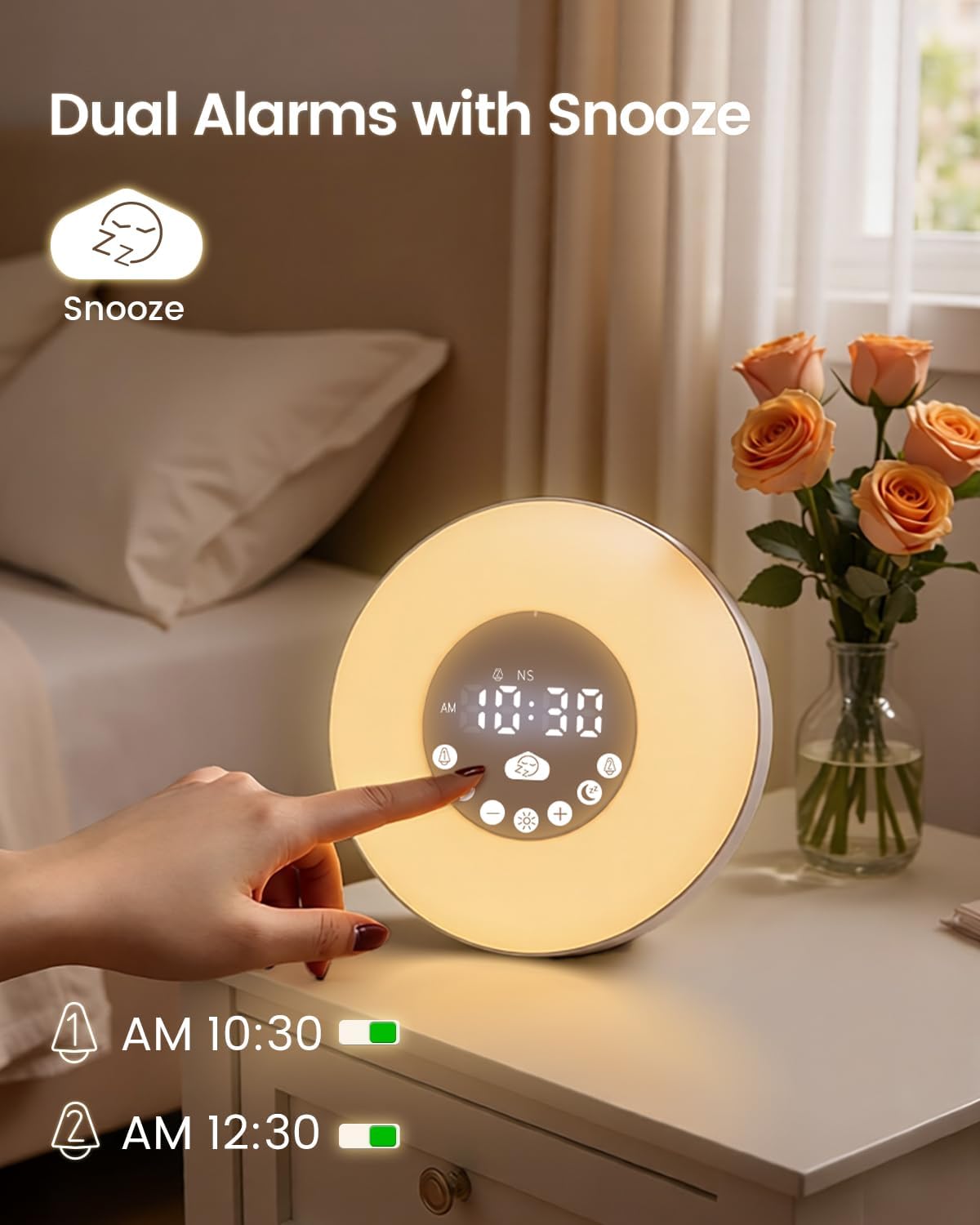
Resim: The Glocusent N15 Sunrise Alarm Clock displaying two active alarms and the snooze icon, indicating its dual alarm and snooze capabilities.
The N15 allows setting two independent alarms. When an alarm sounds, press the large Kestirmek button to activate snooze. The snooze function provides 9-minute cycles, up to 3 times (total 27 minutes).
6. Bakım
To ensure the longevity and optimal performance of your Glocusent N15 Sunrise Alarm Clock, follow these maintenance guidelines:
- Temizlik: Use a soft, dry cloth to wipe the surface of the device. Avoid using abrasive cleaners, solvents, or strong chemicals, as these can damage the finish.
- Depolamak: Uzun süre kullanılmayacaksa, cihazı doğrudan güneş ışığından ve aşırı sıcaklıklardan uzakta, serin ve kuru bir yerde saklayın.
- İşleme: Cihazı, iç bileşenlerine zarar verebilecek düşme veya darbelere karşı dikkatli kullanın.
- Güç: Always use the provided power adapter and USB-C cable. Do not attempt to use incompatible power sources.
7. Sorun Giderme
| Sorun | Olası Çözüm |
|---|---|
| Cihaz açılmıyor. | Ensure the power adapter is securely connected to the device and a working power outlet. Check if the outlet is functional. |
| Alarm does not sound or light up. | Verify that the alarm is set and activated (alarm icon visible). Check the alarm volume and light brightness settings. |
| Bluetooth bağlantısı başarısız oluyor. | Ensure the device is in Bluetooth mode. Turn off and on Bluetooth on your phone, then search for "N15" and try pairing again. Make sure the device is within range. |
| FM radyo alımı zayıf. | Ensure the USB-C cable is connected, as it acts as an antenna. Try repositioning the device or the cable for better reception. Perform an auto-scan for stations again. |
| Time display is too bright/dim. | Kullanın Ekran Parlaklığı Ayarı on the rear panel to adjust the brightness of the digital time display. |
8. Özellikler
- Marka: Glocusent
- Model Numarası: N15
- Ürün Ölçüleri: 5.3"G x 6.7"Y
- Ürün Ağırlığı: 1.19 Pound
- Malzeme: Akrilonitril Bütadien Stiren (ABS)
- Görüntüleme Türü: Dijital
- Özel Özellikler: Adjustable Brightness, Adjustable Volume, Alarm, Bluetooth, Noise Machine, Sunrise Simulation, Sunset Simulation, Dual Alarms, Snooze, FM Radio, TF Card Support, 7 Color RGB Light, Warm White Light (1800-3400K)
- Ses Çıkışı: 2x5W Stereo Sound
- Güç Girişi: 5V-2A
- Piller: 1 Nonstandard Battery (included for backup)
9. Garanti ve Destek
Glocusent offers a 30-day return policy and a 24-month warranty for your purchase. For any questions or assistance, please contact our Customer Experience Team, available 24/7.
For further support, please visit the official Glocusent websiteye gidin veya ürün ambalajınızda bulunan iletişim bilgilerine başvurun.