
1. Giriş
Satın aldığınız için teşekkür ederizasing the InnoVibe Bluetooth Speaker Lantern. This device combines a portable LED lantern with a Bluetooth speaker, offering versatile lighting and audio for various outdoor and indoor activities. Please read this manual carefully to ensure proper use and maintenance of your product.
2. Güvenlik Talimatları
- Cihazı aşırı sıcaklıklara, doğrudan güneş ışığına veya yüksek neme maruz bırakmayın.
- Cihazı düşürmekten veya güçlü darbelere maruz bırakmaktan kaçının.
- Keep the device away from water and other liquids. This product is not water resistant.
- Cihazı kendiniz sökmeye, onarmaya veya değiştirmeye çalışmayın. Servis gerekiyorsa müşteri desteğiyle iletişime geçin.
- Yalnızca verilen USB-C şarj kablosunu veya sertifikalı bir eşdeğerini kullanın.
- Çocukların erişemeyeceği yerde saklayınız.
3. Paket İçeriği
- InnoVibe Bluetooth Speaker Lantern
- USB-C Şarj Kablosu
- Kullanıcı Kılavuzu
4. Ürün Bittiview
Familiarize yourself with the components of your InnoVibe Bluetooth Speaker Lantern.

Resim 1: Ön view of the InnoVibe Bluetooth Speaker Lantern. It features a cylindrical light diffuser on top, a sturdy handle for portability, and a speaker base with a touch control icon.

Resim 2: Diagram highlighting key features: Bass Boosting Sound, Color Changing RGB Lights, Adjustable Warm White Light, Touch Switch Control Button, Rechargeable Battery, and Sound-Reactive Light Mode.
Bileşenler:
- Halletmek: For easy carrying and hanging.
- Işık Dağıtıcı: Emits warm white and RGB light.
- Hoparlör Izgarası: Located at the base for audio output.
- Dokunmatik Kontrol Düğmesi: Located on the base, used for power and light mode adjustments.
- Kontrol Paneli (Arka): Contains buttons for volume, track control, and additional lighting modes.
- USB-C Şarj Portu: Dahili bataryayı şarj etmek için.
5. Kurulum
5.1. Charging the Lantern
- Locate the USB-C charging port on the back of the lantern.
- Connect the provided USB-C cable to the lantern and plug the other end into a compatible USB power adapter (not included) or a computer USB port.
- Şarj gösterge ışığı yanarak cihazın şarj olduğunu gösterecektir.
- Allow approximately 3-4 hours for a full charge. The indicator light will change or turn off once fully charged.
5.2. Güç Açma/Kapatma
- Açmak İçin: Press and hold the touch control button on the base for 2-3 seconds. The lantern will emit a sound and the light will turn on.
- Kapatmak İçin: Press and hold the touch control button on the base for 2-3 seconds. The lantern will emit a sound and the light will turn off.
6. Kullanım Talimatları
6.1. Bluetooth Eşleştirme
- Ensure the lantern is powered on. It will automatically enter Bluetooth pairing mode, indicated by a flashing blue light (if applicable, refer to specific LED indicators).
- Akıllı telefonunuzda veya Bluetooth özellikli diğer cihazınızda Bluetooth ayarlarına gidin.
- Arama available devices and select "InnoVibe Lantern" (or similar name).
- Once connected, the lantern will emit a confirmation sound, and the Bluetooth indicator light will become solid.
- You can now play audio through the lantern's speaker.

Resim 3: The InnoVibe Bluetooth Speaker Lantern emitting a blue light while playing music, demonstrating its audio capabilities in an outdoor setting.
6.2. Lantern Operation
The lantern offers both warm white light and color-changing RGB modes.
- Sıcak Beyaz Işık: Short press the touch control button on the base to cycle through 3 brightness levels (Low, Medium, High) of warm white light.
- RGB Color Mode: After cycling through the warm white brightness levels, another short press will activate the RGB color mode.
- Statik Renkler: In RGB mode, continue short pressing the touch control button to cycle through 7 static colors.
- Dinamik Efektler: After the static colors, further short presses will activate 3 dynamic lighting effects, including a sound-reactive mode.

Resim 4: A hand reaching towards the InnoVibe Bluetooth Speaker Lantern, illustrating the touch control functionality. The image displays a grid of various static RGB color options available for the lantern.
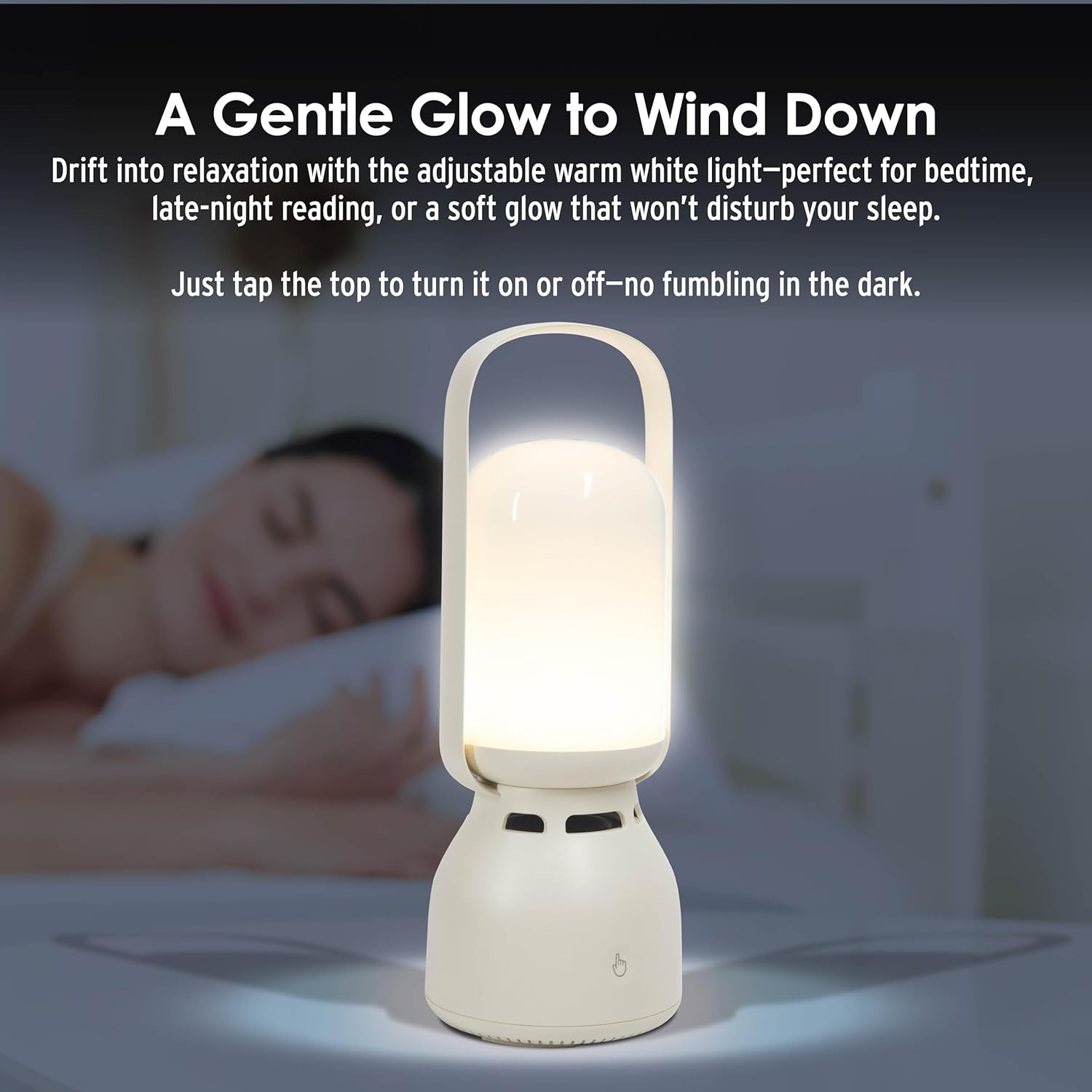
Resim 5: The InnoVibe Bluetooth Speaker Lantern providing a gentle warm white glow on a bedside table, suitable for relaxation or reading.
6.3. Müzik Kontrolleri
The control panel on the back of the lantern allows for direct music playback control:
- Sesi Aç/Kapat: Ses seviyesi için özel olarak ayrılmış düğmeleri kullanın.
- Sonraki / Önceki Parça: Parça atlama düğmelerini kullanın.
- Oynat/Duraklat: Use the play/pause button.
7. Bakım
- Clean the lantern with a soft, dry cloth. Do not use abrasive cleaners or solvents.
- Cihazı kullanılmadığında serin ve kuru bir yerde saklayın.
- Pil sağlığını korumak için, sık kullanmasanız bile pili düzenli olarak şarj edin.
8. Sorun Giderme
| Sorun | Olası Çözüm |
|---|---|
| Fener yanmıyor. | Pilin şarjlı olduğundan emin olun. USB-C kablosunu kullanarak bir güç kaynağına bağlayın. |
| Bluetooth üzerinden bağlantı kurulamıyor. | Ensure the lantern is in pairing mode. Turn off and on your device's Bluetooth. Move the lantern closer to your device. Forget the device in your Bluetooth settings and try pairing again. |
| Hoparlörden ses gelmiyor. | Check the volume level on both the lantern and your connected device. Ensure the device is properly paired. |
| Işık modları değişmiyor. | Ensure you are short-pressing the touch control button. If unresponsive, power cycle the device. |
9. Özellikler
| Özellik | Detay |
|---|---|
| Model Numarası | IVLS2050CM |
| Marka | InnoVibe |
| Ürün Boyutları | 9.53"U x 3.43"G x 9.53"Y |
| Ürün Ağırlığı | 1.86 Pound |
| Güç Kaynağı | Şarj edilebilir pil |
| Pil Türü | Nonstandard Lithium-ion Polymer |
| Cilttage | 5 Volt (DC) |
| Netage | 5 watt |
| Işık Kaynağı Türü | LED (Işık Yayan Diyot) |
| Işık Özellikleri | Color-changing, Adjustable Brightness (3 levels warm white, 7 static RGB, 3 dynamic effects) |
| Malzeme | Plastic, Glossy Finish |
| Montaj Tipi | Masa Üstü Montaj |
| Su Direnç Seviyesi | Suya dayanıklı değil |
| UPC | 810182220642 |
10. Garanti ve Destek
For warranty information or technical support, please refer to the contact details provided with your purchase or visit the official InnoVibe webSite. Satın alma belgenizi herhangi bir garanti talebi için saklayın.