1. Giriş
This manual provides detailed instructions for the safe and effective use of your generic POV Pro 4K Camera. Please read this manual thoroughly before operating the device and retain it for future reference. This camera is designed for capturing high-quality video and photos during various activities, including cycling, pet walking, and other outdoor adventures.
2. Ürün Bittiview
The POV Pro 4K Camera is a compact, high-definition action camera featuring 4K video recording, night vision capabilities, and a waterproof design. It is equipped with a 120° wide-angle lens for comprehensive coverage.
2.1 Paket İçeriği
Paketinizde tüm öğelerin mevcut olduğundan emin olun:
- POV Pro 4K Camera
- USB Type-C Şarj Kablosu
- Manyetik Boyun Askısı
- Rotatable Spring Back Clip
- Kask Bağlantıları
- Bicycle Mounts
- Waterproof Shell (if included in your specific package)
- Kullanım Kılavuzu

Image: The POV Pro 4K Camera shown with its various accessories, including mounting kits, charging cable, and lanyard.
2.2 Kamera Özellikleri
- 4K HD Video Recording: Capture crisp, high-resolution footage.
- 120° Geniş Açılı Lens: Geniş bir yelpazede hizmet sunmaktadır. view for immersive recordings.
- Gece Görüşü: Geliştirilmiş düşük ışık kayıt yetenekleri.
- 30-meter Waterproof Design: Suitable for use in various wet environments.
- Dahili Wi-Fi: Connects to a dedicated app for real-time preview ve paylaşım.
- Çoklu Montaj Seçenekleri: Magnetic base, rotatable clip, helmet, and bicycle mounts.
- Hafif ve Taşınabilir: Designed for comfortable, all-day wear.

Image: A hand holding the compact black POV Pro 4K Camera, highlighting its small size.
3. Kurulum
3.1 Kamerayı Şarj Etme
- Locate the Type-C interface on the camera. This is typically protected by a small cover.
- Open the cover and connect the provided USB Type-C cable to the camera and a power source (e.g., computer USB port, wall adapter).
- Şarj gösterge ışığı yanacaktır. Tamamen şarj olduğunda ışık değişecek veya sönecektir.
Video: This video demonstrates the camera's features, including the Type-C interface, accessory package, helmet mounting, magnetic lanyard, and rotatable back clip. (Note: Video source URL is a placeholder as it was not provided in the JSON data.)
3.2 MicroSD Kart Takma
A MicroSD card (not always included) is required for storing recordings. The camera supports up to 128GB or 256GB, depending on the model variant.
- With the camera powered off, open the cover protecting the Type-C interface.
- Carefully insert the MicroSD card into the designated slot until it clicks into place. Ensure the correct orientation.
- Close the cover to protect the ports from dust and water.
4. Kullanım Talimatları
4.1 Açma/Kapatma
- Açmak İçin: Gösterge ışığı yanana kadar güç düğmesini birkaç saniye basılı tutun.
- Kapatmak İçin: Gösterge ışığı sönene kadar güç düğmesine tekrar basılı tutun.
4.2 Temel Kayıt
- Kaydı Başlat: With the camera powered on, press the record button once. The indicator light will typically flash to indicate recording is in progress.
- Kaydı Durdur: Press the record button again to stop recording. The indicator light will return to a steady state.
4.3 Çekim Modları
The camera supports various shooting modes, including Night, Action, and Sports. Refer to the camera's on-screen menu or companion app for specific mode selection and settings.

Image: Visual comparison demonstrating the clarity of 4K high-definition recording compared to lower resolutions.
5. Montaj Seçenekleri
The POV Pro 4K Camera offers versatile mounting solutions for various activities.
- Manyetik Taban: The camera features a strong magnetic base for quick attachment to metallic surfaces.
- Döndürülebilir Yaylı Klips: Attach the camera to clothing, backpack straps, or other gear for hands-free recording. The clip allows for 360° rotation.
- Kask Bağlantı Aparatları: Use the provided kits to securely attach the camera to helmets for activities like cycling, skiing, or climbing.
- Bicycle Mounts: Mount the camera to bicycle handlebars or other parts for capturing rides.
- Manyetik Boyun Askısı: Wear the camera around your neck for convenient, hands-free recording, especially useful for pet walking or daily vlogging.

Image: Demonstrates various installation methods, including top of helmet, side of helmet, and handlebar mounting.

Image: Illustrates the use of the magnetic lanyard and portable back clip for hands-free operation.
6. Bağlantı
6.1 Wi-Fi ve Uygulama Bağlantısı
The camera features built-in Wi-Fi for seamless connection to a dedicated mobile application. This allows for:
- Gerçek zamanlı Önview: View canlı footage from your camera on your smartphone.
- Uzaktan kumanda: Start/stop recording, change settings, and switch modes from your phone.
- File transferi: Download recorded videos and photos directly to your mobile device.
- Paylaşım: Easily share your content to social media platforms.
- Download the official companion app from your device's app store.
- Power on the camera and activate its Wi-Fi mode (refer to the camera's specific instructions or app for details).
- Akıllı telefonunuzda Wi-Fi ayarlarına gidin ve kameranın Wi-Fi ağına bağlanın.
- Open the app and follow the on-screen prompts to connect to your camera.
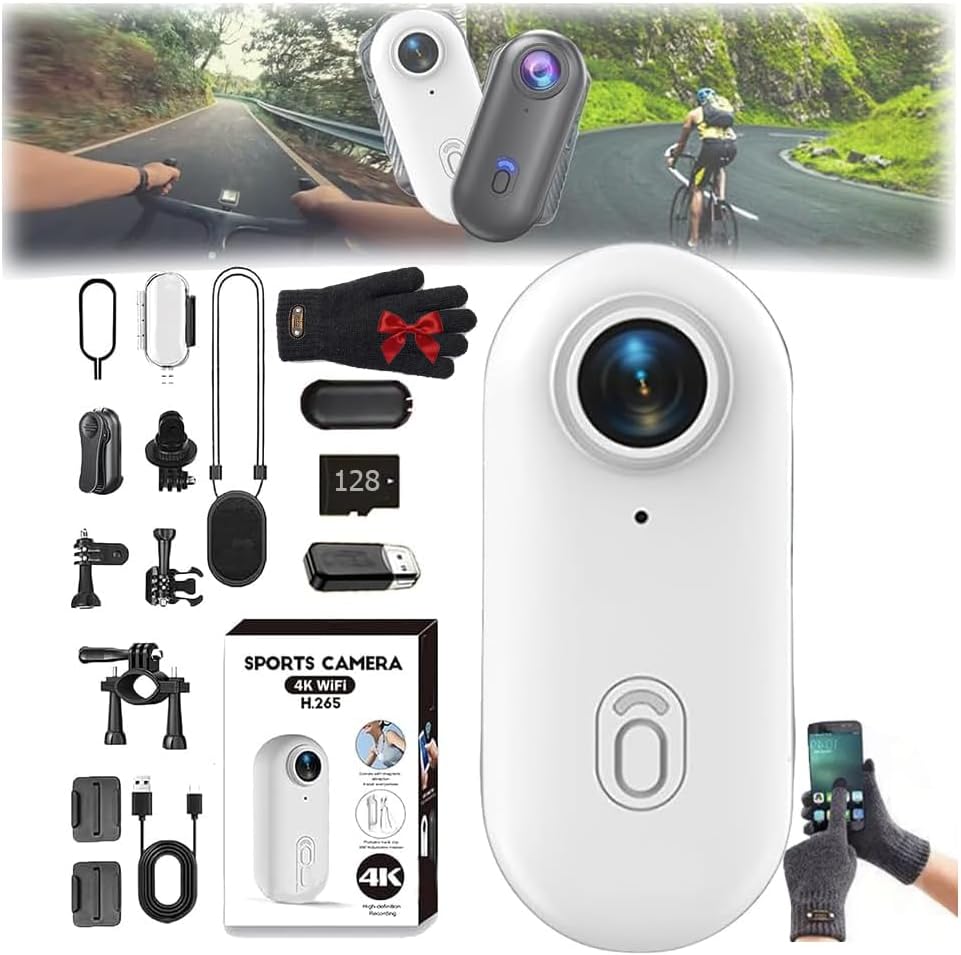
Image: Illustrates the camera's built-in Wi-Fi functionality for one-click download and sharing via a mobile phone app.
7. Su yalıtımı
The POV Pro 4K Camera is designed to be waterproof up to 30 meters. For underwater activities, it is recommended to use the camera with its dedicated waterproof shell (if included) to ensure maximum protection and performance.
- Ensure all port covers are securely closed before exposing the camera to water.
- If using a waterproof shell, ensure it is properly sealed according to its instructions.
- After use in saltwater, rinse the camera and/or waterproof shell with fresh water and allow it to dry completely before opening any compartments.
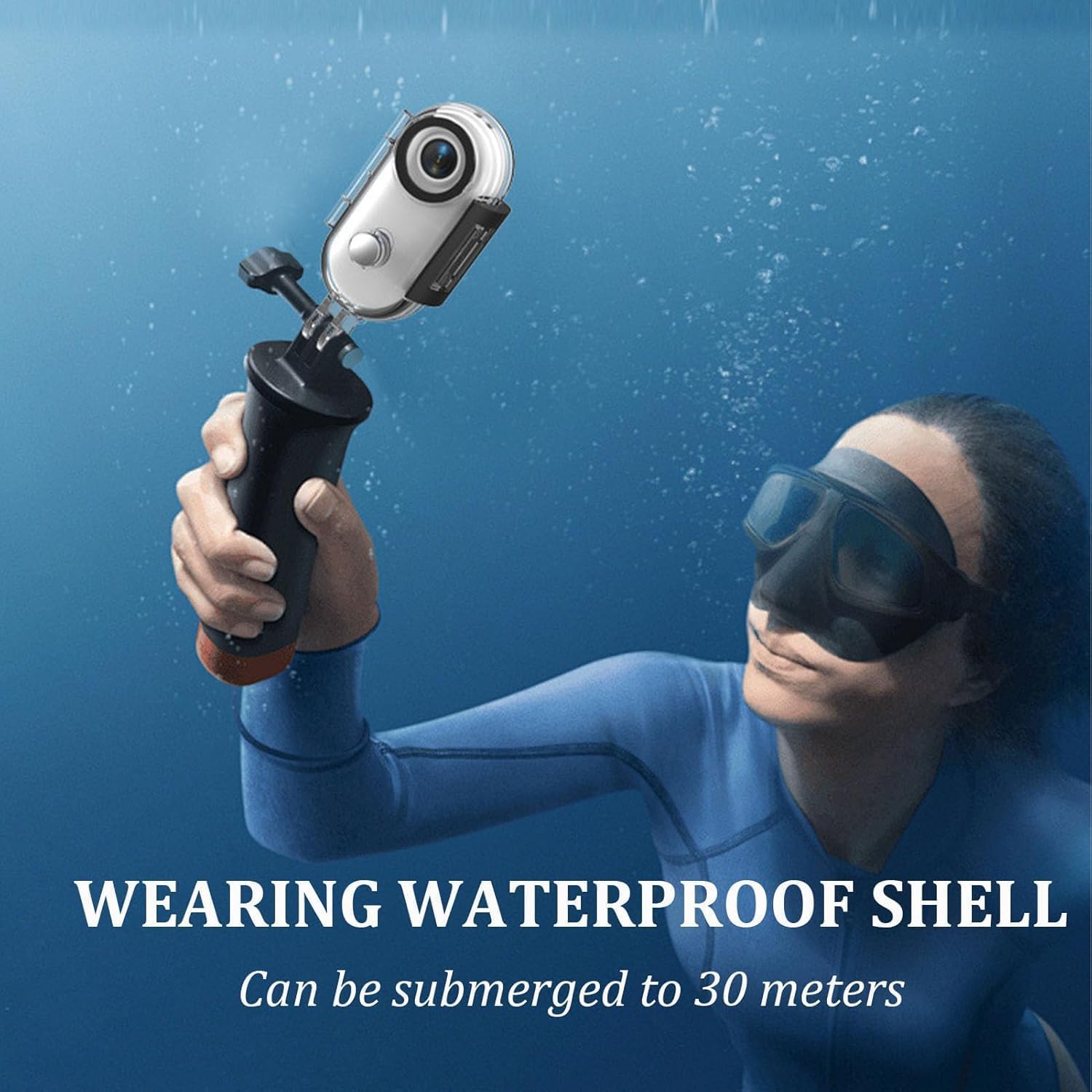
Image: A person using the camera with a waterproof shell while submerged, demonstrating its 30-meter waterproof capability.
8. Bakım
- Temizlik: Use a soft, dry cloth to clean the camera body. For the lens, use a specialized lens cleaning cloth and solution. Avoid abrasive materials.
- Depolamak: Kamerayı serin, kuru ve doğrudan güneş ışığından ve aşırı sıcaklıklardan uzak bir yerde saklayın.
- Pil Bakım: For optimal battery life, avoid fully discharging the battery frequently. Charge the camera regularly, even if not in use for extended periods.
- Donanım Yazılımı Güncellemeleri: Üreticinin kontrol edin website or the companion app for any available firmware updates to ensure optimal performance and new features.
9. Sorun Giderme
- Kamera Açılmıyor: Pilin şarjlı olduğundan emin olun. Bir güç kaynağına bağlayın ve tekrar deneyin.
- Kayıt Sorunları: MicroSD kartın doğru takılı olduğundan ve yeterli boş alan bulunduğundan emin olun. Kartın doğru şekilde biçimlendirildiğinden (FAT32 veya exFAT) emin olun.
- Wi-Fi Bağlantı Sorunları: Ensure the camera's Wi-Fi is enabled. Restart both the camera and your mobile device. Verify you are connecting to the correct Wi-Fi network.
- Kötü Video Kalitesi: Check your recording settings (resolution, frame rate). Ensure the lens is clean and free from smudges.
- Aşırı Isınma: Prolonged recording, especially in high resolutions or warm environments, can cause the camera to heat up. If it becomes excessively hot, stop recording and allow it to cool down.
If problems persist, consult the manufacturer's support resources or contact customer service.
10. Özellikler
| Özellik | Şartname |
|---|---|
| Örnek | B0FLY14VMV |
| Video Yakalama Çözünürlüğü | 4K |
| Mercek Açısı | 120° Geniş Açı |
| Suya Dayanıklı Derinlik | 30 metreye kadar |
| Çekim Modları | Night, Action, Sports |
| Pozlama Kontrol Türü | Manual, Aperture-Priority, Shutter-Priority, Automatic |
| Bağlantı | Wifi |
| Medya Türü | Digital8 (Internal processing, uses MicroSD for storage) |
| Renk | Siyah |
11. Garanti ve Destek
Your generic POV Pro 4K Camera comes with a standard manufacturer's warranty. Please refer to the warranty card included in your package or visit the manufacturer's official webAyrıntılı şartlar ve koşullar için site.
For technical support, troubleshooting assistance, or warranty claims, please contact the seller or manufacturer directly using the contact information provided with your purchase or on their official support channels.