
Surge SG60094
Surge Wireless Pro Controller User Manual
Modeli: SG60094
giriiş
This manual provides instructions for the Surge Wireless Pro Controller, Model SG60094. It covers setup, operation, maintenance, troubleshooting, and specifications. Please read this manual thoroughly before using the controller.
The Surge Wireless Pro Controller is designed for multi-platform compatibility, featuring Hall Effect thumb sticks and triggers for precision control.
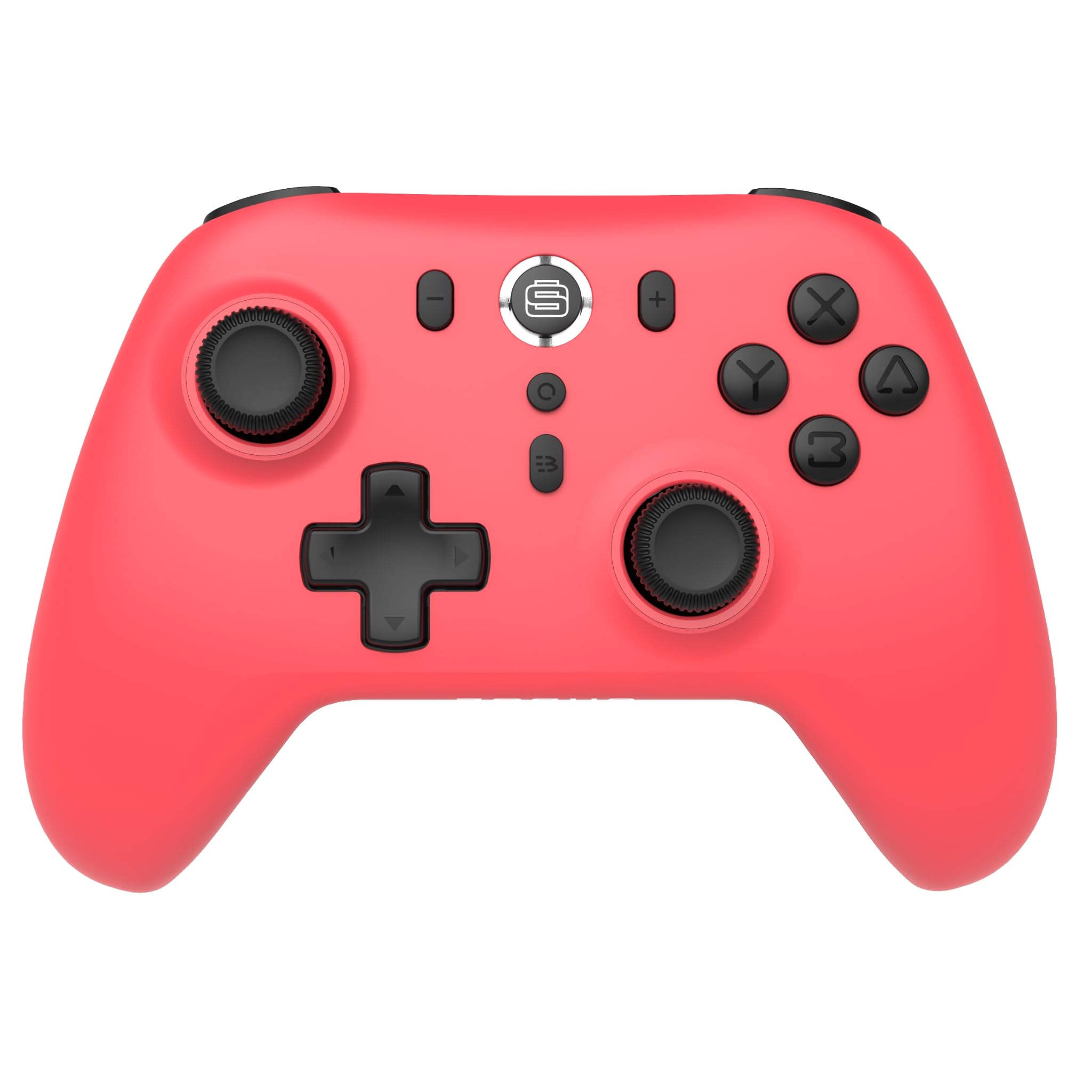
Resim: Ön view of the Surge Wireless Pro Controller in Neon Red.
Temel Özellikler
- Çoklu Platform Uyumluluğu: Supports Nintendo Switch/Switch 2 (Note: No C Button/Audio Port on Switch 2), Windows PC, Steam Deck, Android, and iOS devices.
- Hall Effect Thumb Sticks & Triggers: Engineered for precise control and to prevent stick drift.
- Turbo Functionality: Offers 3 adjustable turbo levels for rapid-fire actions.
- Titreşimli geribildirim: Features 4 customizable vibration levels for enhanced haptic feedback.
- Hareket Kontrolleri: Compatible with games that utilize motion sensing.
- Console Wake Up: Ability to wake the Nintendo Switch console from sleep mode (Nintendo Switch only).
- Şarj Edilebilir Pil: Built-in 600mAh Li-polymer battery provides up to 10 hours of gameplay per charge.
- USB-C Şarjı: Includes a 1-meter USB-C charging cable.
Kurulum Talimatları
1. İlk Şarj
Before first use, fully charge the controller. Connect the included USB-C cable to the controller's charging port and the other end to a USB power source (e.g., console, PC, USB wall adapter). The charging indicator will show status.

Image: The controller connected to a USB-C charging cable.
2. Nintendo Switch ile eşleştirme
- Nintendo Switch konsolunuzda, Ana Menü'ye gidin.
- Seçme Kontrolörler, Daha sonra Tutma Yerini/Sırayı Değiştir.
- Basılı tutun Eşleştirme Düğmesi on the top of the Surge Wireless Pro Controller until the player indicator lights begin to flash.
- Once paired, the player indicator light(s) will remain solid.
- To wake the console from sleep mode, press the Home button on the controller.
3. Pairing with PC, Android, or iOS
The pairing process may vary slightly depending on your device's operating system. Generally, you will need to enable Bluetooth on your device and search for new devices.
- Ensure Bluetooth is enabled on your PC, Android, or iOS device.
- On the Surge Wireless Pro Controller, press and hold the Eşleştirme Düğmesi until the indicator lights flash.
- On your device, select "Surge Pro Controller" from the list of available Bluetooth devices.
- Eşleştirme işlemini tamamlamak için ekrandaki yönergeleri izleyin.
Video: Bir fazlaview of the 8Bitdo Ultimate 2 Wireless Controller, demonstrating general wireless controller setup principles.
Kullanım Talimatları
Düğme Düzeni

Image: Diagram showing the button layout of the Surge Wireless Pro Controller.
- Sol/Sağ Analog Çubuklar: For movement and camera control. Features Hall Effect technology for enhanced durability and precision.
- Yön Düğmesi: Yönlü giriş için.
- A/B/X/Y Düğmeleri: Standart eylem düğmeleri.
- Sol/Sağ Düğmeler: Omuz düğmeleri.
- ZL/ZR Tetikleyicileri: Analog triggers with Hall Effect sensors.
- Ana menü tuşu: Returns to the console's home menu.
- Ekran Görüntüsü Düğmesi: Ekran görüntüleri yakalar.
- Artı (+) / Eksi (-) Butonları: Oyun içi menü gezintisi için.
- Turbo Düğmesi: Activates/deactivates turbo function.
- Eşleştirme Düğmesi: Bluetooth eşleştirmesi için kullanılır.
Turbo İşlev
To activate turbo for a button, press and hold the Turbo Düğmesi, then press the desired action button (A, B, X, Y, L, R, ZL, ZR). Repeat the process to deactivate. There are 3 adjustable turbo levels; refer to the full product manual for detailed adjustment instructions.
Titreşim Ayarı
The controller offers 4 levels of vibration intensity. Specific button combinations or software may be required to adjust these levels. Consult the full product manual or manufacturer's website for precise instructions.
Bakım
- Temizlik: Kumandayı temizlemek için yumuşak ve kuru bir bez kullanın. Sert kimyasallar veya aşındırıcı malzemeler kullanmaktan kaçının.
- Depolamak: Kontrol cihazını serin, kuru ve doğrudan güneş ışığından ve aşırı sıcaklıklardan uzak bir yerde saklayın.
- Pil Bakım: Pil ömrünü uzatmak için pili sık sık tamamen boşaltmaktan kaçının. Kumanda cihazını uzun süre kullanılmasa bile düzenli olarak şarj edin.
- Kablo Bakımı: Handle the USB-C charging cable carefully. Avoid bending or twisting it excessively.
Sorun giderme
| Sorun | Çözüm |
|---|---|
| Kumanda açılmıyor. | Ensure the controller is fully charged. Connect it to a power source using the USB-C cable. |
| Cihazla eşleştirilemiyor. | Make sure Bluetooth is enabled on your device. Press and hold the pairing button on the controller until lights flash. Ensure the controller is not already paired with another device. Try restarting both the controller and the device. |
| Stick drift or inaccurate input. | The controller features Hall Effect sticks to minimize drift. If issues persist, ensure the controller's firmware is up to date. Contact customer support if the problem continues. |
| Titreşim özelliği çalışmıyor. | Check in-game settings to ensure vibration is enabled. Verify the vibration intensity level on the controller. |
| Console Wake Up not functioning. | This feature is only supported on Nintendo Switch. Ensure the controller is properly paired with the Switch. |
Özellikler
- Model Numarası: SG60094
- Pil: 1 Nonstandard Battery (600mAh Li-polymer, included)
- Pil Ömrü: 10 saate kadar (yaklaşık)
- Şarj Portu: USB-C
- Bağlantı: Bluetooth Kablosuz
- Boyutlar: 20.1 x 14 x 6.6 cm (yaklaşık)
- Ağırlık: 310 gr (yaklaşık)
- Menşei ülke: Çin
Garanti ve Destek
For warranty information and customer support, please refer to the official Surge website or contact support directly at support@surgegaming.com.
The product typically comes with a manufacturer's warranty covering defects in materials and workmanship. Please retain your proof of purchase for warranty claims.
Ask a question about this manual
Ask about setup, troubleshooting, compatibility, parts, safety, or missing instructions. Manuals+ will review the question and use this page’s manual context to help answer it.