
1. Giriş
The PHOINIKAS Q5S Wireless Gaming Headset provides a versatile audio solution for gamers across multiple platforms. Featuring 2.4GHz wireless connectivity for low-latency performance and a 3.5mm wired mode, this headset is designed for immersive gaming experiences. It includes a detachable noise-canceling microphone and 7.1 stereo sound capabilities.

Image 1.1: PHOINIKAS Q5S Wireless Gaming Headset, showing the headset, USB dongle, and 3.5mm audio cable.
2. Kutuda Neler Var?
Lütfen kutuyu açtığınızda tüm bileşenlerin mevcut olduğundan emin olun:
- PHOINIKAS Q5S Kablosuz Oyun Kulaklığı
- 2.4GHz USB Transmitter Dongle
- Çıkarılabilir Çok Yönlü Mikrofon
- USB Şarj Kablosu (Tip-C)
- 3.5 mm Ses Kablosu
- Kullanım Kılavuzu (bu belge)
3. Ürün Bittiview
Familiarize yourself with the headset's controls and interfaces:

Resim 3.1: Üzeriview of headset controls and ports.
- Power / Pairing Mode Button: Press and hold to power on/off. Short press to toggle 7.1 sound. Double press to turn lights on/off.
- Mikrofon Açma/Kapama Düğmesi: Mikrofonun sesini açma/kapama işlevini yerine getirir.
- Volume Adjustment Wheel: Rotates to increase or decrease audio volume.
- 3.5mm Wired Interface: For connecting the 3.5mm audio cable.
- External Microphone Interface: Port for attaching the detachable microphone.
- C Tipi Şarj Bağlantı Noktası: USB şarj kablosunu bağlamak için.
4. Kurulum
4.1 İlk Şarj
Before first use, fully charge the headset. Connect the USB charging cable to the headset's Type-C port and a compatible USB power source. A full charge takes approximately 2.5-3 hours and provides up to 40 hours of use (battery life varies with lighting and volume settings).

Image 4.1: Headset charging via USB-C, highlighting battery life.
4.2 Wireless Connection (2.4GHz USB Dongle)
For wireless operation, ensure the 3.5mm audio cable and charging cable are disconnected, and the headset is fully charged.
- Insert the 2.4GHz USB transmitter dongle into an available USB port on your PC, PS4, PS5, or Switch dock.
- Power on the headset by pressing and holding the Power button.
- The headset will automatically pair with the USB dongle. An indicator light on the headset will confirm a successful connection.

Image 4.2: The 2.4GHz USB dongle, illustrating its low-latency connection.
4.3 Kablolu Bağlantı (3.5 mm Ses Kablosu)
For wired use, connect the 3.5mm audio cable to the headset's 3.5mm interface and to the audio jack of your device (e.g., Xbox controller, PC, mobile phone). In wired mode, certain functions like lights and mute may be inactive.
5. Kullanım Talimatları
5.1 Güç Açma/Kapatma
- Açmak için: Gösterge ışığı yanana kadar Güç düğmesini basılı tutun.
- Kapatmak için: Gösterge ışığı sönene kadar Güç düğmesini basılı tutun.
5.2 Mikrofon Kullanımı
Attach the detachable microphone to the External Microphone Interface on the headset. The microphone features noise-canceling technology for clear communication.
- To mute/unmute: Press the Microphone On/Off button.
- Adjust the flexible microphone boom for optimal voice pickup.

Image 5.1: Detachable microphone for clear voice capture.
5.3 7.1 Stereo Sound
The headset supports 7.1 stereo sound for an immersive audio experience.
- To activate/deactivate 7.1 sound: Short press the Power button.
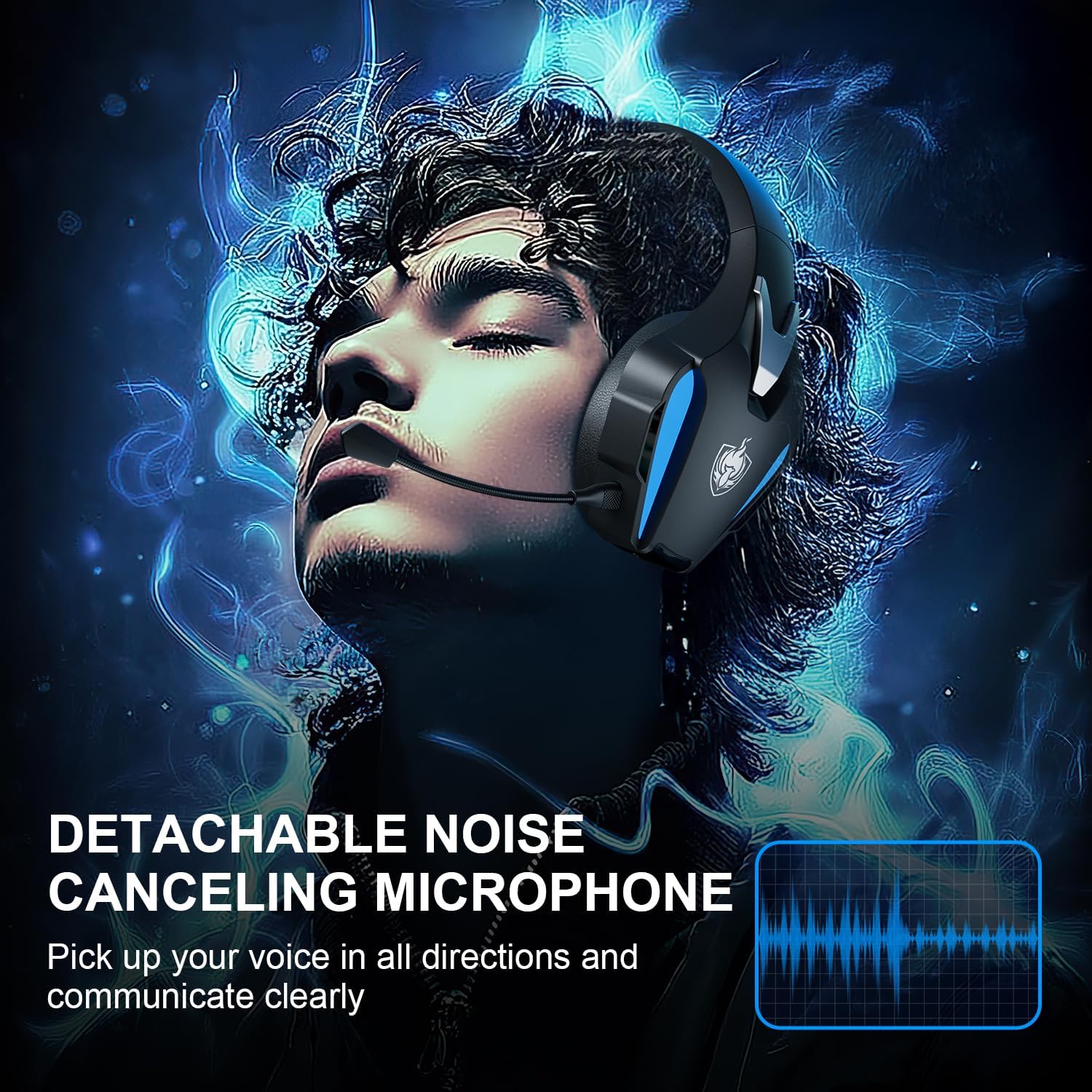
Image 5.2: Visual representation of 7.1 stereo sound capabilities.
5.4 Ses Ayarı
Rotate the Volume Adjustment Wheel to control the audio output level.
6. Uyumluluk
The PHOINIKAS Q5S headset offers broad compatibility:

Image 6.1: Multi-platform compatibility overview.
6.1 2.4 GHz Kablosuz Modu
- Compatible with: PC, PS4, PS5, Laptops, Nintendo Switch (audio only).
- Not: The microphone does not function when used wirelessly with Nintendo Switch.
- Not compatible with Xbox Series consoles in wireless mode.
6.2 3.5mm Wired Mode
- Compatible with: Devices featuring a 3.5mm audio interface, including Xbox controllers, PC, PS4/PS5 controllers, Nintendo Switch, laptops, tablets, and mobile phones.
- In wired mode, headset lights and mute functions may be inactive.
7. Bakım
7.1 Temizlik
- Kulaklık yüzeylerini yumuşak ve kuru bir bezle silin.
- For earcups, use a slightly damp cloth with mild soap if necessary, then wipe dry immediately.
- Sert kimyasallar veya aşındırıcı temizleyiciler kullanmayın.

Image 7.1: Detail of the comfortable earcup design.
7.2 Depolama
- Kulaklığınızı serin, kuru ve doğrudan güneş ışığından ve aşırı sıcaklıklardan uzak bir yerde saklayın.
- Kulaklığın üzerine ağır nesneler koymaktan kaçının.
7.3 Pil Bakımı
- Pil ömrünü uzatmak için kulaklığın pilini sık sık tamamen boşaltmaktan kaçının.
- Kulaklığı sık kullanmasanız bile düzenli olarak şarj edin.
8. Sorun Giderme
| Sorun | Olası Neden | Çözüm |
|---|---|---|
| Kulaklık açılmıyor. | Low battery; 3.5mm cable or charging cable connected in wireless mode. | Charge the headset fully. Ensure all cables are removed for wireless mode. |
| Kablosuz modda ses yok. | USB transmitter not properly connected; headset not paired; volume too low. | Ensure USB transmitter is firmly inserted. Power cycle headset and transmitter. Check device audio settings. Increase headset volume. |
| Mikrofon çalışmıyor. | Microphone muted; not properly attached; compatibility issue (e.g., Switch wireless). | Press the Mic On/Off button to unmute. Ensure microphone is securely attached. Note that the microphone does not work with Nintendo Switch in wireless mode. Check device privacy settings for microphone access. |
| Ses kalitesi kötü veya bozuk. | Weak wireless signal; incorrect audio settings; low battery. | Move closer to the USB transmitter. Check device audio output settings. Charge the headset. |
| Headset not compatible with Xbox. | The headset's 2.4GHz wireless mode is not designed for Xbox consoles. | Use the 3.5mm audio cable to connect to an Xbox controller for wired audio and microphone functionality. |
9. Özellikler
| Özellik | Detay |
|---|---|
| Model Adı | Q5S |
| Bağlantı Teknolojisi | 2.4 GHz Kablosuz, 3.5 mm Kablolu |
| Kablosuz Gecikme | 25ms'den az |
| Ses Sürücüsü Boyutu | 40mm |
| Ses Özellikleri | 7.1 Stereo Sound, Surround Sound |
| Mikrofon | Detachable, Omnidirectional, Noise-Canceling |
| Gürültü Kontrolü | Aktif Gürültü Engelleme, Ses Yalıtımı |
| Pil Kapasitesi | 1200mAh |
| Pil Ömrü | 40 saate kadar (kullanıma göre değişir) |
| Şarj Süresi | Approx. 2.5-3 hours (via USB-C) |
| Kulaklık Girişi | 3.5 mm Jak |
| Malzeme | Plastik |
| Ürün Ağırlığı | 12.3 ons |
10. Garanti ve Destek
PHOINIKAS products are designed for reliability and performance. For specific warranty information, please refer to the warranty card included with your product or visit the official PHOINIKAS website. If you encounter any issues or require technical assistance, please contact PHOINIKAS customer support through their official channels or the retailer from whom you purchased the product.
Daha fazla yardım için şu adresi ziyaret edebilirsiniz: PHOINIKAS Store on Amazon.