
1. Ürün Bittiview
The OUKITEL G3 is a rugged smartphone designed for durability and performance in challenging environments. It features a 6.0-inch HD display, a 6300mAh battery, 16GB RAM (expandable), 256GB ROM (expandable to 1TB), and a 13MP main camera. The device is certified with IP68, IP69K, and MIL-STD-810H ratings, ensuring resistance to water, dust, and drops. It operates on Android 14 and supports 4G Dual SIM, GPS, Face ID, and OTG functionality.
2. Paket İçeriği
Paketinizde tüm öğelerin mevcut olduğundan emin olun:
- 1x OUKITEL G3 Smartphone
- 1x Şarj Cihazı
- 1x Tip-C Kablo
- 1x SIM Card Ejector Pin
- 1x Kullanım Kılavuzu

3. İlk Kurulum
3.1. SIM Kart ve TF Kart Takma
- Cihazın yan tarafında bulunan SIM kart tepsisini bulun.
- Use the provided SIM ejector pin to open the tray.
- Carefully place your Nano SIM cards (up to two) and/or a TF card (for memory expansion up to 1TB) into the designated slots.
- Kartların tepside belirtildiği gibi doğru yönde yerleştirildiğinden emin olun.
- Tepsiyi yerine oturana kadar yavaşça telefona doğru itin.

3.2. Pilin Şarj Edilmesi
Before first use, fully charge the device. Connect the Type-C cable to the phone's charging port and the other end to the provided charger. Plug the charger into a power outlet. The battery indicator on the screen will show charging status. The OUKITEL G3 features a 6300mAh battery for extended use.
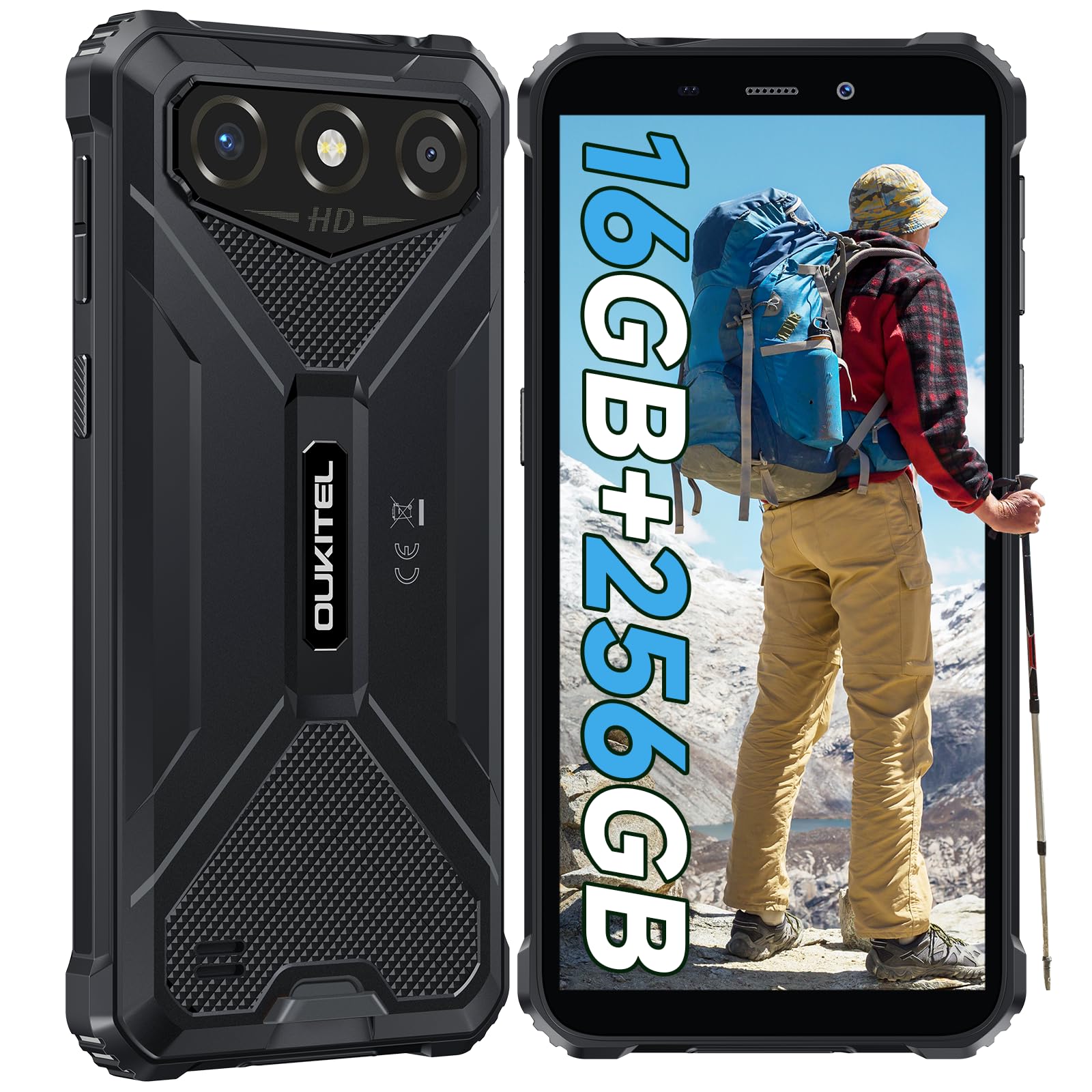
3.3. Açma/Kapama
- Açmak için: OUKITEL logosu görünene kadar Güç düğmesini basılı tutun.
- Kapatmak için: Güç düğmesine basılı tutun, ardından ekrandaki seçeneklerden "Kapat" seçeneğini seçin.
- Yeniden başlatmak için: Güç düğmesini basılı tutun, ardından seçeneklerden "Yeniden Başlat"ı seçin.
4. Kullanım Talimatları
4.1. Görüntüleme ve Gezinme
The OUKITEL G3 features a 6.0-inch HD display with 450 nits brightness and Corning Glass 5 protection. Navigate the Android 14 interface using touch gestures: tap, swipe, pinch-to-zoom. Access quick settings by swiping down from the top of the screen.

4.2. Kamera Fonksiyonları
The device is equipped with a 13MP rear camera and a 5MP front camera. Open the Camera app to capture photos and videos. Features include:
- Standard Photo Mode: For everyday photography.
- AI Beauty Mode: Portrelerde yüz hatlarını belirginleştirir.
- Sualtı Kamera Modu: Allows capturing photos and videos while submerged up to 1.5m for 30 minutes. Ensure all ports are securely sealed before underwater use.
- Panorama Modu: For wide-angle landscape shots.

4.3. Pil Yönetimi ve OTG
The 6300mAh battery provides extended usage. To optimize battery life, manage screen brightness, close unused applications, and enable power-saving modes when needed. The device supports OTG (On-The-Go) reverse charging, allowing you to use your OUKITEL G3 to charge other compatible devices via a Type-C OTG cable (sold separately).

4.4. Özel Anahtar ve Güvenlik Özellikleri
- Özel Anahtar: A programmable button on the side of the device for quick access to specific applications or functions. Configure its actions (single click, double click, long press) in the phone settings.
- Yüz Kimliği: Use facial recognition for secure unlocking of your device. Set up Face ID in the Security settings.
- GPS navigasyon: The OUKITEL G3 supports GPS, GLONASS, Beidou, and Galileo navigation systems for accurate positioning.

5. Bakım ve Dayanıklılık
The OUKITEL G3 is built to withstand harsh conditions, certified with IP68, IP69K, and MIL-STD-810H standards.
- IP68 Suya Dayanıklılık: Protected against continuous immersion in water up to 1.5 meters for 30 minutes. Ensure all port covers are tightly sealed before exposure to water.
- IP69K Dust Resistance: Toz girişine ve yüksek basınçlı, yüksek sıcaklıktaki su jetlerine karşı tamamen korumalıdır.
- MIL-STD-810H Drop Resistance: Designed to withstand drops from up to 1.5 meters. The aluminum frame and rubberized corners provide enhanced shock absorption.
Cihazı temizlemek için yumuşak, damp cloth. Avoid harsh chemicals or abrasive materials. Regularly check port covers for proper sealing to maintain water and dust resistance.

6. Sorun Giderme
If you encounter issues with your OUKITEL G3, refer to the following common solutions:
| Sorun | Olası Çözüm |
|---|---|
| Cihaz açılmıyor | Pilin şarjlı olduğundan emin olun. Şarj cihazını bağlayın ve tekrar açmayı denemeden önce birkaç dakika bekleyin. |
| Zayıf ağ sinyali | Check if SIM cards are correctly inserted. Move to an area with better network coverage. Contact your service provider if the issue persists. |
| Uygulamalar çöküyor veya donuyor | Close background applications. Clear the cache of the problematic app. Restart the device. Ensure sufficient storage space is available. |
| Pil çabuk bitiyor | Reduce screen brightness. Disable unused features like Wi-Fi, Bluetooth, GPS. Close power-intensive apps. Check battery usage in settings to identify culprits. |
| Dokunmatik ekran yanıt vermiyor | Cihazı yeniden başlatın. Sorun devam ederse, fabrika ayarlarına sıfırlama işlemi gerçekleştirin (öncelikle verilerinizi yedekleyin). |
7. Teknik Özellikler
| Özellik | Detay |
|---|---|
| Marka | OUKITEL |
| Örnek | G3 |
| İşletim Sistemi | Android 14 |
| Veri deposu | 4GB (expandable to 16GB virtual RAM) |
| Dahili Depolama (ROM) | 256 GB |
| Genişletilebilir Depolama | 1 TB'a kadar (TF kartı) |
| Ekran Boyutu | 6.0 inç |
| Ekran Çözünürlüğü | HD (450 nits brightness, Corning Glass 5) |
| Yenileme Hızı | 60Hz |
| Arka Kamera | 13 Megapiksel |
| Ön Kamera | 5 Megapiksel |
| Pil Kapasitesi | 6300 mAh |
| Şarj Portu | USB Tip-C |
| Dayanıklılık Derecelendirmeleri | IP68, IP69K, MIL-STD-810H |
| SIM Kart Desteği | Dual 4G Nano SIM |
| Navigasyon | GPS, GLONASS, Beidou, Galileo |
| Biyometrik Güvenlik | Yüz Kimliği |
| Ses Jakı | 3.5mm |
For detailed energy efficiency information, please refer to the EU EPREL database: https://eprel.ec.europa.eu/qr/2400970

8. Garanti ve Destek
OUKITEL provides the following support for the G3 smartphone:
- İade politikasi: 30-day no-reason return.
- Garanti: TWO-YEAR warranty.
- Teknik Destek: Long-term technical assistance.
- Müşteri Hizmetleri: 7/24 çevrimiçi müşteri hizmetleri.
For any inquiries or support, please contact OUKITEL official customer service.