
giriiş
Satın aldığınız için teşekkür ederizasing the AGPTEK M6U MP3 Player. This device is designed to provide a high-quality portable audio experience with its 64GB internal storage and Bluetooth 5.3 connectivity. This manual will guide you through the setup, operation, and maintenance of your new MP3 player to ensure optimal performance and longevity.
Paket İçeriği
Lütfen paketi aşağıdaki öğeler açısından kontrol edin:
- AGPTEK M6U MP3 Player (1 unit)
- USB Type-C Cable (for data transfer and charging) (1 unit)
- Wired Earphones (can be used as FM antenna) (1 unit)
- User Manual (multi-language, including English) (1 unit)
Ürün Bittiview
The AGPTEK M6U MP3 Player features a sleek design with a 2.4-inch LCD screen and intuitive controls. Familiarize yourself with the device's physical components.

Resim: The AGPTEK M6U MP3 Player, showcasing its compact size and user interface. The device is held in a hand, highlighting its portability and the layout of its screen and physical control buttons.
The player is equipped with a durable zinc alloy body, providing a comfortable grip. It features a responsive display for easy navigation through menus and media files.
Kurmak
1. Cihazın Şarj Edilmesi
Before initial use, fully charge the MP3 player. Connect the provided USB Type-C cable to the player's charging port and the other end to a USB power adapter (not included) or a computer's USB port.
- A full charge typically takes 2 to 2.5 hours.
- The battery charges to 80% capacity in approximately 1.5 hours.
- A fully charged battery provides up to 40 hours of music playback.

Resim: The AGPTEK M6U MP3 Player displaying its battery charging status and indicating a long playback time. The image visually represents the charging process and extended battery life.
2. Güç Açma/Kapatma
- Açmak İçin: Ekran ışığı yanana kadar Güç düğmesini (genellikle yan tarafta bulunur) basılı tutun.
- Kapatmak İçin: Ekranda kapatma seçeneği görünene kadar Güç düğmesini basılı tutun, ardından onaylayın.
3. Müzik Aktarımı Files
Connect the MP3 player to your computer using the provided USB Type-C cable. The player will appear as a removable disk drive. You can then drag and drop your music files (FLAC, MP3, WMA, WAV, APE, ACELP, AAC, Audible, OGG) directly into the player's storage.

Resim: The AGPTEK M6U MP3 Player screen showing various album covers and music playback information, with an overlay indicating internal memory. This illustrates the player's capacity for storing thousands of songs.
The player comes with 64GB of internal memory. You can also expand storage using a microSD card.
4. Bluetooth Eşleştirme
To connect your AGPTEK M6U to Bluetooth headphones or speakers:
- Go to the Bluetooth menu on your MP3 player.
- Bluetooth'u etkinleştirin.
- Bluetooth kulaklığınızı/hoparlörünüzü eşleştirme moduna alın.
- Select your device from the list of available devices on the MP3 player's screen.
- The player supports automatic reconnection to previously paired devices upon power-on.
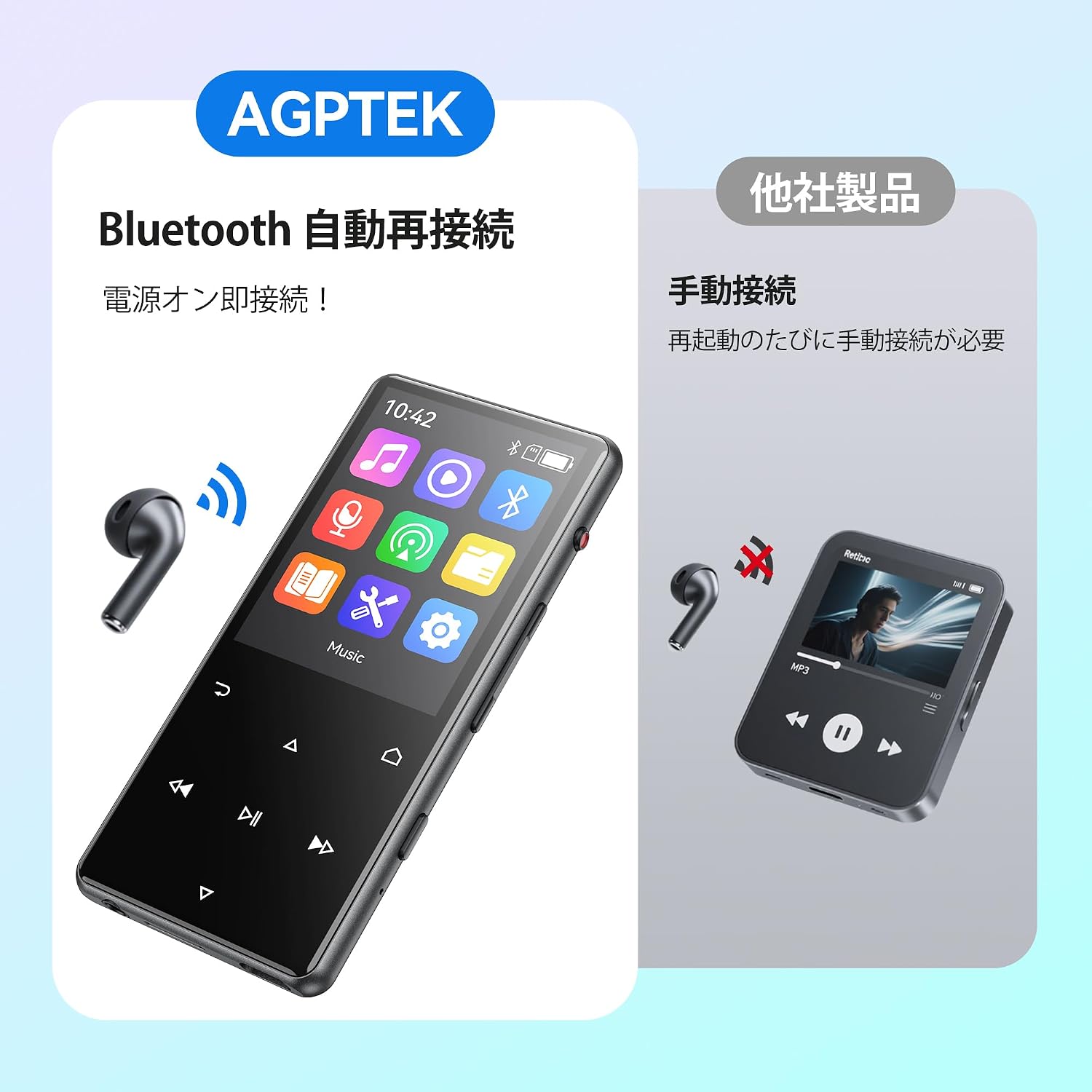
Resim: The AGPTEK M6U MP3 Player connected wirelessly to a pair of Bluetooth earbuds, illustrating the automatic reconnection feature. The screen shows the Bluetooth icon, indicating an active connection.
Kullanım Talimatları
1. Temel Gezinme
Use the touch screen or physical buttons (Play/Pause, Next/Previous, Volume) to navigate through menus and control playback. The interface is designed for intuitive use.
2. Müzik Çalma
Ses dosyalarınıza göz atmak için ana menüden "Müzik"i seçin files. You can sort by artist, album, genre, or view all songs. Tap a song to begin playback.
- Press the Play/Pause button to start or pause music.
- Parçalar arasında geçiş yapmak için İleri/Geri düğmelerini kullanın.
- Özel ses kontrollerini kullanarak sesi ayarlayın.
3. Ses Kaydı
The AGPTEK M6U features a one-key recording function, allowing you to quickly capture audio. This is useful for lectures, meetings, or personal notes.

Resim: The AGPTEK M6U MP3 Player screen showing an active recording session, indicated by a large microphone icon and a filename. This highlights the device's one-key recording capability, useful for capturing ideas or discussions instantly.
To start a recording, locate the dedicated recording button (if available, otherwise navigate through the menu). Recordings are saved in MP3 or WAV format.
4. FM Radyo
To use the FM radio function, connect the wired earphones to the player. The earphones act as an antenna. Navigate to the FM Radio application from the main menu, then scan for available stations.
5. Ayarlar
Access the "Settings" menu to customize various aspects of your player, including display brightness, language, date and time, equalizer settings, and system information.
Bakım
- Temizlik: Cihazı temizlemek için yumuşak, kuru bir bez kullanın. Sıvı temizleyicilerden veya aşındırıcı malzemelerden kaçının.
- Depolamak: Oynatıcıyı serin, kuru bir yerde, doğrudan güneş ışığından ve aşırı sıcaklıklardan uzakta saklayın.
- Pil Bakım: Pil ömrünü uzatmak için pili sık sık tamamen boşaltmaktan kaçının. Uzun süre kullanılmasa bile düzenli olarak şarj edin.
- Yazılım Güncellemeleri: Periodically check the official AGPTEK webEn iyi performansı ve yeni özellikleri sağlamak için mevcut tüm ürün yazılımı güncellemelerini bu siteden takip edin.
Sorun giderme
| Sorun | Çözüm |
|---|---|
| Cihaz açılmıyor. | Ensure the battery is charged. Connect the player to a power source for at least 10 minutes, then try powering on again. |
| Cannot connect to Bluetooth headphones. | Make sure Bluetooth is enabled on both the player and the headphones. Put headphones in pairing mode. Ensure they are within range and not connected to another device. |
| Müzik files are not recognized. | müzik olduğunu doğrulayın. files are in a supported format (FLAC, MP3, WMA, WAV, APE, ACELP, AAC, Audible, OGG). Ensure files are transferred correctly to the player's internal storage or microSD card. |
| Ekran tepkisiz. | Try restarting the device. If the issue persists, a factory reset might be necessary (note: this will erase all data). |
Özellikler
| Özellik | Detay |
|---|---|
| Marka | AGPTEK |
| Model Numarası | M6U |
| Dahili Bellek | 64 GB |
| Ekran Boyutu | 2.4 inç |
| Ekran Teknolojisi | LCD |
| Bağlantı Teknolojisi | USB, Bluetooth 5.3 |
| Uyumlu Cihazlar | PC, Headphones |
| Medya Türü | microSD Card (expandable storage) |
| Desteklenen Ses Biçimleri | FLAC, MP3, WMA, WAV, APE, ACELP, AAC, Audible, OGG |
| Desteklenen Kayıt Formatları | MP3, WAV |
| Desteklenen Video Formatları | AMV, AVI (240*320) |
| Pil Ömrü (Ortalama) | 40 Saate Kadar |
| Renk | Siyah |
| Kökeni | Çin |
Garanti ve Destek
The AGPTEK M6U MP3 Player comes with a 180-day warranty from the date of purchase. This warranty covers manufacturing defects under normal use.
For technical support, warranty claims, or further assistance, please contact AGPTEK customer service through their official website or the retailer where you purchased the product. Please have your model number (M6U) and proof of purchase ready when contacting support.
Önemli Güvenlik Bilgileri
- Cihazı aşırı sıcaklıklara, doğrudan güneş ışığına veya yüksek neme maruz bırakmayın.
- Cihazı düşürmekten veya güçlü darbelere maruz bırakmaktan kaçının.
- Cihazı kendiniz sökmeye veya onarmaya çalışmayın. Bu, garantiyi geçersiz kılar.
- Yalnızca onaylı şarj kablolarını ve aksesuarlarını kullanın.
- Listen to audio at moderate volumes to prevent hearing damage.