
1. Giriş
Siyahview MP60 Mini PC is a compact and powerful computing solution designed for various applications, including office work, multimedia creation, and home server use. Featuring the Intel Twin Lake N150 processor, 16GB RAM, and a 512GB M.2 SSD, it offers efficient performance in a small form factor. This manual provides essential information for setting up, operating, and maintaining your device.

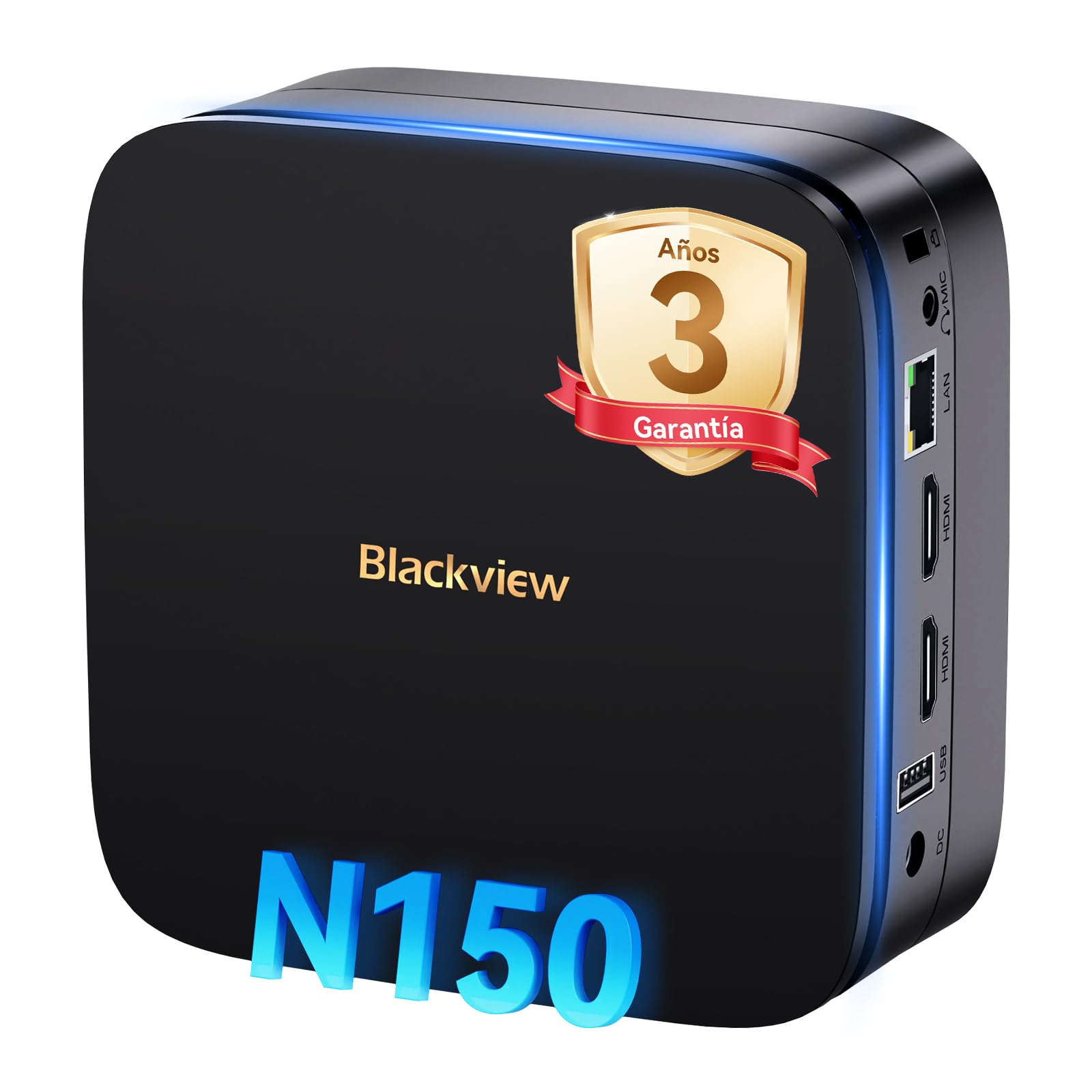
Resim: Siyahview MP60 Mini PC, highlighting its compact design and Intel Twin Lake N150 processor.
2. Kutuda Neler Var?
Paketin içinde tüm öğelerin mevcut olduğundan emin olun:
- Siyahview Mini PC MP60 N150 (x1)
- HDMI Kablosu (x1)
- Güç Adaptörü (x1)
- VESA Mount with Screws (x1)
- Garanti ve Destek Bilgileri
3. Ürün Bittiview
Siyahview MP60 Mini PC features a compact design with essential ports for connectivity and expansion. Its small footprint makes it suitable for various environments.
Resim: Ön ve arka view Siyahlarınview MP60 Mini PC, illustrating its various ports including USB, HDMI, and Ethernet.
Temel Özellikler:
- İşlemci: Intel Twin Lake N150 (up to 3.6 GHz)
- VERİ DEPOSU: 16GB DDR4
- Depolamak: 512GB M.2 SSD (expandable up to 2TB)
- Grafikler: Entegre Intel UHD Grafikleri
- İşletim Sistemi: Windows 11 Pro
- Bağlantı: Dual-band Wi-Fi (2.4Ghz & 5Ghz), Bluetooth 4.2, Gigabit Ethernet (RJ45)
- Video Çıkışı: 2x HDMI 2.0 (supports dual 4K displays)
- USB Bağlantı Noktaları: 4x USB ports (USB 2.0 Type A, USB 3.0 Type A)
4. Kurulum Talimatları
Siyahınızı kurmak için şu adımları izleyinview MP60 Mini PC:
- Ekrana bağlanın: Use the provided HDMI cable to connect the Mini PC to your monitor or TV. The device supports dual 4K displays.
- Çevre Birimlerini Bağlayın: Plug in your USB keyboard and mouse into the available USB ports.
- Güce Bağlanın: Connect the power adapter to the DC-in port on the Mini PC, then plug the adapter into a power outlet.
- Güç Açık: Press the power button located on the front of the Mini PC. The device will boot up, and you will see the Windows 11 Pro setup screen.
- İlk Windows Kurulumu: Ekranda gösterilen yönergeleri izleyerek dil, bölge, ağ bağlantısı ve kullanıcı hesabı oluşturma dahil olmak üzere Windows 11 Pro kurulumunu tamamlayın.

Resim: Siyahview MP60 Mini PC demonstrating its micro size and portability, fitting easily into a bag.
5. Kullanım Talimatları
5.1 Temel İşlemler
Once Windows 11 Pro is set up, you can begin using your Mini PC. The Intel Twin Lake N150 processor provides sufficient power for daily tasks, office applications, and multimedia consumption.
- Güç Açma/Kapatma: Press the power button to turn the device on. To shut down, go to the Start Menu in Windows and select Power > Shut down.
- Tekrar başlat: From the Start Menu, select Power > Restart.
- Uyku modu: From the Start Menu, select Power > Sleep.
5.2 Depolama Genişletmesi
Siyahview MP60 Mini PC allows for easy storage expansion with a 2.5-inch SSD/HDD. This feature is useful for storing large files, videos, or creating a home NAS.
- Locate the removable base of the Mini PC.
- Carefully remove the base to access the 2.5-inch drive bay.
- Install your 2.5-inch SSD or HDD (up to 2TB, not included) into the bay.
- Secure the drive and reattach the base.
- After booting, you may need to initialize and format the new drive in Windows Disk Management.

Image: Step-by-step illustration of how to install a 2.5-inch SSD into the Blackview MP60 Mini PC for storage expansion.
5.3 Dual 4K Display Setup
The Mini PC supports connecting two 4K displays simultaneously via its two HDMI 2.0 ports, enhancing productivity for tasks requiring multiple screens.
- Connect your primary monitor to one HDMI port.
- Connect your secondary monitor to the second HDMI port.
- Once both monitors are connected and the PC is powered on, Windows will automatically detect them.
- To configure display settings (e.g., extend, duplicate, resolution), right-click on the desktop and select "Display settings."

Resim: Siyahview MP60 Mini PC powering two 4K monitors, demonstrating its dual display capability for enhanced productivity.
5.4 Ağ ve Kablosuz Bağlantı
The MP60 offers robust connectivity options:
- Wifi: Supports dual-band 2.4GHz and 5GHz Wi-Fi for fast and stable wireless internet access. Connect via Windows network settings.
- Ethernet: A Gigabit RJ45 port provides a wired connection for maximum stability and speed (up to 1000 MB/s).
- Bluetooth: Bluetooth 4.2 allows for easy connection of wireless peripherals like keyboards, mice, and audio devices.
6. Bakım
To ensure optimal performance and longevity of your Blackview MP60 Mini PC, follow these maintenance guidelines:
- Temiz Tutun: Regularly clean the exterior of the Mini PC with a soft, dry cloth. Use compressed air to clear dust from vents to maintain efficient cooling.
- Yazılım Güncellemeleri: Güvenliği ve performansı sağlamak için Windows işletim sisteminizi ve sürücülerinizi güncel tutun.
- Engellerden Kaçının: Aşırı ısınmayı önlemek için havalandırma açıklıklarının engellenmediğinden emin olun.
- Güvenli Kapatma: Always shut down the PC properly through the operating system rather than simply unplugging it.

Resim: Dahili view Siyahlarınview MP60 Mini PC, illustrating its silent heat dissipation system with a cooling fan and heatpipes.
7. Sorun Giderme
Siyah cihazınızla ilgili sorunlarla karşılaşırsanızview MP60 Mini PC'nizde aşağıdaki genel sorun giderme adımlarına bakın:
- Güç Yok:
- Güç adaptörünün hem Mini PC'ye hem de çalışan bir elektrik prizine güvenli bir şekilde bağlandığından emin olun.
- Prizi başka bir cihazla deneyin.
- Görüntü yok:
- Check HDMI cable connections to both the Mini PC and the monitor.
- Monitörün açık olduğundan ve doğru giriş kaynağına (HDMI) ayarlandığından emin olun.
- Mümkünse farklı bir HDMI kablosu veya monitör deneyin.
- İnternet bağlantısı yok:
- For Wi-Fi, ensure the Wi-Fi adapter is enabled in Windows settings and you are connected to the correct network with the correct password.
- For Ethernet, ensure the cable is securely plugged into both the Mini PC and your router/modem. Check router status.
- Restart your router/modem and the Mini PC.
- Yavaş Performans:
- Arka planda çalışan gereksiz uygulamaları kapatın.
- Bekleyen Windows güncelleştirmelerini kontrol edin ve yükleyin.
- Ensure there is sufficient free space on your primary drive.
- Virüs taraması yapın.
Sorunlar devam ederse, daha fazla yardım için garanti ve destek bölümüne bakın.
8. Özellikler
Siyah için detaylı teknik özelliklerview MP60 Mini PC:
| Özellik | Şartname |
|---|---|
| İşlemci | Intel Twin Lake N150 (up to 3.6 GHz, 4 Cores, 4 Threads, 6MB Cache) |
| Grafikler | Entegre Intel UHD Grafikleri |
| Veri deposu | 16 GB DDR4 (3200 MHz) |
| Depolamak | 512GB M.2 SSD (PCIe x4 interface), expandable with 2.5" SSD/HDD up to 2TB |
| İşletim Sistemi | Windows 11 Pro |
| Video Çıkışı | 2x HDMI 2.0 (supports dual 4K @ 60Hz displays) |
| USB Bağlantı Noktaları | 4x USB (USB 2.0 Type A, USB 3.0 Type A) |
| Ağ | Gigabit Ethernet (RJ45), Wi-Fi 5G (802.11ac, dual-band 2.4GHz/5GHz) |
| Bluetooth | Bluetooth 4.2 |
| Ses Çıkışı | 3.5mm Ses Jakı |
| Soğutma Yöntemi | Air Cooling (Silent design with fan and heatpipes) |
| Boyutlar | 12.8x12.8x5.2 cm |
| Ağırlık | 1.01 kilo |
| Güç Kaynağı | External Power Adapter (Type E/F: 2 pins for EU) |
9. Garanti ve Destek
Siyahview is committed to providing high-quality products and excellent customer service.
Garanti Bilgileri:
Senin Siyahınview MP60 Mini PC comes with a 3 yıllık resmi garanti covering parts and labor for manufacturing defects. This ensures prompt replacement or repair in case of product failure.

Resim: Siyahview's commitment to customer satisfaction, highlighting a 3-year warranty and lifetime technical support.
Teknik Destek:
Siyahview teklifler ömür boyu teknik destek. Our expert team is available via email, live chat, or phone to assist you with software updates, troubleshooting, and optimization tips to keep your device running smoothly for years. Please refer to the contact information provided with your product or visit the official Blackview webDestek ayrıntıları için site.