
1. Giriş
Thank you for choosing the Ossuret 9-inch Android 13 Car Stereo. This manual provides essential information for the proper installation, operation, and maintenance of your new car infotainment system. Please read this manual thoroughly before use to ensure optimal performance and safety.
2. Compatibility & Pre-Installation Notes
This car stereo is specifically designed for Citroen C3 and DS3 models manufactured between 2010 and 2016. Please verify your vehicle's compatibility before proceeding with installation.

Resim: Installation notes for Citroen C3 DS3. The image displays two important notes for installation. Please Note 1: The original car requires removal of a patch with a blade to install the new frame. Two close-up images show the patch location. Please Note 2: If your original car has a specific button (illustrated in the image), remove its cover and install the original button. If this button is not present, there is no need to touch the plastic cover.
Önemli Notlar:
- Not 1: On your original vehicle, you must remove a specific patch with a blade to install our Android car stereo frame.
- Not 2: If your original vehicle is equipped with the button shown in the image, remove its cover and install the original button. If this button is not present on your original vehicle, it is not necessary to touch the plastic cover.
3. Kurulum
Before beginning installation, ensure the vehicle's battery is disconnected. Carefully follow the wiring diagrams provided with the product. Connect all necessary cables, including power, speakers, GPS antenna, and any optional accessories like the backup camera or external microphone.
Temel Kurulum Adımları:
- Remove the original car stereo unit and trim.
- Perform any necessary modifications as indicated in the compatibility notes (e.g., removing patches or transferring buttons).
- Connect the wiring harness from the new stereo to the vehicle's wiring. Ensure all connections are secure.
- Connect the GPS antenna, USB cables, and RCA harness (if applicable).
- Mount the new Ossuret car stereo into the dashboard opening.
- Aracın aküsünü tekrar bağlayın ve cihazı test edin.
4. Kullanım Talimatları
4.1 Sistem Bittiview (Android 13)
Your Ossuret car stereo runs on the Android 13 operating system, providing a familiar and intuitive interface. Access various applications, settings, and features directly from the touchscreen display.

Resim: Android system logo. The unit operates on Android 13, offering a modern and versatile user experience.
4.2 Kablosuz Carplay / Android Auto
This car stereo supports wireless Apple Carplay and Android Auto (Zlink application pre-installed and activated). Connect your smartphone via Wi-Fi or Bluetooth to access phone functions, navigation, music, and more directly on the car stereo display.
- Bağlantı: Use Wi-Fi or Bluetooth to pair your smartphone.
- Özellikler: Access phone calls, messages, maps, music, and podcasts.

Resim: Carplay and Android Auto system support. The image shows the car stereo display with Carplay and Android Auto interfaces, along with a smartphone displaying the Carplay icon and an Android Auto device.
4.3 Bluetooth İşlevi
The integrated Bluetooth module allows for hands-free calling and wireless audio streaming. The built-in microphone ensures clear communication during calls.
- Eller Serbest Aramalar: Answer/make calls safely without distraction.
- Telefon Rehberini İndir: Download your mobile phone's contacts to the stereo.
- Bluetooth Müzik: Telefonunuzdaki sesi araç hoparlörlerine aktarın.

Resim: Bluetooth function support. The image displays the car stereo's Bluetooth interface for dialing and a smartphone, highlighting the built-in microphone for calls.
4.4 GPS Navigasyonu
The unit features a GPS navigation system with support for both offline map data and online navigation applications. Voice guidance is available for easy directions.
- Çift Bölge Fonksiyonu: Navigate while music plays in the background.
- Harita Türleri: Supports Europe maps.
- Desteklenen Uygulamalar: Compatible with popular navigation apps like Waze and Google Maps.

Resim: GPS Navigator. The car stereo displays a navigation map with route information, alongside icons for Waze, Navitel, and Google Maps.
4.5 Multimedya Oynatma
Enjoy various media formats for music and video playback. Connect USB devices for local content.
- Müzik Formatları: MP3, WMA, AAC, RM, FLAC, vb.
- Video Formatları: MPEG-1/2/4, H264, H263, VC1, RV, RMVB, DivX, Sorenson Spark, VP8, AVS Stream, etc.
- Resim Biçimleri: JPG/BMP/JPEG/GIF/PNG.
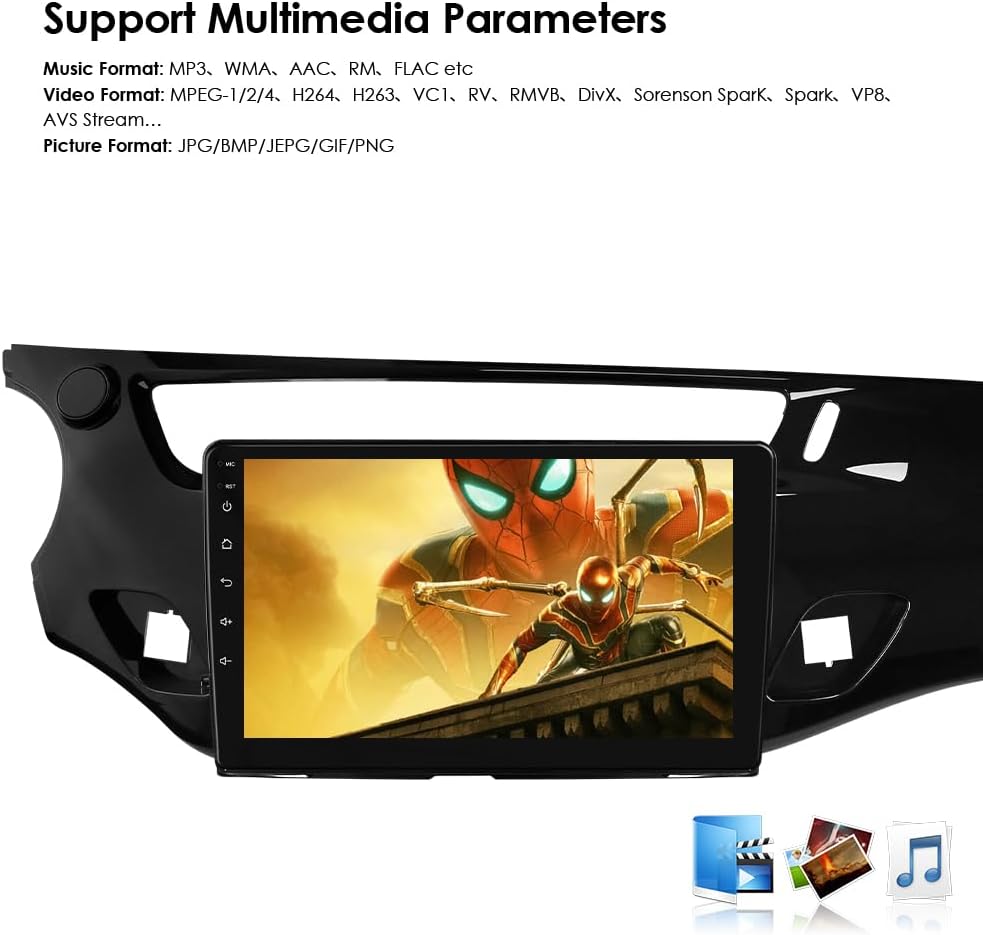
Resim: Multimedia parameters. The car stereo screen shows a video playing, indicating support for various music, video, and picture formats.
4.6 Direksiyon Kontrolü
The unit is compatible with all factory steering wheel control functions. Easily change tracks, channels, and adjust volume to minimize distractions while driving.

Resim: Steering Wheel Control. The image illustrates the integration of the car stereo with steering wheel controls, showing icons for volume, track changes, and mode selection.
4.7 Geri Görüş Kamerası Girişi
Support for a backup camera input allows the display to automatically switch to the rearview interface when the vehicle is put into reverse. This helps in identifying obstacles and improving safety.

Resim: Support Backup Camera. The image shows the car stereo displaying a rearview Park etme yönergelerini gösteren kamera görüntüsü.
4.8 WiFi Bağlantısı
Connect to Wi-Fi networks to access online features, download apps, browse the internet, and stream content.

Resim: WiFi. The image depicts a smartphone connecting wirelessly to the car stereo, indicating WiFi functionality.
4.9 Bölünmüş Ekran Görüntüsü
The split-screen feature allows two applications to be displayed simultaneously, such as navigation and music, enhancing multitasking capabilities.

Resim: Split Screen Display. The image shows the car stereo screen divided into two sections, displaying navigation on one side and music playback on the other.
4.10 FM Radyo Fonksiyonu
Tune into your favorite radio stations with the built-in FM tuner.

Resim: FM Function. The image displays the car stereo's FM radio interface, showing frequency tuning and station presets.
4.11 Dokunmatik Ekranın Çalıştırılması
The capacitive touchscreen provides a responsive and intuitive user experience. Navigate menus, select options, and control media with simple touches and gestures.

Resim: Touch Screen. The image shows a hand interacting with the car stereo's touchscreen, demonstrating its responsive interface.
4.12 Ses Kontrolü
Utilize voice commands for various functions, enhancing convenience and safety while driving. The system supports voice assistants for navigation, calls, and more.
5. Bakım
Ossuret araç teybinizin uzun ömürlü ve optimum performans göstermesi için aşağıdaki bakım yönergelerini izleyin:
- Temizlik: Ekranı ve dış yüzeyi temizlemek için yumuşak ve kuru bir bez kullanın. Aşındırıcı temizleyiciler veya çözücülerden kaçının.
- Yazılım Güncellemeleri: Performansı artırmak ve yeni özellikler eklemek için düzenli olarak yazılım güncellemelerini kontrol edin ve yükleyin.
- Sıcaklık: Cihazın elektronik bileşenlerini etkileyebilecek aşırı sıcaklıklara maruz bırakmaktan kaçının.
- Güç: Hasar oluşmasını önlemek için istikrarlı bir güç kaynağı sağlayın.
6. Sorun Giderme
Araç müzik sisteminizde sorun yaşıyorsanız, aşağıdaki yaygın sorun giderme adımlarına bakın:
| Sorun | Olası Neden | Çözüm |
|---|---|---|
| Güç Yok | Gevşek güç bağlantısı, atmış sigorta. | Güç kablolarını ve araç sigortalarını kontrol edin. Kablolamanın doğru yapıldığından emin olun. |
| Ses Yok | Incorrect speaker wiring, volume too low, mute activated. | Verify speaker connections, increase volume, check mute settings. |
| GPS Sinyali Kayboldu | GPS anteni düzgün bağlanmamış veya engellenmiş. | GPS anteninin güvenli bir şekilde bağlı olduğundan ve net bir sinyal aldığından emin olun. view gökyüzünün. |
| Bluetooth Eşleştirme Sorunları | Device not in pairing mode, incorrect password, interference. | Ensure both devices are in pairing mode, re-enter password, try pairing in a different location. |
| Dokunmatik Ekran Tepki Vermiyor | Yazılım hatası, ekran koruyucu müdahalesi. | Restart the unit. If a screen protector is installed, ensure it is applied correctly. |
If the problem persists after trying these steps, please contact Ossuret customer support for further assistance.
7. Özellikler
| Özellik | Detay |
|---|---|
| Marka | Ossuret |
| Araç Servis Tipi | Araba |
| Ekran Boyutu | 9 inç |
| Özel Özellikler | Carplay/Android Auto |
| Bağlantı Teknolojisi | Bluetooth, USB, Wi-Fi |
| Harita türü | Avrupa |
| Ses Çıkışı Modu | Stereo |
| Montaj Tipi | Kontrol Paneli Montajı |
| İşletim Sistemi | Android 13 |
| Bellek Depolama Kapasitesi | 32 GB |
| Dokunmatik Ekran Türü | Kapasitif |
| Görüntü Türü | LCD |
| İnsan Arayüzü Girişi | Mikrofon, Dokunmatik Ekran |
| Uyumlu Cihazlar | Akıllı telefon |
| Kontrol Yöntemi | Dokunma, Ses |
| Piller Dahil | HAYIR |
| Desteklenen Uydu Navigasyon Sistemi | Küresel Konumlama Sistemi |
| Üretici | Hitour Teknolojisi |
8. Accessories (What's in the Box)
The following components are included with your Ossuret car stereo:
- USB kablosu
- RCA Kablo Demeti
- GPS Anteni
- Harici Mikrofon
- Arka Kamera Girişi RCA Kablosu
- Fabrika USB Adaptörü
- Canbus Dekoder
- Radyo Anteni Adaptör Kablosu

Resim: Accessories. The image displays all the included cables and components: Power Cable, External Microphone, RCA Harness (WiFi version only), Rear Camera input RCA Cable, GPS Antenna (High-speed antenna), USB Cable, Factory USB Adapter, Canbus Decoder, and Radio Antenna Adapter Cable.
9. Garanti ve Destek
Ossuret araç teybiniz şunlarla birlikte gelir: 1 yıllık garanti Satın alma tarihinden itibaren geçerlidir. Bu garanti, üretim hatalarını ve normal kullanım koşullarındaki arızaları kapsar.
Garanti Talepleri ve Teknik Destek İçin:
Please contact the seller or Ossuret customer service directly. Have your purchase details and product model number ready when contacting support.