
dbsono N8A
dbsono Taşınabilir Bluetooth Hoparlör Kablosuz Kullanım Kılavuzu
Model: N8A
giriiş
This manual provides essential information for the safe and efficient operation of your dbsono Portable Bluetooth Speaker Wireless (Model: N8A). Please read this manual thoroughly before using the product and retain it for future reference.
Güvenlik Bilgileri
- Hoparlörü uzun süre aşırı sıcaklıklara veya doğrudan güneş ışığına maruz bırakmayın.
- Hoparlörü düşürmekten veya sert darbelere maruz bırakmaktan kaçının.
- Do not disassemble, repair, or modify the speaker yourself. Contact qualified service personnel for any repairs.
- Hoparlörü tıbbi cihazlardan uzak tutun.
- IPX5 su geçirmezliğini korumak için, su yakınındayken şarj portu kapağının güvenli bir şekilde kapatıldığından emin olun.
- Şarj işlemi için yalnızca ürünle birlikte verilen güç kablosunu kullanın.
Paket İçeriği
Paketin içinde tüm öğelerin mevcut olduğundan emin olun:
- dbsono Portable Bluetooth Speaker (Model: N8A)
- Güç kablosu
- Hızlı Başlangıç Kılavuzu
Ürün Bittiview

Şekil 1: Ön view of the dbsono Portable Bluetooth Speaker. This image displays the speaker's red mesh grille and the top panel with control buttons.
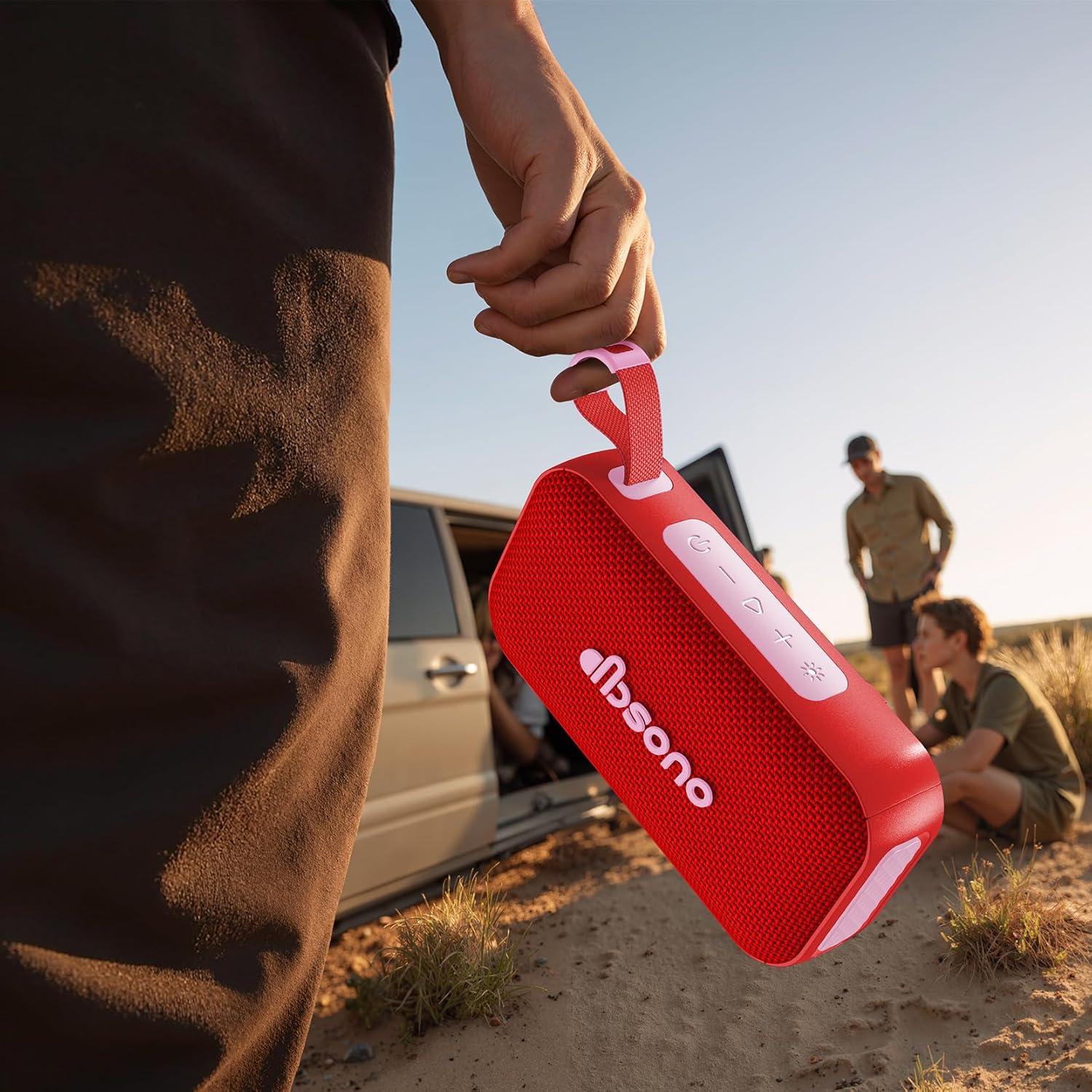
Şekil 2: The dbsono speaker being held, illustrating its compact size and portability for outdoor use.
Kontroller ve Göstergeler:
- Güç Düğmesi: Açmak/kapatmak için basılı tutun.
- Sesi Aç (+): Kısa basışla sesi açın. Uzun basışla sonraki parçaya geçin.
- Sesi kıs (-): Kısa basıldığında ses kısılır. Uzun basıldığında önceki parça çalınır.
- Oynat/Duraklat Düğmesi: Sesi çalmak veya duraklatmak için basın.
- Bluetooth Düğmesi: Eşleştirme moduna girmek için basın.
- Işık Modu Düğmesi: Press to cycle through RGB light modes.
- Şarj Portu: Şarj için USB-C bağlantı noktası.
- LED Göstergesi: Shows power status, charging status, and Bluetooth connection.
Kurmak
1. Hoparlörü Şarj Etme
Before first use, fully charge the speaker. Connect the provided power cable to the speaker's charging port and the other end to a USB power adapter (not included). The LED indicator will show charging status and turn off when fully charged. A full charge provides up to 30 hours of playtime.
2. Açma/Kapama
- Açmak İçin: Press and hold the Power Button for 2-3 seconds until you hear an audible prompt and the LED indicator lights up.
- Kapatmak İçin: Press and hold the Power Button for 2-3 seconds until you hear an audible prompt and the LED indicator turns off.
3. Bluetooth Eşleştirme
- Hoparlörün açık olduğundan ve Bluetooth cihazınızdan 10 metre (33 fit) uzakta olduğundan emin olun.
- The speaker will automatically enter Bluetooth pairing mode when powered on for the first time, or if no device is connected. The LED indicator will flash blue.
- Cihazınızda (akıllı telefon, tablet, dizüstü bilgisayar) Bluetooth'u etkinleştirin ve kullanılabilir cihazları arayın.
- Select "dbsono N8A" from the list of devices.
- Bağlantı kurulduktan sonra LED göstergesi sabit mavi renkte yanacak ve bir onay sesi duyacaksınız.
- To pair with a new device, disconnect from the current device or press the Bluetooth button to enter pairing mode again.
4. Gerçek Kablosuz Stereo (TWS) Eşleştirme
TWS allows you to connect two dbsono N8A speakers for a combined 40W stereo sound experience.
- Her iki hoparlörün de açık olduğundan ve herhangi bir Bluetooth cihazına bağlı olmadığından emin olun.
- On one speaker (this will be the primary speaker), press and hold the Bluetooth button for 3 seconds. You will hear a prompt indicating TWS pairing mode.
- Birincil konuşmacı otomatik olarak ikinci konuşmacıyı arayacaktır.
- Once connected, both speakers will emit a confirmation sound, and their LED indicators will synchronize.
- Şimdi, Bluetooth cihazınızı "Bluetooth Eşleştirme" bölümünde açıklandığı gibi ana hoparlöre bağlayın. Ses, her iki hoparlörden de stereo olarak çalınacaktır.
- To disconnect TWS, press and hold the Bluetooth button on either speaker for 3 seconds.
İşletim
Basic Audio Controls
- Oynat/Duraklat: Oynat/Duraklat düğmesine basın.
- Sesi aç: '+' düğmesine kısa süre basın.
- Sesi kıs: '-' düğmesine kısa süre basın.
- Sonraki Parça: '+' düğmesine uzun süre basın.
- Önceki parça: '-' düğmesine uzun süre basın.
RGB Lightshow Modes
Press the Light Mode button to cycle through various RGB light effects. The speaker offers multiple dynamic light modes to enhance your listening experience.

Şekil 3: The speaker positioned on a rock in an outdoor setting, demonstrating its suitability for adventures.

Şekil 4: The speaker on a table during an outdoor gathering, illustrating its use in social environments.
Bakım
Temizlik
Hoparlörü yumuşak bir bezle silin.amp Bez kullanın. Aşındırıcı temizleyiciler, alkol veya kimyasal çözücüler kullanmayın, çünkü bunlar yüzeye veya iç bileşenlere zarar verebilir.
Depolamak
Uzun süre kullanılmadığında, hoparlörü serin, kuru bir yerde, doğrudan güneş ışığından ve aşırı sıcaklıklardan uzakta saklayın. Pil ömrünü korumak için hoparlörü en az üç ayda bir şarj etmeniz önerilir.
Suya Dayanıklılık (IPX5)
The speaker is IPX5 water resistant, meaning it can withstand splashes and light rain. It is not designed to be submerged in water. Ensure the charging port cover is securely closed before exposing the speaker to water. After exposure to water, wipe the speaker dry before charging.
Sorun giderme
| Sorun | Olası Neden | Çözüm |
|---|---|---|
| Hoparlör açılmıyor. | Pil zayıf veya bitmiş. | Charge the speaker using the provided power cable. |
| Bluetooth cihazıyla eşleştirilemiyor. | Hoparlör eşleştirme modunda değil; Cihazda Bluetooth kapalı; Cihaz çok uzakta. | Ensure speaker is in pairing mode (flashing blue LED). Turn on Bluetooth on your device. Move device closer to speaker (within 10m). |
| Ses yok veya ses seviyesi düşük. | Hoparlörün veya cihazın ses seviyesi çok düşük; Hoparlör bağlı değil. | Hem hoparlörün hem de bağlı cihazınızın ses seviyesini artırın. Hoparlörün başarıyla eşleştirildiğinden emin olun. |
| TWS eşleştirmesi başarısız. | Hoparlörler birbirinden çok uzakta; Bir hoparlör zaten bir cihaza bağlı. | Ensure both speakers are within close proximity. Disconnect any Bluetooth devices from both speakers before initiating TWS pairing. |
Özellikler
| Model Adı | N8A |
| Marka | dbsono |
| Hoparlör Tipi | Taşınabilir Hoparlör |
| Bağlantı Teknolojisi | Bluetooth 5.4 |
| Hoparlör Maksimum Çıkış Gücü | 20 Watts (40W in TWS mode) |
| Oyun zamanı | 30 saate kadar |
| Su Direnç Seviyesi | IPX5 |
| Ürün Boyutları | 6.85"D x 2.05"G x 3.66"Y |
| Ürün Ağırlığı | 1.15 pound |
| Pil | 1 C pil (dahil) |
Garanti ve Destek
For warranty information or technical support, please refer to the contact details provided in the Quick Start Guide included with your product, or visit the official dbsono website. Please have your model number (N8A) and purchase details ready when contacting support.
Çevrimiçi destek: Visit the dbsono Store on Amazon
Ask a question about this manual
Ask about setup, troubleshooting, compatibility, parts, safety, or missing instructions. Manuals+ will review the question and use this page’s manual context to help answer it.