
1. Giriş
This manual provides essential instructions for setting up, operating, maintaining, and troubleshooting your MIRO A1 Unlocked 4G Cell Phone. Please read this guide thoroughly to ensure proper use and to maximize the device's performance.

Figure 1: MIRO A1 Smartphone
2. Paket İçeriği
Paketin içinde tüm öğelerin mevcut olduğundan emin olun:
- MIRO A1 Smartphone (1 unit)
- Pil (1 adet)
- Şarj cihazı (1 adet)
- USB Kablosu (1 adet)
- Kullanım Kılavuzu (1 adet)

Şekil 2: Dahil Olan Aksesuarlar
3. Kurulum
3.1. Pil Kurulumu
- Telefonun arka kapağını dikkatlice çıkarın.
- Pil kontaklarını telefonun içindeki terminallerle hizalayın.
- Pili yerine iyice oturana kadar hafifçe bastırın.
- Arka kapağı yerine takın ve yerine oturduğundan emin olun.

Şekil 3: Batarya Kurulumu
3.2. SIM Kart ve MicroSD Kart Kurulumu
The MIRO A1 supports Dual SIM cards and a MicroSD card for expandable storage.
- With the back cover removed, locate the SIM card slots and the MicroSD card slot.
- Insert your Nano SIM card(s) into the designated SIM slots with the gold contacts facing down.
- If using a MicroSD card for additional storage (up to 256GB), insert it into the MicroSD card slot.
- Ensure all cards are seated correctly.
Şekil 4: SIM Kart Kurulumu
3.3. İlk Şarj ve Güç Açma
- Connect the USB cable to the phone's USB Type C port and the charger.
- Plug the charger into a power outlet. Allow the phone to charge for at least 30 minutes before first use.
- Press and hold the Power button (usually on the side) until the MIRO logo appears.
- Follow the on-screen prompts to complete the initial setup of the Android 14 Go Edition operating system.
4. Kullanım Talimatları
4.1. Temel Gezinme
The MIRO A1 runs on Android 14 Go Edition, designed for efficient performance. Use touch gestures to navigate:
- Musluk: Bir öğe seçin veya bir uygulama açın.
- Tokatlamak: Ekranlar veya listeler arasında gezinin.
- Tutam: Fotoğrafları yakınlaştırın veya uzaklaştırın ve web sayfalar.
- Uzun basma: Bağlamsal menülere erişin veya uygulama simgelerini taşıyın.
4.2. Arama Yapma ve Mesaj Gönderme
- Open the 'Phone' app to dial numbers or access contacts.
- Open the 'Messages' app to send and receive SMS/MMS.
- For Dual SIM users, you can select which SIM to use for calls or messages before initiating them.
4.3. Kamera Kullanımı
The MIRO A1 features a 5MP rear camera and a 2MP front camera.
- Ana ekrandan veya uygulama çekmecenizden 'Kamera' uygulamasını açın.
- Fotoğraf çekmek için deklanşöre dokunun.
- Kamera geçiş simgesini kullanarak ön ve arka kameralar arasında geçiş yapın.

Figure 5: Camera Module
4.4. Depolama Yönetimi
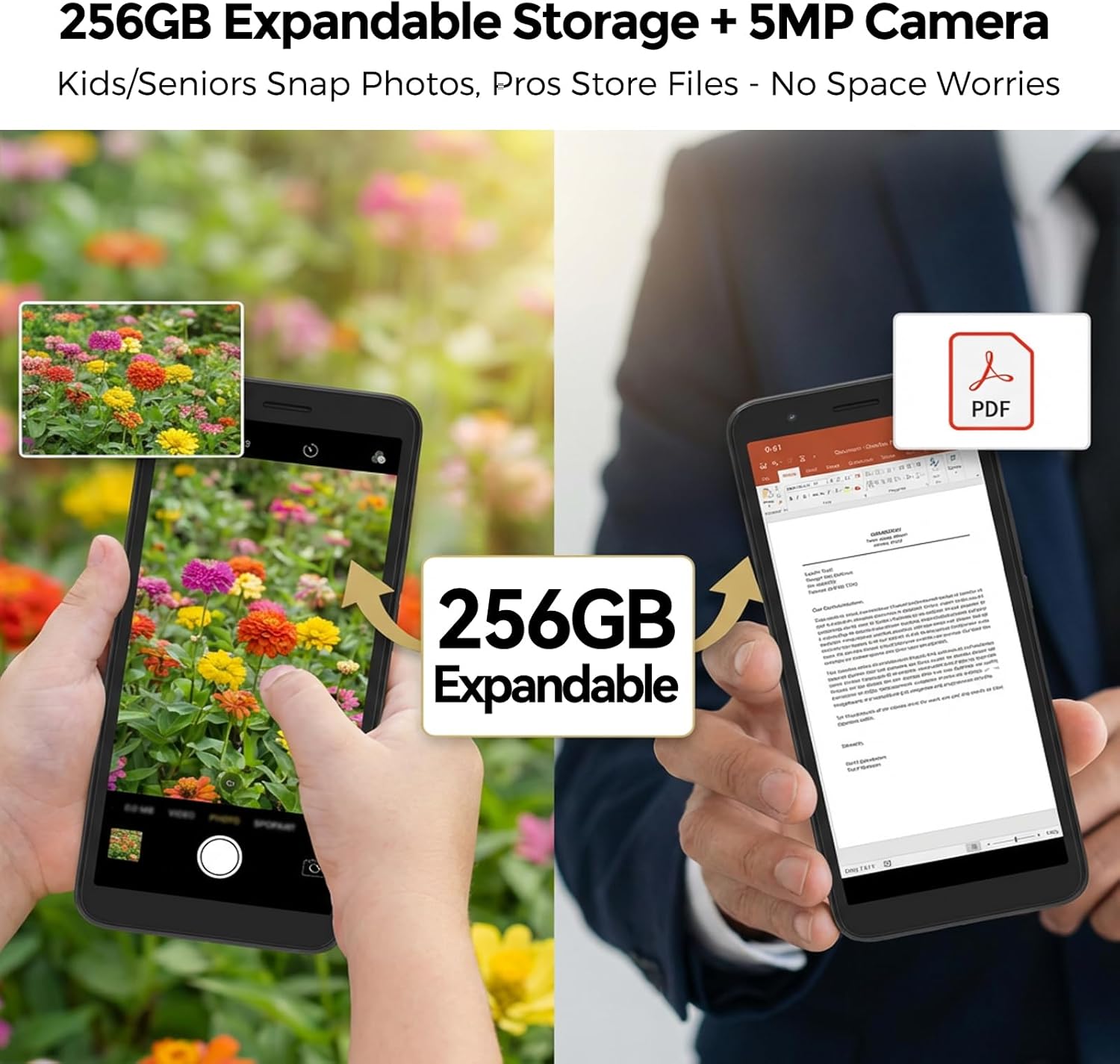
Your MIRO A1 comes with 32GB of internal storage, expandable up to 256GB via a MicroSD card.
- Depolama kullanımını kontrol etmek için şuraya gidin: Ayarlar > Depolama.
- Fotoğrafları, videoları ve diğerlerini taşıyın files to the MicroSD card to free up internal space.

Şekil 6: Genişletilebilir Depolama
4.5. Wi-Fi Bağlantısı
- Git Ayarlar > Ağ ve internet > Wi-Fi.
- Wi-Fi'yi açın.
- Listeden istediğiniz ağı seçin ve istendiğinde şifreyi girin.
5. Bakım
5.1. Pil Bakımı
- Pil ömrünü azaltabilecek aşırı sıcaklıklardan kaçının.
- Telefonunuzun şarjı %100'e ulaştıktan sonra uzun süre şarjda bırakmayın.
- Pil çıkarılabilir ise, doğru şekilde yerleştirildiğinden emin olun.
5.2. Cihazın Temizlenmesi
- Telefonunuzun ekranını ve gövdesini temizlemek için yumuşak, tiftiksiz bir bez kullanın.
- Sert kimyasallar veya aşındırıcı malzemeler kullanmaktan kaçının.
- Bağlantı noktalarını toz ve kalıntılardan uzak tutun.
5.3. Yazılım Güncellemeleri
Periodically check for system updates to ensure your phone has the latest features and security patches. Go to Ayarlar > Sistem > Sistem güncellemesi.
6. Sorun Giderme
6.1. Telefon Açılmıyor
- Pilin doğru şekilde takıldığından ve şarj edildiğinden emin olun.
- Connect the phone to the charger and wait a few minutes before attempting to power on again.
- Eğer pil çıkarılabilir ise, çıkarıp tekrar takmayı deneyin.
6.2. Ağ Sorunları
- SIM kartın düzgün takılıp takılmadığını kontrol edin.
- Verify that your mobile data is enabled in Ayarlar > Ağ ve internet > Mobil ağ.
- Telefonu yeniden başlatın.
- Confirm with your carrier that your plan is active and compatible with an unlocked 4G device.
6.3. Storage Full
- Gereksiz uygulamaları, fotoğrafları ve videoları silin.
- Taşınmak files to a MicroSD card if one is installed.
- Uygulamalar için önbellek verilerini temizle Ayarlar > Uygulamalar ve bildirimler > [Uygulama Adı] > Depolama ve önbellek.
6.4. Fabrika Ayarlarına Sıfırlama
If persistent issues occur, a factory reset may be necessary. This will erase all data on your phone. Back up important data before proceeding.
- Git Ayarlar > Sistem > Sıfırlama seçenekleri.
- Seçme Tüm verileri sil (fabrika ayarlarına sıfırla).
- Kararınızı teyit edin.
7. Özellikler
| Özellik | Şartname |
|---|---|
| Marka | MIRO |
| Model Adı | MIRO A1 |
| İşletim Sistemi | Android 14 Go Sürümü |
| RAM Bellek | 2 GB |
| Dahili Depolama | 32 GB |
| Genişletilebilir Depolama | 256 GB'a kadar (MicroSD) |
| Ekran Boyutu | 5.99 inç |
| Çözünürlük | 576x1152 |
| Arka Kamera | 5 MP |
| Ön Kamera | 2 MP |
| Pil Kapasitesi | 3000 mAh |
| SIM Kart Yuvası Sayısı | Dual SIM (Nano) |
| Bağlantı | 4G, Wi-Fi, Bluetooth, 3.5mm Headphone Jack, USB Type C |
| Biyometrik Güvenlik | Parmak İzi Tanıma |
| Ağırlık | 182g (6.42oz) |
8. Garanti ve Destek
8.1. Garanti Bilgileri
The MIRO A1 smartphone comes with a 1 Yıllık Sınırlı Garanti Satın alma tarihinden itibaren geçerlidir. Bu garanti, üretim hatalarını kapsar. Yanlış kullanım, kazalar, yetkisiz değişiklikler veya normal aşınma ve yıpranmadan kaynaklanan hasarları kapsamaz.
8.2. Müşteri Desteği
For technical assistance, warranty claims, or further inquiries, please contact MIRO customer support through the retailer where you purchased the device or refer to the official MIRO webiletişim bilgileri için site.