
MUBVIEW Zil J7
MUBVIEW Bell J7 2K Kablosuz Görüntülü Kapı Zili Kamerası ve Zil Sesi Kullanım Kılavuzu
Model: Bell J7
1. Giriş
Bu kılavuz, MUB cihazınızın kurulumu, çalıştırılması ve bakımı için ayrıntılı talimatlar içermektedir.VIEW Bell J7 2K Wireless Video Doorbell Camera with Chime. Please read this manual thoroughly before using the product to ensure proper function and safety. This device is designed to enhance your home security with advanced features like 2K video, motion detection, and two-way audio.
2. Kutuda Neler Var?
Kuruluma devam etmeden önce tüm bileşenlerin mevcut olduğundan emin olun:
- Camera Doorbell x1
- Çan x1
- Kullanıcı Kılavuzu x1
- Şarj Kablosu x1
- pil x3
- Other Accessories (screws, anchors, screwdriver)

Image: Contents of the MUBVIEW Bell J7 package, including the doorbell, chime, and installation tools.
3. Ürün Bittiview
Familiarize yourself with the main parts of your video doorbell and chime:
Kapı Zili Kamerası
- 2K Camera Lens: Yüksek çözünürlüklü video kaydı yapar.
- Pir hareket sensörü: İnsan hareketini algılar.
- Mikrofon: Çift yönlü ses iletişimi için.
- Konuşmacı: Çift yönlü sesli iletişim ve siren için.
- Kapı Zili Düğmesi: Zil sesini etkinleştirir ve bildirim gönderir.
- Micro USB-C Port: Dahili bataryayı şarj etmek için.
- Sıfırlama Düğmesi: Cihaz sıfırlama işlemi için.
- Mikro SD Kart Yuvası: For local video storage (up to 128GB, card not included).
- Anti-Theft Button: Triggers an alarm if the doorbell is removed from its mount.
Kablosuz Zil
- Konuşmacı: Kapı zili sesi çıkarır.
- Ses Kontrolü: Zil sesinin yüksekliğini ayarlar.
- Ton Seçici: Changes chime melody.
- Güç Kaynağı: Esnek yerleşim için pille çalışır.

Resim: Ön view of the MUBVIEW Bell J7 doorbell and chime.
4. Kurulum
Follow these steps to set up your MUBVIEW Bell J7 doorbell camera:
4.1 Kapı Zili'nin Şarj Edilmesi
- Before first use, fully charge the doorbell camera using the provided USB charging cable.
- The charging port is located on the side of the doorbell, protected by a rubber flap.
- A full charge can last up to 180 days, depending on usage.
4.2 Uygulama Kurulumu ve Wi-Fi Bağlantısı
- İndir BulutEdge or MUBVIEW app from your smartphone's app store (Apple App Store or Google Play Store).
- Yeni bir hesap oluşturun veya zaten bir hesabınız varsa giriş yapın.
- Akıllı telefonunuzun bir ağa bağlı olduğundan emin olun 2.4GHz Wi-Fi ağı. The doorbell is not compatible with 5GHz Wi-Fi.
- In the app, select "Add Device" and choose "Smart Video Doorbell".
- Follow the on-screen prompts to connect the doorbell to your Wi-Fi network. This typically involves scanning a QR code displayed on your phone with the doorbell camera.
- Once connected, you can name your device and complete the setup.
4.3 Kapı Zilinin Montajı
The doorbell can be mounted using screws or strong adhesive tape (not included for all mounting types).
- Attach the mounting bracket to your desired location on the wall or door frame. Ensure it is at an appropriate height for optimal viewIng.
- Secure the bracket using the provided screws and anchors.
- Slide the doorbell camera into the mounting bracket until it clicks securely into place.
- For added security, a small screw can be inserted from the bottom of the bracket into the doorbell to prevent easy removal.

Image: Installation of the MUBVIEW Bell J7 doorbell camera onto its mounting bracket.
5. Kullanım Talimatları
5.1 Canlı View ve İki Yönlü Ses
- MUB'u açınVIEW app to access the live video feed from your doorbell camera.
- Use the microphone icon in the app to enable two-way audio and speak with visitors at your door.
- The voice changer feature can be activated for added privacy and security.

Image: Demonstrating two-way audio and voice message functionality via the app.
5.2 Hareket Algılama ve Uyarılar
- The doorbell features advanced PIR motion and human detection to minimize false alarms.
- Hareket algılandığında, akıllı telefonunuza anında bildirim alacaksınız.
- Adjust motion detection sensitivity and set custom motion zones within the app to suit your environment.

Image: Smartphone notification for human detection from the doorbell camera.
5.3 Gece Görüşü
- The doorbell camera automatically switches to IR night vision in low-light conditions.
- Enhanced night vision provides clear images up to 33 feet.
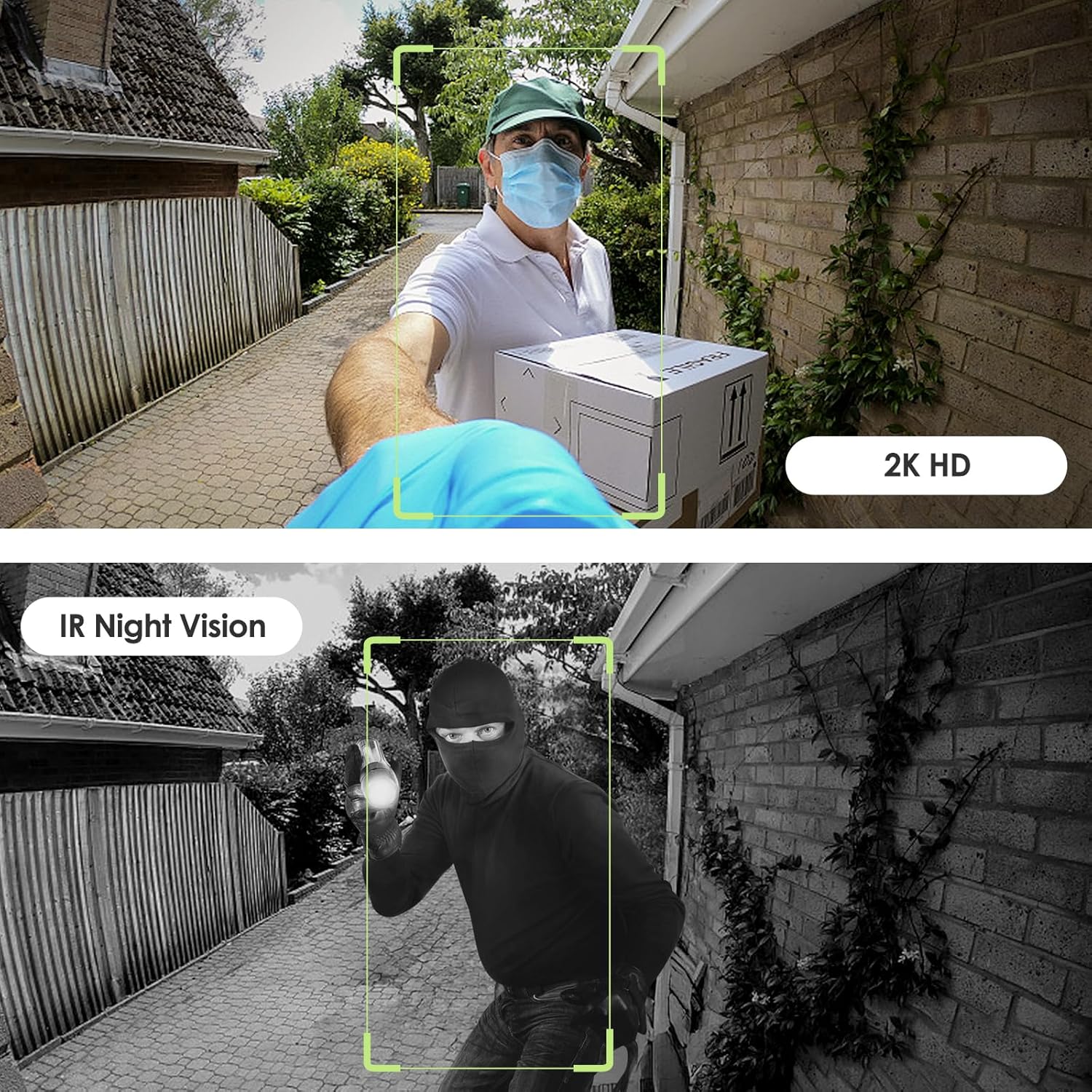
Image: Day and night vision capabilities of the MUBVIEW Bell J7 doorbell.
5.4 Video Depolama
- Mikro SD kart: Insert a micro SD card (up to 128GB, not included) into the designated slot for local storage of recorded footage.
- Bulut Depolama: Enjoy 7-day free cloud loop storage. Optional premium cloud storage plans are available for extended storage and features.

Image: Multiple storage options: local Micro SD card and cloud service.
6. Özellikler
- 2K Full HD Çözünürlük: Net ve ayrıntılı video sunar.
- 145° Geniş Açılı Lens: Geniş bir yelpazede sunar view kapınızın önünde.
- Pille Çalışan: Ensures easy, wire-free installation.
- 2.4 GHz Wi-Fi Bağlantısı: Stable and reliable wireless connection.
- IP65 Hava Koşullarına Dayanıklılık: Built to withstand various outdoor conditions (rain, heat, hail, sun, dust).
- Hırsız alarmı: Siren sounds if the doorbell is tampile birlikte.
- Ses Değiştirici: Enhances privacy during two-way audio.
- Pre-Recorded Voice Messages: Respond quickly with custom messages.
- Aile Paylaşımı: Supports up to 15 online users and 20 user accounts.
- Uyumluluk: Alexa ve Google Assistant ile çalışır.

Resim: Üzeriview of MUBVIEW Bell J7 features.
7. Bakım
7.1 Pil Şarjı
The doorbell is powered by rechargeable batteries. Monitor the battery level through the app and recharge as needed. The battery life can extend up to 180 days on a single charge, depending on activity and settings.
7.2 Temizlik
Kamera merceğini ve kapı zilinin dış yüzeyini yumuşak bir bezle silin.amp Toz ve kalıntıları temizlemek için bir bez kullanın. Cihaza zarar verebilecek sert kimyasallar veya aşındırıcı malzemeler kullanmaktan kaçının.
7.3 Hava Koşullarına Dayanıklılık
MUBVIEW Bell J7 is IP65 weather-resistant, designed to endure various outdoor conditions. However, extreme weather conditions may still impact performance or battery life.

Image: IP65 Weather Resistance of the MUBVIEW Bell J7 doorbell.
8. Sorun Giderme
| Sorun | Olası Çözüm |
|---|---|
| Kapı zili Wi-Fi'ye bağlanmıyor. | Ensure your Wi-Fi is 2.4GHz. Move the doorbell closer to your router during setup. Reset the doorbell and try again. |
| Frequent false motion alarms | Adjust the motion detection sensitivity in the app. Set custom motion zones to exclude busy areas or moving foliage. |
| Video kalitesi zayıf | Check your Wi-Fi signal strength in the app. Ensure the camera lens is clean and free from obstructions. |
| Kısa pil ömrü | Reduce motion detection sensitivity or frequency of live view access. Ensure the doorbell is fully charged. |
| Anti-theft alarm not working | Ensure the anti-theft feature is enabled in the app settings. Check if the doorbell is properly seated in its mounting bracket, activating the tamper düğmesi. |
9. Özellikler
- Model Adı: Zil J7
- Video Yakalama Çözünürlüğü: 2K
- Bağlantı Teknolojisi: Kablosuz (2.4 GHz Wi-Fi)
- Güç Kaynağı: Pille Çalışır (3 adet A pil dahildir)
- İç/Dış Mekan Kullanımı: Dış mekan
- Suya Dayanıklılık Seviyesi: IP65 Su Geçirmez
- Özel Özellikler: 2-Way Audio, Built-In Light, HD Resolution, Image Sensor, Motion Sensor, Voice Changer, Anti-Theft Alarm
- Uyumlu Cihazlar: Smartphone (via CloudEdge/MUBVIEW uygulama)
- Ürün Ölçüleri: 1.37 x 5.27 x 2.2 inç
- Ürün Ağırlığı: 15.4 ons
10. Garanti ve Destek
MUBVIEW is committed to providing quality products and customer satisfaction. For any inquiries or support needs, please refer to the following:
- Müşteri Hizmetleri: Available via Call Service (9AM-5PM EST) and Online Email.
- İade: 30-day Amazon return policy applies.
- Koruma Planları: İsteğe bağlı 2 yıllık ve 3 yıllık koruma planları satın alınabilir.
For detailed contact information, please visit the official MUBVIEW website or refer to the contact details provided in the product packaging.

Image: MUBVIEW Customer Service details.
Ask a question about this manual
Ask about setup, troubleshooting, compatibility, parts, safety, or missing instructions. Manuals+ will review the question and use this page’s manual context to help answer it.