
giriiş
Satın aldığınız için teşekkür ederizasing the Hisense 43A69Q 4K UHD Smart VIDAA TV. This manual provides essential information for setting up, operating, and maintaining your television. Please read it thoroughly before using the product to ensure safe and correct operation. Keep this manual for future reference.
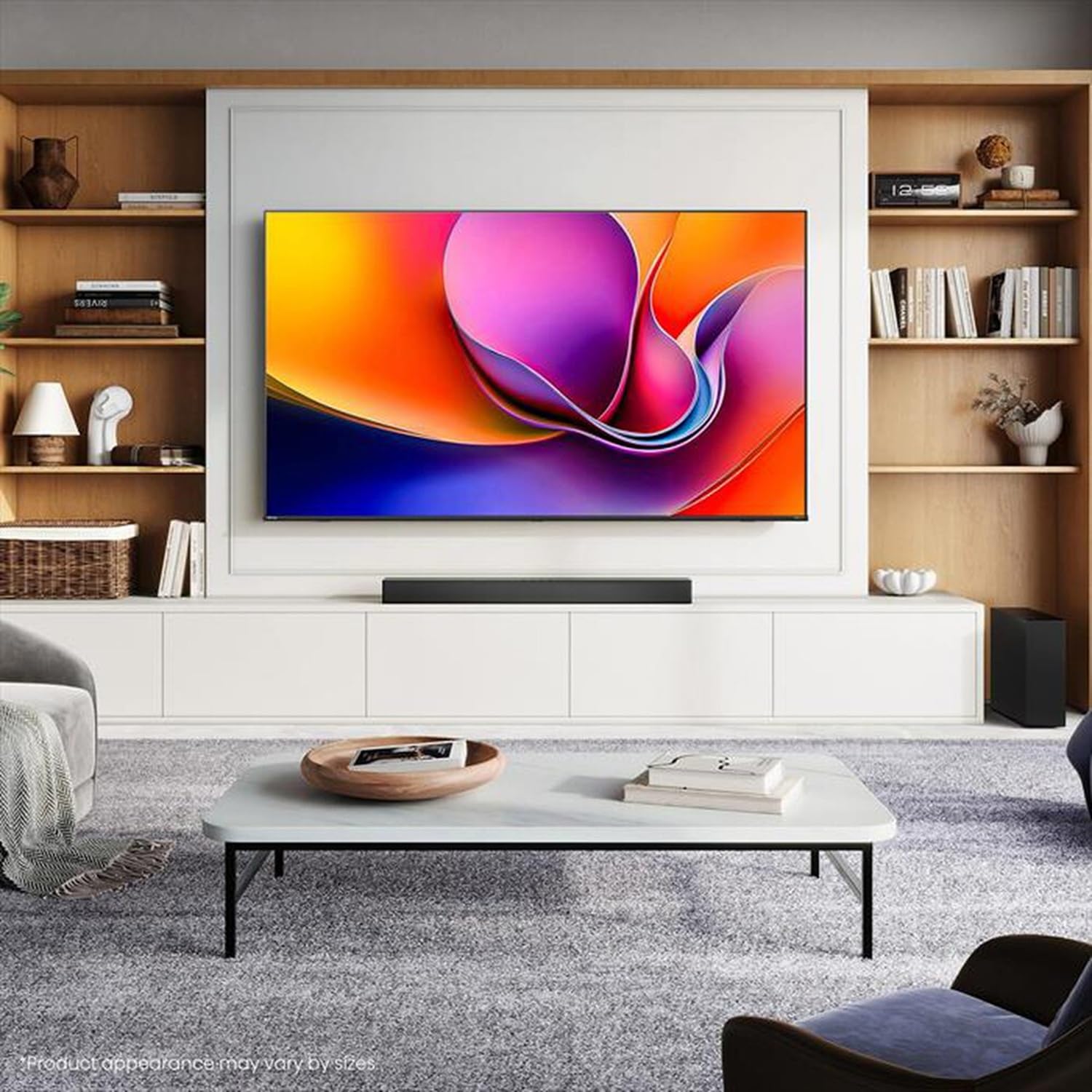
Image: Hisense 43A69Q 4K UHD Smart VIDAA TV. This image shows the television from the front, highlighting its slim bezel design and display.
Güvenlik Bilgileri
Televizyonunuzu kullanırken her zaman şu temel güvenlik önlemlerine uyun:
- TV'yi yağmura veya neme maruz bırakmayın.
- Do not open the TV cabinet. Refer all servicing to qualified personnel.
- Televizyonun etrafında yeterli havalandırma olduğundan emin olun. Havalandırma açıklıklarını kapatmayın.
- Güç kablosunun üzerine basılmasını veya sıkışmasını önleyin.
- Yıldırımlı havalarda veya uzun süre kullanılmayacaksa televizyonun fişini çekin.
- Keep the TV away from heat sources like radiators, heat registers, stoves, or other heat-producing appliances.
Kutuda Neler Var?
Tüm bileşenlerin mevcut olduğunu doğrulayın:
- Hisense 43A69Q 4K UHD Smart VIDAA TV
- Pilli Uzaktan Kumanda
- Güç Kablosu
- TV Sehpası Bileşenleri (2 ayak)
- Stand Montajı için Vidalar
- Hızlı Kurulum Kılavuzu
- Kullanım Kılavuzu (bu belge)
Kurmak
1. Paketten çıkarma
Carefully remove the TV from its packaging. It is recommended that two people handle the TV to prevent damage or injury. Retain the packaging materials for future transport or servicing.
2. Stand Kurulumu
If you are not wall-mounting the TV, attach the stand:
- Ekran hasarını önlemek için televizyonu yumuşak ve temiz bir yüzeye yüzü aşağı bakacak şekilde yerleştirin.
- Her bir sehpa ayağını televizyonun altındaki ilgili yuvalarla hizalayın.
- Her bir bacağı verilen vidalarla sabitleyin. Vidaların iyice sıkıldığından emin olun.
- Televizyonu dikkatlice kaldırıp düz ve sağlam bir yüzeye dik konumda yerleştirin.
3. Duvara Montaj (Opsiyonel)
The Hisense 43A69Q is compatible with VESA standard wall mounts (200x300 mm). Wall mount kits are sold separately. Follow the instructions provided with your wall mount kit and ensure professional installation if you are unsure.
4. Harici Cihazları Bağlama
Cihazlarınızı televizyonun bağlantı noktalarına bağlayın:
- HDMI: Connect Blu-ray players, game consoles, or set-top boxes to the HDMI ports (HDMI1, HDMI2, HDMI3). This model features HDMI 2.1 with ALLM and VRR (60Hz) support on all ports, and eARC on HDMI3.
- USB BAĞLANTI: Plug in USB drives for media playback (2 USB 2.0 ports).
- Anten/Kablo: Connect your antenna or cable TV signal to the RF tuner input.
- Ethernet: For a stable wired internet connection, connect an Ethernet cable to the RJ45 port.
- Ses çıkışı: Use the S/PDIF optical output for digital audio to a soundbar or receiver, or the headphone jack for private listening.
5. Power On & First-Time Setup
After connecting all devices:
- Güç kablosunu televizyona ve ardından duvardaki prize takın.
- Uzaktan kumandadaki veya televizyonun üzerindeki Güç düğmesine basın.
- Dil seçimi, ağ bağlantısı (Wi-Fi veya Ethernet) ve kanal tarama dahil olmak üzere ilk kurulum için ekrandaki talimatları izleyin.
- Log in to your VIDAA account or create a new one to access smart features.
TV'yi çalıştırma
1. Uzaktan Kontrol Üzerindeview
Familiarize yourself with the remote control buttons for basic functions like power, volume, channel, input selection, and smart app shortcuts.
2. Navigating VIDAA Smart OS
The VIDAA Smart OS provides a user-friendly interface. Use the directional buttons and OK button on your remote to navigate menus, launch applications, and adjust settings.
3. Akıllı Özelliklerin Kullanımı
Access pre-installed applications like Netflix, YouTube, and Amazon Prime Video directly from the home screen. Additional apps can be downloaded from the VIDAA App Store.
4. Görüntü ve Ses Ayarları
Adjust picture modes (Standard, Dynamic, Cinema, Game) and sound modes (Standard, Music, Speech) to optimize your viewing experience. Advanced settings allow fine-tuning of brightness, contrast, color, and audio equalizer.
This TV supports Dolby Vision and HDR10 for enhanced picture quality, and DTS Virtual X for immersive audio.
5. Bağlantı Özellikleri
- Wi-Fi ve Bluetooth: Connect wirelessly to your home network and Bluetooth devices like headphones or speakers.
- Ekran Paylaşımı: Use built-in screen sharing features (e.g., AirPlay 2 support) to mirror content from compatible mobile devices.
- Oyun Modu PLUS: For gaming, enable Game Mode PLUS to reduce input lag (≤ 20 ms) and utilize VRR (Variable Refresh Rate) for smoother gameplay.
Bakım
1. Televizyonun Temizlenmesi
Ekranı temizlemek için yumuşak, tiftiksiz bir bezle hafifçe silin. İnatçı lekeler için hafifçe silin.ampen the cloth with water or a specialized screen cleaner. Never spray cleaner directly onto the screen. Clean the TV cabinet with a soft, dry cloth.
2. Yazılım Güncellemeleri
Your TV may receive software updates to improve performance and add new features. Ensure your TV is connected to the internet. You can usually check for updates in the TV's settings menu under 'System' or 'About TV'.
Sorun giderme
Sorunlarla karşılaşırsanız, şu yaygın çözümleri deneyin:
- Güç Yok: Güç kablosunun hem televizyona hem de duvar prizine sağlam bir şekilde takılı olup olmadığını kontrol edin. Farklı bir priz deneyin.
- Görüntü/Ses Yok: Ensure the correct input source is selected. Check all cable connections. Restart connected devices.
- Uzaktan Kumanda Çalışmıyor: Pilleri değiştirin. Uzaktan kumanda ile TV'nin kızılötesi sensörü arasında herhangi bir engel olmadığından emin olun.
- Ağ Bağlantı Sorunları: Restart your router and modem. Reconnect the TV to your Wi-Fi network or check the Ethernet cable.
- Kötü Görüntü Kalitesi: Anten/kablo bağlantılarını kontrol edin. Görüntü ayarlarını yapın. Kaynak içeriğin yüksek kalitede olduğundan emin olun.
For persistent problems, consult the Hisense support website veya müşteri hizmetleriyle iletişime geçin.
Özellikler
| Özellik | Şartname |
|---|---|
| Marka | Hisense |
| Model Adı | 43A69Q |
| Ekran Boyutu | 43 inç (108 cm) |
| Çözünürlük | 4K Ultra HD 3840x2160 |
| Yenileme Hızı | 60 Hz |
| İşletim Sistemi | VIDAA Akıllı İşletim Sistemi |
| HDR Teknolojisi | HDR, HDR10, HDR10+ decoding, Dolby Vision, HLG |
| Ses Teknolojisi | DTS Virtual X (2x7W speakers) |
| HDMI Bağlantı Noktaları | 3 (HDMI 2.1 with ALLM, VRR (60Hz); HDMI3 also with eARC) |
| USB Bağlantı Noktaları | 2 (USB 2.0) |
| Bağlantı | Wi-Fi (IEEE 802.11 a/b/g/n/ac-2.4G,5G), Bluetooth, Ethernet |
| VESA Uyumluluğu | 200x300 mm |
| Energy Efficiency Class (SDR/HDR) | E / G |
| Boyutlar (standlı) | 963 mm (G) x 608 mm (Y) x 222 mm (D) |
| Net Ağırlık (stand ile) | 6.9 kilo |
Garanti ve Destek
Hisense ürünleri üretici garantisi kapsamındadır. Lütfen ürününüzle birlikte gelen garanti kartına bakın veya resmi Hisense web sitesini ziyaret edin. webBölgenize özgü ayrıntılı garanti şartları ve koşulları için siteyi ziyaret edin.
For technical support, troubleshooting assistance, or service requests, please contact Hisense customer support through their official website veya ürün dokümantasyonunuzda sağlanan iletişim bilgileri.