
VERMESS L-Shaped Desk 74-inch with 5 Drawers (B0FJC59DG7)
VERMESS L-Shaped Desk 74-inch with 5 Drawers and Power Outlet
Kullanım Kılavuzu
Model: L-Shaped Desk 74-inch with 5 Drawers (B0FJC59DG7)
Marka: VERMESS
1. Giriş
Thank you for choosing the VERMESS L-Shaped Desk. This manual provides detailed instructions for the assembly, operation, and maintenance of your new desk. Please read this manual thoroughly before assembly and use to ensure proper function and longevity of the product. Keep this manual for future reference.
2. Güvenlik Talimatları
- Ensure all parts are present and undamaged before beginning assembly. Do not use if any parts are missing or damaged.
- Çizilmeleri önlemek için masayı yumuşak ve temiz bir zemine kurun.
- Montaj sırasında vidaları aşırı sıkmayın, çünkü bu malzemeye zarar verebilir.
- Küçük parçaları ve ambalaj malzemelerini çocuklardan ve evcil hayvanlardan uzak tutun.
- Do not exceed the maximum weight capacity of the desk (Max Capacity: 100LBS).
- Ensure the power outlet is connected to a grounded electrical source. Do not overload the power strip.
- Tüm bağlantı ve sabitleme elemanlarını düzenli olarak kontrol ederek sıkı ve güvenli olduklarından emin olun.
3. Paket İçeriği
Please verify that all components listed below are included in your package. If any parts are missing, please contact customer support.
- MDF Wooden Desktop Panels (various sizes)
- Metal Frame Components (legs, supports, X-frame)
- 5 Fabric Drawers (including 1 file çekmece)
- Monitör Standı Rafı
- 2-Tier Desk Shelf
- Printer Support Shelf
- Built-in Power Strip (3 AC outlets, 1 USB, 1 Type-C)
- RGB LED Light Strip with Smart Controller
- Ayarlanabilir Ayaklar
- Montaj Donanımı (vidalar, cıvatalar, Allen anahtarı)
- Kullanım Kılavuzu
4. Kurulum ve Montaj
Follow these steps carefully to assemble your VERMESS L-Shaped Desk. It is recommended to have two people for assembly.

Resim: Bir üstten görünüm view of the fully assembled VERMESS L-shaped desk, showcasing its spacious design, monitor stand, integrated power outlet, and drawer units. Various office items are arranged on the desk.
4.1 Genel Kurul Adımları
- Tüm bileşenleri ambalajından çıkarın ve korumalı bir yüzeye yerleştirin.
- Verilen parça listesi ve diyagramları kullanarak tüm parçaları belirleyin.
- Attach the metal frame components according to the diagrams, ensuring all screws are finger-tight initially.
- Masaüstü panellerini monte edilmiş çerçeveye sabitleyin.
- Install the monitor stand, 2-tier shelf, and printer support shelf as indicated.
- Insert the fabric drawers into their designated compartments.
- Install the built-in power strip and connect its power cable.
- Attach the RGB LED light strip to the underside of the monitor stand or desired location, then connect it to the smart controller.
- Once all components are in place, fully tighten all screws.
- Adjust the leveling feet at the bottom of the desk to ensure stability on uneven floors.
4.2 Tersine Çevrilebilir Tasarım
The VERMESS L-Shaped Desk features a reversible design, allowing you to configure it as a left-corner or right-corner desk to best suit your space. This flexibility is achieved during the initial assembly of the main desk sections. Refer to the assembly diagrams for specific instructions on how to orient the desk sections (the longer and shorter L-sections) to achieve your desired left or right configuration.
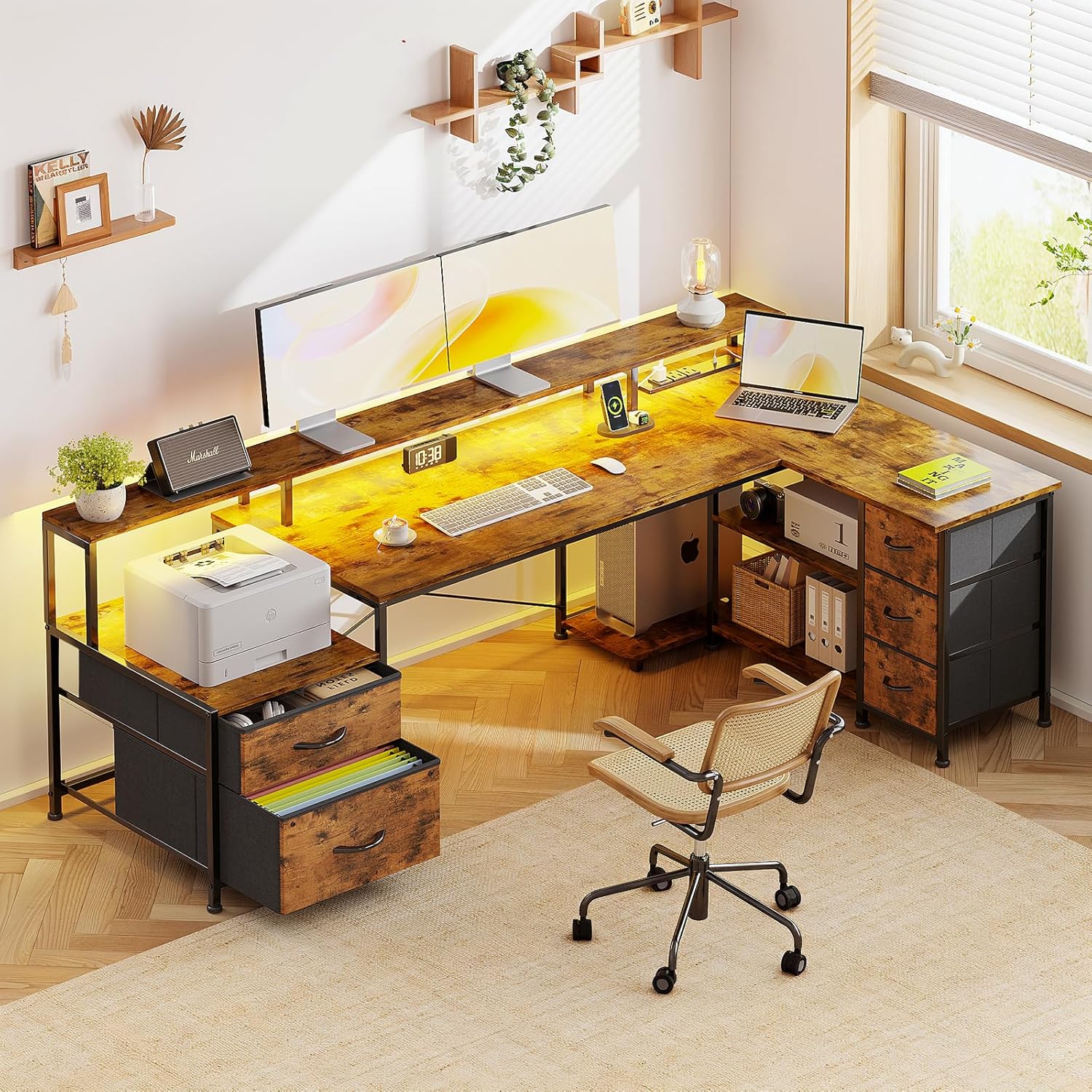
Image: The VERMESS L-shaped desk demonstrating its reversible design, allowing for left or right corner configurations. This image shows the two possible orientations of the desk.
4.3 Ürün Boyutları
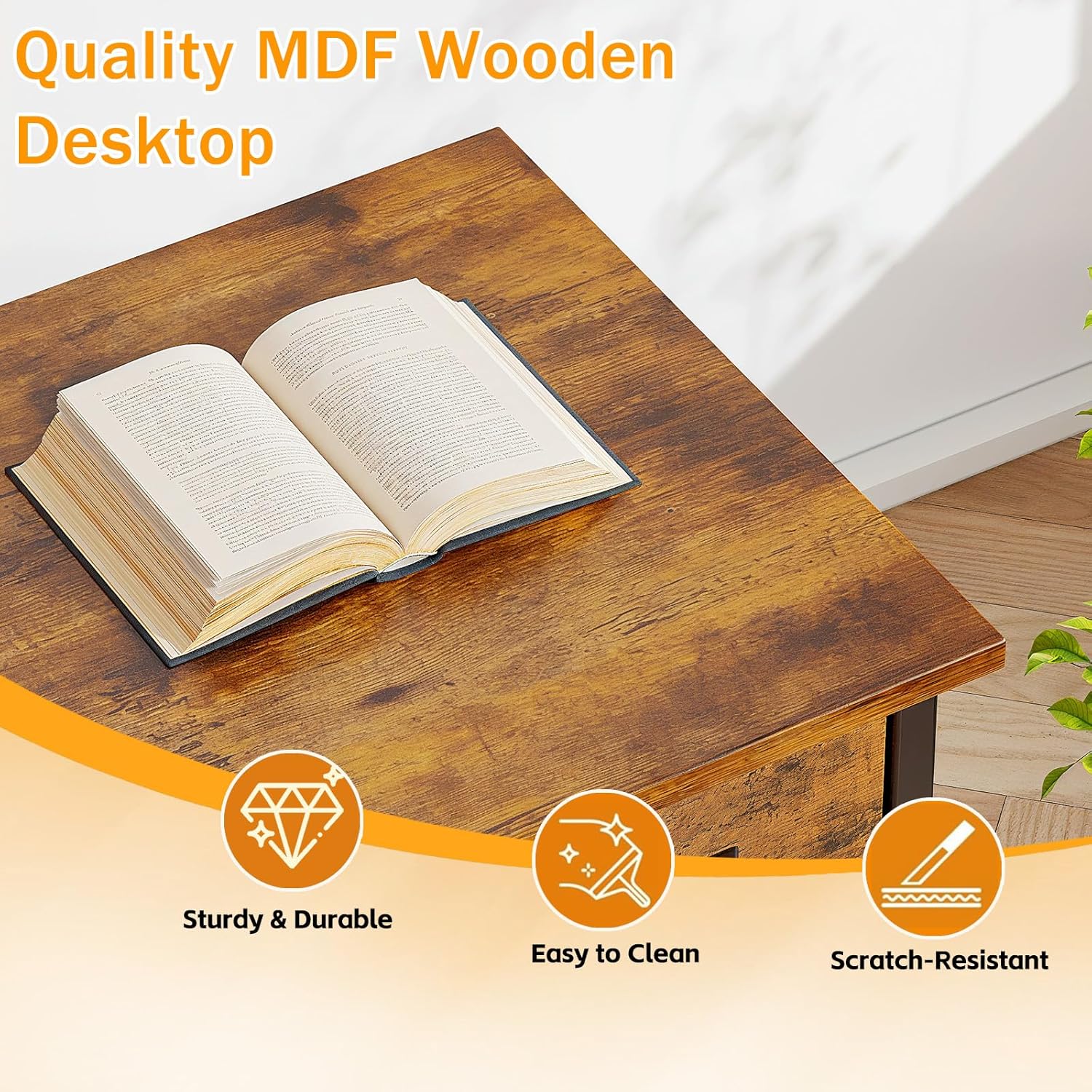
Image: A diagram illustrating the detailed dimensions of the VERMESS L-shaped desk, including overall length (74.5 inches), depth (46 inches), height (30 inches), and specific measurements for the monitor stand and drawer sections. Max capacity is 100LBS.
5. Kullanım Talimatları
5.1 Dahili Şarj İstasyonu
The desk includes an integrated power strip for convenient device charging and power access.
- AC Prizleri: Plug in up to three standard electronic devices (e.g., monitors, lamps, laptops).
- USB Bağlantı Noktası (5V/2A): USB ile çalışan cihazları şarj etmek için bağlayın.
- Type-C Port (5V/2A): Connect Type-C compatible devices for charging.
Ensure the desk's main power cable is securely plugged into a wall outlet. Avoid overloading the power strip by connecting too many high-power devices simultaneously.
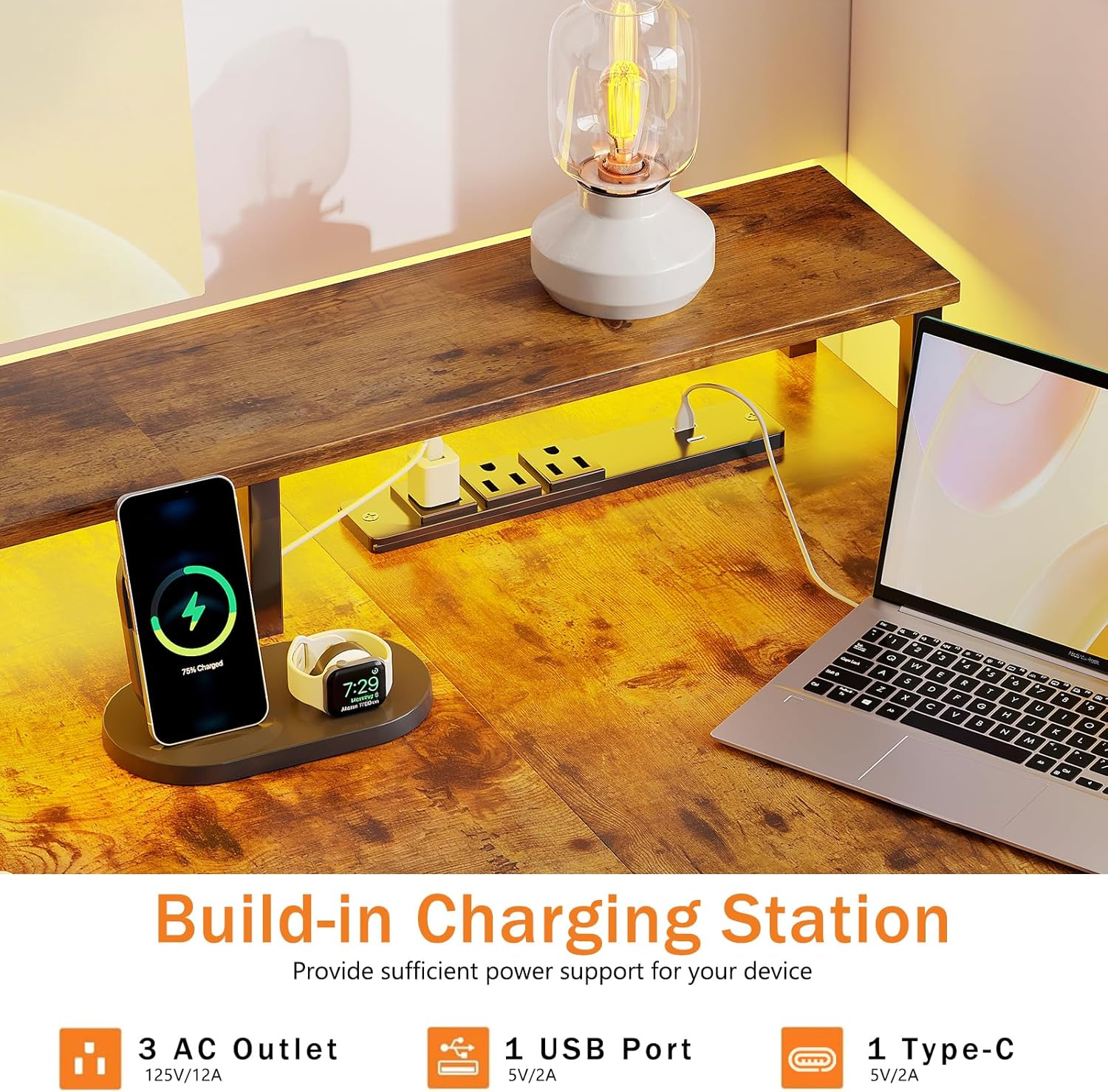
Resim: Ayrıntılı view of the integrated power strip on the VERMESS desk, featuring 3 AC outlets, 1 USB port, and 1 Type-C port, with devices like a smartphone and laptop connected for charging.
5.2 RGB LED Işıklar
Enhance your workspace ambiance with the integrated RGB LED light strip.
- Güç Açma/Kapatma: Use the smart controller to turn the LED lights on or off.
- Renk Seçimi: Cycle through multiple static colors.
- Dinamik Modlar: Choose from various dynamic lighting effects.
- Parlaklık Ayarı: Işık yoğunluğunu 5 farklı parlaklık seviyesiyle ayarlayın.
Refer to the smart controller's specific instructions for detailed operation of modes and settings.
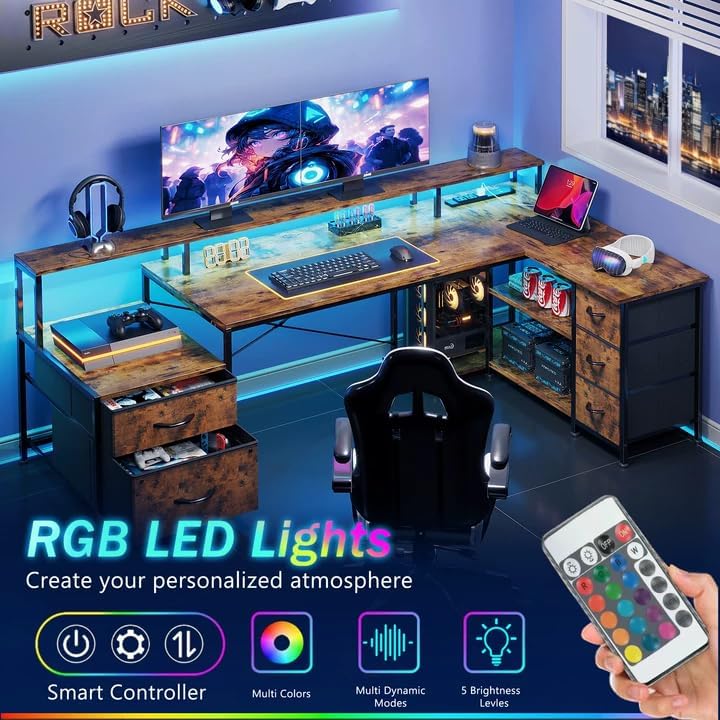
Image: The VERMESS desk with its RGB LED lights active, showcasing various color options and dynamic modes. A remote control for the LED lights is also visible, indicating control features like smart control, multi-colors, multi-dynamic modes, and 5 brightness levels.
5.3 File Çekmeceler
The desk includes five fabric drawers, one of which is designed for file asılı.
- Standart Çekmeceler: Use for general storage of office supplies, documents, or personal items.
- File Hanging Drawer: Utilize the integrated rail to organize hanging file folders, allowing for quick access to important documents.

Resim: Yakın çekim view of one of the VERMESS desk's fabric drawers, specifically highlighting the file hanging rail with colorful hanging folders inside, demonstrating its functionality for organizing documents.
5.4 Monitör Sehpası
The full-size monitor stand (74" x 6.1") is designed to elevate your screens for improved ergonomics.
- Place up to two monitors on the stand.
- The elevated position helps improve posture and reduce neck and shoulder fatigue.
- Utilize the space underneath the monitor stand for keyboard, mouse, or other accessories when not in use.
6. Bakım
- Temizlik: Masa yüzeylerini yumuşak bir bezle silin.amp Kumaşı sert kimyasallardan veya aşındırıcı temizleyicilerden uzak tutun. Cilaya zarar verebilir.
- Dökülmeler: Clean up spills immediately to prevent staining or damage to the MDF wood.
- Donanım: Tüm vida ve cıvataların sıkı olduğundan emin olmak için düzenli olarak kontrol edin. Gerekirse tekrar sıkın.
- LED Işıklar: If the LED strip becomes dusty, gently wipe it with a dry, soft cloth.
- Çekmeceler: Kumaş çekmeceler, hafif bir deterjanla bölgesel olarak temizlenebilir.amp Kumaşı kurumaya bırakın. Tamamen kuruması için havada kurumaya bırakın.
7. Sorun Giderme
- Masa sallanıyor:
- Tüm montaj vidalarının tamamen sıkıldığından emin olun.
- Adjust the leveling feet at the bottom of the desk to compensate for uneven floor surfaces.
- Power outlets/USB/Type-C not working:
- Check if the desk's main power cable is securely plugged into a functional wall outlet.
- Verify that the power strip itself is properly connected within the desk structure.
- Ensure the device you are trying to charge is working correctly and its cable is not damaged.
- Avoid overloading the power strip. Unplug some devices and test again.
- LED lights not turning on or functioning incorrectly:
- Check if the LED strip is properly connected to its power source and the smart controller.
- Ensure the smart controller has power (if battery-operated, check batteries).
- Try resetting the LED lights by unplugging and replugging the power source.
- Çekmecelerin açılıp kapanması zor:
- Ensure the fabric drawers are correctly inserted into their compartments.
- Check for any obstructions inside or around the drawer compartments.
8. Özellikler
| Marka | VERMESS |
| Örnek | L-Shaped Desk 74-inch with 5 Drawers (B0FJC59DG7) |
| Malzeme | Thick MDF Wooden Panels, Robust Metal Frame |
| Renk | Şaraptage |
| Genel Boyutlar | 74.5" (W) x 46" (D) x 30" (H) (approx. 189cm x 117cm x 76cm) |
| Monitör Sehpası Ölçüleri | 74" (W) x 6.1" (D) |
| Ağırlık Kapasitesi | 100 LBS (yaklaşık 45 kg) |
| Çekmeceler | 5 Fabric Drawers (including 1 file hanging drawer) |
| Priz | 3 AC Outlets, 1 USB Port (5V/2A), 1 Type-C Port (5V/2A) |
| Aydınlatma | RGB LED Strip with Smart Controller (Multi-colors, Dynamic Modes, 5 Brightness Levels) |
| Özellikler | Reversible Design, Adjustable Feet, X-shaped Metal Frame |
9. Garanti ve Destek
VERMESS products are manufactured with quality and customer satisfaction in mind. For information regarding warranty coverage, replacement parts, or technical support, please refer to the contact information provided with your purchase or visit the official VERMESS webalan.
When contacting support, please have your model number (B0FJC59DG7) and purchase date available.
Ask a question about this manual
Ask about setup, troubleshooting, compatibility, parts, safety, or missing instructions. Manuals+ will review the question and use this page’s manual context to help answer it.