
1. Giriş
This manual provides essential information for the safe and efficient operation, installation, and maintenance of your Carrier XCEL EDGE Fxi 2 Ton 3 Star Split Inverter AC. Please read this manual thoroughly before using the appliance and keep it for future reference.
2. Önemli Güvenlik Talimatları
Always follow basic safety precautions to reduce the risk of fire, electric shock, or injury. Failure to do so may result in serious injury or property damage.
- Ensure the AC is installed by a qualified and certified technician.
- Do not operate the AC with wet hands or when standing in water.
- Hava giriş veya çıkışına nesneler sokmayın.
- Turn off the main power supply to the unit before performing any cleaning or maintenance.
- Keep children and pets away from the unit, especially the outdoor unit.
- Use only the specified refrigerant (R32) as indicated on the unit's nameplate.
- Cihazı kendiniz tamir etmeye çalışmayın. Yetkili servis personeliyle iletişime geçin.
3. Ürün Bittiview
The Carrier XCEL EDGE Fxi is a 2-ton, 3-star rated split inverter air conditioner designed for efficient cooling in residential spaces. It features advanced inverter technology, Wi-Fi smart connectivity, and multiple cooling modes for personalized comfort.
Temel Özellikler:
- İnverter Teknolojisi: Adjusts compressor speed based on heat load, ensuring energy-efficient operation.
- Wi-Fi Smart Connect: Allows control via smartphone applications and voice commands for enhanced convenience.
- 6'si 1 arada Dönüştürülebilir Soğutma: Offers six different cooling modes to adjust capacity according to room occupancy and weather conditions.
- Copper Condenser: Ensures efficient heat transfer, rapid cooling, and extended durability.
- R32 Soğutucu: Utilizes an environmentally friendly refrigerant with lower global warming potential.
- Gizli Ekran: Features a sleek, concealed digital display for a modern aesthetic.
- High Ambient Cooling: Designed to deliver effective cooling even at ambient temperatures up to 55°C.
- Düşük Gürültülü Çalışma: Operates as low as 32dB, providing a quiet environment.
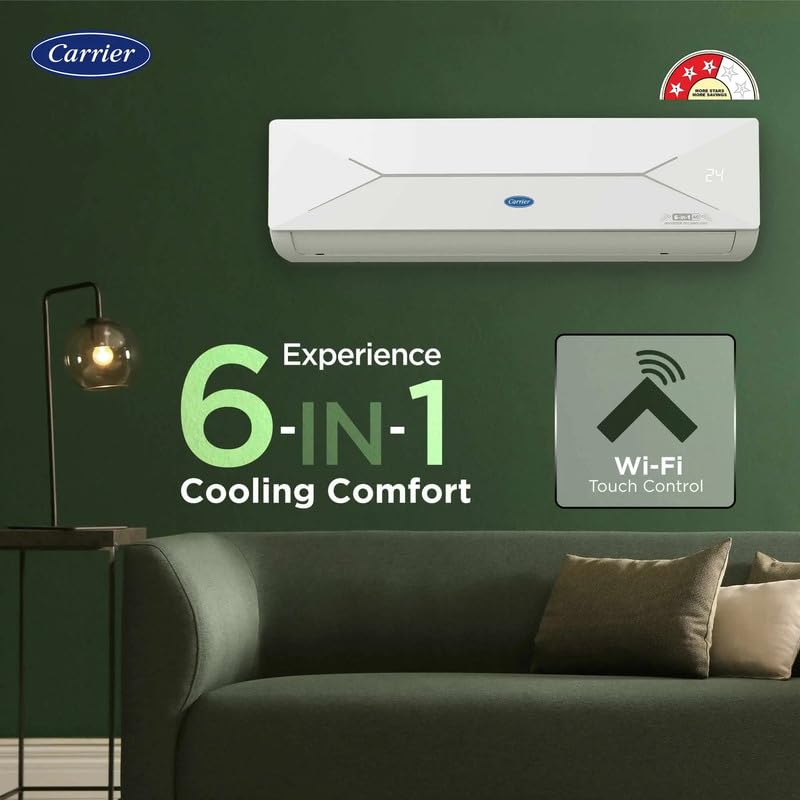
Şekil 1: Indoor unit highlighting 6-in-1 Convertible Cooling and Wi-Fi Smart Connect capabilities.
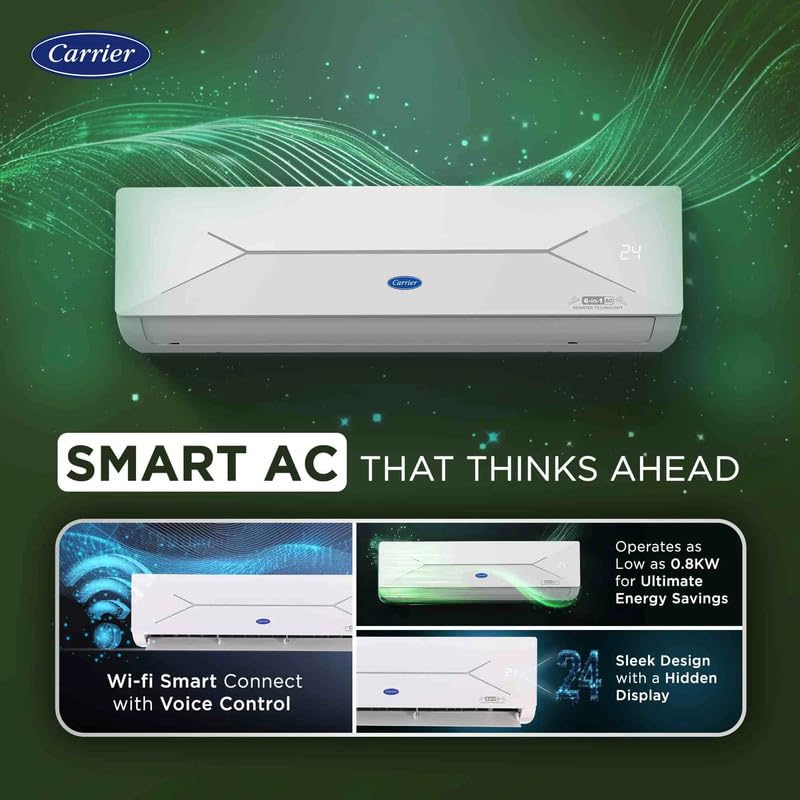
Şekil 2: Smart features including Wi-Fi Smart Connect with voice control, sleek design with a hidden display, and energy-efficient operation as low as 0.8KW.
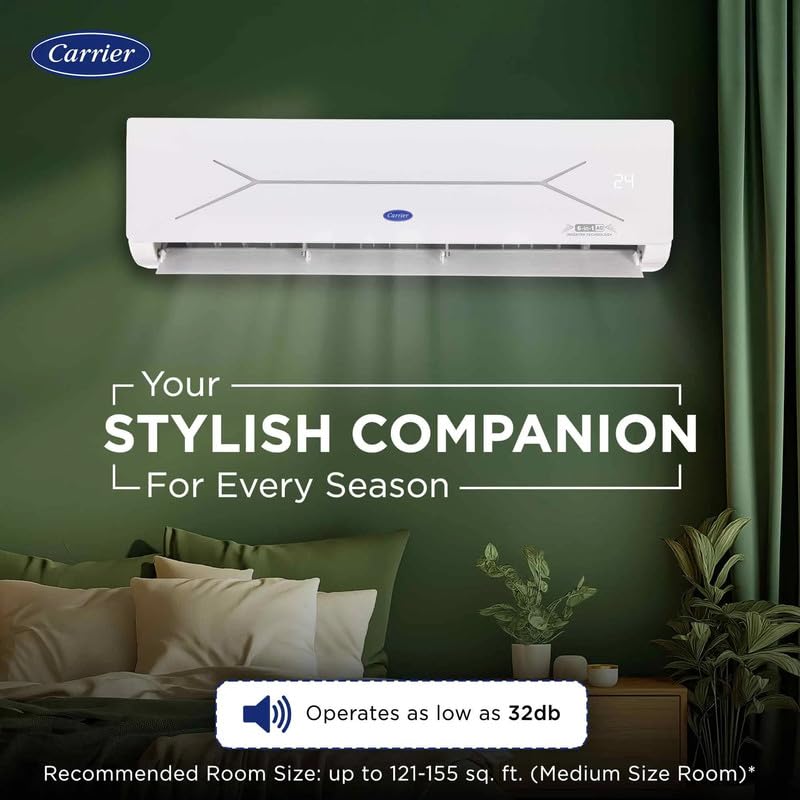
Şekil 3: The indoor unit's quiet operation (as low as 32dB) and suitability for medium-sized rooms (121-155 sq. ft.).
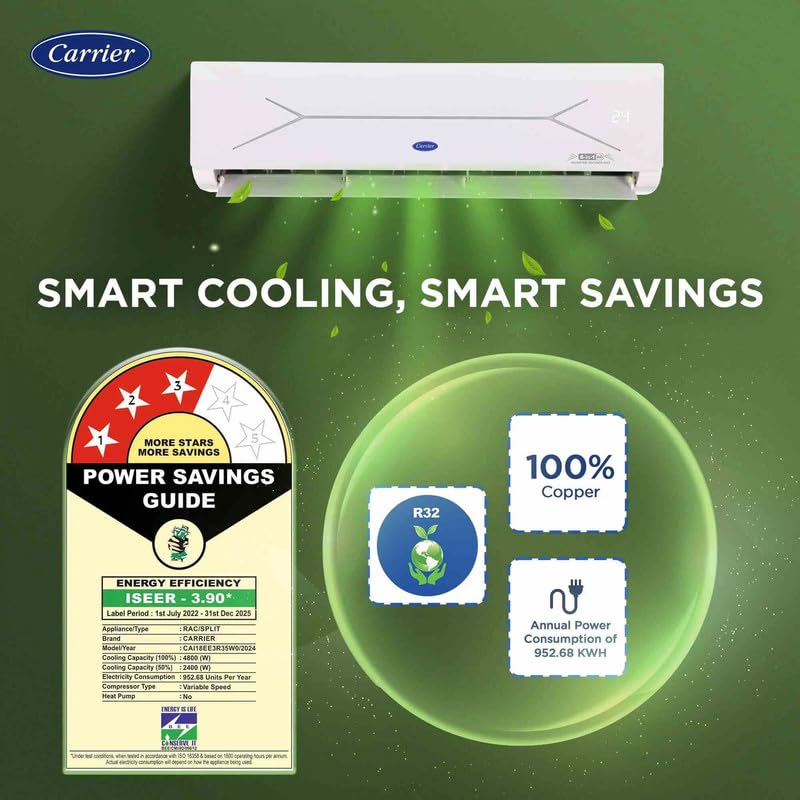
Şekil 4: Energy efficiency details, including the 3-star rating, R32 refrigerant, 100% copper condenser, and annual power consumption of 952.68 KWH.
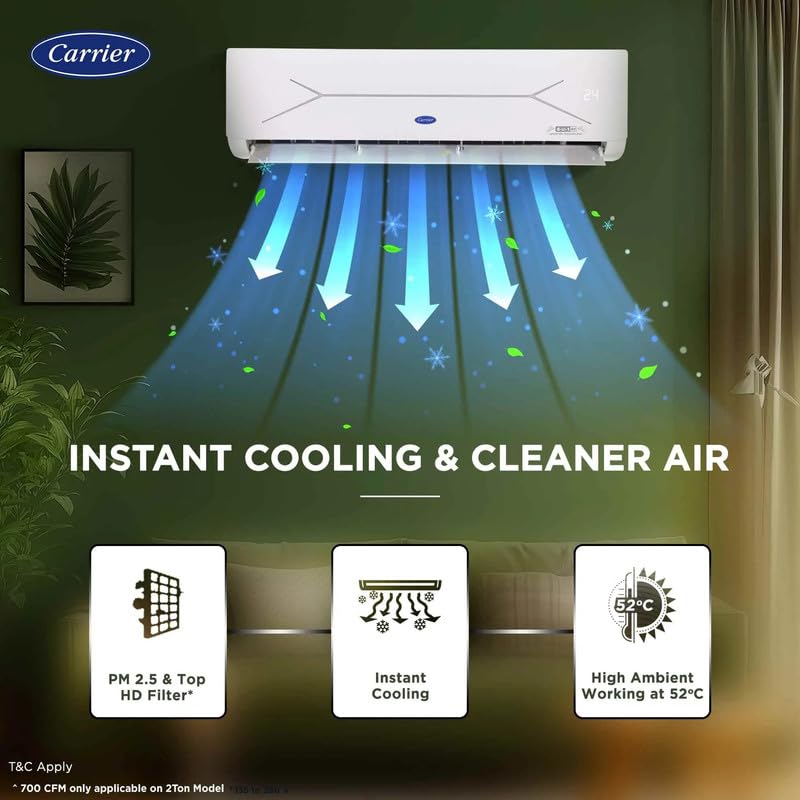
Şekil 5: Features for instant cooling, PM 2.5 & Top HD Filter, and high ambient temperature operation up to 55°C.
4. Kurulum ve Kurulum
Proper installation is crucial for the performance and longevity of your air conditioner. It is highly recommended that installation be performed by a certified Carrier service technician to ensure safety and compliance with local regulations.
4.1 Ambalajın Açılması ve İnceleme:
- Carefully unpack all components: Indoor Unit, Outdoor Unit, Remote Control, and User Manual.
- Inspect all items for any signs of shipping damage. Contact your dealer immediately if any damage is found.
4.2 Lokasyon Seçimi:
- İç Ünite: Choose a location that allows for even air distribution throughout the room, away from direct sunlight, heat sources, or obstacles that may block airflow. Ensure sufficient space around the unit for maintenance.
- Dış ünite: Select a well-ventilated area, free from obstructions, and with adequate clearance for proper airflow. Avoid locations where noise might disturb neighbors.
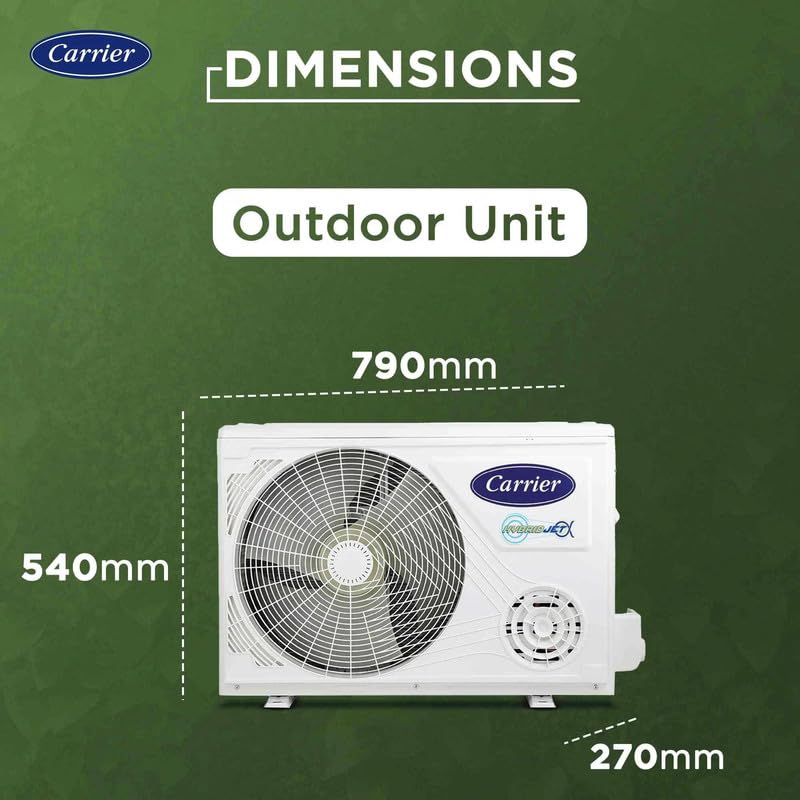
Şekil 6: Dimensions of the outdoor unit for installation planning (790mm W x 540mm H x 270mm D).
4.3 Elektrik Gereksinimleri:
- Ensure the electrical power supply matches the specifications of the unit (220 Volts, 3000 Watts).
- A dedicated circuit breaker for the air conditioner is strongly recommended to prevent electrical overloads.
4.4 Wi-Fi Smart Connect Setup:
Your AC supports Wi-Fi connectivity for remote control and smart features. Refer to the separate Wi-Fi setup guide provided with your unit or the Carrier Home app for detailed instructions on connecting your unit to your home network and integrating with voice assistants.
5. Kullanım Talimatları
Your Carrier XCEL EDGE Fxi AC can be operated using the included remote control or via the Wi-Fi Smart Connect feature through a smartphone application.
5.1 Uzaktan Kumanda İşlemi:
The remote control allows you to adjust various settings. Ensure the remote is pointed towards the indoor unit when transmitting commands for proper communication.
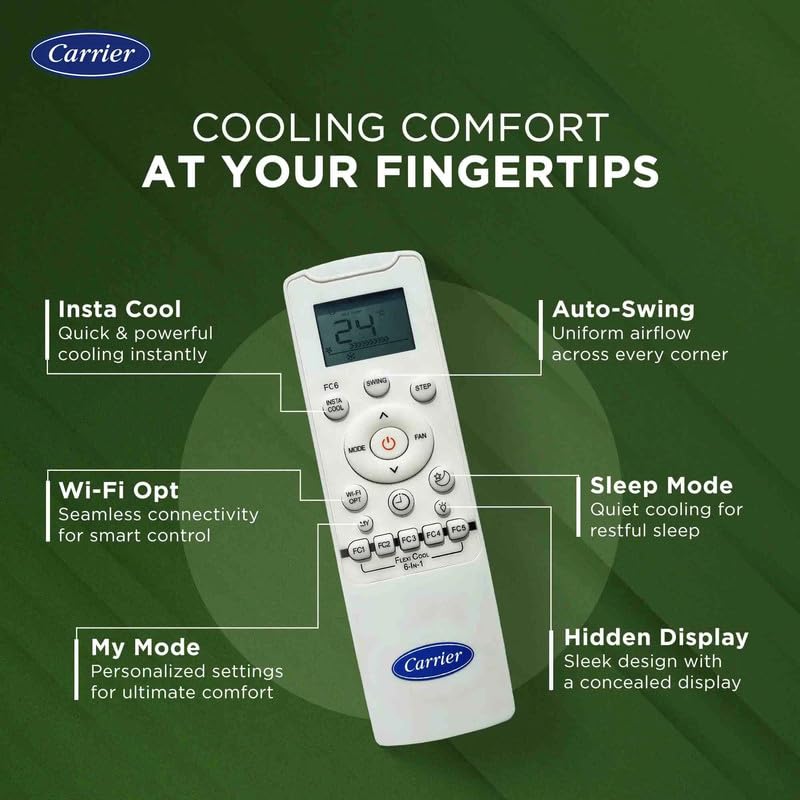
Şekil 7: Remote control layout and key functions, including Insta Cool, Auto-Swing, Wi-Fi Opt, Sleep Mode, My Mode, and Hidden Display activation.
Uzaktan Kumandanın Temel İşlevleri:
- Güç Düğmesi: Üniteyi AÇIK veya KAPALI konuma getirir.
- Mod Düğmesi: Cycles through available operating modes: Cooling, Fan, Dry, and Auto.
- Sıcaklık Ayarı: Kullanmak ▲ (Yukarı ve ▼ (Down) buttons to set your desired room temperature.
- Fan Hızı: Adjusts the fan speed (Low, Medium, High, Auto) for airflow control.
- Salıncak Düğmesi: Controls the vertical movement of the louver for uniform air distribution.
- Insta Cool: Activates a rapid cooling function for quick comfort.
- 6'si 1 arada Dönüştürülebilir Soğutma: Press this dedicated button to cycle through different tonnage modes (e.g., 1.6T, 1.4T, 1.2T, 1.0T, 0.8T, 0.6T) to optimize energy saving or enhance cooling based on your needs.
- Uyku modu: Optimizes temperature and fan speed settings during sleep for comfort and energy conservation.
- Wi-Fi Opt: Initiates the Wi-Fi pairing mode for connecting to your smart device.
- Benim Modum: Allows you to save and recall your preferred operating settings.
5.2 6-in-1 Convertible Cooling:
This feature allows you to adjust the cooling capacity of the AC to match your specific needs, saving energy when full capacity is not required. Use the dedicated button on the remote to select from various tonnage options, effectively reducing power consumption while maintaining comfort.
5.3 Wi-Fi Smart Connect and Voice Control:
Once connected to your home Wi-Fi network, you can control your AC using the Carrier Home smartphone application. This includes turning the unit on/off, adjusting temperature, changing modes, and setting schedules from anywhere. Voice control is also supported through compatible smart home assistants (e.g., Google Assistant, Amazon Alexa).
6. Bakım
Regular maintenance ensures optimal performance, energy efficiency, and extends the lifespan of your AC unit. Always disconnect power to the unit before performing any maintenance tasks.
6.1 Hava Filtresi Temizliği:
- The air filters should be cleaned every two weeks or more frequently depending on usage and local air quality.
- İç ünitenin ön panelini açın.
- Hava filtrelerini dikkatlice çıkarın.
- Wash them with lukewarm water and a mild detergent. Rinse thoroughly to remove all soap residue.
- Allow filters to dry completely in a shaded area before reinserting them into the unit. Do not expose to direct sunlight.
6.2 Indoor Unit Cleaning:
- İç ünitenin yüzeyini yumuşak bir bezle silin.amp Kumaş.
- Do not use harsh chemicals, abrasive cleaners, or solvents, as these can damage the unit's finish.
6.3 Dış Ünite Temizliği:
- Periodically clear any debris such as leaves, dust, or dirt from around the outdoor unit to ensure proper airflow.
- Ensure the condenser coils are clean for efficient heat exchange. This may require professional cleaning by a qualified technician.
6.4 Mevsimsel Kontroller:
- Before the start of each cooling season, check for any unusual noises, odors, or visible damage.
- Consider scheduling a professional service check annually to ensure the unit is operating at peak efficiency.
7. Sorun Giderme
Before contacting customer service, refer to the following table for common issues and their potential solutions. This may help you resolve minor problems quickly.
| Sorun | Olası Neden | Çözüm |
|---|---|---|
| AC does not turn on | No power supply, remote control batteries are low, or circuit breaker is tripped. | Check the main power supply, replace remote batteries, or reset the circuit breaker. |
| Yetersiz soğutma | Dirty air filters, blocked outdoor unit, incorrect mode selected, or room size exceeds capacity. | Clean air filters, clear obstructions from the outdoor unit, select the appropriate operating mode, or ensure the room size is within the AC's capacity. |
| Cihazdan alışılmadık ses geliyor. | Loose parts, foreign objects inside the unit, or the unit is not level. | Check for loose parts, remove any foreign objects, and ensure the unit is installed on a level surface. If noise persists, contact service. |
| İç üniteden su sızıntısı | Blocked drain pipe, or improper installation of the indoor unit. | Check and clear the drain pipe for blockages. If the issue persists, contact a qualified technician for inspection. |
| Wi-Fi bağlantı sorunları | Router problems, incorrect Wi-Fi password, or the unit is out of Wi-Fi range. | Restart your Wi-Fi router, re-enter the Wi-Fi password, or ensure the unit is within the effective range of your Wi-Fi network. Refer to the Wi-Fi setup guide. |
8. Özellikler
Detailed technical specifications for the Carrier XCEL EDGE Fxi 2 Ton 3 Star Split Inverter AC (Model CAI24CE3R35F0).
| Özellik | Detay |
|---|---|
| Marka | Taşıyıcı |
| Model Adı | CAI24CE3R35F0 |
| Kapasite | 2 Ton |
| Enerji Verimliliği | 3 Yıldızlı BEE Derecelendirmesi |
| Yıllık Enerji Tüketimi | 952.68 kWh |
| Soğutucu Akışkan Tipi | R32 |
| Kondenser Tipi | Bakır |
| Özel Özellikler | Hidden Display, Smart Energy Display, Smart Wi-Fi, 6-in-1 Convertible Cooling |
| Gürültü Seviyesi (Kapalı Alan) | 38 Decibels (as low as 32dB) |
| High Ambient Cooling | 55°C'ye kadar |
| Ürün Boyutları (İç Ünite) | 20.5D x 94G x 27.5Y Santimetre |
| Dış Ünite Boyutları | 790 mm G x 540 mm Y x 270 mm D |
| Cilttage | 220 Volt |
| Netage | 3000 Watt |
| Dahil Bileşenler | 1 Outdoor Unit, 1 Indoor Unit, Remote Control, User Manual |
9. Garanti ve Destek
For detailed warranty information, please refer to the warranty card included with your product packaging or visit the official Carrier India website. For technical assistance, service requests, or inquiries regarding spare parts, please contact Carrier customer support through the channels listed below.
Carrier Customer Service: Please refer to your purchase documentation or the official Carrier webEn güncel iletişim bilgilerine, telefon numaralarına ve e-posta desteğine ulaşmak için lütfen siteyi ziyaret edin.
Çevrimiçi Kaynaklar: www.carrierindia.com