
giriiş
This manual provides detailed instructions for the New Bee M53 Bluetooth Headset. Please read this manual carefully before using the product to ensure proper operation and to maximize its performance and lifespan. Keep this manual for future reference.
Paket İçeriği
Paketin içinde tüm öğelerin mevcut olduğundan emin olun:
- Bluetooth Earpiece (1 unit)
- 500mAh Charging Case (1 unit)
- Ear Tips (3 sizes: S/M/L)
- Type-C Cable (1 unit, AC adapter not included)
- Kullanım Kılavuzu (1 adet)
Ürün Bittiview
The New Bee M53 Bluetooth Headset features an ergonomic design for comfortable wear and intuitive controls. Below is a general view of the headset and its charging case.
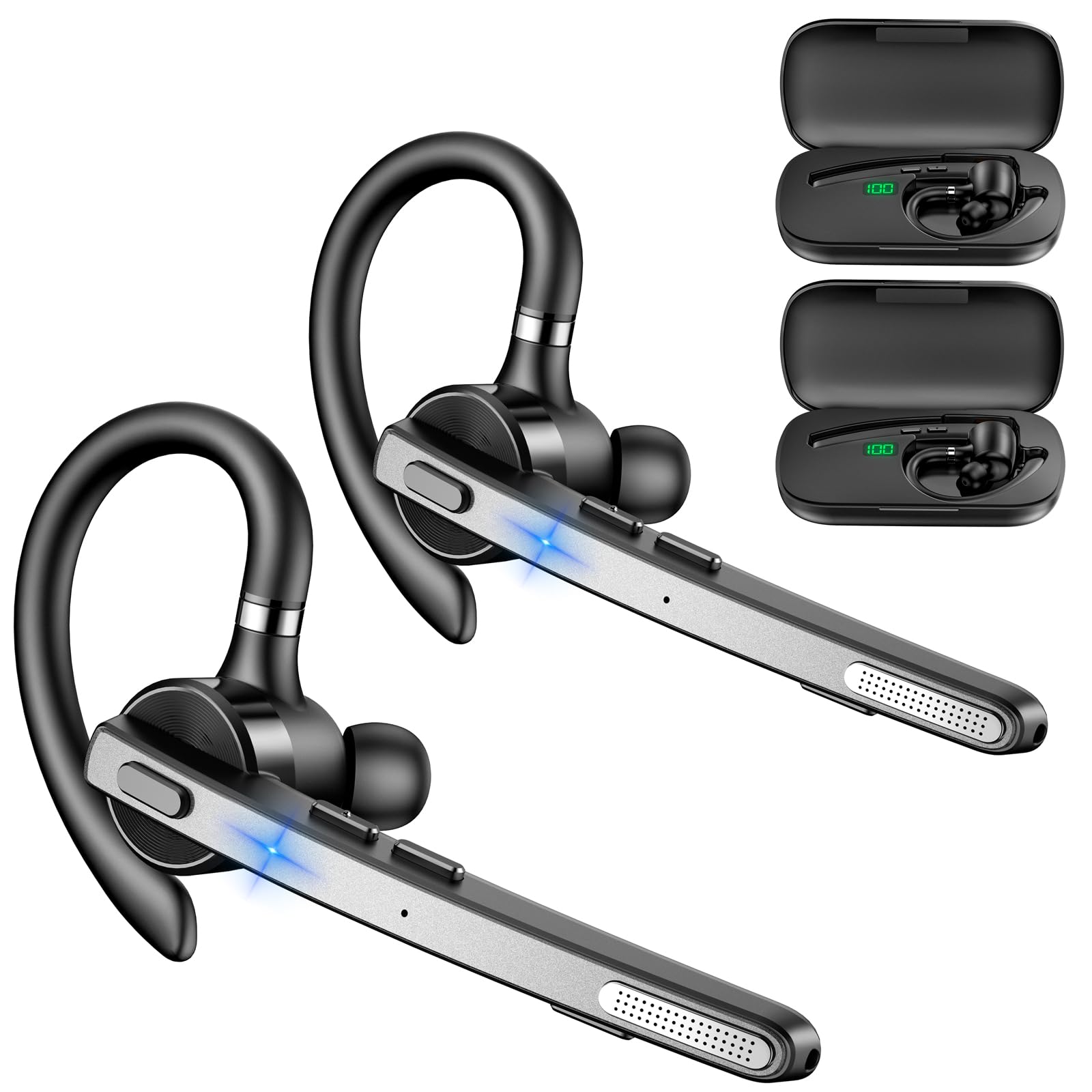
Image: New Bee M53 Bluetooth Headset with its charging case and included ear tips.

Image: Diagram illustrating the various buttons and their functions on the New Bee M53 Bluetooth Headset, including power, volume, call control, mute, and Type-C charging port.
Kurmak
1. Kulaklığın ve Şarj Kutusunun Şarj Edilmesi
Before first use, fully charge the headset and its charging case. The charging case has a digital display to indicate the remaining power.
- Connect the provided Type-C cable to the charging port on the case and to a USB power source (e.g., computer, wall adapter).
- Place the headset into the charging case.
- Tam şarj yaklaşık 2 saat sürüyor.
- The 500mAh charging case provides approximately 72 hours of total playtime for the headset.
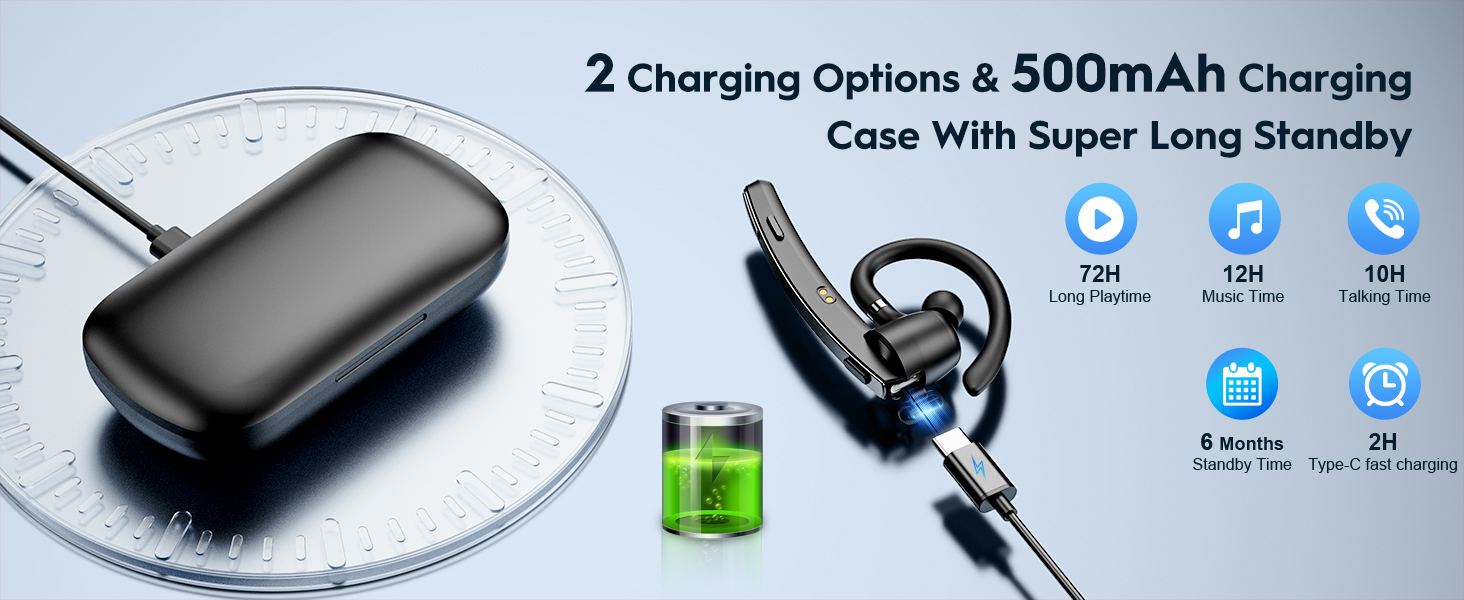
Image: The New Bee M53 charging case displaying battery level, with the headset inside, illustrating its long battery life capabilities.
2. Kulaklığın Takılması
The headset is designed for comfortable and secure fit. It can be worn on either the left or right ear.
- The flexible ear hook can be rotated 180° to fit either ear.
- The earphone arm can be rotated 270° to adjust the microphone position.
- Choose from the three included ear tip sizes (S, M, L) for the best fit and comfort.
- The headset weighs only 13.6 grams, ensuring comfort during extended wear.
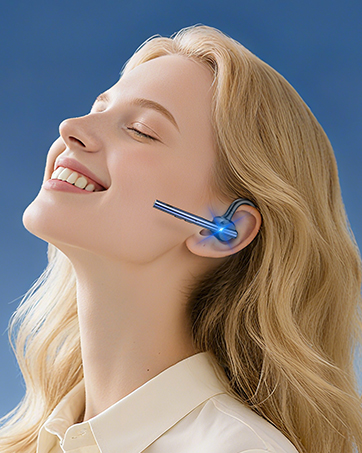
Image: Illustration of the headset's adjustable ear hook for left/right ear use and the three available ear tip sizes (S, M, L).
3. Bluetooth Eşleştirme
The headset uses Bluetooth 5.1 technology for quick and stable connections.
- Kulaklığın şarjlı ve kapalı olduğundan emin olun.
- Press and hold the Power button for 3-5 seconds until the indicator light flashes blue and red, indicating pairing mode.
- Cihazınızda (akıllı telefon, dizüstü bilgisayar vb.) Bluetooth'u etkinleştirin ve kullanılabilir cihazları arayın.
- Cihaz listesinden "M53"ü seçin.
- Bağlantı kurulduktan sonra gösterge ışığı yavaşça mavi renkte yanıp sönecektir.
The headset supports connecting to two devices simultaneously within a 15-meter (49 feet) range.

Image: The headset shown connecting to a mobile phone, demonstrating Bluetooth 5.1 quick connection and dual device capability.
Kullanım Talimatları
Temel Fonksiyonlar
- Güç Açma/Kapatma: Press and hold the Power button for 3 seconds to power on, 5 seconds to power off.
- Oynat/Duraklat: Oynat/Duraklat düğmesine bir kez basın.
- Ses Kontrolü: Ses seviyesini ayarlamak için Ses +/- düğmelerini kullanın.
- Sonraki/Önceki Şarkı: Press and hold Volume + for next song, Volume - for previous song (3 seconds).
Yönetim Çağrı
- Aramayı Cevaplama/Kapatma: Press the Answer/Hang Up button once.
- Çağrıyı Reddet: Press and hold the Answer/Hang Up button for 2 seconds.
- Son Numarayı Tekrar Ara: Double-press the Answer/Hang Up button.
- Mikrofonu Kapat: Press the Mic Mute button once during a call to mute/unmute the microphone.
The headset features dual-mic noise reduction and CVC8.0 technology for clear calls by reducing ambient noise and echo.

Image: Illustration of the headset's one-button call answering and mute features for hands-free communication.

Image: Visual representation of the dual-mic noise cancelling technology, showing how external background noise is reduced for clear calls.
Bakım
To ensure the longevity and optimal performance of your New Bee M53 Bluetooth Headset, follow these maintenance guidelines:
- Temizlik: Use a soft, dry, lint-free cloth to clean the headset and charging case. Do not use abrasive cleaners, solvents, or aerosol sprays.
- Depolamak: Store the headset in its charging case when not in use to protect it from dust and damage. Avoid extreme temperatures.
- Suya Maruz Kalma: The headset is not waterproof. Avoid exposure to water, moisture, or excessive humidity.
- Şarj: Always use the provided Type-C cable for charging. Do not attempt to disassemble or modify the device.
Sorun giderme
Kulaklığınızla ilgili sorunlarla karşılaşırsanız aşağıdaki yaygın çözümlere başvurun:
| Sorun | Çözüm |
|---|---|
| Kulaklık açılmıyor. | Ensure the headset is fully charged. Place it in the charging case and connect the case to a power source. |
| Cihazla eşleştirilemiyor. |
|
| Ses yok veya ses seviyesi düşük. |
|
| Çağrı kalitesi düşük. |
|
Özellikler
| Özellik | Detay |
|---|---|
| Model Adı | M53 |
| Bluetooth Sürümü | 5.1 |
| Bluetooth Menzili | 15 metreye (49 feet) kadar |
| Battery Life (Talktime/Music) | Şarj başına yaklaşık 12 saat |
| Şarj Kutusuyla Toplam Oynama Süresi | 72 saate kadar |
| Şarj Kutusu Kapasitesi | 500mAh |
| Şarj Süresi | Yaklaşık 2 saat (C Tipi) |
| Ağırlık | 13.6 grams (earpiece) |
| Gürültü Kontrolü | Dual-Mic Noise Reduction, CVC8.0 |
| Uyumluluk | iOS, Android, Windows (Cellphones, Laptops, Desktops) |
| Kontrol Türü | Düğme Kontrolü |

Image: The headset demonstrating its wide compatibility with devices such as tablets, cellphones, laptops, PCs, and Kindles.
Garanti ve Destek
New Bee provides a 3-year customer support service for this product. If you encounter any issues or have questions, please contact our customer support team. Refer to the contact information provided with your purchase or visit the official New Bee webyardım için site.
Garanti talepleri için lütfen satın alma belgenizi saklayınız.