
1. Güvenlik Bilgileri
Please read all safety instructions carefully before using the Yaheetech Folding Computer Desk.
- Do not sit on the computer desk. This desk is designed for holding computer equipment and work materials, not for seating.
- Ensure the total weight placed on the desk does not exceed the specified maximum load capacities to prevent damage or injury.
- Keep fingers away from moving parts, especially the metal tubes underneath, when folding or unfolding the table to avoid pinching.
- Place the desk on a stable, level surface to prevent tipping.

2. Ürün Bittiview
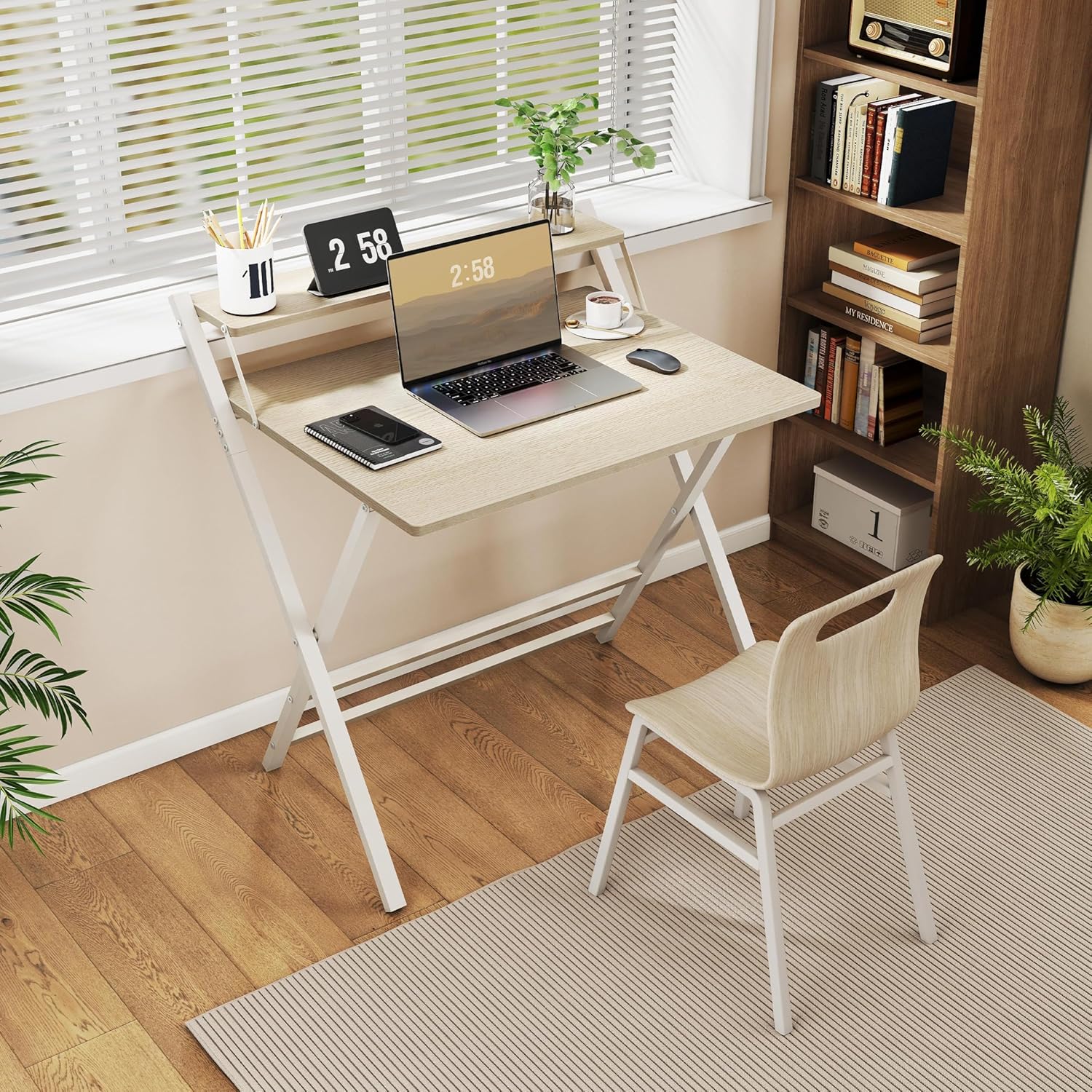
The Yaheetech 80 cm Folding Computer Desk is a versatile and space-saving solution for your home office, study room, or small living areas. It combines functionality with a modern design, featuring a sturdy construction and an ergonomic monitor shelf.
Temel Özellikler:
- Ergonomic Monitor Shelf: The elevated shelf positions your screen at an ergonomic height, reducing strain on your neck and back during extended use.
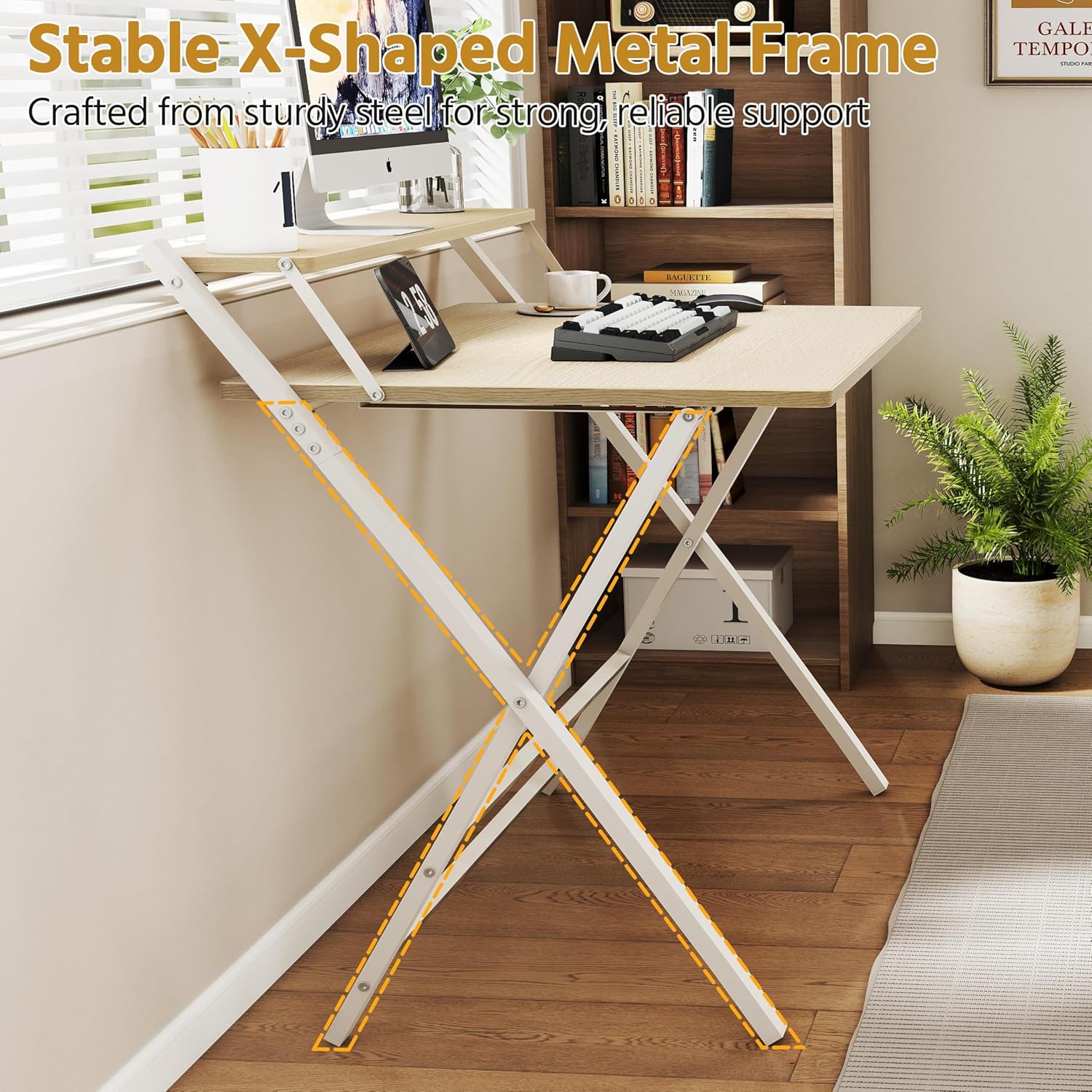
- Stable X-Shaped Metal Frame: Constructed with a reinforced X-shaped metal frame and additional crossbars, ensuring stability and supporting up to 60 kg.
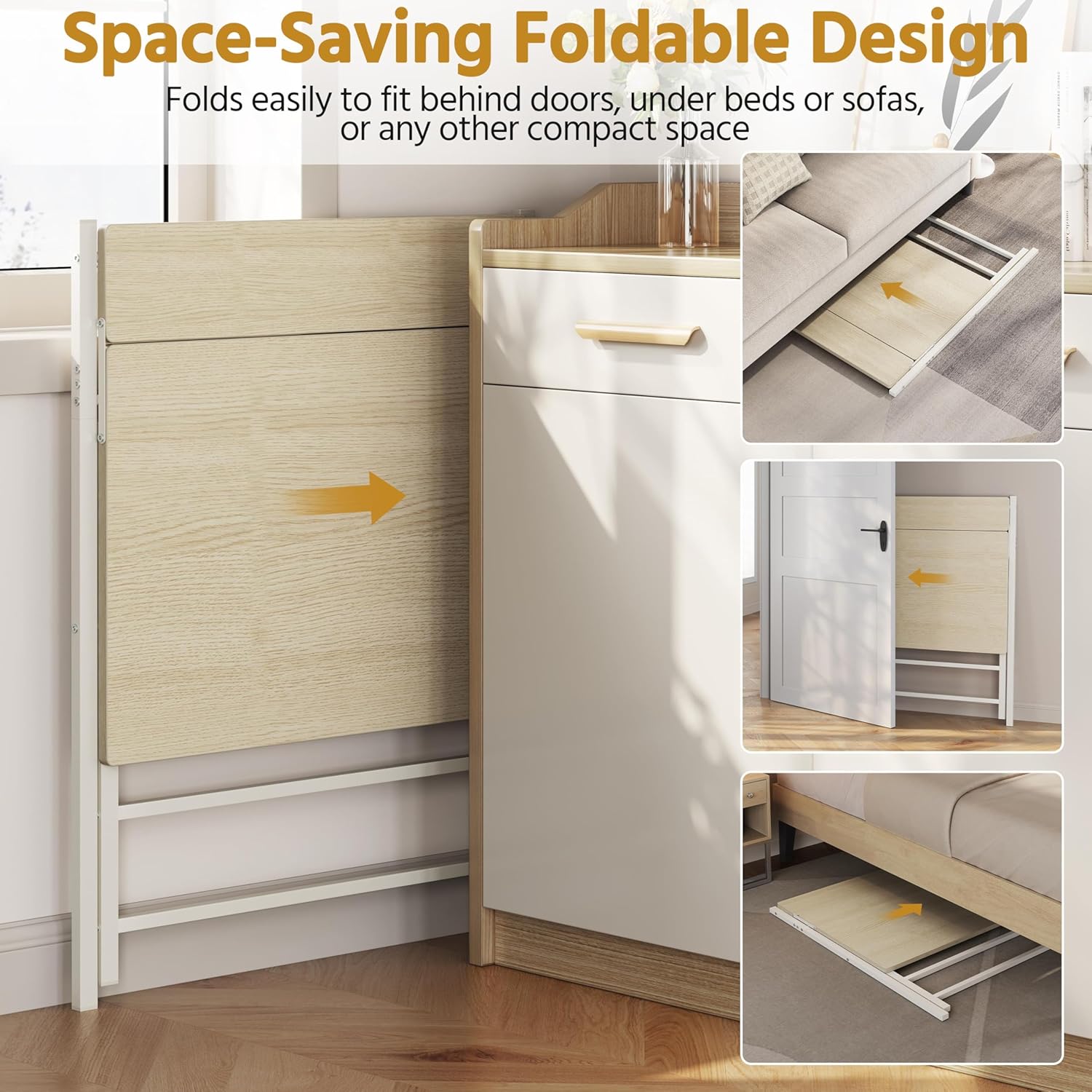
- Yerden Tasarruf Sağlayan Katlanabilir Tasarım: Easily folds for compact storage, allowing it to be stored under a bed, behind a door, or in other small spaces when not in use.
- Dayanıklı Malzemeler: Made from robust coated particleboard and powder-coated metal, offering a water-repellent surface that is easy to clean.
- Yuvarlak Köşeler: Slightly rounded corners enhance safety and comfort during daily use.

3. Özellikler
| Bağlanmak | Değer |
|---|---|
| Model Numarası | 5016397 |
| Renk | Açık Ahşap |
| Malzeme | Particleboard, Powder-coated Metal |
| Açılmış Haldeki Boyutlar (Uzunluk x Genişlik x Yükseklik) | 86.5x60.5x90.5 cm |
| Katlanmış Boyutlar (U x G x Y) | 107x86.5x4 cm |
| Masa Üstü Ölçüleri (Uzunluk x Genişlik) | 80x50 cm |
| Monitor Shelf Dimensions (L x W) | 80x12 cm |
| Masaüstü Yüksekliği | 74.5 cm |
| Maksimum Yük Kapasitesi (Toplam) | 60 kilo |
| Maximum Load Capacity (Tabletop) | 50 kilo |
| Maximum Load Capacity (Shelf) | 10 kilo |
| Ürün Ağırlığı | 9.7 kilo |

4. Kurulum ve Montaj
The Yaheetech Folding Computer Desk is designed for quick and easy setup. Minimal assembly is required, primarily involving unfolding the desk.
Unfolding the Desk:
- Carefully remove the desk from its packaging.
- Place the folded desk on a flat, clear surface.
- Gently pull the main tabletop upwards while extending the X-shaped metal legs outwards.
- Ensure all locking mechanisms (if present) are securely engaged to keep the desk stable.
- Verify that the monitor shelf is properly aligned and stable.

5. Operasyon
Masayı Kullanma:
- Place your computer, monitor, and other work essentials on the tabletop and monitor shelf.
- Utilize the monitor shelf to elevate your screen for improved ergonomics.
- The open design provides ampRahat kullanım için yeterli bacak mesafesi.
Depolama için Katlama:
- Clear all items from the desk surface and monitor shelf.
- Carefully disengage any locking mechanisms that secure the desk in its open position.
- Gently push the tabletop downwards while bringing the X-shaped legs together. Refer to Figure 1.1 for safe hand placement.
- Once folded, the desk can be stored in a compact space.
6. Bakım
To ensure the longevity and appearance of your Yaheetech Folding Computer Desk, follow these simple maintenance guidelines:
- Temizlik: The water-repellent surface can be easily cleaned with a damp Kumaşı sert kimyasallar veya aşındırıcı temizleyiciler kullanmaktan kaçının, bunlar cilaya zarar verebilir.
- Denetleme: Tüm vidaları ve bağlantıları düzenli olarak kontrol ederek sıkı olduklarından emin olun. Gerekirse tekrar sıkın.
- Depolamak: When storing the desk in its folded position, ensure it is placed in a dry environment away from extreme temperatures or direct sunlight.
7. Sorun Giderme
If you encounter any issues with your Yaheetech Folding Computer Desk, please refer to the following common solutions:
- Masa dengesiz görünüyor: Ensure the desk is placed on a flat, level surface. Check that all legs are fully extended and any locking mechanisms are engaged. Verify that all screws are tightened.
- Katlama/açma zorluğu: Ensure no obstructions are present in the folding mechanism. Apply gentle, even pressure. Refer to the safety information regarding hand placement.
- Yüzey hasarı: For minor scratches, touch-up pens or furniture markers matching the wood color may be used. For significant damage, contact customer support.
Sorun devam ederse, daha fazla yardım için lütfen Yaheetech müşteri desteğiyle iletişime geçin.
8. Garanti ve Destek
Yaheetech products are manufactured to high-quality standards. For specific warranty details, please refer to the warranty card included with your purchase or visit the official Yaheetech webalan.
For customer support, technical assistance, or to inquire about replacement parts, please contact Yaheetech directly through their official webSite veya satın alma belgelerinizde belirtilen iletişim bilgileri.